Cloud Computing Architecture: A Simple Beginner’s Guide

A person checking a phone app may see one screen, while several connected cloud components handle the request behind it. The cloud computing architecture matters to a business because it shapes how users get information and how systems meet their needs. You do not need to manage servers to understand the basic ideas.
This guide will help you follow what happens when you open an app, and how teams make choices based on requirements and use cases. You will also learn which questions to ask before a cloud system grows.
Key Takeaways
- A cloud system connects a user-facing app with provider-side resources.
- A request travels from the frontend across a network to the backend.
- Service models show who manages each part of the technology stack.
- Deployment models describe where resources run and how environments connect.
- Security duties remain shared, even when a provider runs the infrastructure.
- Knowing the basic structure makes it easier to ask which services, controls, and deployment choices a workload actually needs.
What Is Cloud Computing Architecture?
Cloud computing architecture is the design for how cloud services, applications, and infrastructure work together to deliver computing resources. The design gives teams a working plan for connecting software and resources over the internet.
A cloud computing architecture tutorial should first separate the design blueprint from the resources that carry it out. Cloud computing architecture notes are easier to use when they keep those ideas distinct. Cloud infrastructure is the technology that runs the design, such as servers, storage, and network equipment.
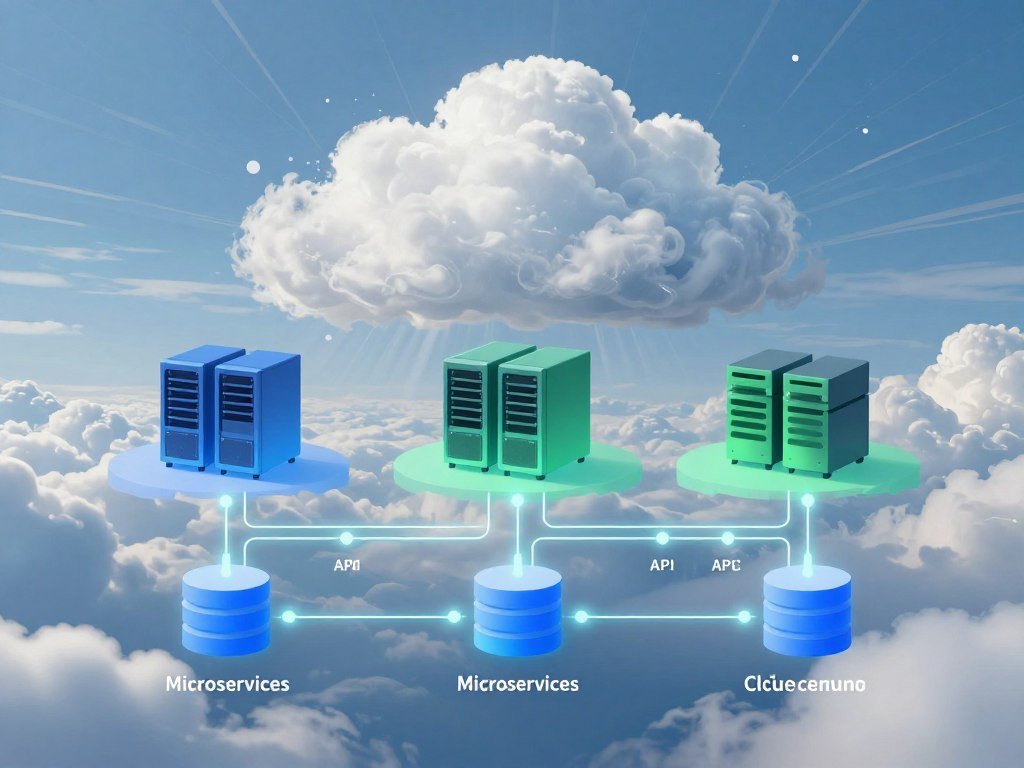
Treat the architecture as the plan and the infrastructure as the working system built from that plan.
The plan can use different methods to organize how software parts communicate. Service-oriented architecture, or SOA, groups functions into independent services that communicate with one another.
Event-driven architecture, or EDA, lets components respond to events or changes in a system. For example, a new order could trigger a stock update and a customer notice.
These approaches help teams shape software, but they do not describe every part of a cloud system. A design may use one approach, combine both, or use another structure that fits its applications.
The word architecture can also refer to the choices that shape how a system grows, handles requests, and connects services. Those choices affect how teams build and maintain the system over time.
The National Institute of Standards and Technology describes cloud roles and functions in its cloud computing reference architecture. Its model includes consumers, providers, brokers, auditors, and carriers.
That wider view can help when several organizations take part in delivering a service. For a beginner, the useful starting point is still the plan and the technology that puts it into practice.
What Are the Main Layers and Components?
A cloud app request usually starts at an interface, crosses a network, and reaches provider-side resources that process or return data. A beginner’s model has three basic components: the frontend, the backend, and the network.
The frontend is the user-facing side; the backend is the provider-side system that handles the work. Cloud computing architecture layers can also appear as a more detailed stack, with separate layers for applications, compute, and storage.

The frontend users interact with
The frontend includes the interface and the client infrastructure used to reach a service. Your phone, laptop, browser, or app can all take part in this side of the system.
You tap a button or enter information through the interface. The app then creates a request and sends it toward the backend.
The backend that processes requests
The backend holds provider-side resources, such as applications, storage, virtual machines, servers, and security mechanisms. These components process a request, save information, or return the data the user needs.
Storage services offer different ways to keep data. Amazon S3 is object storage, Azure Storage includes blob storage, table storage, and file shares, and Google Cloud Storage serves varied workloads.
Those names describe products, not one universal storage design. A team chooses storage based on how its application uses data.
The network connecting both sides
The network carries requests and data between the frontend and backend. The internet is a common path, though a system may also use private network connections.
Follow a basic request in these five steps:
- You take an action in the app, such as asking to view an account.
- The request travels over the network to the cloud service.
- The backend application checks the request and processes it.
- The application accesses data or another resource it needs.
- The result travels back across the network to your interface.
In this beginner’s model, the three parts make it easier to locate a problem. A detailed design may split the backend into more layers.
If an app feels slow, checking the network path and the backend resource handling the request can narrow down where the delay occurs.
How Do IaaS, PaaS, and SaaS Divide the Work?
The key distinction is how much of the computing stack the provider manages for you. Infrastructure as a service, or IaaS, gives you more control; software as a service, or SaaS, gives you a ready-made application.
As the service model moves from IaaS toward SaaS, the provider manages more of the underlying stack. Platform as a service, or PaaS, sits between them.

| Service model | Provider manages | Customer manages | Azure examples |
|---|---|---|---|
| IaaS | Physical infrastructure | Virtual machines, operating systems, applications | Virtual Machines, Disk Storage, virtual networks |
| PaaS | Infrastructure, virtual machines, operating systems | Applications and their data | App Service, Functions, SQL Database, Storage |
| SaaS | Infrastructure and ready-made application | Use of the application and its settings | Microsoft 365, Dynamics 365 |
In IaaS, your team manages virtual machines, operating systems, and applications. Azure Virtual Machines let you configure a VM, while Disk Storage and virtual networks support its setup.
With PaaS, you deploy applications without managing virtual machines or operating systems. The provider runs the platform, while your team focuses on its application and data.
SaaS users access ready-made applications through a service. Microsoft 365 and Dynamics 365 are examples of this model.
The models can work together in one organization’s service stack. One team might use SaaS for office work and PaaS for a custom app.
Extended models include function as a service (FaaS), container as a service (CaaS), database as a service (DBaaS), and business process as a service (BPaaS). They add ways to describe specific services, but do not replace the three core models.
The technology stack can be viewed from physical datacenters through IaaS and PaaS to the application and service layer. For a wider look at how business systems fit together, see this enterprise software guide.
Cloud computing architecture notes should keep service models separate from deployment models: one describes management, and the other describes where resources run.
Choose the model by deciding how much control your team needs over the operating system and application environment.
Which Cloud Deployment Model Fits the Workload?
Public cloud suits shared provider infrastructure, private cloud suits a dedicated organizational environment, hybrid cloud connects cloud and on-premises systems, and multicloud combines providers. The best fit depends on the workload’s actual setting.
Hybrid cloud includes on-premises systems, while multicloud means using services from more than one provider. Those terms describe different arrangements, even when a company uses both.

| Model | Resource arrangement | Connection or provider setup | A practical fit |
|---|---|---|---|
| Public | Provider-owned resources shared among users | One provider’s public cloud | Workloads suited to shared infrastructure |
| Private | Resources dedicated to one organization | Not shared outside that organization | A sensitive workload needing a dedicated environment |
| Hybrid | Public cloud and on-premises resources | Connected to work as one system | Existing systems that must connect with cloud resources |
| Multicloud | Resources from more than one cloud provider | Two or more providers; on-premises is optional | A workload that needs services from multiple providers |
A public cloud provider owns and manages the infrastructure. Multitenancy means that users share the provider’s resources, while each user’s workload remains separate.
A private cloud dedicates resources to one organization. A company might choose this model when its requirements call for a dedicated environment.
Hybrid cloud links public cloud services with on-premises systems so they work as one system. This can suit a business that needs to keep existing systems connected while using public-cloud resources.
Multicloud uses cloud services from more than one provider. It does not automatically include a company’s own datacenter or other on-premises systems.
Companies can also combine deployment models across different workloads. The right arrangement depends on how the business uses each system and which connections it must keep.
Check whether the real requirement is a dedicated environment, a connection to existing systems, or a choice among providers before settling on a model.
Who Secures the Cloud and Its Data?
Cloud security is shared, and the customer still has important duties even when a provider runs the underlying infrastructure. Your core duties include protecting data, managing identities, and setting access controls.
Provider-managed infrastructure does not transfer responsibility for your data, users, configurations, endpoints, or access. The exact split changes with the service model.
In Azure, customers remain responsible for data, configurations and settings, identities and users across on-premises, IaaS, PaaS, and SaaS deployments. Customers also manage data protection, endpoint security, user accounts, and access controls.
The operating system and network controls shift as the provider manages more of the stack. In Azure IaaS, customers manage operating systems and network controls.
In PaaS, Microsoft manages the operating system, while network controls are shared. In SaaS, Microsoft manages both the operating system and network controls.
Across Azure IaaS, PaaS, and SaaS, Microsoft manages the physical datacenters, physical hosts, and physical networks. Those duties sit below the customer’s data and account choices.
The split is easier to manage when you name an owner for each task. A provider can run the underlying service, but your staff still choose who gets access.
Buying SaaS reduces infrastructure management, but it does not make user-account hygiene or data protection someone else’s job. A weak password or overly broad account access can still put business data at risk.
Compliance also depends on how your organization configures and uses a service. Keep records of access decisions and the controls that protect important data.
Before deploying a workload, write down who approves access, protects its data, and responds to a security alert.
Which Technologies Keep Cloud Systems Flexible?
Virtualization allows one physical server to run multiple isolated virtual machines instead of dedicating the whole machine to one runtime. A VM is a software-based computer that uses part of its host server’s resources.
Virtualization lets one physical server run multiple separate virtual machines. Each VM has its own runtime environment, though the VMs share the underlying hardware.
Virtualization and virtual machines
Virtualization is software that lets one physical server run multiple separate virtual machines. It helps providers share hardware among workloads, while each VM runs its own operating system and applications.
The physical server supplies the hardware. A VM is not a separate physical machine, even though it can act like one from the application’s point of view.
Microservices and serverless computing
Microservices divide an application into small, independent services. Teams can deploy and scale each service separately, which can help when parts of an application have different demands.
Serverless computing uses event-driven functions and hides much of the underlying infrastructure from the customer. It does not mean physical servers disappear; the provider manages them.
AWS Lambda runs event-driven serverless computing. Amazon Fargate runs serverless containers without requiring customers to manage the underlying EC2 instances.
Architecture patterns also help a system respond to demand and failures. These four patterns solve different problems:
- Auto scaling adjusts resources when demand rises or falls.
- Bulkheads isolate failures so one part does not take down others.
- Circuit breakers manage repeated failures in remote calls.
- Retries repeat an operation after a temporary failure.
Each pattern adds choices for how a system behaves. For example, a retry can help with a temporary network fault, but repeated calls can add load during a wider outage.
Use these patterns only when they address a real workload or failure mode, since extra moving parts also add management work.
How Do AWS, Azure, and Google Cloud Compare?
AWS, Microsoft Azure, and Google Cloud Platform together held 62% of cloud infrastructure market share based on 2025 research, but market share is only one comparison point. Choose among the distinct options based on your workload and team.
Existing systems, team skills, workload needs, and required services matter more than market share alone. Each provider offers a wide set of cloud services, with different tools for common tasks.
AWS services and geographic footprint
AWS offers more than 200 services, along with Trainium and Inferentia custom silicon for AI workloads. In the comparison’s January 2026 information, AWS had 39 geographic regions and 123 Availability Zones.
It also had more than 30 Local Zones and 5G-integrated Wavelength locations. These options can matter when a workload needs resources in particular locations.
AWS held 28% of cloud infrastructure market share as of Q4 2025. That figure describes market presence, not whether AWS fits a specific application.
Microsoft Azure’s hybrid management
Microsoft Azure held 20% of cloud infrastructure market share as of late 2025. Azure Arc provides hybrid management for organizations working across cloud and other environments.
Azure may suit a team that already uses Microsoft tools or needs to manage connected systems. The team should still compare the services its workload needs.
Google Cloud’s analytics and serverless tools
Google Cloud Platform held 13% of cloud infrastructure market share in Q3 2025. BigQuery provides analytics, and Vertex AI is Google Cloud’s data and AI platform.
Google Cloud Run is a managed serverless container environment that scales containers automatically. It may fit applications that package software in containers and need managed scaling.
Provider market share does not measure the fit of a particular solution. A company’s current systems and staff skills can shape the cost and effort of moving or building applications.
Compare the services a workload actually needs and the skills your team can support before treating market presence as a selection rule.
How Do You Design and Diagram a Cloud Environment?
A useful cloud architecture diagram shows the path from a user’s device through the frontend and network to the backend resources that handle the request. Start with one request, then add the data and security boundaries it touches.
A clear diagram shows components, connections, and where the system’s security boundary sits. It can document current infrastructure, help troubleshoot faults, support compliance documentation, and show where future connections may be needed.
Draw the request path and system boundaries
Draw a user device, a frontend, the network, a backend application, storage, and a security boundary. Use arrows to show the request’s direction and the response’s return path.
Label the data the application reads or saves. Mark who can access each part, so the picture helps explain both system flow and security choices.
A diagram can record the current system for future work. It also helps staff trace a failure, organize compliance records, or plan a new service or connection.
Match the design to workload goals
A cloud architect aligns services and infrastructure with business goals and workload needs. The role also considers security, reliability, performance, and costs.
The architect may compare several ways to meet the same need. For example, a data-heavy application may need a different storage plan than a small app with few users.
Use these four steps to make a first design:
- Map one application request from the user’s action to its result.
- Draw the components and connections that handle that request.
- Identify the data the application needs and who may access it.
- Try a small workload in a free-tier environment.
A new AWS Free Tier account receives $100 in credits immediately and can earn up to $100 more, for up to $200 over 6 months. The account closes 6 months after opening or when its credits run out, whichever comes first.
AWS says the account is not charged unless it is converted to a Paid plan. Read the software startup launch steps when connecting system choices with a business plan.
Workload goals can differ across products, even within one company. A technology business idea may depend on customer demand, data needs, and the services its users expect.
A team exploring a blockchain product might also compare its technical needs with blockchain business ideas. The design should follow the product’s real use case, not a diagram’s visual neatness.
Recheck the diagram whenever a workload, connection, or responsibility changes so it remains useful for troubleshooting and planning.
Conclusion
A cloud system is easier to understand when you can trace a request and identify who manages each part. Its architecture connects user-facing applications to provider-side resources, while clear ownership helps protect the system and its data.
Your choices should fit the workload rather than follow a trend. A small app, a data-heavy service, and a system tied to older equipment can need different designs.
Start with one familiar application and sketch its request path. Label its frontend, network, backend, data, and access controls.
That simple picture gives you a practical way to discuss the system with your team. Start with one familiar application, sketch its path, and use that picture to guide your next cloud decision.
FAQ
How much does cloud computing architecture cost?
There is no single architecture fee; total spending depends on the services used, resource consumption, data movement, deployment choices, and support needs. A system that runs more compute or stores more data generally uses more resources. Data movement and added support can also raise costs. Track usage by workload to see which parts drive spending.
Can a cloud system keep working if one region fails?
Yes, a cloud system can be designed to keep working through a regional failure, but it needs planned redundancy and recovery. The result depends on where workloads and data are replicated and whether recovery is tested. A backup alone does not prove an application can resume. Teams should test the steps needed to restore service.
Does serverless computing mean there are no servers?
No, servers still run serverless code, but the provider manages the underlying infrastructure for the customer. Your team can focus on the functions or containers it deploys instead of managing each server. The provider still needs physical and virtual resources to run that code. Serverless describes the management model, not an absence of hardware.
Can cloud architecture work during an internet outage?
Cloud-hosted functions usually need a network connection, so an internet outage can block access to them. Offline behavior requires an app designed to cache or retain needed data locally. For example, a phone app can save a draft and send it after service returns. The app must be built to handle that case.
Is cloud architecture suitable for sensitive data?
Yes, cloud architecture can support sensitive data when an organization chooses suitable controls and deployment choices. The organization still needs to manage identities, access, and data protection. Staff should limit access to people who need it and review how information is stored and used. The design must also meet the organization’s compliance requirements.
How often should a cloud architecture be reviewed?
Review a cloud architecture after major workload, security, or business changes, and set a recurring schedule suited to its risk and change rate. A system with frequent updates may need more regular checks than a stable one. Reviews can catch outdated connections, access rules, and recovery steps. Record important changes so the diagram stays useful.
About The Author