Top Cloud Hosting Services to Fit Every Business Budget

A small business website and a custom app can both use cloud infrastructure, but they rarely need the same hosting plan. Your workload, technical skills, support needs, and budget all shape the right choice.
A basic business site may need a managed plan with routine server care. A custom app may need a configurable platform, more control, or room to scale. Both can deliver good performance and security when the service fits the work and someone manages its settings.
This roundup compares real service types and named providers, from simple website plans to developer platforms and large cloud systems. You will see what each choice asks of your team, where costs can grow, and which details matter beyond the headline price. Choose for the site or app you run, not for features you may never use.
Start by matching the service to the work you need it to do, not by choosing the longest feature list.
Key Takeaways
- Managed hosting can reduce routine server work for a small business.
- A virtual private server offers more control, but may require hands-on care.
- Cloud platforms can charge by use, so track compute and data transfer.
- Free plans can help with tests, but check their limits before launch.
- Compare support, backups, renewal terms, and administration needs.
What Do Cloud Hosting Services Include?
Cloud hosting runs a website or app on resources drawn from connected virtual and physical servers, rather than depending on one machine. That shared pool can offer flexibility, but the service design determines how well it handles failure or a traffic rush.
Virtualization is software that divides a physical computer’s computing resources into separate virtual machines. Cloud computing uses these machines and other resources to deliver services over a network. The NIST definition describes cloud computing as on-demand access to a shared pool of configurable resources.

The NIST cloud computing definition also describes core features such as network access and pooled resources. A hosting provider may supply computing power, storage, network tools, or a full managed environment.
Do not assume every cloud setup moves your site to another server when one fails; resilience depends on the service design and your configuration.
How virtualization pools computing resources
A provider can divide a physical server into separate virtual machines, then assign each machine a share of its processor, memory, and storage. That arrangement lets several customers use one physical system while keeping their environments apart.
Some cloud hosting services draw from a wider network of machines. The provider can allocate resources across that network, though your plan may still use a fixed virtual machine. A network can improve flexibility, but it does not make every service equally resilient.
What scaling and pay-as-you-go mean in practice
Scaling means adding or removing resources as demand changes. Some plans scale automatically; others require you to change a setting or upgrade by hand. Pay-as-you-go billing charges for measured use, often alongside a fixed plan fee.
A traffic spike can raise compute or data charges on a metered plan. A quiet month may cost less, depending on the billing rules. Check whether scaling is automatic or requires a manual upgrade before relying on it for a traffic spike.
Cloud Hosting vs VPS, Shared, and Dedicated Hosting
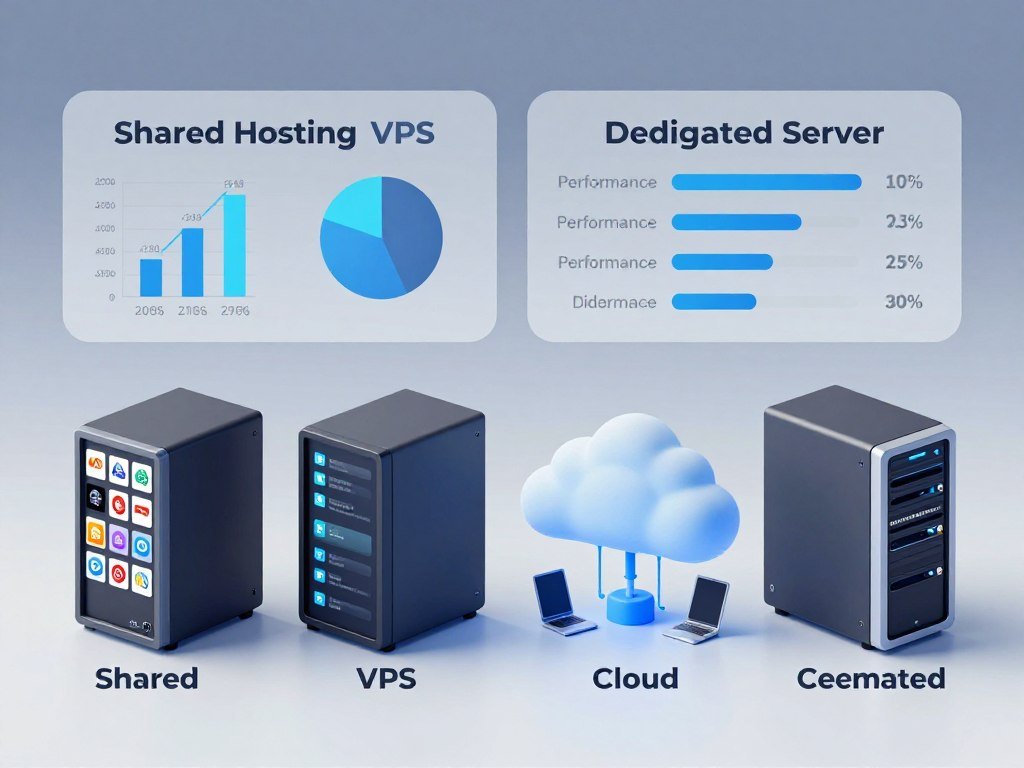
A VPS gives you an isolated virtual machine, while cloud hosting can draw resources from a network of servers. The key difference is how resources are arranged, not just the name on the plan.
A VPS can run on one physical server, so it does not automatically provide cloud-style distribution. Shared hosting places several websites on one server. A dedicated server gives one customer exclusive use of a physical machine.
| Hosting type | Resource arrangement | Who manages the server | Typical fit |
|---|---|---|---|
| Shared | Several websites share one server | Provider, with limited customer control | Small brochure site |
| VPS | Isolated virtual machine on a physical server | Customer or managed provider | App needing more control |
| Cloud | Resources drawn from connected servers | Provider, customer, or both | Workload that may need flexible resources |
| Dedicated | One customer uses a physical server | Customer or managed provider | Heavy or specialized workload |
Shared hosting keeps setup simple, but you share the server’s resources with other sites. A VPS gives you a more isolated environment and more control, while leaving server tasks with you unless the plan includes management.
Cloud hosting can spread resources across a network, but the actual level of distribution varies by service. Hosting providers may call a product cloud-based even when a workload uses one virtual machine.
Dedicated hosting gives you exclusive access to the physical server. That can suit a specific workload, but it does not provide network-based scaling by itself. Choose based on the control and resilience your workload needs, not on the hosting label alone.
How Much Does Cloud Hosting Cost?
A small business can spend from a few dollars per month on shared hosting to $200 or more for dedicated or private cloud hosting, depending on its workload and management needs. In 2026, managed cloud VPS hosting typically costs $50-$160 per month.
Unmanaged cloud VPS hosting typically costs $5-$80 per month. You manage the operating system, patching, and security. Managed fees pay for provider support, while infrastructure usage charges may add to the bill.

| Hosting type | Typical monthly cost | Best-fit workload | Management responsibility |
|---|---|---|---|
| Shared hosting | $3-$15 | Brochure site or very low traffic | Provider handles the server |
| Unmanaged cloud VPS | $5-$80 | Site or app needing server control | Customer manages OS, patches, and security |
| Managed cloud VPS | $50-$160 | Small business with real traffic or an online store | Provider handles routine server work |
| Dedicated or private cloud | $200 or more | Heavy workload or compliance needs | Customer, provider, or both |
Managed cloud VPS plans suit many small businesses with an online store or steady traffic. The higher price can include server administration, but the exact support scope varies by plan.
Several items can change your total: operating-system administration, backup needs, traffic, storage, and support. A low base rate may not include daily backups or hands-on help. A metered service can also bill for infrastructure use beyond its fixed fee.
Compare what each plan includes before judging the monthly rate. Check whether storage, data transfer, backups, and server updates come with the plan or cost extra. Compare the renewal term and included services as carefully as the headline monthly price.
What Free Cloud Hosting Can You Try?
Free cloud hosting is most useful for a test project when you know which resources remain available after the trial. Oracle Cloud is the clearest named option here for credits plus continuing Always Free Services.
In 2026, Oracle Cloud Free Tier includes $300 in cloud credits for 30 days, along with Always Free Services. After those credits end, an account that has not switched to Pay As You Go continues to receive Always Free Services.
Google Cloud gives new customers $300 in credits to spend on Google Cloud. The offer is a starting balance, not proof that every service or workload will stay free.
Oracle Cloud credits and Always Free Services
Oracle’s credit period lasts 30 days. After that, accounts that have not changed to Pay As You Go keep access to Always Free Services under the stated account condition.
Free cloud hosting services can support learning and prototypes, but confirm limits before placing a business-critical site on a free tier. A free allowance may not cover every service, usage level, or support need.
Google Cloud trial credits
Google Cloud’s $300 new-customer credit can help you test cloud computing tools. Keep track of the services you start, since use beyond a credit or free allowance can create charges.
Before you launch, use this short checklist:
- Confirm which services the free offer covers.
- Set a spending alert in the account.
- Check what happens when a trial ends.
A test site may need only a small amount of compute, but an app can use several services at once. Database, storage, and network use may each have their own limits or billing rules.
Keep the free plan’s purpose narrow. It can be a useful place to learn, test a feature, or build a prototype, while production needs a clear view of limits and support. Set a billing alert before launching anything that could create usage beyond the free allowance.
Linux Cloud Hosting: Which Server Software and Support?
Ubuntu Server LTS is a practical Linux choice when you want a familiar server distribution with a defined security-maintenance period. Linux cloud hosting can also use common web-server software such as Apache or Nginx.
Match your operating system’s support period to the time your team can keep it patched. Ubuntu Server LTS releases receive standard security updates for thousands of open-source packages in the Ubuntu Main repository for five years by default in 2026.
Ubuntu Server security support
Ubuntu Pro offers up to 15 years of security maintenance and extended support in 2026. Standard LTS maintenance and Ubuntu Pro are different support choices, so plan which one your server will use.
Linux cloud services may also offer other distributions and server software. Choose an operating system your team knows, then confirm that it supports the tools your site or app needs.
CloudLinux account isolation and resource limits
CloudLinux adds controls for hosting accounts on a shared server. LVE limits each account’s CPU, memory, or I/O use, while CageFS keeps each account in its own file system.
In 2026, CloudLinux licenses start at $7 per server each month for one hosting account, $12 for five accounts, and $18 for unlimited accounts. It also offers a 30-day free trial with full feature access.
Those controls can help a host set account limits, but they do not replace careful server administration. Free Linux cloud hosting may be available through a provider tier or trial, but that does not promise unlimited compute.
Linux cloud server software should fit both your application and your support skills. A familiar distribution can still need regular maintenance and timely security work. Match the operating system’s maintenance window to how long you can reliably patch and support the server.
Which Managed Cloud Hosting Fits a Small Business?
A small business that wants to spend less time administering servers should shortlist managed cloud hosting before comparing raw virtual machines. Managed hosting puts routine infrastructure work with the provider, while you keep responsibility for the site and business decisions.
Start with a managed plan if your team lacks server staff. Hostinger lists Cloud Startup at $7.99 per month, Cloud Professional at $15.99, and Cloud Enterprise at $29.99 on 48-month plans.
Hostinger cloud plans include a free domain, free SSL certificates, domain-based email, and 24/7 priority support. These listed rates depend on choosing a 48-month plan, so compare the full term with your budget.
Hostinger for budget-conscious managed plans
Cloud hosting services for small business owners should reduce work without hiding limits. Hostinger’s listed inclusions can suit a business that wants several basic services in one plan.
If you run a local service business, your site may need clear service pages, contact details, and a simple way for visitors to reach you. A guide to building a cleaning business website can help you plan the site itself, separately from server choice.
Managed WordPress options
Managed WordPress options include Elementor Hosting, Kinsta, and SiteGround. Compare how each provider supports WordPress work rather than relying on broad claims about speed or reliability.
Check whether the dashboard fits your workflow and whether the plan includes the WordPress tools you need. Review backup and restore steps, support scope, renewal terms, and any limits on storage or site use.
What to check before choosing a managed plan
Managed hosting does not mean the provider makes every site decision. You still choose content, plugins, account access, and the business data you store.
Cloudways and Liquid Web are other managed-host names to investigate for different workloads. Their names do not make their plans interchangeable with Hostinger or with one another.
Ask what the support team will handle when a site has a problem. Server care and help with a WordPress plugin may fall under different support rules. Confirm the renewal price and the exact backup and restore terms before committing to a long plan.
Which Developer Platforms Fit Apps and APIs?
For a developer who wants to deploy code without building a server stack first, Northflank, Render, Railway, and Vercel offer distinct platform models. Compare the billing shape as well as the deployment tools.
A low entry price may not cover a full month of metered use. Northflank’s free sandbox tier includes always-on compute, two free services, one free database, and two free cron jobs in 2026.
Northflank for a sandbox start
Northflank pay-as-you-go compute costs $0.01667 per vCPU-hour, memory costs $0.00833 per GB-hour, NVMe disk storage costs $0.15 per GB each month, and data transfer costs $0.06 per GB in 2026.
It offers deployment in more than six managed cloud regions and 600 BYOC regions in 2026. BYOC means bring your own cloud, so the customer uses its own cloud account with the platform.
Render and Railway plan structures
Render’s first paid web service starts at $7 per month in 2026. Railway Hobby costs $5 with included usage credit, while Railway Pro costs $20 per seat with usage charged on top.
Vercel Hobby is free. Vercel Pro costs $20 per seat with included credit and usage-based add-ons in 2026. A seat fee or included credit does not mean every extra resource is covered.
| Platform or plan | Entry price | Included or billable usage | Deployment fit |
|---|---|---|---|
| Northflank Sandbox | Free | 2 services, 1 database, 2 cron jobs | Sandbox apps and scheduled tasks |
| Render first paid web service | $7/month | Paid web service | Web apps |
| Railway Hobby | $5 | Includes usage credit | Small app projects |
| Railway Pro | $20/seat | Usage charged on top | Team app projects |
| Vercel Pro | $20/seat | Includes credit; add-ons use-based | Front-end deployments |
Vercel for front-end deployments
Vercel suits front-end deployments, while other platform choices may suit APIs, databases, or scheduled jobs. Match the tool to your code and the parts of the app you need to run.
Teams building with machine-learning tools can start with existing models or APIs rather than paying to build large infrastructure. This guide to low-cost machine-learning startup ideas discusses that approach.
Variable traffic can change a platform bill when usage is metered. Estimate a realistic month of compute, memory, storage, and transfer before treating a low entry price as the total bill.
When Should You Choose AWS, Azure, or Google Cloud?
Choose a hyperscaler when you need a broad infrastructure toolkit or a specific managed service, and have the expertise to configure it. The practical starting point depends on whether you need virtual machines, managed apps, storage, or a mix.
Plan the services you will connect before creating resources. AWS suits teams that need a broad portfolio, Google Cloud offers several paths for apps and websites, and Azure suits teams whose requirements fit its cloud services.
| Provider | Compute or deployment examples | Useful fit | Complexity consideration |
|---|---|---|---|
| AWS | EC2, S3, RDS, Lambda, Lightsail | Teams using several infrastructure services | Plan and configure each service |
| Azure | Microsoft Azure cloud services | Apps that fit Azure services | Match service choices to the app |
| Google Cloud | Compute Engine, Cloud Run, Firebase | VMs, managed apps, or static sites | Choose among several deployment paths |
AWS for a broad infrastructure portfolio
AWS offers EC2 compute, S3 storage, RDS databases, Lambda serverless functions, and Lightsail. These services cover different parts of an application, from virtual servers to managed functions.
A team may choose AWS when its workload needs several of those services. That breadth can also mean more setup and more choices for the team to manage.
Google Cloud for managed and serverless workloads
Google Cloud offers Compute Engine for configurable virtual machines and options for WordPress deployment. Cloud Run is a managed serverless platform for apps.
Firebase App Hosting supports Next.js and Angular, while Firebase Hosting serves static content through a global CDN. These options give teams different ways to deploy, based on the app’s design.
Azure for Microsoft-oriented environments
Microsoft Azure is a major public cloud provider. Choose it when your application needs align with the cloud services your team plans to use.
Large cloud hosting providers can bring many services into one account, but a workload may need only one or two. Estimate how the parts connect and who will maintain them.
Compare the setup effort as well as the service list. A configurable virtual machine gives you control, while a managed platform takes some server tasks off your hands. Map the architecture and expected usage before provisioning several connected services.
DigitalOcean vs Vultr: Which VPS Fits?
Choose DigitalOcean when you want a straightforward Droplet workflow or App Platform, and compare Vultr when its available locations or compute options better match your workload. Your users’ location and your team’s server skills help narrow the choice.
Root access gives control, but leaves operating-system updates and security configuration with you. DigitalOcean Droplets are virtual servers; App Platform offers a higher-level platform-as-a-service route.
Vultr has 32 data centers and offers AMD and Intel compute options. Compare its locations and instance types with the regions and sizes available from DigitalOcean.
Check CPU and memory options against the application’s needs. A database and a small web app may use server resources differently, so test the instance type that fits your workload.
Backups and bandwidth also affect the choice. Review how each provider handles backups, what data transfer costs, and whether you can restore a server without extra steps.
DigitalOcean’s App Platform reduces the need to manage a raw virtual server. Droplets and Vultr instances offer more direct server control, which asks more of your team.
When a team handles its own server, root access does not include routine administration. Someone still needs to apply updates and set security rules. Test the region and instance type your real users need before moving production traffic.
What Do Oracle Cloud and IBM Cloud Offer?
IBM Cloud combines a time-limited account credit with a separate Lite plan for services that do not expire. The difference is the billing rule: a credit has a time limit, while Lite products remain free under their plan terms.
In 2026, IBM Cloud’s free account includes $200 in credit for apps and services for 30 days. IBM Cloud Lite provides access to more than 40 always-free products that do not expire and cannot be charged for.
Oracle credits and Always Free Services
Oracle Cloud offers a trial credit and Always Free Services, which follow different rules. The continuing services are not the same as a balance of trial credit that runs out.
Keep the account condition in mind when comparing a credit period with an ongoing free tier. A service may also have use limits that affect whether it fits an app.
IBM credit and its Lite plan
IBM Cloud’s two free entry points work in different ways:
- Free account: $200 in credit for apps and services over 30 days.
- Lite plan: more than 40 always-free products with no expiry or charges.
A time-limited credit can help you test paid services. Lite products can support work that stays within the available free tier, but the account cannot be charged for those products.
Before building around the Lite plan, confirm that the service your app needs is included. The database, runtime, and region can shape whether a free service fits your design.
Keep a free-tier prototype small until you know its limits. Check that the database, runtime, and region your application needs are covered before relying on a free tier.
How Do Managed WordPress Hosts Compare?
A managed WordPress host is a fit when you want help with the server layer but still want to run your own site. The provider handles server-level maintenance, while you manage content, plugins, and account choices.
Managed hosting does not remove your responsibility for site content, plugin choices, account access, or business data. Elementor Hosting, Kinsta, SiteGround, and Hostinger all offer managed WordPress options to compare.
Start with your WordPress workflow. Check whether a provider’s dashboard makes the tasks you use easy to find, and whether its included tools fit the site you plan to run.
Compare the backup and restore process across plans. Look for how you start a restore, what gets restored, and whether you can move a copy of the site to another environment.
Migration support also differs. Find out whether the provider supplies a tool, guides you through a move, or offers help from its support team. Do not assume each plan includes the same level of assistance.
Support scope matters when a site problem crosses the line between hosting and WordPress. A provider may handle server issues while treating plugin setup as the site owner’s task.
Elementor Hosting, Kinsta, SiteGround, and Hostinger should be compared by their actual plan tools and terms. Check each dashboard, included WordPress features, restore options, and migration steps rather than relying on general claims.
Keep control of your site’s login details and business records, even when the provider manages the server. A provider can maintain its hosting environment, but it does not make your content or account choices for you.
Renewal terms and plan limits can change the long-term fit. Confirm what the plan covers before you move an established site. Ask who handles a server problem and who handles a WordPress plugin problem before selecting a plan.
What Security and Reliability Features Should You Check?
A cloud provider’s infrastructure does not by itself guarantee that your site has usable backups or a tested recovery path. Cloud security is shared: the provider protects its services, and you handle the settings and tasks assigned to you.
Distributed infrastructure can support failover and disaster recovery only when the service is configured to use them. A single virtual machine on a cloud platform does not automatically gain those protections.
Backups, recovery, and availability
Use this checklist to compare the safeguards a plan provides:
- Check backup frequency, retention, and restore testing.
- Review identity and access controls for each account.
- Confirm SSL/TLS and firewall coverage.
- Check incident response and support hours.
- Know who handles operating-system patches and updates.
A backup feature is useful only if it captures the data you need and lets you restore it. Check how often backups run and how long the provider keeps them.
Access controls and shared responsibility
Identity and access management controls who can sign in and change settings. Limit access to the people who need it, and understand which account actions your team must protect.
SSL/TLS helps protect data moving between a website and its visitors. A firewall can limit network access, while security updates fix known issues in software you run.
Provider and customer duties vary by service. A managed plan may handle some server tasks, while an unmanaged environment leaves more work with you. Read the service’s division of responsibility before launch.
A content delivery network, or CDN, can serve content from locations closer to users. It can help with delivery, but it does not replace backups or access controls.
Recovery planning needs more than a backup switch in a dashboard. Know who can start a restore and how your business will keep working while the site returns. Restore a backup in a test environment before treating the backup feature as a disaster-recovery plan.
How Do You Choose the Best Cloud Hosting Provider?
For most small businesses without server staff, a managed host is the most practical starting point; developers who need root access should compare DigitalOcean and Vultr instead. Choose for your team’s capacity, not for the biggest feature list.
A team building on a broad cloud stack can compare AWS, Azure, or Google Cloud. A WordPress owner can compare Elementor Hosting, Kinsta, SiteGround, and Hostinger.
The best cloud hosting services fit your actual workload and operating capacity, not the most complex plan. Use this four-step process to make a shortlist:
- Define the workload, such as a website, online store, API, or app.
- Estimate the compute, memory, storage, and data transfer you need.
- Decide who will administer the server and handle routine care.
- Compare support scope and renewal terms.
Small businesses without server staff should begin with managed hosting. Developers who need root access can compare DigitalOcean or Vultr, while teams that need a broad service portfolio can consider the major cloud platforms.
WordPress owners should compare managed WordPress hosts by the work they need help with. A good fit can save time on server care without taking away control of site content and plugin choices.
Pick a plan your team can run well, even when the site needs an update or recovery. A complex service is a poor fit if no one can manage its settings.
A short list makes the tradeoffs easier to see. Compare the plans against the workload, team skills, and support model you actually have.
Do not treat a low entry price as the full cost when usage can change. Check the plan’s billing model and the resources your workload will use.
Test support before you rely on it for a production site. Shortlist two providers, then test the one whose plan, support model, and administration requirements match your team.
Conclusion
The right cloud host is the one your team can operate confidently while meeting the site’s real needs. Workload and skills should guide the choice, whether you need managed cloud or a server you control.
Write down the resources you need and decide who will handle updates, backups, and incident response. That simple check can keep the plan aligned with your team’s capacity.
Compare two suitable plans and check their current limits and renewal terms. Write down your must-have resources and support needs, then compare two plans against that list before signing up.
FAQ
Can I host a business website on a free cloud plan?
Yes, a free cloud plan can host a test site or small workload when its limits fit. Check the included compute, storage, transfer, and support before putting business-critical pages on it. Free tiers may cover a prototype but not steady production use. Set a billing alert and learn what happens when credits or trial access end.
What is the difference between a cloud server and a VPS?
A VPS is an isolated virtual environment that can run on one physical server. Cloud hosting can draw resources from a network of virtual and physical servers. That wider network can offer more flexible resource options, but it does not guarantee automatic failover. Check how the specific service handles outages and resource changes.
Is managed cloud hosting worth paying more for?
Managed cloud hosting can be worth the added cost when provider administration saves your team time. The provider may handle routine server work, such as patching, security tasks, or backups, based on the plan. Compare that support with the tasks you would otherwise do yourself. Confirm which duties remain yours before choosing a managed plan.
Do cloud hosting plans include free SSL?
Some cloud hosting plans include free SSL certificates, but coverage varies by plan. Check whether the certificate applies to every site or only a main domain. Find out if renewal happens automatically and whether installation is included. A certificate protects data in transit only when it is set up correctly and kept active.
Can I run Linux on cloud hosting?
Yes, cloud hosting can run Linux, including Ubuntu Server. Match the distribution’s security-maintenance period to your team’s ability to apply updates and support the server. Ubuntu Server LTS has a defined standard support period, while Ubuntu Pro offers extended security maintenance. Also check that your chosen software works with the distribution.
How can I avoid a surprise cloud hosting bill?
Estimate compute, memory, storage, and data transfer before launch, then configure usage alerts. Review which services charge by use and whether the plan adds a fixed fee or seat charge. Set limits where the platform allows them, and check your usage dashboard during early tests. Usage-based plans can cost more when traffic or background jobs rise.
Do cloud providers automatically back up my website?
Not necessarily; backup coverage depends on the provider and plan. Check backup frequency, how long backups stay available, and whether restores cost extra. Confirm which files and databases the backup includes. A backup is not a recovery plan until you know who can restore it and have tested that process in a safe environment.
About The Author