Cloud Computing Solutions: A Beginner’s Guide Explained
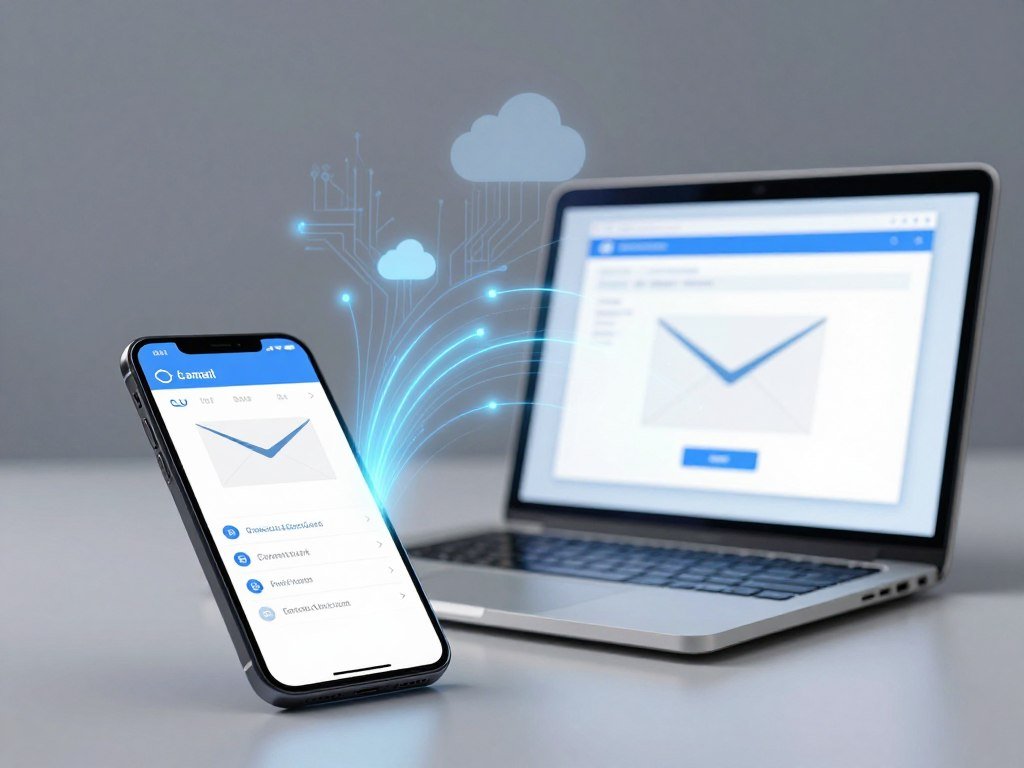
Opening email on a new phone without moving a file from the old one is a simple example of computing resources available over the internet. Your messages sit in an online account, so you can open them on a phone or laptop. That convenience matters when you work across devices or share files with others.
Cloud computing solutions can help individuals and businesses use online tools without running every computer system themselves. They also offer flexibility, but each service meets a different need. You might want simple photo storage, a team app, or a virtual server for software tests. The right choice depends on what you need to do and how much control you want. You’ll learn how to tell those needs apart before choosing a service or cloud provider.
Key Takeaways
- Cloud services provide online access to apps, storage, and computing power.
- Service models set how much of the technology you manage.
- Deployment models describe where cloud resources run.
- Costs can include compute, storage, networking, and software licenses.
- Providers protect their systems, while you protect your accounts and data.
- Start with the task you need to complete.
The right starting point is the task you need to get done, not a particular provider.
What Is Cloud Computing and How Does It Work?
Cloud computing is on-demand access to computing resources such as storage, servers, and software over the internet. On demand means you can request resources when you need them, rather than owning all the hardware yourself. A web-based photo account is one familiar example.
Cloud services pool resources and assign them as needed, while tracking how much each customer uses. The National Institute of Standards and Technology describes five key traits: on-demand self-service, broad network access, resource pooling, rapid elasticity, and measured service. Elasticity means capacity can grow or shrink as needs change.

How data moves between your device and a data center
When you open an app, your phone or browser sends a request through a network. The request reaches remote data centers, which are buildings filled with computers and related equipment. A server handles the task and sends the result back to your screen.
Users access cloud-based systems through websites, apps, or other network connections. You might see an updated email, a saved document, or a video stream. The device displays the result, while much of the work happens elsewhere.
Why virtualization makes shared capacity work
Virtualization = software that divides a physical computer’s resources into separate virtual machines or other virtual resources. A virtual machine acts like its own computer, with its own operating system and settings. One physical server can support several virtual machines.
A cloud-based system still relies on physical computers, even when virtualization makes those computers appear to users as flexible online resources.
Providers can assign pooled storage, network capacity, and computing power to different tasks. Metering records that use, which supports billing and capacity planning. Those steps happen behind the interface you see on your device.
Which Cloud Computing Solutions Fit Each Service Model?
IaaS is the fit when a team wants virtual servers and storage but needs to control its operating systems and applications. IaaS means infrastructure as a service, while PaaS means platform as a service. SaaS means software as a service.
The service model tells you which parts you manage and which the cloud provider operates. A list of cloud computing solution types is useful only when matched to the infrastructure work a team can take on. The table shows the main split.

| Model | User manages | Provider manages | Example |
|---|---|---|---|
| IaaS | Applications, data, operating systems, servers | Virtualization, servers, storage, networking | Google Compute Engine |
| PaaS | Applications and data | Runtime and underlying infrastructure | Red Hat OpenShift |
| Serverless | Code and data | Execution and scaling | Event-triggered code execution |
| SaaS | Use of the application | Full technology stack | Gmail |
IaaS gives you control of virtual infrastructure
With an infrastructure service, you rent virtual servers, storage, and networking. Your team still handles its operating systems, applications, and data. Google Compute Engine is one example for teams that need control over virtual machines.
This model can suit application development when developers need custom settings or software. The provider runs the physical hardware, but your team makes many choices inside its virtual environment.
PaaS gives developers a managed build environment
A platform service gives developers tools and a managed place to build and run applications. They manage application code and data, while the provider maintains the runtime and underlying infrastructure. Red Hat OpenShift is an example of a platform for building and running software.
This can reduce work on servers and runtime settings. It also means your team has less control over those parts of the stack.
Serverless runs code on demand
Serverless services run code when a request or other event occurs. The cloud provider handles execution and scaling, while your team manages code and data. The name does not mean that physical servers disappear.
Function as a service, or FaaS, is one subset of serverless computing. FaaS runs individual functions in response to events, such as a file upload or a web request. It fits small jobs that do not need a server running all day.
SaaS delivers finished applications
A software service lets you use a finished application through a browser or app. Gmail and Salesforce are examples. The provider manages the full stack, while you focus on using the software and handling your account’s content.
SaaS can reduce technical work for people who need a ready-to-use tool. Choose SaaS when the priority is using a finished application rather than building or maintaining its infrastructure.
Where Can a Cloud Environment Run?
A public cloud is operated by a provider and makes shared computing resources available to multiple customers. A private cloud dedicates its resources to one organization. The deployment model describes where the environment runs and how it is arranged.
Public and private clouds differ mainly in who shares the infrastructure. The choice affects how an organization balances shared capacity, control, and existing systems. A cloud environment may also combine more than one arrangement.

Public cloud shares provider-operated infrastructure
Cloud providers run public-cloud resources in their data centers and serve many customers from shared infrastructure. Each customer’s systems remain separate, even though the provider shares the hardware. Public cloud emphasizes elastic capacity that can expand when demand rises.
This arrangement can help a business start without building its own data centers. It can also support workloads that change often, such as a website with busy seasons.
Private cloud dedicates resources to one organization
A private cloud is dedicated to one organization. It may run in the organization’s own building or in a provider’s hosted data center. A private setup can offer more direct control over infrastructure and networking.
That dedicated environment can suit workloads with special needs for control. It also requires the organization to plan how it will run and support the environment.
Hybrid cloud connects public and private environments
A hybrid cloud connects public and private environments. An organization might keep selected workloads private, then use public resources for other needs. This can let existing systems work alongside newer cloud services.
Cloud bursting is one use of a hybrid setup. It adds public-cloud capacity during a temporary traffic spike, so an organization does not need to expand private infrastructure permanently. Teams must plan how workloads and data move between environments.
Multicloud uses more than one provider
Multicloud means using services from at least two cloud providers. Using many apps does not count by itself; the apps must rely on more than one provider’s cloud services. A company might choose different providers for separate workloads.
The arrangement can reflect a need to use tools from more than one provider. It can also add work, since teams must manage services across different systems. Choose a deployment model around workload sensitivity, existing systems, and the control the organization needs.
What Can People and Businesses Do in the Cloud?
Cloud services can store a family’s photos, deliver a movie, or give a software team a place to test an application. Everyday tasks range from personal data storage to business systems that staff use from different locations.
Cloud computing solution examples include email, photo storage, streaming, collaboration, customer records, and rented servers. Ten familiar examples are Gmail, Google Photos, Dropbox, iCloud, Microsoft 365, Netflix, Salesforce, a cloud-hosted ERP system, Google Compute Engine, and an Azure virtual machine.

Applications of cloud computing include sharing documents, analyzing data, testing software, and accessing business systems remotely. A company may use an ERP system to manage work such as sales, inventory, or accounting. A virtual machine can give developers a separate place to test code.
Microsoft 365 and other team apps support document work and collaboration. Teams choosing productivity software for modern teams can start with a specific work need, such as shared files or task tracking. Business apps can also handle invoices and payment records, which makes billing software for small businesses another practical cloud use.
Cloud services are common in business: 92% of businesses have at least some of their IT estate in the cloud. That can mean a small online app or a large set of connected systems. The amount of cloud use differs from one organization to another.
These examples solve different problems, even when they use the same internet connection. Match each example to the task it supports, since a familiar app and a rented server solve different needs.
What Advantages Does Cloud Computing Offer?
A company can add capacity for a busy period and reduce it when demand eases instead of buying permanent hardware for a temporary spike. That flexibility is one reason cloud computing can help a business handle changing workloads.
Cloud resources can expand or shrink as demand changes. Pay-as-you-go billing can charge for resources used, rather than requiring each customer to own a data center. The practical benefits depend on how the service is set up and managed.
- Less upfront spending on servers and other hardware.
- Capacity that can grow or shrink with demand.
- Access to services from internet-connected locations.
- Faster setup of development environments for software teams.
- Backup or recovery options for data and systems.
These benefits do not make every cloud bill smaller. A team may spend more if it leaves unneeded resources running or fails to review its usage. A temporary test server, for example, can keep adding charges after the test ends.
Cloud access can also help people work across locations, as long as their internet connection and account are available. Development teams can create a test environment without first setting up a physical server. That can shorten the wait between an idea and a working test.
Cloud flexibility pays off most when someone checks that the resources still match the work being done.
How Do You Protect Data in the Cloud?
Cloud security is shared: the provider protects its infrastructure, while the customer remains responsible for how accounts and data are configured and used. That split applies to accounts, permissions, stored information, and system settings.
A provider’s security measures cannot prevent mistakes in a customer’s own setup. In one reported measure, 80% of organizations experienced a cloud security breach in the past year. Another measure found that 45% of data breaches occurred in the cloud, with public-cloud incidents averaging $5.17 million per breach.
Divide security responsibilities clearly
Cloud providers secure the underlying infrastructure, such as physical data centers and core services. Customers protect their accounts, data, access rules, and configurations. The exact split can change with the service model, so teams need to know which settings remain theirs.
Other reported figures describe different risks, not the same event count. Misconfigurations caused 23% of cloud incidents, while more than 31% of cloud breaches involved misconfiguration and manual errors. Also, 27% of businesses experienced incidents that began in their public-cloud environments.
More than half of cloud security breaches involved compromised credentials. A stolen or reused password can let someone enter an account as if they were an approved user. Access controls and account checks help reduce that risk.
Reduce common account and configuration risks
Use these five practical controls to protect cloud systems and data:
- Turn on multifactor authentication for accounts.
- Give each user only the access needed for their role.
- Encrypt data at rest and while it moves across a network.
- Keep backups and test that you can restore them.
- Monitor configurations on an ongoing basis.
Configuration monitoring can flag changes to storage settings, access rules, or backups. Small businesses can also explore cloud compliance monitoring tools that check those settings. A check is useful only when someone reviews the alert and fixes the issue.
Review who can access sensitive data whenever a person changes roles or leaves the organization.
What Does Cloud Computing Cost?
A comparable 4-vCPU, 16-GB Linux VM costs nearly the same per hour on demand across the three providers in the listed 2026 U.S. rates. The hourly rate is only one part of a cloud bill.
In 2026, on-demand rates in standard U.S. regions were $0.192 per hour for AWS, $0.192 for Azure, and $0.1942 for Google Cloud. One-year committed rates were lower, but they require a term. Spot capacity costs less in these examples, but the provider can interrupt it.
Compute rates change with commitment and interruption risk
| Provider | On-demand VM per hour | One-year committed VM per hour | Spot VM per hour |
|---|---|---|---|
| AWS | $0.192 | $0.134 | $0.05-$0.07 |
| Azure | $0.192 | $0.1317 | $0.0405 |
| Google Cloud | $0.1942 | $0.1224 | $0.066 |
These are 2026 rates for a comparable 4-vCPU, 16-GB RAM Linux VM in standard U.S. regions. A one-year committed rate trades some flexibility for a term. Spot prices can be lower, but a provider may end a spot VM with little notice.
Storage, networking, and licensing add to the bill
Storage rates also differ by service. In 2026, standard SSD block storage cost $0.08 per GB each month for AWS EBS gp3, $0.113 for Azure Premium SSD v2 base capacity, and $0.17 for Google Cloud Persistent Disk SSD.
Cloud computing costs can include compute, storage, networking, and software licensing. Data leaving a provider’s network can also bring egress fees. A workload that sends large files to users may pay for more than its virtual machine.
Azure Premium SSD v2 separately charges for provisioned IOPS above 3,000 and throughput above 125 MB per second. IOPS measures storage operations per second. Spot prices and storage charges vary by provider, service, and workload.
Estimate the full workload, including storage and data leaving the network, before comparing hourly compute prices.
How Should You Compare the Major Cloud Providers?
AWS led the Q2 2026 global infrastructure market, while Google Cloud gained share and Microsoft’s share held steady. Market share gives context, but it does not show which service fits your workload.
In Q2 2026, AWS held 28% of the market, Microsoft held 20%, and Google Cloud held 15%. Google Cloud rose from 13% in Q2 2025, AWS fell from 30%, and Microsoft stayed level. Global enterprise spending on cloud infrastructure services reached $143 billion in Q2 2026, up 43% from a year earlier.
| Provider | Q2 2026 market share | Change from Q2 2025 |
|---|---|---|
| AWS | 28% | Down from 30% |
| Microsoft | 20% | Unchanged |
| Google Cloud | 15% | Up from 13% |
AWS offers on-demand, Reserved Instance, Savings Plan, and Spot Instance pricing. Reserved Instances require a one- or three-year commitment. Spot Instances can cost up to 90% less than standard on-demand prices, but AWS may end them with little notice.
Azure offers pay-as-you-go, reservation, spot, Hybrid Benefit, savings-plan, and Dev/Test pricing. Azure reservations use one- or three-year terms. Google Cloud offers pay-as-you-go and Committed Use pricing, which also ties savings to a commitment.
Compare providers against the needs of your own workload:
- Check whether each service fits the workload.
- Review existing tools and staff skills.
- Check data-location and compliance needs.
- Compare billing controls and alerts.
The best cloud services depend on those needs, not market share alone. AWS, Azure, and Google Cloud each offer a wide range of services, but your current tools and skills can shape setup time and support needs.
Compare the same workload and billing assumptions across providers before making a commitment.
Do You Need to Pay for Cloud Storage?
Many people can start with a free storage allowance, but the amount and what it covers differ by service. A free tier can cover basic files, email, or photos, though limits vary.
Free cloud storage is available, but more capacity or added features can require payment. A Google account includes up to 15 GB shared across Google Drive, Gmail, and Google Photos. Listed free tiers range from 2 GB to 10 GB for several other services.
| Service or service group | Listed free storage | What the allowance covers |
|---|---|---|
| Google Drive | Up to 15 GB | Drive, Gmail, and Google Photos |
| Dropbox | 2 GB | Dropbox files |
| iCloud and OneDrive | 5 GB each | Personal cloud files |
| Box, pCloud, and IDrive | 10 GB each | Personal cloud files |
| Jottacloud | 5 GB | Personal cloud storage |
In the United States, Google One’s 2 TB Google AI Plus plan costs $9.99 per month and can be shared with up to five other people. Jottacloud offers 1 TB shared across five users for $6.99 per month. Its free plan includes 5 GB.
A 1 TB free cloud storage allowance is not a dependable standard for consumers. Check a promotion’s duration and what happens when its trial ends. If a paid plan ends while an account is over quota, uploads or syncing may stop; access and deletion rules depend on the provider’s terms.
Google Drive can keep files online-only, so you stream them when needed, or mirror copies on both your computer and the cloud. Online-only files depend on internet access, while mirrored files use local storage space.
The downside of cloud storage includes internet dependence, privacy and account risks, and possible ongoing charges. Keep another copy of irreplaceable files rather than relying on one synced folder as the only backup.
What Do Cloud Computing Careers Pay?
Cloud computing is an IT field, and the work ranges from designing cloud environments to building and operating them. There is no single cloud job; teams need people with different skills.
As of August 2026, median U.S. total annual pay for cloud computing professionals was $142,000, including base salary and additional pay. Cloud engineers build and maintain systems, architects plan environments, developers create applications, and administrators manage day-to-day systems.
Median total annual pay was $152,000 for cloud engineers, $203,000 for cloud architects, $133,000 for cloud developers, and $118,000 for cloud administrators. These figures include base salary and additional pay, rather than base salary alone.
Compare role responsibilities and local job requirements alongside salary figures before choosing a training path.
Cloud work can include software, networking, data, security, and business needs. A developer may spend much of the day writing code, while an administrator may focus on accounts and system health. Job titles can cover different duties from one employer to another.
Conclusion
A useful cloud choice begins with a clear task and a realistic view of how much control it needs. The data involved matters too: a public demo file calls for different care than private customer records.
Start with the workload, the control it needs, and the sensitivity of its data. Then estimate the storage, computing power, and network use required. That gives you a practical basis for comparing services and expected charges.
Try a low-risk task first, such as testing a small app or sharing a non-sensitive folder. Check how the service works for the people who will use it, and note any limits or extra steps. Pick one low-risk workload, estimate its resource needs, and test that setup before moving anything essential.
FAQ
What are examples of cloud systems?
Examples include Gmail, Dropbox, Netflix, and a virtual machine hosted by a cloud provider. Gmail stores and delivers email through an online service, while Dropbox holds files you can reach from different devices. Netflix streams video, and a virtual machine supplies computing power for tasks such as testing software. These examples solve different needs, even though they all rely on remote systems.
What is cloud salary?
The U.S. median total annual pay for cloud computing professionals was $142,000 as of August 2026. That figure includes base salary and additional pay, so it is not a base salary figure alone. Pay differs by role: architects, engineers, developers, and administrators have different responsibilities. Your location, experience, and employer can also affect what a job offers.
Is cloud computing an IT job?
Cloud computing is an IT field with roles such as cloud engineer, architect, developer, and administrator. Engineers build and operate cloud systems, while architects plan how those systems fit together. Developers make applications that run in cloud environments, and administrators manage daily operations. You can enter the field through different paths, depending on your skills and the job’s needs.
What are the best cloud services?
AWS, Azure, and Google Cloud are major options, but the best fit depends on your workload, existing tools, control needs, and billing model. A team already using Microsoft tools may value how Azure fits its work. Another team may prefer a specific service or staff expertise elsewhere. Compare services using the same workload and cost assumptions, rather than choosing by popularity alone.
What are the top 3 cloud platforms?
The top three major cloud platforms are Amazon Web Services, Microsoft Azure, and Google Cloud. Each offers services for virtual machines, storage, networking, software development, and data work. Their products and pricing choices differ, so a platform’s size does not make it the best choice for every task. Start by checking whether the services match the work you need to run.
Do I really have to pay for cloud storage?
No, several services offer free tiers for personal storage. The free allowance may cover files, photos, or email, depending on the service. More space or added plan features can require payment. Check what the free space includes before moving a large set of files, since one account’s storage may be shared across more than one app.
What happens to your cloud storage if you don’t pay?
Uploads or syncing may stop when an account exceeds its allowance, but access and deletion depend on the provider’s terms. A service might let you view or download existing files while blocking new uploads. Another provider may set different limits or deadlines. Read the plan rules before it ends, and keep a separate copy of files you cannot replace.
How do I get 1TB cloud storage for free?
There is no dependable standard free 1 TB consumer allowance. A provider may offer a promotion or trial, but its length and end terms matter. Check whether the offer becomes paid automatically, and learn what happens to your files when the trial ends. Do not move your only copy of important data to a temporary plan.
About The Author