Email Security Software: 7 Best Picks for Businesses

A business choosing email security software first needs to know how its mail is hosted and how much control its team wants over delivery and response. Microsoft 365 and Google Workspace are common business platforms, yet their built-in tools may not meet every organization’s needs. Teams also face phishing, business email compromise, malicious links, and other attacks that can interrupt daily work.
Businesses commonly compare native protection, secure email gateways, and API-connected tools. A secure email gateway (SEG) is an inline service that routes mail through a filtering point before delivery. The right fit depends on your mail platform, mail flow, response needs, and administration capacity.
This shortlist covers Trellix Email Security, Check Point Workspace Security Email (Avanan), Proofpoint, Abnormal AI, Mimecast, Microsoft Defender for Office 365, and Barracuda Email Protection. Each takes a different approach to protection and daily operations. Treat the shortlist as a starting point, then judge each option against your own mail environment and security workload.
Key Takeaways
- Start with your mail platform and delivery needs.
- Compare how each option handles phishing and business email compromise.
- Check whether the tool can fix threats after delivery.
- Include false-positive handling and staff workload in your review.
- Test shortlisted products with realistic messages before choosing.
How to Compare Email Security Software for a Business
A useful shortlist compares platform fit, detection, response, false-positive handling, and the work required to run the tool. Start with fit: Microsoft 365 and Google Workspace are common business mail platforms, and each can use dedicated protection alongside native controls.
Do not treat a claimed catch rate as proof of low operating effort. Business email compromise (BEC) may rely on impersonation or trusted relationships, not a malicious attachment. Ask how the email security solutions handle that kind of message, along with phishing that uses links or files.

- Mail-platform fit: Check support for your platform and current mail setup.
- Phishing and BEC detection: Test impersonation, links, and suspicious attachments.
- False-positive handling: Learn how teams review and correct a mistaken verdict.
- Post-delivery remediation: Check whether the tool can find and remove risky mail.
- Administrative workload: Ask what daily review, policy work, and user support require.
A high detection claim matters only if the team can manage alerts, false positives, and remediation in daily use.
Native controls and a dedicated security layer can work together. Set clear ownership for quarantine, response, and policy changes so the tools do not take conflicting actions.
Ask vendors to show how a legitimate invoice or customer reply is handled, not only how a malicious message is blocked.
Which Deployment Model Fits Your Mail Flow?
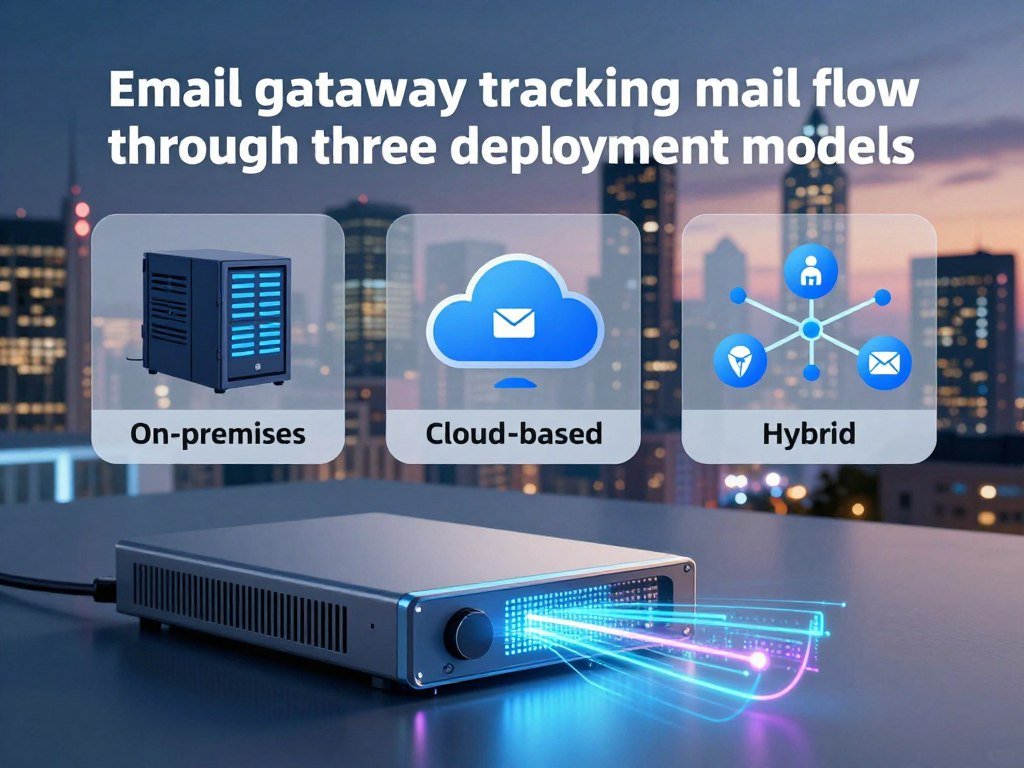
Inline MTA filtering is the fit when a business wants the security service to act on mail before it reaches the mail server. Copy-based options analyze email without controlling delivery, while passive monitoring watches mirrored traffic. A monitor or passive mode will not stop a message from reaching its destination.
The deployment changes where the tool sees email and what action it can take. MX records route inbound mail through an inline secure email gateway. API-based integrations can access delivered email and may inspect internal traffic.
Inline MTA Filtering
A Message Transfer Agent (MTA) sits in the mail path. Trellix recommends MTA deployment in Block analysis mode for Email Security – Server. MTA deployment supports Block mode, which keeps malicious email from reaching the mail server, and Monitor mode, which passes all email through.
Block mode gives the gateway control before delivery. Monitor mode lets mail pass, so it can reveal verdicts without preventing delivery. That difference matters when a business expects every detected threat to be stopped.
BCC Copy Analysis
BCC deployment analyzes email copies in Drop mode and does not participate in delivery. Because the tool receives a copy, its analysis cannot itself hold the original message before delivery. This approach may suit observation, but it does not provide inline blocking.
SPAN or TAP Monitoring
A SPAN or TAP setup passively listens to SMTP traffic mirrored by a network switch and analyzes copies. It observes the mail flow without directing or changing it. As with BCC, a passive view is not a delivery control.
| Deployment | How traffic reaches the tool | Effect on delivery |
|---|---|---|
| MTA | Mail routes through the service | Block mode stops threats; Monitor mode passes mail |
| BCC | Email copies arrive through BCC | Original delivery continues without tool control |
| SPAN/TAP | Switch mirrors SMTP traffic | Passive copies are analyzed; delivery is unchanged |
Administrators reviewing Trellix deployment documentation or a Trellix Email Security deployment tutorial should check the current administration instructions for the exact deployment mode and mail-flow behavior. Names and steps can vary by product edition and setup.
Confirm whether the chosen mode can stop delivery before changing a production mail route.
How Do Microsoft 365 and Google Workspace Modes Differ?
A Microsoft 365 or Google Workspace tenant can have different inbound and outbound coverage depending on the selected integration mode. Mode sets coverage, and inbound scanning does not automatically include outbound mail or remediation.
For Office 365, BCC or out-of-band mode scans inbound mail only and has no O365/EOP remediation integration. Inline mode without AV/AS also scans inbound mail only, but supports O365/EOP integration. Inline mode with hygiene scans inbound and outbound mail and supports that integration.

| Platform and mode | Scanning direction | Integration or limitation |
|---|---|---|
| Office 365 BCC/out-of-band | Inbound only | No O365/EOP remediation integration |
| Office 365 inline without AV/AS | Inbound only | O365/EOP integration supported |
| Office 365 inline with hygiene | Inbound and outbound | O365/EOP integration supported |
| Google Workspace BCC/out-of-band | Inbound only | Outbound scanning not included |
| Google Workspace Native with Hygiene | Inbound and SMTP outbound | Native integration with hygiene |
Google Workspace BCC or out-of-band mode scans inbound email only. Inline mode without AV/AS also covers inbound mail only, while inline mode with hygiene scans inbound and outbound mail. Native mode scans inbound mail; Native with Hygiene adds SMTP outbound scanning.
Google Workspace configuration changes can take 15 minutes to appear in Email Security – Cloud and up to 24 hours to appear in Gmail. Trellix Cloud Security email protection depends on the cloud integration path and selected mode, which determine the mail directions covered.
Check the exact mode against the direction of mail you need protected before enabling it.
Which Seven Email Security Products Belong on a Business Shortlist?
A balanced seven-product shortlist covers native Microsoft protection, API-connected tools, behavioral detection, and established gateway suites. Each fits a different setup, so judge its approach against your mail platform and response needs. No category label alone tells you how well a product will fit your team.
The descriptions below focus on the supplied capabilities and deployment approaches. Product names, editions, and feature sets can vary, so match the specific offer to your requirements.

Trellix Email Security
Trellix Email Security has server and cloud deployment paths, with mail-flow choices that can include inline MTA, BCC, and SPAN/TAP configurations. The effect of each choice differs: some modes can control delivery, while others analyze copies. Its Cloud DLP details also depend on the organization’s setup and selected integration.
For Trellix Email Security or a Trellix Email Security datasheet, compare the edition’s supported modes and features with your own requirements. A quote or product description using the name Trellix ETP should be checked against the exact Trellix Email Security product and edition under review. Do not assume the label describes a separate product or the same feature set.
Check Point Workspace Security Email (Avanan)
Check Point Workspace Security Email (Avanan) connects through an API and protects email and collaboration apps. That approach can suit organizations seeking coverage across more than one cloud work tool. Teams should still check which mail and app activity the chosen integration can access, and how the product handles response actions after delivery.
Its API-based approach differs from an inline gateway that routes mail before delivery. That distinction can matter if a business wants to avoid rerouting all inbound email or needs protection across connected collaboration services.
Proofpoint
Proofpoint offers gateway filtering, data loss prevention (DLP), encryption, and archiving. Those capabilities may fit organizations that want email filtering alongside controls for sensitive data and message records. The team should consider how each included component fits its policies and daily work.
Gateway filtering places it in the category of tools that can assess mail in the delivery path. Its DLP and encryption functions address different needs from threat detection, so buyers should identify which functions they actually plan to use.
Abnormal AI
Abnormal AI uses behavioral baselines to detect business email compromise and account takeover. It looks for behavior that differs from usual patterns, rather than relying only on a harmful file or link. This approach may suit teams focused on impersonation and account activity.
Since BEC can use trusted relationships, teams should test realistic messages that resemble routine business requests. They should also check how the product explains a verdict and supports a response when it flags a message or account.
Mimecast
Mimecast combines gateway filtering with archiving and continuity. That mix may suit organizations that want mail filtering and services for keeping or maintaining access to email. Buyers should consider how the gateway fits their mail route and what archiving or continuity needs they have.
Archiving and threat detection serve different purposes, even when they come in one suite. A team should review the scope of each component and avoid paying for functions that do not match its requirements.
Microsoft Defender for Office 365
Microsoft Defender for Office 365 provides Microsoft 365 protection against phishing, malware, and BEC. It may fit organizations already using Microsoft 365 that want security tied to that platform. Its role can sit alongside native Microsoft controls and other tools, depending on the business’s design.
Microsoft Defender for Office 365 Plan 1 and Plan 2 are paid add-ons. Teams should compare the selected plan and licensing scope with their security needs, then decide how it will share quarantine and remediation duties with any other product.
Barracuda Email Protection
Barracuda Email Protection offers gateway filtering and API-based inbox defense, along with DLP and remediation. The combination gives buyers both mail-flow and inbox-focused approaches to consider. Its fit depends on the routes and mail platform the organization needs to protect.
Teams should ask how the gateway and API functions work together in their selected configuration. They should also confirm the scope of DLP and remediation actions before assigning the product a role in incident response.
Match each candidate to a concrete requirement rather than selecting by category label alone.
What Should Teams Check in Email DLP Policies?
Trellix Email Security – Cloud evaluates DLP policies only for outbound email, so it does not provide inbound DLP policy evaluation. Scope comes first: the Cloud DLP integration is available in the US and EU and requires a Trellix IAM account. Trellix DLP is an add-on, and a license is needed to remove its limitations.
Connection, Scope, and Timeouts
Trellix DLP Network Prevent can run on on-premises hardware, ESX, or AWS. Its default connection port is 941. Scans are skipped for emails larger than 100 MB, and the default timeout is 10 minutes.
If a host cannot be reached or returns an error, the service makes three more connection attempts at two-minute intervals. If the configured timeout expires, DLP policy evaluation is skipped to avoid further delivery delays. The US integration uses IP ranges 34.223.36.0/24 and 3.93.93.0/24.
The Trellix DLP Prevent API is available with Data Loss Prevention Network Prevent release 11.10.700 and later. API-token authentication requires Trellix DLP 11.11.0 or later.
Rule Priority and Available Actions
Only the action from the highest-priority matching Trellix DLP rule applies. Email Security – Cloud custom rules take priority, and DLP evaluation is skipped when a custom rule uses Deliver or Drop. The supported mapped actions are Block, Quarantine, and No Action.
| Condition | Trellix behavior | Operational implication |
|---|---|---|
| Connection failure or timeout | Retries three times; skips DLP after timeout | Email avoids further delay, but DLP is not evaluated |
| Competing DLP rules | Applies the highest-priority matching action | Rule order affects the result |
| Custom-rule Deliver or Drop | Custom rule takes priority; DLP is skipped | Custom action can bypass DLP evaluation |
Test the highest-priority rule and the custom-rule override path with representative outbound messages before enabling enforcement.
How Much Weight Should Vendor Ratings Carry?
Vendor ratings are useful for spotting recurring experience themes, but they cannot tell you whether a product will detect threats in your own environment. Use them as a screen, not a result from a controlled security test. False positives can interrupt legitimate work, so a rating cannot settle local fit.
| Product | G2 rating | Gartner Peer Insights rating |
|---|---|---|
| Check Point Workspace Security Email | 4.6/5 | 4.6/5 |
| Proofpoint | 4.6/5 | 4.6/5 |
| Abnormal AI | 4.8/5 | 4.8/5 |
| Mimecast | 4.4/5 | 4.5/5 |
| Barracuda | 4.4/5 | 4.6/5 |
As of August 2026, Microsoft Defender for Office 365 has a G2 rating of 4.5/5 and a Gartner Peer Insights rating of 4.4/5. Gartner Peer Insights scores cover January 2025 to January 2026.
Reviews can flag themes in usability or support, but they cannot show how detection will perform against an organization’s own mail. A strong score may reflect a different platform, policy setup, or team size than yours.
Read written feedback for repeated operational issues, then validate those issues in your own trial.
What Should Administrators Plan After Deployment?
Trellix Email Security – Cloud 2026.2 adds release justifications and outbound quarantine reporting that administrators need to account for in user workflows. These changes affect daily work, from releasing a message to reviewing activity. User activity logs are retained for a maximum of 90 days.
- Quarantine workflow: In 2026.2, users and administrators must give a reason when releasing quarantined email. The release added outbound quarantine reports for out-of-band domains, including email digests and alerts for users with quarantined outbound messages.
- Logs and user cleanup: Activity logs remain available for up to 90 days. End users leave the Users tab automatically after more than six months of inactivity, which can change routine account reviews.
- Dashboards and APIs: The 2026.2 release added Threat Source, DMARC Authentication Report, and Campaign Activity dashboard widgets. Alerts version 1 endpoints were deprecated in December 2025 and reached end of support in March 2026.
- Helix notifications: Email Security – Server can send notifications to Trellix Helix through rsyslog. Select Common Event Format (CEF) as the default format, then apply the settings.
Check dashboard access and API compatibility as part of routine administration, especially when a team uses older integrations. The Alerts version 1 dates matter for any process that still depends on those endpoints.
Before connecting Email Security – Server notifications to Helix, set CEF as the default rsyslog format and apply the configuration.
What Should a Security Pilot Prove Before You Commit?
A useful pilot proves that the tool handles realistic business threats and gives the team a response it can operate confidently. Test real work, not only obvious spam. A pilot that tests only bulk phishing can miss the social engineering and trusted-message patterns that put organizations at risk.
A five-stage campaign view can help structure the test: Setup, Launch, Contact, Engagement, and Compromise. It is a planning aid, not a universal standard. Use it to track how a simulated threat moves from delivery toward a possible account or data impact.
Test Microsoft 365 or Google Workspace mail flows with BEC impersonation, credential phishing, malicious links, and suspicious attachments. Include business messages that look like normal invoices, payment requests, and customer replies.
For each scenario, check whether the verdict makes sense to the security team. Test whether staff can correct a false positive and whether post-delivery remediation reaches affected mailboxes. Record how the tool explains its actions, not just the alert count.
Give the pilot a clear owner and a written set of success conditions. Include both prevention and response, since teams need to understand what happened and act on it without confusion.
Testing only obvious bulk phishing gives a weak picture of protection against realistic business messages.
Record both missed threats and legitimate messages disrupted, then make the pilot owner sign off on the trade-offs.
How Can You Compare the Total Cost Over Three Years?
A fair cost comparison totals three years of licensing and operating effort rather than comparing a first-year quote alone. Use the same period for every candidate, including Microsoft 365 options and other email security solutions. Microsoft Defender for Office 365 Plan 1 and Plan 2 are paid add-ons.
Collect four cost lines for each option:
- Recurring licenses and plan tiers: Include the number of users, mailboxes, or other licensed scope.
- Optional modules: List each added capability and its recurring charge.
- Implementation, training, and support: Include setup work, staff learning, and support tiers.
- Staff time: Estimate administration, false-positive investigation, and quarantine handling.
Professional services may add to implementation costs, while a complex setup can take more staff time. Include those needs beside the subscription, rather than treating the license quote as the full cost of ownership.
Compare licensing, services, and staff effort across the same three-year period for every candidate.
Final pricing depends on the vendor, license scope, selected modules, and service requirements. Ask for renewal terms and a written list of included modules before comparing the final totals.
Conclusion
The right choice is the platform that fits your mail environment and gives your team a response it can manage. Fit matters more than labels: a tool must work with your delivery needs, policies, and staff capacity. A controlled pilot can show whether the protection and daily workload match your needs.
Organizations should narrow the field to a small shortlist and compare each candidate against written requirements. This keeps the decision tied to the work your security team must do, not just a feature list or a vendor claim.
Select two or three candidates, run the same pilot scenarios on each, and compare the results with your documented requirements.
FAQ
Can API-based email protection see messages exchanged inside an organization?
Yes, an API-based tool can inspect delivered mail through its connected mail platform, including some internal messages. An MX gateway sees only traffic routed through that gateway. The exact view depends on the platform integration and its permissions, so check which mailboxes and message types it can access. Also confirm whether the tool can act on messages after it finds them.
Can a business use Microsoft’s native protection alongside a third-party product?
Yes, a business can layer Microsoft’s native protection with a third-party product. Both tools may then review or act on the same message, so assign clear ownership for quarantine, remediation, and policy changes. Define which system releases messages and which one handles later removal. That reduces the risk of conflicting actions or confusing alerts for staff.
What should a pilot do with legitimate messages that are incorrectly flagged?
A pilot should test how administrators correct and release a legitimate message that was flagged by mistake. Use realistic examples, such as an invoice or a customer reply, rather than a harmless test message alone. Check whether the reason for the verdict is clear and whether the correction makes sense to staff. Then confirm the released message reaches its intended recipient.
Does every email security product require an MX record change?
No, not every email security product requires an MX record change. Traditional inline gateways commonly use MX routing to put filtering in the inbound mail path. API integrations instead connect to a cloud mail platform and can work without rerouting all inbound email. Ask how the selected setup handles delivery, since an API connection and an inline gateway do not control mail in the same way.
Can one email security deployment protect both inbound and outbound mail?
Yes, some configurations cover both inbound and outbound mail, but coverage depends on the platform and selected mode. A configuration that scans inbound email may not inspect outbound messages or support the same remediation actions. Check each direction separately, then confirm how the tool responds to a threat. Mail flow, integration support, and the selected features shape the result.
What should a security team ask about email remediation after delivery?
Ask whether the tool can find related messages across mailboxes, remove or quarantine them, and record an auditable reason for each action. A useful response process should show which messages it found and what it changed. Check who can approve or reverse an action, too. Those details help the team respond without losing track of affected users or legitimate mail.
About The Author