What Is the Best AI Voice Generator? Top Tools Reviewed

For most creators making polished narration, ElevenLabs is the best first tool to test. If you make a video, social post, or lesson, natural speech can save recording time while keeping your content clear.
Other tools have specific strengths. Hume Octave designs voices from prompts, Speechify Studio focuses on cadence, WellSaid offers fine edits, and TTSMaker gives you a free starting point.
Your best choice depends on the job, the voice you want, and how you plan to use the audio. A short test using your own script is a better buying signal than a polished demo.
Key Takeaways
- Try ElevenLabs first for polished narration and wider audio tools.
- Use Hume Octave when you want to describe a voice in a prompt.
- Choose Speechify Studio to focus on reading rhythm and pauses.
- Try WellSaid when specific words need careful adjustment.
- Start with TTSMaker if you want to test free voice generation.
What Is the Best AI Voice Generator?
ElevenLabs is the strongest all-around starting point for most creators, while specialized tools can win for a particular workflow. The 2026 comparison weighs realism, voice controls, audio quality, library breadth, and useful extras.
ElevenLabs is the best voice starting point for creators who need narration and other audio tools in one place. Hume Octave suits prompt-based design, Speechify Studio brings human-like cadence, and WellSaid gives word-by-word control.
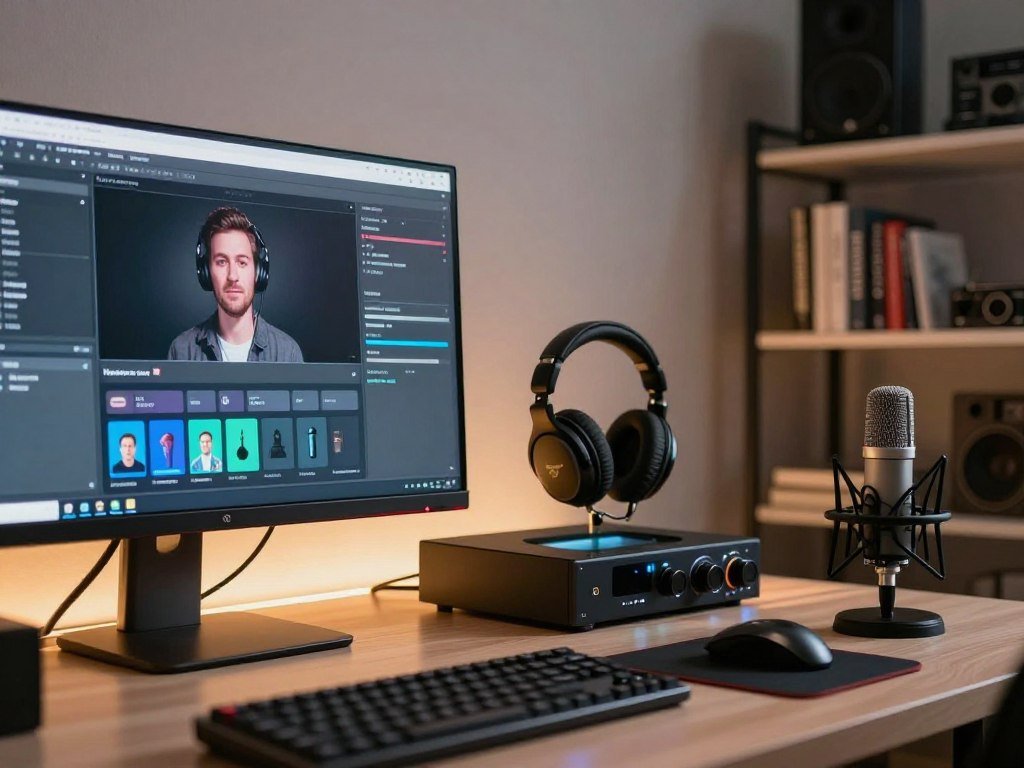
| Tool | Best fit | Standout capability |
|---|---|---|
| ElevenLabs | All-around narration | Voice and sound creation |
| Hume Octave | Prompt-designed voices | Written voice descriptions |
| Speechify Studio | Natural reading rhythm | Cadence and pause controls |
| WellSaid | Detailed script edits | Word-level delivery changes |
| TTSMaker | Free voice generation | Free text-to-speech access |
Fish Audio fits creators who want community templates, while Murf helps shape emphasis. DupDub adds multilingual phoneme-level control, and TTSMaker is a free way to try generation.
For the best AI text-to-speech, match the tool to the file you need, not just its demo voice. The best AI voice generator in 2025 may still be the wrong fit for your current project.
For TikTok, the best voice is one that fits your script and delivery, not simply a trending sound. No tool can make a mismatched read feel right.
Choose by the delivery your project needs, then listen to a sample made from your own material.
Compare each option with the same passage and include the words your audience will hear. The comparison criteria help frame that first test.
- Creators needing one audio workspace: ElevenLabs.
- Creators shaping a voice from a written description: Hume Octave.
- Creators testing free generation: TTSMaker.
What Does an AI Voice Generator Actually Do?
An AI voice generator turns written text into spoken audio without recording a new human performance for every script. Neural speech synthesis is software that generates spoken audio from text by modeling patterns in human speech.
A typical voice generation workflow starts with a script, then turns that text into an audio file. You choose a voice, enter or paste the words, adjust delivery settings, and generate speech.
Text-to-speech, or TTS, usually draws from a set of pre-built synthetic voices. You select a voice from a library and use it to read your text.
A voice clone is different: a model learns from recordings of a specific person. The resulting voice generation aims to sound like that person, rather than a general library voice.
Voice tools also differ in what they deliver. A reading app may speak a document aloud, while a production tool lets you export a scripted voiceover for a video.
A text-to-speech narration workflow can also place generated speech beside video, captions, music, and sound effects. That setup matters when your final file needs more than a spoken reading.
If a project needs a particular person’s identifiable sound, treat that as cloning rather than ordinary text-to-speech.
How Should You Compare Voice Quality and Controls?
A voice can sound convincing in one sentence and lose its natural rhythm over a longer read. Listen to a full passage before judging voice quality.
Compare realism, controls, audio quality, voice library breadth, and useful extras. Those factors show whether a tool can handle the script and the final edit you need.

Natural delivery across a full script
Natural delivery depends on pauses, intonation, and pacing across several paragraphs. A short preview may hide repeated rhythms, odd emphasis, or a pause that breaks the meaning.
There is no reliable universal ranking for the most popular AI voices or the voice generator everyone is using. A preset appearing in a library does not prove that people widely use it.
A voice choice and delivery test can reveal whether the read suits your audience and format. Try the same script in each tool rather than comparing different demos.
Controls, libraries and production fit
Check pronunciation, pitch, volume, and pace, then listen to the exported audio quality. A wide voice library helps only when it includes a voice that suits your language and project.
Some tools support SSML, a markup system that tells speech software how to perform text. It can add directions, but too many adjustments may reduce realism.
- Test the same script in each tool.
- Listen to a long passage, not only a preview.
- Check difficult names and pronunciations.
- Confirm the output works in your intended edit.
Make only the adjustments that improve the read, since aggressive controls can make synthetic speech less convincing.
ElevenLabs: Best for All-in-One Voice and Sound Creation
ElevenLabs is the best fit when one workspace needs to handle narration alongside other audio creation tasks. Its range makes it a practical first pick for many creator projects.
The free plan costs $0 per month, while paid plans start at $6 per month. Each plan has its own credit allowance, export options, and usage rights.
Creation tools beyond standard text-to-speech
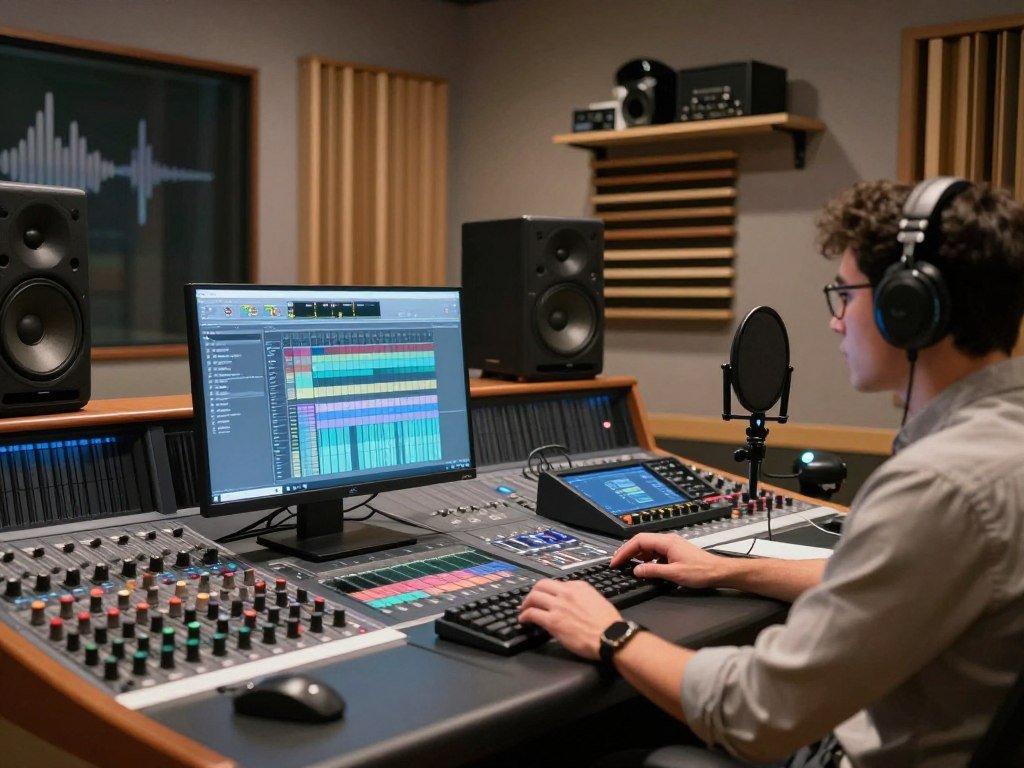
ElevenLabs offers TTS, voice design, voice cloning, sound effects, music, and dubbing. Its Studio can arrange narration, audio, and video in one workspace.
The service also offers conversational agents for interactive speech. That differs from making a fixed voiceover file, even though both use generated voices.
Its v3 model accepts square-bracket directions such as [sarcastic], [chuckling], or [whispering]. Those directions can shape performance, but results may be inconsistent.
The v3 performance directions can add character to a line when they work as intended. Test them on the exact voice and script you plan to publish.
Plans, credits and usage limits
Free includes 10,000 credits monthly, basic TTS, two concurrent requests, three custom voice slots, and three Studio projects. It requires attribution and does not allow commercial use.
Starter costs $6 monthly and includes 30,000 credits, a commercial license, instant voice cloning, three concurrent requests, ten custom voice slots, and 20 Studio projects.
Creator costs $22 monthly and includes 121,000 credits, 192 kbps audio, five concurrent requests, 30 custom voice slots, and one Professional Voice Clone.
Pro costs $99 monthly and includes 600,000 credits, 44.1 kHz PCM output through the API, ten concurrent requests, and 160 custom voice slots.
Scale costs $299 monthly and includes 1.8 million credits, three workspace seats, three Professional Voice Clones, 660 custom voice slots, and 15 concurrent requests.
Business costs $990 monthly and includes six million credits, ten seats, ten Professional Voice Clones, 2,200 custom voice slots, and 25 concurrent requests. Low-latency TTS starts at five cents per minute.
Enterprise uses custom pricing, credits, and seats. It offers service-level agreements, single sign-on, and HIPAA business associate agreements.
Credits do not equal a fixed number of minutes. One thousand credits covers about one minute with Multilingual v2 or two minutes with Flash.
Starter covers about 30 minutes of Multilingual speech or 60 minutes on Flash each month. Creator covers about 121 or 240 minutes, respectively.
Pro covers about 600 minutes of Multilingual speech or 1,200 minutes on Flash. Scale covers about 1,800 or 3,600 minutes, respectively.
Business covers about 6,000 minutes of Multilingual speech or 12,000 minutes on Flash. Model choice changes how far the credits go.
Before scaling a recurring project, estimate its monthly audio minutes against the plan’s model-specific allowance.
Hume Octave: Best for Prompt-Based Voice Design
Hume Octave is the pick when you can describe the voice you want more easily than you can find it in a library. Prompt-led design starts with words rather than a list of presets.
Hume Octave offers a free plan, and paid plans start at $3 per month. You can describe traits such as accent, pitch, and energy in a written prompt.
You can ask for a deep voice with a calm pace, a bright tone, or a certain accent. Details like resonance and energy help guide the sound you want.
This approach is useful when a preset library does not offer the right mix of qualities. You can refine the description after hearing each result.
Prompt-based performance has a learning curve. A small change in wording may shift the result, and it can feel less predictable than editing individual words.
That makes Octave a good choice for a distinct character voice or a branded style. It may take a few tries to get the tone close to your mental picture.
Start with one short prompt and revise it after listening to the result.
Speechify Studio: Best for Human-Like Cadence
Speechify Studio stands out when a script needs a calm, human-like reading rhythm with minimal tuning. Cadence comes from changes in reading speed, pauses, and sentence rhythm.
Speechify Studio offers a free plan and paid plans start at $100 per year. Controls include pauses, custom pronunciation, pitch, volume, and speed.
You can place a pause after a key idea or slow a sentence that needs room to land. Those small changes can make a voiceover easier to follow.
Studio also has a timeline-based option for combining voiceover, video, and background music. That can suit a creator who wants to arrange a complete clip.
Emotion and tone can vary by selected voice, so one preset may sound warm while another feels more neutral. Choose a voice that suits the script before adjusting its delivery.
A hands-on Speechify Studio review reports a voice-quality score of 8.5 out of 10. Its tests found that Urdu and Devanagari Hindi worked well, while Roman Hindi was weak.
Preview the exact voice you plan to use, since the quality of emotional delivery depends on the voice choice.
WellSaid: Best for Word-by-Word Control
WellSaid is a strong fit when a few words in an otherwise settled script need precise direction. Targeted edits let you adjust a small part without reworking the whole read.
WellSaid offers a free plan, and paid plans start at $19 per month. Its editor lets you change emotion, loudness, pace, and pitch for individual words.
Select a word, then adjust how the voice delivers it. You can also select punctuation and change the pause that follows it.
This works well for a short instruction where one phrase needs more energy. It can also help a training script sound less even from start to finish.
Custom pronunciation replacements can help with brand terms, uncommon names, or technical words. The editor gives you a way to shape those sounds without changing the written spelling.
Large changes to pitch or loudness may make a line feel less natural. Keep the edit close to the voice’s usual sound unless the script calls for a clear shift.
Save a pronunciation entry for recurring names and terminology so later revisions stay consistent.
Fish Audio: Best for Community Voice Templates
Fish Audio is useful when you know the kind of voice you want but do not want to build it from scratch. Its community library offers many templates to preview and filter.
Fish Audio offers a free plan, with paid plans starting at $15 per month. Its community library has more than two million voices and filters for 48 voice qualities.
Browse the library by qualities that match your project, then preview a few options. A large selection can make it easier to find a fitting voice, though entry quality can vary.
Fish Audio’s S2 model supports 83 languages and multiple speakers in one request. That can help when a script includes a conversation or needs more than one language.
For a recognizable imitation, check the voice’s origin and authorization before using it. A community template’s presence does not by itself tell you who made it or whether you can use it.
Listen to the actual selected template with your own script before committing it to a project.
Murf: Best for Emphasis Control
Murf is a practical choice when the meaning of a line depends on which word receives emphasis. Emphasis can change how a listener reads the same sentence.
Murf lets you set emphasis at the word level, with controls for speed, pitch, pauses, and custom pronunciation. Free access is available, and paid plans start at $29 per month.
Take the line, “I sent the file today.” Stress “I” to contrast who sent it, or stress “today” to make the timing clear.
Murf places control points across words in a text block. You can move emphasis to suit the point without rewriting the sentence.
The tool also offers dubbing and translation as extra workflow options. Voice quality varies across the library, so a strong control panel cannot make every preset fit every script.
Listen for natural emphasis in the finished sentence rather than judging the control setting alone.
DupDub: Best for Multilingual Phoneme-Level Control
DupDub is worth considering when multilingual pronunciation needs more granular control than ordinary text entry provides. Phoneme-level direction describes how a word sounds, not only how it is spelled.
DupDub offers a stated starting option of $15 per month or pay-as-you-go pricing. Its multilingual phoneme controls can help guide difficult spoken forms.
A spelling may not tell a speech model exactly how to say a name. Phoneme direction gives you a more detailed way to represent its spoken form.
This can help with personal names, unfamiliar terms, and words that change sound across languages. It is especially useful when ordinary text entry keeps producing the wrong result.
For multilingual voice generation, test each language on its own terms. A name that sounds right in one language may need a different direction in another.
Test names and difficult terms in each target language before generating a full script.
TTSMaker: Best for Free Voice Generation
TTSMaker is a straightforward option to test when the first priority is generating speech without an upfront subscription. A short sample lets you hear whether basic text-to-speech suits your project.
TTSMaker offers a free AI voice generator, and paid plans start at $13.99 per month. That makes it a simple place to try a voice before choosing a paid workflow.
Start with a few lines from the script you plan to use. Check whether the voice handles your wording, sentence length, and key terms in a way you can publish.
Free access does not automatically mean that every use is allowed. Commercial-use rights, attribution rules, export limits, and generation allowances depend on the specific plan.
Do not assume a free audio file will suit a monetized video or client project. Read the terms for the plan you intend to use before publishing the generated speech.
Confirm the usage terms for the specific plan before putting a generated file into a monetized project.
What Do the Plans Cost, and What Can You Try for Free?
Among these tools, the lowest stated monthly paid starting price is Hume Octave at $3 per month, while Speechify Studio’s stated entry price is annual. Free access varies by product.
A free plan does not guarantee commercial rights or enough generation capacity for a finished project. Compare the terms attached to the plan you will actually use.
| Tool | Free plan | Paid starting price |
|---|---|---|
| Hume Octave | Yes | $3 per month |
| Speechify Studio | Yes | $100 per year |
| WellSaid | Yes | $19 per month |
| Murf | Yes | $29 per month |
| TTSMaker | Free generator | $13.99 per month |
Fish Audio also offers a free plan and paid access starting at $15 per month. DupDub lists a $15 monthly starting option or pay-as-you-go pricing.
Monthly and annual prices are not direct comparisons. A yearly price may lower the monthly equivalent, but it asks you to commit for longer.
Check commercial rights, attribution requirements, export limits, and generation allowance before publishing. These terms can matter more than the entry price for paid content.
- Free plan: check what you can create without payment.
- Commercial rights: confirm whether your planned use is allowed.
- Attribution: check whether you must credit the provider.
- Output limits: review exports, minutes, and file options.
Compare the terms for the specific plan you will use, not just the headline price.
Which Tool Fits Your Workflow?
Start with the deliverable you need, because a video voiceover, audiobook chapter, and live voice interaction call for different strengths. Workflow fit matters as much as the sound of a voice.
Pick a tool by output type, language needs, editing control, and production workflow. That choice can save time once you begin revising scripts or making several files.
Narration, video and creator projects
For a YouTube or TikTok voiceover, try ElevenLabs for broad audio creation or Speechify Studio for a timeline with video and music. A short social script needs a voice that fits its pace and tone.
For audiobook narration, listen to long passages and test how the voice handles chapter-length text. Speechify Studio or ElevenLabs can be useful starting points, depending on your editing needs.
A presentation or training clip may need clean narration and careful wording. WellSaid gives focused script edits, while ElevenLabs can place voice and other audio work together.
For multilingual video, consider DupDub for phoneme-level pronunciation or Fish Audio for multi-speaker support. Hume Octave suits a distinctive voice design based on a written description.
Creators who need a script before audio can use an AI content drafting workflow to shape the words first. Review the claims and details before turning that copy into speech.
Teams, developers and specialized audio
Teams should check collaboration features, access roles, and how revisions move between people. Developers may need API access or automated production, while a solo creator may prefer a visual editor.
Audio-file tools and conversational voice systems serve different jobs. A tool made for a live conversation may not be the best choice for batch narration.
ElevenLabs combines TTS, sound creation, dubbing, and Studio tools. Hume Octave focuses on prompt-based design, while Speechify Studio supports voice and video projects.
| Decision | What to match | Example need |
|---|---|---|
| Output type | File or live interaction | Video voiceover |
| Language | Language and pronunciation | Multilingual clip |
| Editing control | Word, prompt, or timeline | Adjusted narration |
| Workflow | Manual or automated | API-based production |
- Output type: name the file or interaction you need.
- Language and pronunciation needs: list target languages and hard terms.
- Editing control: decide how much delivery editing matters.
- Production or integration workflow: check who handles revisions and exports.
For slide-based narration, match the voice tool to the deck and audience, then review the final exported presentation.
If a team will reuse the workflow, test a revision cycle as well as the first audio export.
What Should You Know About Voice Cloning and Consent?
Choosing a preset synthetic voice is not the same act as creating a voice model from someone’s recordings. The difference matters when your project uses an identifiable person’s sound.
Use a voice clone only when you have permission and authorization for the intended use. A pre-built library voice is selected from available options; a clone learns from recordings of a specific person.
Library voices and cloned voices are different
A synthetic library voice is designed for selection and use through a tool. It is not automatically a copy of one specific person’s recordings.
Voice cloning trains a model on recordings from a person, aiming to create speech in that person’s identifiable sound. That makes permission and intended use important before you generate audio.
Consent, rights and the current complaint
A complaint filed May 11, 2026, alleges that ElevenLabs used professional voice workers’ recordings to train commercial models without asking, informing, or paying them. It also alleges voiceprint extraction.
Those claims are allegations, not established facts or a court finding. The complaint does not by itself prove that the alleged conduct occurred.
Before using a clone, check these three points:
- Permission from the person whose voice you want to clone.
- Authorization for the specific use you have planned.
- The tool’s terms for creating and using the clone.
Keep a record of permission and intended use before generating or publishing a clone.
Can ChatGPT Replace a Dedicated Voice Generator?
ChatGPT can support voice conversations, but it is not a like-for-like replacement for a dedicated voiceover production workflow. Conversation and production are different audio jobs.
Choose a dedicated TTS tool when you need a reusable audio file made from a script. A live spoken exchange is useful for interaction, but it is not the same deliverable.
Live conversation is not the same as a downloadable voiceover
Live voice lets you talk with an assistant and hear spoken replies. A scripted voiceover needs a finished audio file that you can place in a video or other project.
That difference affects how you edit and reuse the sound. A conversation changes with each exchange, while a narration file follows a script you control.
ChatGPT Live capabilities and limits
ChatGPT Live supports interruptions during responses, web search, memory, and text and image input in one chat. It does not support video, screen sharing, connected apps, or plugins.
One Live conversation can run for up to two hours before ending automatically. ChatGPT Pro costs $200 per month and includes unlimited GPT-Live-1 voice use on a rolling 24-hour basis.
Other plans have lower voice-use limits. If you use ChatGPT for dictation or saved recordings, those are separate audio workflows from live conversation and scripted TTS.
A transcription and audio workflow guide can help distinguish spoken chat from turning recorded speech into text. Keep the job clear before choosing a tool.
| ChatGPT Live | Supported | Not supported |
|---|---|---|
| Voice interaction | Yes | Not applicable |
| Input types | Text and images | Video input |
| During chat | Web search and memory | Screen sharing |
| Connections | Not listed | Apps and plugins |
Choose a dedicated TTS tool when the deliverable is a reusable audio file made from a script.
Conclusion
For most creators, start by testing ElevenLabs against the script you actually plan to publish. Hume Octave, WellSaid, Speechify Studio, and TTSMaker are alternatives when their strengths match your task.
Run the same short script through two suitable tools and compare the result against your real publishing need. Pick the tool whose sample sounds right and whose terms fit the project.
FAQ
Is ElevenLabs safe to use?
ElevenLabs is a voice-production tool, but safe use depends on how you use it. Follow your plan’s terms, protect account access and private script data, and get permission before cloning an identifiable voice. Check whether your plan allows the way you intend to publish audio. Keep sensitive information out of scripts unless you understand the service’s data settings.
Can ChatGPT do voice AI?
Yes, ChatGPT supports voice conversations through Live, including interruptions while it responds. It can also use web search, memory, and text and image input in the same chat. That differs from a dedicated tool that turns a fixed script into a reusable voiceover file. Choose based on whether you need a conversation or finished production audio.
What is the famous AI voice called?
There is no single universally famous AI voice. A voice may be familiar on one platform or in one kind of video, while another audience recognizes a different preset. Voice libraries also change, and creators can edit their delivery. Treat a voice as recognizable in its own context rather than assuming one name is known everywhere.
What AI voice does everyone use?
No reliable universal usage count shows that everyone uses one AI voice. ElevenLabs is a strong all-around starting point for creator narration, but that recommendation does not prove that it is the most used tool. Your script, language, and publishing format matter more than a supposed popularity leader. Test the same passage in tools that fit your needs.
Is it legal to use AI voices?
Using a synthetic library voice and cloning an identifiable person are different cases. A tool’s terms may allow some uses and restrict others, so read the rules for your plan and project. Get permission before using a person’s voice clone. Laws can vary by place and situation, especially when a voice resembles a real person.
Can you sue if AI uses your voice?
A person may have legal options if AI uses their voice, but the answer depends on the facts and jurisdiction. A filed complaint is an allegation, not a court finding that the claims are true. Save records of the use and any permission or agreement. For a specific case, consult a qualified attorney who can assess the details.
Can you AI a person’s voice?
Yes, voice cloning can create generated speech based on recordings of a person. Get that person’s permission and check the tool’s requirements before creating or publishing a clone. Permission should cover the planned use, not just the act of making a sample. Keep a record of the agreement and follow any limits in the service terms.
What AI does not copyright?
Copyright treatment depends on jurisdiction, human authorship, and the material involved. A tool’s license does not settle every copyright question or guarantee that a particular result is protected. Review the service terms and any rights tied to input material or output. For commercial work, seek legal advice on the rules that apply to your project.
About The Author