What Is the Best AI Assistant Top Picks for Every Need

Start with the answer that most people should choose by their main daily task, not by a single claim that one AI is best at everything. Your work may call for writing help, quick research, calendar support, or a tool that can act across apps. The best fit depends on which job takes your time and where you already keep your information.
A chatbot answers prompts and helps you think through a task. An agentic assistant is an AI tool that can take multi-step actions across connected apps, rather than only generating answers. That difference matters when you want help drafting an email versus help preparing and sending it.
You can use one tool for broad questions and another for a job that needs special features. This article helps you compare those options in plain terms, so you can test a tool against real work before changing your routine. The useful choice is the one that handles a task you repeat, with a level of access you accept.
Key Takeaways
- Choose by the task you need help with most.
- Use a chatbot for answers, drafts, and ideas.
- Use an agentic assistant for approved actions across apps.
- Match office tools to Google Workspace or Microsoft 365.
- Check sources before relying on research answers.
- Test one small task before expanding access.
A useful shortlist starts by naming the job you want to hand off.
What Is the Best AI Assistant for Your Needs?
For a general starting point, pick ChatGPT; choose Gemini or Copilot if your work is already centered on their respective office ecosystems. Claude fits long documents and proposals, while Perplexity focuses on cited research. Your main task is a better guide than any claim of one winner.
ChatGPT, Gemini, Claude, Perplexity, and Microsoft Copilot all had free access in 2026. Several listed paid plans cost $20 per month. A dedicated workflow tool may suit you better than a chatbot when you need recurring actions across apps.
| Need | Recommended pick | Why it fits | Free or listed paid option |
|---|---|---|---|
| General-purpose help | ChatGPT | Writing, brainstorming, quick research | Free access; $20 per month listed |
| Writing and long documents | Claude | Long documents, proposals, business writing | Free access; $20 per month listed |
| Google Workspace work | Gemini | Google productivity suite tasks | Free access; $20 per month listed |
| Microsoft 365 work | Microsoft Copilot | Microsoft productivity suite tasks | Free access; $20 per month listed |
| Cited research | Perplexity | Web answers with linked citations | Free access; $20 per month listed |
These picks solve different problems, so compare the fit with the work you actually do. ChatGPT can help shape a rough idea into a draft, while Claude is a better fit for a long proposal. Gemini and Copilot make sense when your daily work already lives in their office suites.
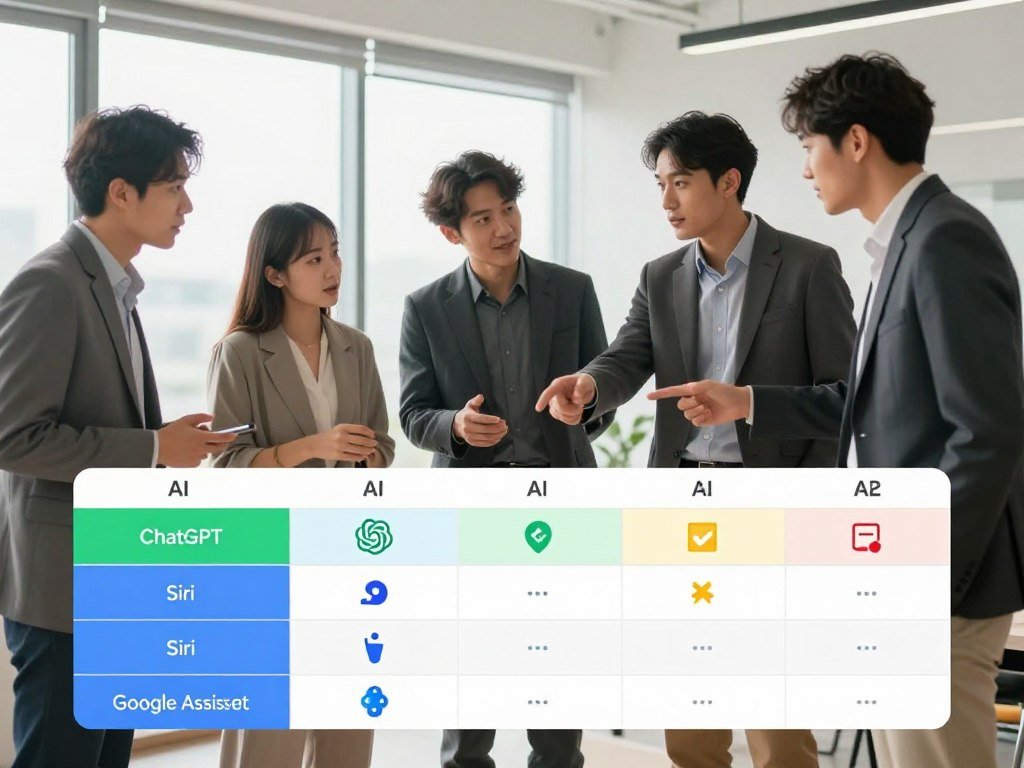
Choose by the task you repeat most, then check whether the tool can handle it well.
Think about the shape of the work, not just the name of the product. A short web question, a 40-page file, and a meeting follow-up each call for different features. The best AI tools for work and writing can help you compare options across several kinds of jobs.
Some tasks need a connected workflow rather than a stronger chat answer. For example, a tool may need to find a new form, summarize it, and add a result to a team record. That kind of job calls for app access and clear limits on what the assistant can change.
Make the shortlist based on the task you repeat most often, not the longest feature list.
How Do Chatbots Differ From Action-Taking Assistants?
If an AI suggests a meeting time but cannot access your calendar, you still have to do the booking. A chatbot answers a prompt, while an agentic assistant can act across connected apps. The handoff is the key difference: one gives you an answer, and the other may carry out an approved step.
App access and human approval set how much work you can safely delegate. A natural-language instruction can ask for a summary, draft, search, or workflow step. The tool still needs permission to reach the right apps.
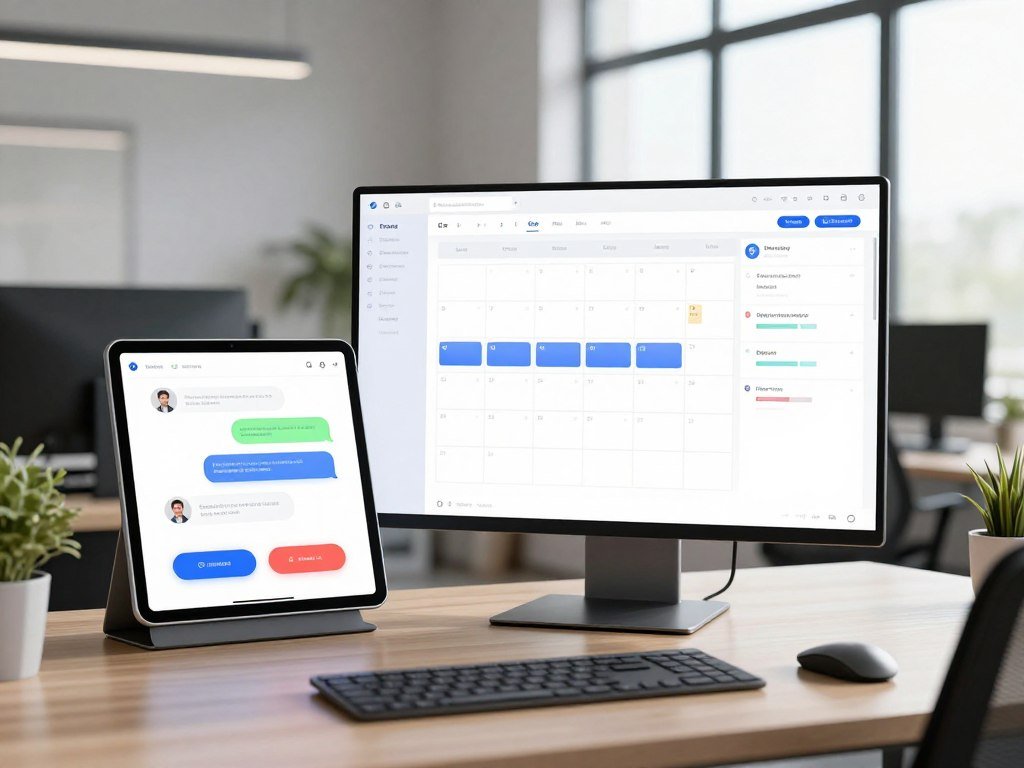
Chatbots that answer on demand
A chatbot can draft a reply to a customer, suggest a meeting time, or summarize a note. You review the answer, then send the reply or book the meeting yourself. That is useful when you want ideas but prefer to keep each action in your hands.
Chatbots can also help break a large task into smaller steps. Ask for a short outline, then revise it with more details. The tool responds to your requests, but it does not complete the next step in another app unless it has that connection.
Agentic assistants that complete workflows
An agentic assistant can search connected apps, prepare a response, and ask whether you want it sent. Once you approve the next step, the assistant can act within its permissions. This can save repeated clicks, though it also makes settings and review more important.
Use these checks before you hand a workflow to an agent:
- Does it remember context across sessions?
- Can it reach the apps involved?
- Does it ask for approval before consequential actions?
- Can it report what it completed?
Some agents can move through several tasks, while others only prepare a draft or summary. Check how the tool handles a missed step, a wrong result, or a request it cannot finish. A useful report should show what happened, not just say the job is done.
Test one low-risk, repeatable task before granting an assistant wider access.
Which AI Models Lead on Benchmarks?
Claude Opus 5.5 ranks first on BenchLM’s October 2026 BenchAlign leaderboard, while GPT-6 Astra has the highest reasoning score among the three leading models. That ranking is one measure, not an IQ score or a promise that a model will suit every job.
Claude Opus 5.5 scored 86.66 overall, ahead of GPT-6 Astra at 84.43 and GPT-6.1 Sol at 84.38. GPT-6 Astra led those three in reasoning, despite placing second overall.
| Rank | Model | Overall score | Notable detail |
|---|---|---|---|
| 1 | Claude Opus 5.5 | 86.66 | 90 agentic; 83 coding; 86 reasoning; 92 multimodal; 90 knowledge |
| 2 | GPT-6 Astra | 84.43 | 93 reasoning; 1.05 million-token context window |
| 3 | GPT-6.1 Sol | 84.38 | 91 reasoning; $10 per 1 million output tokens |
BenchAlign v5.8 covered 230 ranked models and 60 weighted benchmarks across eight categories in October 2026. Its scores test performance on selected tasks, including knowledge, reasoning, coding, and multimodal work. A benchmark score is not an IQ score or a guarantee of the best result for your task.

GPT-6 Astra’s context window was listed at 1.05 million tokens. Gemini 3.5 Flash-Lite reached 414 tokens per second in a measurement updated October 25, 2026. MiMo-V2.6-Pro was the highest-scoring evidence-qualified open-weight model, with a 73.85 overall score.
GPT-6.1 Sol kept 97% of the leading score at a 50% lower output price. Its listed price was $10 per 1 million output tokens. That can matter if you run many model requests, but price alone does not show how well the model handles your specific work.
There is no established “highest IQ” label in these scores. If “more powerful” means the highest overall BenchAlign score, Claude Opus 5.5 led here. If it means reasoning among the top three, GPT-6 Astra scored highest.
Treat leaderboard rank as one selection signal, then test the model on the work you actually need done.
Which Assistant Works Best for Writing and Long Documents?
Choose Claude when the job involves a long document or proposal; choose ChatGPT when you want a broad drafting partner for many kinds of writing. Both can help with writing, but the best fit depends on the length and shape of your work.
Claude supports a 200,000-token context window and Projects for organizing context. That capacity can help when you need an assistant to work with a large set of related material, but it does not ensure every detail will be used correctly.

Claude for long-form work
Projects let you organize related documents and instructions around a specific job. You might keep a proposal, product notes, and a style guide together. That gives the assistant a clearer set of material to use when you ask for edits or a summary.
A large context window can reduce the need to split long material into many small prompts. It can help with a proposal that draws on several documents, or a report with a long history. Still, check names, figures, and claims against the original files.
ChatGPT for flexible drafting
ChatGPT is listed as a fit for writing and brainstorming. You can ask it to draft an outline, shift the tone, or suggest new angles. Short prompts make it easy to revise one part without rebuilding the entire draft.
To compare the two, give each tool the same proposal draft and request the same revision. Then judge how much editing each output needs, including whether it keeps your facts and intended voice. A polished-sounding answer can still change a key point.
Use your own task as the test, rather than a sample prompt about a topic you never write about. A useful assistant should save time after you count the time spent checking and revising. Review names, numbers, and quoted material against the original document before sharing a generated draft.
Which AI Assistant Is Best for Research?
For source-linked web research, Perplexity is the most direct fit among these picks. It provides web answers with linked citations and research modes, so you can trace an answer back to the pages it used. Visible citations make checking easier, but they do not prove the answer is right.
Open the original pages for claims that could affect a decision. A sourced answer can still leave out a key counterexample, even when its citations lead to real material.
ChatGPT can suit quick research when you need a short explanation or a first list of ideas. Gemini offers deep research in its free-access feature set, which can fit people who already use Google tools. Each option can help with a different kind of fact-finding.
For a fast product comparison, ask for the main differences, then open the pages that support each point. For a policy or health claim, look for the date, limits, and group the claim covers. A short answer may hide details that change how the information applies to you.
Citations can point to an original page, but they cannot replace reading it. Check whether the page supports the exact statement, not just a nearby topic. The same care matters for a research summary that blends several sources into one answer.
For academic work, tools such as Semantic Scholar, Consensus, Elicit, NotebookLM, and Paperguide focus on different parts of research. A roundup of AI research tools for paper discovery and claim checks can help you match a tool to a literature review or source-based synthesis.
Open the original source for any claim that will influence a decision or be repeated publicly.
Which Assistant Fits Google Workspace or Microsoft 365?
Gemini is the natural fit for Google Workspace users, while Copilot is the natural fit for people working in Microsoft 365. Existing app access is the key benefit: the assistant can help where your email, files, and team work already live.
Gemini and Copilot are chatbot integrations with their respective productivity ecosystems. Their value depends on which apps your account supports and how your team uses them.
Gemini inside Google Workspace
Gemini integrates with Gmail, Calendar, and Docs. You can use it to work with information across those tools, such as finding a message or drawing on a document while planning a meeting. That can save the effort of copying details between apps.
Google Workspace users may find the fit especially useful when daily tasks already move between email, documents, and calendar events. The assistant works within that ecosystem, but the specific functions can depend on your account and app setup.
Copilot inside Microsoft 365
Microsoft Copilot integrates with Word, Excel, Outlook, and Teams. That makes it a sensible choice when you prepare documents, handle email, review spreadsheets, and coordinate meetings in Microsoft 365.
Cross-ecosystem work can still mean handoffs or extra setup. If you use Google Workspace for email and Microsoft 365 for files, check which side has the information needed for each task. A tool cannot help with app data it cannot reach.
| Tool | Best ecosystem fit | Example tasks |
|---|---|---|
| Gemini | Google Workspace | Gmail, Calendar, Docs |
| Microsoft Copilot | Microsoft 365 | Outlook, Word, Excel, Teams |
| ChatGPT | General-purpose use | Writing, brainstorming, quick research |
Before choosing, confirm that the specific apps and account type you use are supported.
Which AI Assistant Is Best for a Small Business?
For most small businesses, start with the assistant that fits the existing office suite, then add a phone agent only if call handling is a real bottleneck. Your daily work can point to ChatGPT, Copilot, Gemini, or Claude, while missed calls may call for a separate service.
Choose the office assistant by your existing apps and the phone service by the calls you need handled. Small-business AI use reached 8.8% by August 2025, compared with 10.5% for large businesses. That figure gives context, not proof that a product will improve results.
General business work and office suites
ChatGPT fits writing, brainstorming, and quick research. Microsoft Copilot suits work in Microsoft 365, while Gemini fits Google Workspace. Claude can help with long documents, proposals, and business writing.
Match the tool to the work it will touch. A business that writes proposals may value long-document support, while a team that handles many spreadsheet and email tasks may prefer its office suite’s assistant. The right choice should fit existing habits.
Phone answering and lead capture
Smith.ai combines AI with human receptionist agents. My AI Front Desk handles calls and appointment scheduling 24/7. Goodcall answers calls, books appointments, and captures leads.
In one reported measure, 37.8% of small-business calls were answered by a live person. Small businesses that used AI had a median of five AI tools. Those numbers describe use, not a guaranteed result for any specific service.
Before adding a phone agent, check these five points:
- Start with one bottleneck.
- Check integration fit.
- Set an approval step.
- Estimate how many tools the workflow will touch.
- Define when a call needs a person.
Personal AI Assistant by Deskferry provides calendar, CRM, and email functions through a Chrome-installed progressive web app, with more than 1,500 integrations. That wide reach may help a business with varied tools, though it also calls for a clear workflow plan.
Track whether the chosen tool reduces missed handoffs, not just how many features it offers.
Which Tools Automate Work Across Apps?
For automating steps between a large mix of apps, Zapier is the broadest fit in this shortlist. It connects to more than 9,000 apps and offers several ways to add AI to a workflow. Broad app reach is useful when your work spans services that do not share one office suite.
Zapier suits broad app-to-app automation; Lindy suits configured, repeatable assistant workflows. Either can take setup and testing before a workflow becomes dependable.
Zapier as an automation layer
A trigger-based workflow starts when a set event occurs, such as a new form entry. The workflow can then move information or run a set of steps across connected apps. This is different from asking a chatbot for a one-time answer.
Zapier Copilot can help build workflows, while AI by Zapier adds AI steps. Zapier Tables can store workflow data. Zapier MCP lets compatible assistants use connected apps through approved connections.
MCP connections can let an assistant request an app action through the automation layer. The workflow still needs the right setup, and the assistant should only reach the services needed for the job.
Lindy for configured assistant workflows
Lindy workflows can connect Gmail, Outlook, Google Calendar, Slack, Notion, and CRMs. You can configure a repeated process that works across email, calendars, messages, and customer records. Lindy Pro adds a computer-use feature.
That setup may fit a routine such as preparing meeting information from email and calendar details. It will take testing to see whether the steps work with your team’s data and exceptions. A workflow that touches many apps can fail in more than one place.
Choose Zapier when broad app-to-app automation is the goal. Choose Lindy when you want a configured assistant workflow that repeats across connected tools. The business chatbot and workflow comparison can help clarify whether you need answers, customer support, or action across apps.
Run a new workflow on a test record before letting it change live business data.
Which Assistant Helps With Email, Meetings and Scheduling?
For a proactive, cross-app virtual assistant, Lindy is a strong fit; choose Reclaim or Motion when the core need is calendar control. The main bottleneck matters: managing follow-ups is different from protecting focus time or placing meetings.
In the 2026 Memory + Agency scoring, Personal AI Assistant by Deskferry and Lindy each scored 11/12. The Deskferry review score was held to 11/12 after a one-point bias haircut.
Email and meeting workflows
Lindy scored 11/12 in Memory + Agency and can connect email, calendar, messaging, and CRM tools. Its listed plans cost $49.99 per month for Plus, $99.99 for Pro, and $199.99 for Max. Pro adds computer use.
Superhuman scored 9/12 and focuses on the inbox. Martin scored 8/12 and takes a voice-first role in scheduling. Lindy may suit repeat work across apps, while the other options center on different parts of personal work.
Compare the monthly plan cost with how often you expect to use the features. A higher tier only makes sense when its added functions match tasks you do often. Try a workflow you can inspect before trusting it with a large batch of messages.
Calendar planning and time protection
Reclaim focuses on protecting deep-work time in your calendar. Motion focuses on automatic scheduling. Both can help with calendar planning, but they approach the problem differently.
The Memory + Agency scores also included Claude, Gemini, Reclaim, and Personal.ai at 7/12; Saner.AI and Motion at 6/12; ChatGPT at 5/12; and Perplexity at 4/12. These scores can help frame a comparison, but the daily workflow still matters more than a single rating.
Use this checklist before choosing:
- Identify the main bottleneck.
- Check calendar and email access.
- Decide which actions need approval.
- Compare the plan against expected use.
Start with a workflow you can inspect easily, such as drafting a follow-up for approval.
What Is the Best AI Assistant for Android?
Gemini is the strongest Android pick in the April and May 2026 comparison, while Galaxy AI is a strong option for Galaxy-specific tools. Gemini scored 9/10 on Pixel 9 Pro and Galaxy S25 phones, ahead of ChatGPT and Galaxy AI at 8/10 each.
Gemini combines Google app links with voice, camera, and screen input. Gemini integrates with Gmail, Calendar, and Docs, and Gemini Live supports voice interaction on Android.
ChatGPT scored 8/10 and offers voice mode, image input, custom GPTs, and a lock-screen shortcut. Galaxy AI also scored 8/10, with Circle to Search, Live Translate during calls, Note Assist, Photo Assist, and Generative Edit.
Perplexity and Claude each scored 7/10. Microsoft Copilot and DeepSeek each scored 6/10. Claude supports a 200,000-token context window and Projects for organizing context, which may help when you work with long material.
Listed 2026 prices included free access or $20 per month for Gemini, ChatGPT Plus, Claude Pro, Perplexity Pro, and Microsoft Copilot Pro. ChatGPT Pro was listed at $200 per month. Gemini’s listed paid option was Google AI Pro at $20 per month.
A feature score cannot tell you whether a phone app will work well with your own routine. Google tools may favor Gemini, while a Galaxy owner may value built-in call translation or photo editing. Check that the feature you want works on your particular phone model and account.
Which AI Assistant Should iPhone Users Choose?
For a flexible iPhone chat assistant, start with ChatGPT; choose Perplexity when source-linked research matters more. Siri is a practical option for basic device requests. Your priority may be chat, citations, or hands-free control.
Pick the app that fits the kind of help you need most. ChatGPT works as a general-purpose app, Perplexity focuses on cited research, and Siri can handle simple requests on the device.
Grok had iOS and Android apps in October 2026 and integrated with X. In 2026, Elon Musk said Grok was partially distilled from OpenAI’s GPT models. That describes the product and a public statement, not which app is best for your iPhone.
Use a general chat app for drafting or brainstorming, and a research app when you want links to the pages behind an answer. Siri can suit quick tasks such as starting a call or setting a reminder through voice. These are different jobs, so one app does not need to replace the others.
Try the same everyday request in two apps before moving personal routines into one.
Which AI Assistant Has the Best Free Plan?
Gemini is the best free starting point for Google users, while the strongest alternative depends on whether the task is writing, research, or Microsoft 365 work. All five listed tools had free access in 2026, so you can test a real task before paying.
Paid chatbot plans generally ranged from $10 to $20 per month in a 2026 guide. Limits and included features differ, so a similar price does not mean the same value.
| Tool | Free access | Paid option listed | Best free-use fit |
|---|---|---|---|
| Gemini | Yes | Google AI Pro, $20 per month | Google users, deep research, voice chat |
| ChatGPT | Yes | ChatGPT Plus, $20 per month | General chat and drafting |
| Claude | Yes | Claude Pro, $20 per month | Long-document reasoning |
| Perplexity | Yes | Perplexity Pro, $20 per month | Cited web research |
| Microsoft Copilot | Yes | Copilot Pro, $20 per month | Microsoft ecosystem users |
Gemini’s free access included models such as Gemini 3.7 Flash and Veo 3.1, deep research, voice chat, and 15 GB of Google Drive storage. ChatGPT suits general chat, Claude can help with long documents, and Perplexity is built around cited research. Copilot fits people who use Microsoft apps.
Before paying, check these four details:
- Usage limits
- Included features
- Billing period
- Connections to the apps you use
Free versions give you a way to judge how an assistant handles your own requests. A paid plan may raise limits or add tools, but you should compare those gains with your actual use. The 2026 guide’s $10-$20 monthly range covers common paid chatbot plans, not every specialist service.
Use the free plan for a week of real tasks before deciding whether a paid limit is worth removing.
What Is the Best AI Voice Assistant for Home?
For a voice assistant at home, Alexa or Siri is the practical choice for routine hands-free requests; use a broader chatbot for research-heavy questions. Household commands and knowledge work need different strengths.
Use the assistant built into a home device for routine commands, and a broader chatbot for research or document work. Alexa and Siri support free-flowing conversations and image generation, but lack agents, deep research, and model-selection options found in broader chatbot services.
Alexa or Siri can help with quick spoken requests and device control. That can be easier than opening an app when your hands are busy. The fit depends on the household devices and accounts you already use.
A general chatbot is better suited to an extended question, a research task, or a request involving a document. Gemini Live offers voice interaction on Android, giving Android users another way to speak with an AI tool.
Voice convenience does not mean an assistant can safely perform every action without confirmation. A spoken request may be unclear, especially when it involves a purchase, message, or change to a device setting. Keep the task simple when you cannot review the result on screen.
Check which household devices and accounts the voice assistant can actually control before relying on it.
Which AI Assistant Works Best on a PC?
Claude Cowork suits desktop document tasks, Copilot suits Microsoft 365 work, and Jan.ai suits users who specifically want local offline chat. File access and setup shape which tool makes sense for your computer.
Choose by the job you want done on the PC: file work, office tasks, or offline chat. Each option serves a different need, rather than replacing every desktop tool.
Desktop tools for documents and computer tasks
Claude Cowork can help with desktop tasks across files, apps, and documents. That can fit work where you need to handle several related files, rather than ask a chatbot for a single answer.
Copilot is integrated with Microsoft 365 apps. If your regular work centers on Word, Excel, Outlook, or Teams, it can keep AI help close to those tools. The best fit depends on the tasks and files your account can reach.
Local AI for offline use
Jan.ai runs local models offline and is open source. A local setup may appeal when you want conversations to stay on your device and work without an internet connection.
Local setup and model capability depend on your computer and the model you select. A model that runs well on one PC may not suit another machine’s memory or speed. Compare the local model’s results with the work you need before moving a regular task to it.
Match the tool to the operating system, file access, and model requirements you actually have.
What Should You Check Before Connecting an Assistant to Your Data?
Before connecting an assistant to work data, decide what it needs to read and what it is allowed to change. Permissions should match the task, especially for inboxes, calendars, CRM records, and shared documents.
Give an assistant only the access needed for its assigned work. Tools that reach files or apps may take actions on your behalf, so a wide permission can expose more information or allow more changes than the task needs.
A read-only connection may be enough for summarizing email or preparing for a meeting. Sending messages or editing records calls for a higher level of access. Match the permission to the outcome, not to every feature the tool offers.
Use this five-point check before you connect an account:
- Connect only the accounts needed.
- Review what the tool can read or change.
- Require approval before sending or deleting.
- Test on low-risk data.
- Revoke access when you stop using the workflow.
Check whether the assistant can read private messages, edit a shared file, or change a CRM record. A small workflow may need only one account, while a wider task may touch several. Keep access limited to the apps and actions that support the task.
Start with the least access that can complete the job, then add permission only when the workflow needs it.
For example, a meeting summary may need calendar details but not permission to send follow-up emails. A message workflow may need to draft text first, with a person approving the send step. That split lets you test the useful part without handing over every action.
Recheck connected-app permissions whenever a workflow or team role changes.
Conclusion
The best fit is the tool that removes a real task from your week without adding more setup than it saves. Choose the assistant that matches the work you repeat, and use a specialist when the task calls for one.
Start with one recurring task and test a free plan or limited connection before expanding use. Notice whether the tool saves time after you count review and setup, not only the time it spends answering.
Pick one task to test this week, then keep the assistant only if it makes that task easier to finish.
FAQ
Which AI is best for a virtual assistant?
Lindy is a strong fit for proactive work across connected apps, while Reclaim and Motion suit calendar planning. Lindy can connect email, calendars, messaging, and CRM tools in configured workflows. Reclaim focuses on protecting deep-work time, and Motion focuses on automatic scheduling. Pick based on whether your main need is app-based follow-up or control over your calendar.
Which AI does Elon Musk use?
There is no confirmed answer about which AI Elon Musk personally uses. Grok is xAI’s assistant, and in 2026 Musk said Grok was partially distilled from OpenAI’s GPT models. That statement describes Grok’s development, not Musk’s personal use. Grok had iOS and Android apps and integrated with X in October 2026.
What is the best all-in-one AI platform?
ChatGPT is a broad general-purpose starting point for writing, brainstorming, and quick research. If your work needs actions across apps, Zapier adds connections to more than 9,000 apps through automation features. Those tools serve different needs: one can help with many kinds of prompts, while the other links steps across services.
Which AI is smarter than ChatGPT?
Claude Opus 5.5 ranked first overall on BenchAlign in October 2026, but a benchmark rank is not a universal measure of intelligence. Scores reflect performance on selected tasks and can change with the benchmark and model version. GPT-6 Astra scored higher in reasoning among the three leading models, while Claude Opus 5.5 led overall.
What to never say to AI?
Avoid entering passwords, payment details, or highly sensitive personal or business data unless the service and its settings are approved for that information. A chat tool may store or process content in ways that differ by product and account. Share only the details needed for the task, and remove names or private records when possible.
What’s the smartest AI right now?
Claude Opus 5.5 ranked first overall on BenchAlign in October 2026, while GPT-6 Astra led the top three in reasoning score. Those results do not name one model as smartest for every kind of work. A model can lead one benchmark category and still be a poor fit for your documents, apps, or daily tasks.
Which AI is more powerful now?
Claude Opus 5.5 led overall on BenchAlign in October 2026, and GPT-6 Astra had the higher reasoning score among the three leaders. “More powerful” depends on the task you mean. For a fair choice, compare how each model handles your own work, such as a long document, a coding problem, or a research question.
Who is number 1 AI?
Claude Opus 5.5 ranked first on BenchLM’s October 2026 BenchAlign leaderboard, with an overall score of 86.66. That ranking applies to this leaderboard, not every AI task or product. The benchmark covered 230 ranked models and 60 weighted tests across eight categories, so its results offer one useful comparison rather than a universal title.
About The Author