AI Content Generator for Fast Quality Marketing Copy

A campaign deadline can arrive before the first caption, email or product description is written. An AI content generator can give you a starting point when time is tight and the blank page feels stubborn. You still choose the message, check the details and shape the final words.
The best results come from giving the tool a clear job, then editing what it returns. You might need a fresh angle for a promotion, a short email subject line or a product description that sounds more human. A quick draft can help you compare ideas and move forward without treating the first version as finished copy.
This page offers a practical workflow for creating marketing writing and refining it into publish-ready copy. Your judgment stays in the process, from the first details you provide to the last edit. A few clear details can turn that blank page into a useful first draft.
Key Takeaways
- Start with one clear marketing task and a defined audience.
- Give the tool the facts and tone it needs to shape a useful draft.
- Choose a free or paid plan based on your real writing workload.
- Review claims, brand voice and reader needs before publishing.
- Test one small asset before adding a tool to your regular workflow.
What Can an AI Content Generator Create?
A single topic can become a short caption, a campaign email or the opening of a blog post. AI writing tools use natural language processing, machine learning and language models to create text from your directions. One topic can serve several needs, but each format needs a distinct purpose.
Text generation supplies words, not a finished visual design. Picsart’s generator can draft quotes, captions and paragraphs, then place the text in an image or blank canvas. The design still needs its own choices about layout, color and imagery.

Social Posts, Captions and Short Campaign Copy
Short copy includes social media posts, captions, ad lines, hooks and brief campaign messages. A tool can suggest several openings or shorten an idea for a character limit. You can use those options to test different ways into the same message.
A caption is only one part of a social post. The image, video or graphic carries meaning too, so the words should fit the asset rather than repeat everything it shows. A short ad also needs a clear offer and a call to action that suits its audience.
Use a generated line as a draft, then make its audience, purpose and call to action clear.
Social copy often works best when the reader can tell what to do next. A post meant to start a discussion may ask a question, while a product ad may point to a sale or product page. Those choices belong to the campaign, not the text tool.
Blog Posts, Emails and Longer Drafts
Longer material can include blog posts, emails, whitepapers and other pieces with several sections. A tool can offer an outline, draft paragraphs or suggest a subject line. Long text still needs a clear order, accurate details and a point worth the reader’s time.
Set a different audience and call to action for each format. A blog post may explain a problem in depth, while an email may ask readers to take one action. If you’re exploring ways to make a living from online publishing, this guide to online business ideas covers paths such as freelance writing and blogging.
A tool can help with content creation across written and visual-adjacent work, but it cannot know what your audience needs unless you tell it. Choose the format before drafting so the length and purpose are clear.
How Can You Get Better Drafts From AI?
A prompt that names the audience, goal and format gives the tool fewer important choices to guess. A prompt is the instructions and context you give an AI tool to guide what it generates. Include the facts and limits the tool must keep.
A useful brief can be short, as long as it gives the tool a clear target. Broad directions such as “write about our service” leave key decisions for you to make while reviewing the draft. Add enough detail to guide the writing without turning one request into a full project plan.

Give the Tool a Useful Brief
When using AI to help with writing, start by naming what the reader should understand or do. Grammarly’s generation flow asks for a content type and key details, with tone as an optional input. That sequence can work as a simple checklist for your own brief.
- Audience: Who will read the draft?
- Purpose: What should the reader know or do?
- Format: Is this an email, caption, outline or another type?
- Key facts: Which names, dates, claims or limits must stay accurate?
- Tone: Should the copy sound warm, direct, playful or formal?
Give the tool context that changes the answer, such as a product feature or a campaign deadline. Skip details that do not affect the writing. If you have a strong example of the voice you want, include a short sample and explain what makes it fit.
Refine the First Version With Specific Edits
An AI tool can help with writing by offering a starting structure or alternate wording. You bring the subject knowledge, decide what matters and check whether the claims make sense. The tool can suggest a paragraph, but you decide whether the paragraph serves the reader.
Ask for one focused change at a time. For example, request a shorter opening, then ask for a warmer tone if needed. Several unrelated requests in one prompt can make it hard to tell which change improved the draft.
Keep useful parts and discard weak ones rather than accepting every rewrite. If a new version adds a claim you did not provide, remove it instead of letting it pass as fact. Before accepting a rewrite, check that it still says what you meant.

Which Free AI Writing Tools Are Worth Trying?
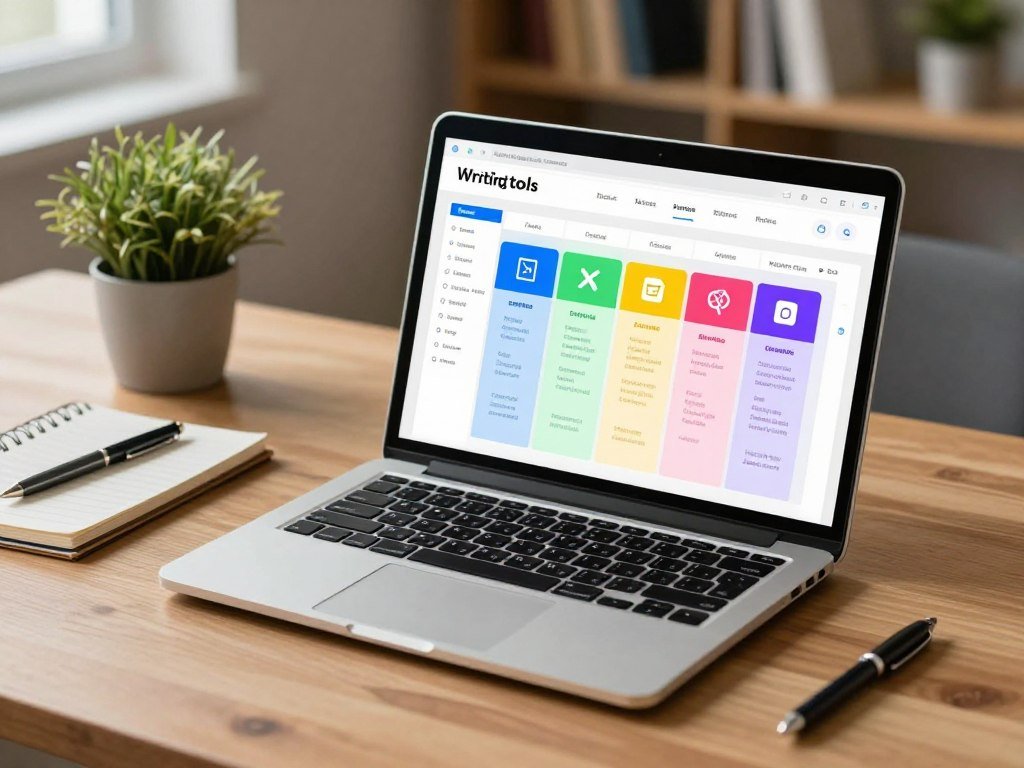
A free tier can be enough to test a workflow, but its monthly, daily or message cap determines how far it goes. ChatGPT, Copy.ai, Ozigi, Claude and LanguageTool each offer a different kind of free access. Small tests can show whether a tool fits your work before you pay.
An AI content generator can be used for free, while generation caps and feature access vary by tool. The limits below describe their 2026 free plans and access terms.
Free Access for Drafting and Ideation
ChatGPT’s free plan allows up to 10 GPT-5 messages every five hours in 2026. After that limit, chats switch to a mini model until the limit resets. The plan also includes two to three DALL-E images per day.
Copy.ai’s free plan includes 2,000 words per month in 2026. Ozigi offers a free generation tier without a credit card. It also has an unauthenticated path that can generate a campaign without signup.
Claude’s free tier has daily message caps that reset after a few hours. Its limit can affect a longer work session, so try a task that reflects how you write. A free AI project writer can help outline a project brief or organize tasks, but you must verify the scope and dates.
Free Tools for Checking and Quick Campaigns
LanguageTool’s free tier checks up to 20,000 characters per check in 2026, and a self-hosted version is available for free. That makes it useful for a text check, rather than a replacement for a full content generator. Its corrections still need your review.
Use this comparison to match a free option to the task you want to test:
| Tool | Free access | Limit or condition | Useful for |
|---|---|---|---|
| ChatGPT | Free plan | 10 GPT-5 messages per 5 hours; 2-3 DALL-E images daily | Drafts and image tests |
| Copy.ai | Free plan | 2,000 words monthly | Short campaign drafts |
| Ozigi | Free generation tier | No card; campaign generation can work without signup | Quick campaign ideas |
| Claude | Free tier | Daily message caps reset after a few hours | Drafting and ideation |
| LanguageTool | Free tier | 20,000 characters per check; self-hosting is free | Proofreading text |
Try the same small task in two free tools before deciding which limit matters to you.
Which AI Writing Tool Fits Your Main Job?
A solo marketer drafting several ad options needs a different workflow from a team enforcing terminology across many writers. Match the job to the tool’s strongest feature, not a long list of features. Comparative ratings help frame a choice, but they are not a universal quality measure.
Anyword focuses on campaign copy variations, while Writer focuses on style and terminology rules. Conductor Creator suits teams that need grounded content, governance and performance tracking at scale.
Fast Variations for Campaign Copy
Anyword’s Data-Driven plan supports three seats in 2026. Its predictive scoring model estimates which copy variation will convert with 82% accuracy, compared with 52% for GPT-4o. That is a reported comparison, not a promise that your campaign will get the same result.
A copy-focused tool can save time when you need several headlines or calls to action for one offer. The marketer still has to choose the version that fits the audience, channel and offer. A high score cannot fix a weak campaign idea or an unclear landing page.
Brand-Controlled Drafting for Teams
Conductor Creator’s Writing Assistant can use up to five uploaded PDF, DOCX or Markdown documents per draft in 2026. The added knowledge can help ground a draft in approved material. It is a useful fit when a team wants the generated copy to draw from its own documents.
Across five criteria, Conductor scores 5/5 for grounded AEO data, AI-search readiness, post-publication performance tracking, enterprise governance and consistent output quality at scale. Writer scores 2/5, Semrush SEO Writing Assistant scores 2/5, and Surfer AI scores 2/5. Frase, Jasper and Copy.ai score 1/5 each, while Writesonic scores 0/5.
Those scores compare the listed criteria, not every feature or every team’s needs. Writer may fit teams that want style-guide and terminology enforcement, while Conductor fits a wider governance and tracking process. A solo creator may not need either set of controls.
Grounded, Governed Content at Scale
The table pairs each tool with a likely task and a specific limit or plan detail. Use it to narrow the list, then test the tool with a real piece of work.
| Tool | Best-fit task | Useful capability | Constraint or plan detail |
|---|---|---|---|
| Anyword | Ad and campaign variations | Predictive copy score | Data-Driven plan supports 3 seats |
| Conductor Creator | Grounded team content | Uses up to 5 uploaded documents per draft | Comparative score is not universal |
| Writer | Terminology and style control | Style-guide enforcement | Scores 2/5 across five criteria |
| Copy.ai | Campaign and sales copy | Generates copy variations | Scores 1/5 across five criteria |
| ChatGPT | Flexible drafting | Supports varied writing tasks | Free plan has message limits |
Select the tool that reduces the most work in your actual production process, not the one with the longest feature list.
How Much Do AI Writing Tools Cost?
Paid writing plans in this comparison range from $4.89 per month on Wordtune’s annual plan to $69 per month for monthly-billed Jasper Pro. The billing term changes the price, so compare like with like. Seats, usage caps and higher-tier features also shape the real cost.
Prices below are monthly rates, with the stated billing terms. A lower annual rate means you pay under an annual billing plan, not month by month at that rate.
| Tool | Plan | Monthly price | Billing condition |
|---|---|---|---|
| ChatGPT | Plus | $20 | Monthly; up to 160 GPT-5 messages per 3 hours, temporary increase |
| Jasper | Pro | $59 or $69 | $59 yearly billing; $69 monthly billing |
| Copy.ai | Chat | $29 | Monthly |
| Rytr | Unlimited | $9 | Monthly |
| Grammarly | Pro | $12 | Annual billing |
ChatGPT Plus includes up to 50 DALL-E images every three hours in 2026. Jasper Pro costs $59 per month with yearly billing or $69 per month with monthly billing. Those details matter if your team uses both text and image generation.
Other listed plans include Anyword Starter at $49 per month, or $39 per month billed annually, with a seven-day trial. HyperWrite Premium costs $19.99 monthly or $16 monthly with annual billing. QuillBot Premium costs $8.33 monthly when billed annually, and Wordtune’s annual plan costs $4.89 monthly.
Sudowrite Hobby costs $10 monthly with annual billing. Claude Pro costs $20 per month. ChatGPT Plus and Claude Pro each cost $20 per month in 2026, though their features and use limits differ.
A writing-tool budget should account for seats, usage caps, billing interval and features available only on higher tiers. A low monthly price may still be a poor fit if your team needs more users or reaches its usage cap quickly.
Check the billing interval and seat count before comparing two monthly prices.
How Can You Keep Copy on Brand?
Consistent copy starts with a short set of rules that writers can apply to every channel. Useful rules name preferred terms, style choices and claims to avoid. A human owner must settle conflicts when the rules point in different directions.
Turn the brand voice into examples writers can use, not just a string of adjectives. Show a good headline, a product description and a social caption, then explain what makes each one fit. Include the words your brand prefers and terms it never uses.
Set Up a Reusable Voice and Style Guide
Write down sentence length, formality, spelling and how your team names products. Add prohibited claims, such as promises your product cannot support. If you are still shaping a name or identity, these business name generator ideas can help you think about style and memorability.
Jasper Pro includes two Brand Voice profiles and is limited to one seat in 2026. Jasper Business includes unlimited Brand Voices and multi-modal knowledge assets, with custom pricing and a 12-month commitment. Those limits matter when several teams or product lines need separate voice rules.
Jasper says it does not permit third parties to train AI models on Jasper customer data. It also encrypts customer data in transit and at rest. These terms can inform a team’s review, but each company should assess its own data needs.
Protect Consistency Across Contributors
Writer Team costs $18 per seat per month in 2026 and focuses on style-guide and terminology enforcement. Grammarly Pro scales up to 149 seats on one plan, while Grammarly Enterprise pricing is quote-based. These options differ in how they support teams and shared writing rules.
Grammarly can help catch writing issues, but proofreading is not the same as brand control. Hemingway’s web version is free, unlimited and needs no signup. Its desktop app costs $19.99 as a one-time payment, while LanguageTool’s free tier checks up to 20,000 characters per check.
Keep the approved voice examples beside the rules so contributors can compare a draft against real brand language.
How Do You Fact-Check AI Copy Before Publishing?
Treat every unfamiliar claim, statistic and product detail in a generated draft as something to verify before it reaches a reader. Check each claim against a reliable reference, especially numbers and promises. Google allows helpful AI-assisted content, but not automation used mainly to manipulate search rankings.
Google says AI-generated content gets no special ranking advantage. It may perform well when it is useful, helpful, original and shows E-E-A-T, which means experience, expertise, authoritativeness and trustworthiness. Search performance depends on the value of the page, not an AI label.
Verify Claims and Numbers
Review names, dates, statistics and product details before publishing. People spend an average of 4.5 hours per week cleaning up AI-generated writing in 2026. Treat that figure as a reason to budget for editing, not a promise that every draft takes that long.
Use this checklist to move from draft to publish-ready copy:
- Check names, prices, dates and numbers against current records.
- Confirm claims with a reliable source or remove them.
- Add original insight that comes from your team’s experience.
- Match the page to the reader’s search intent.
- Use an accurate author byline when readers expect one.
- Decide whether readers would reasonably ask how the content was made.
Review Search Quality and Originality
A Semrush ranking study reported that purely AI-generated pages reached Google’s number-one spot 9% of the time, compared with 80% for human-written pages. That result does not prove that every human-written page will rank or that every AI-assisted page will fail. It does show why useful, distinct work matters.
Google says using AI or automation mainly to manipulate search rankings violates its spam policies. It also says helpful AI-created material is not automatically a policy violation. Google’s guidance on AI content ties performance to useful, original material rather than the tool used to draft it.
Third-party credibility can affect whether a brand appears in AI search. Demand Genius research reports that 84% of AI prompts produce no brand citations and only 16% of AI responses use retrieval. AirOps research reports that 85% of brand mentions in AI search come from third-party sources.
Decide Whether to Add an AI Disclosure
Google recommends accurate author bylines when readers would reasonably expect them. It also recommends AI disclosures when readers would reasonably ask how the content was created. Use that judgment for the page and audience rather than adding a label without context.
If a claim cannot be checked against a reliable reference, remove it or rewrite it as a clearly qualified point.
How Can AI Speed Up Social Media Posts?
A product update might become a concise announcement on X and a more context-rich post on LinkedIn. An AI post writer can draft a hook, caption or alternate version from one campaign message. Adapt the draft for the platform’s length, opening and call to action.
A caption is the text that accompanies a visual asset, not the asset itself. The same words may not work beside a video, a product photo and a text-only post.
Adapt Copy to Each Platform
Social media includes X, LinkedIn, Bluesky, Threads and Mastodon. Each platform has its own audience habits and conventions. A concise first line may suit one post, while another needs more context before the reader understands the point.
Adjust the wording and the action you want the reader to take. A customer story may invite comments, while an event update may direct people to a registration page. The image or video should support the words without forcing the caption to repeat every detail.
Turn One Message Into Several Post Types
Use a single campaign idea to draft different post types, then edit each one for its audience. Five variations can give you useful choices without changing the campaign’s main message.
- Announcement: Share the launch, update or event.
- Educational tip: Explain one useful detail in plain language.
- Question: Invite readers to share an experience or view.
- Customer-story prompt: Ask for a relevant example or response.
- Video teaser: Set up the clip and give viewers a reason to watch.
A video post can use a title, description and tags as separate metadata fields. Keep those fields accurate and useful, rather than treating them as extra places to repeat the same phrase. Audience and platform conventions shape the final edit.
Preview the finished post in its intended platform before scheduling or publishing it.
Where Can You Find Fresh Content Ideas?
The strongest topic often starts with a real question or recurring problem from your audience. Listen first, then choose whether the answer belongs in a blog post, email or social post. A trend is only useful when it connects to what your readers need.
Look for questions that keep coming up, not just subjects that are popular for a day. A useful idea gives readers a clear answer or helps them make a decision. The same topic can support several formats when each one serves a different purpose.
Listen to Customers and Industry Conversations
Keep a short list of places where your audience shares questions and problems. These five sources can help you build a steady idea backlog:
- Trend monitoring: Use a rising topic to explain a timely change that affects readers.
- Audience comments or surveys: Turn repeated questions into a helpful post or email.
- Expert conversations: Share a specialist’s useful answer in a blog or social post.
- Industry newsletters: Note a new issue, then explain what it means for your audience.
- Older content: Update a dated article, email or post with current facts and examples.
Comments can reveal the words people use to describe a problem. A survey can show which questions matter to more than one customer. Expert conversations may point to a detail your team has not covered yet.
Reuse Timely and Existing Material
Review older content for changed facts, missing steps or a question that deserves a fuller answer. A refreshed blog post can supply a short email, while a useful email reply may become a social media post. Keep the new version tied to a reader need, not just a desire to post more often.
A newsletter platform such as Buttondown can help you build an owned audience. Its free tier supports 100 subscribers and includes API access and webhooks, while paid plans start at $9 per month. A newsletter also gives you a direct way to learn which topics readers choose to open and discuss.
Keep a short backlog of questions and label each one with the audience it serves.
Can AI Write SEO Articles, Video Copy, and Project Drafts?
A long article, project brief and video description each need a different structure even when they start from the same subject. AI tools for project writing can outline a proposal, organize sections or draft a project update. People supply the decisions and accurate scope.
AI can help shape a draft, but it cannot guarantee search rankings or correct project choices. Use it for structure and wording while keeping ownership of the facts and decisions.
Draft Long-Form Articles and Project Documents
An AI tool can set up headings, suggest an order or draft a paragraph from information you provide. For a project brief, include the real goal, scope, dates and decisions already made. For a status update, name the work completed and what still needs attention.
KoalaWriter’s Essentials plan costs $9 per month in 2026 and includes 5,000 words without requiring a credit card. Frase’s Starter plan costs $49 per month and supports up to five seats. These plans serve different writing workflows, so compare their fit with the work you need to produce.
Use AI for SEO Article Writing
SEO article writing with AI can help structure a draft around a topic and reader intent. A tool may suggest a heading order or help you cover key questions. It cannot guarantee rankings, and repeating keywords does not make a page useful by itself.
Writesonic’s Starter plan costs $79 per month in 2026 and supports SEO features. Its GEO features are listed for the Enterprise plan. Those plan details may matter if your team wants more than an initial article draft.
Use your own experience and knowledge to add details a reader cannot get from a generic outline. A paragraph should answer a real question, not exist only to include a keyword. That keeps the article focused on the reader’s task.
Create Video Titles, Descriptions and Tags
Video-writing tools can generate titles, descriptions and tags from a topic, keywords and target audience. Treat those as separate metadata fields: the title draws attention, the description explains the clip, and tags help describe its subject.
Check every field against what the video actually shows. A title that promises a result the clip does not deliver can frustrate viewers. Tags should name the subject, not add unrelated search terms.
Check every heading and keyword against the reader’s actual question before treating a long draft as ready.
What Should an AI Content Engine Connect to?
A team-scale workflow needs more than fast text generation; it needs a dependable path from approved information to review. Connected knowledge can cut handoffs between the people who maintain facts and the people who draft copy. Test data handling before adding confidential material.
An AI content engine is most useful when it helps a team move from approved information to drafting, review and measurement. Ask what knowledge it can use, who can change that knowledge and how people can trace a draft back to its source.
Connect Creation With Team Knowledge
Look for ways to connect approved product facts, support answers and style rules with the writing process. That can reduce the need to copy details between files and tools. It can also help writers start from the same information instead of separate versions.
Notion AI access that includes AI Agents and Ask Notion requires the $20-per-user-per-month Business plan in 2026. Jasper Business includes unlimited Brand Voices and multi-modal knowledge assets, has custom pricing and requires a 12-month commitment. Each option connects team knowledge in a different way.
Jasper says it does not permit third parties to train AI models on customer data. It encrypts customer data in transit and at rest. Test with non-sensitive material before approving any workflow for confidential information.
Plan for Privacy, Governance and Measurement
Ask who can add knowledge, see drafts, approve changes and publish the final copy. Review access controls and data handling before connecting internal files. Decide how your team will measure whether the process improves quality or saves time.
In a 2026 report, 80% of marketers use AI for content creation, 53% report difficulty differentiating in an AI-saturated landscape, and 67% report saving more than 10 hours per week with AI. These are reported figures, not a promise of the same results for your team.
Teams exploring an AI content product as a business can also read about low-cost machine learning startup ideas. The process of testing a small service can help clarify where a writing workflow solves a real need.
Before expanding access, document who can add knowledge, approve drafts and publish the final copy.
How Do You Start Using an AI Writer Online?
Start with one real task, such as turning a campaign idea into a caption you can review in a few minutes. An AI writer online can draft without desktop software, though the available options depend on the tool. One small task makes it easier to judge the result.
Prompts with relevant details and examples give the tool a clearer target. Typefully accepts a topic and extra details, offers a choice of AI models and content sizes, and recommends reviewing its output before use. Grammarly asks for a content type and key details, with an optional tone choice.
Enter the Topic and Useful Details
Use a simple sequence to get from an idea to a draft. Choose the content type first, then add the topic and the details the tool needs to stay on track.
- Choose the content type, such as a caption or email subject line.
- Enter the topic and name the audience.
- Add essential facts, limits and any required action.
- Select tone or content size when the tool offers those choices.
- Generate the draft, then review and revise it.
A prompt can include a short example if the tool needs to match a certain style or structure. For instance, you might provide a sample opening and say what makes it work for your audience. Examples give the tool a clearer pattern to follow than a vague request for “better writing.”
Keep the first test low-risk. An email subject line or a short caption lets you compare a draft against your own judgment without turning the tool into the owner of a major campaign.
Review the Draft and Choose the Next Edit
Read the draft once for meaning, then make one focused edit. You might ask for a shorter opening, clearer wording or a warmer tone. Compare the new version with the original and keep the wording that best fits your audience.
Some tools let you pick a model or draft size; others offer fewer controls. Use what is available, but do not assume a long draft is a better draft. A short, clear answer may serve a reader better than several extra paragraphs.
Try a short prompt now, then keep only the wording that sounds accurate and natural for your audience.
Choose one low-risk asset, review the draft, and keep only the edits that fit your audience.
Conclusion
A useful AI draft starts with a clear job and ends with a human decision. Specific details about your audience, purpose and facts give a tool a better chance of producing useful copy.
Try one small piece of marketing writing, then review it against your brand voice and the reader’s needs. A good draft can save time, but your edits make it accurate and ready to use.
If you are considering AI-assisted content work as a business, explore these U.S. tech startup ideas for ways to start with a focused service. Choose one upcoming campaign asset, write a focused prompt and refine the result before using it.
FAQ
Is AI-generated marketing copy automatically original?
No, AI-generated marketing copy is not automatically original. A tool can create wording that resembles existing work or repeat a familiar claim. Review distinctive language and claims against material you own or have permission to use. Add your own examples, experience and details so the copy gives readers something beyond a standard draft.
Can AI-generated content rank in Google Search?
Yes, helpful and original AI-generated content can rank in Google Search. Google says using automation mainly to manipulate rankings violates its spam policies, while AI use alone is not a violation. Build the page to answer a real reader need, and add experience or knowledge that makes the material useful.
Should I disclose that I used AI to write a post?
Disclose AI use when readers would reasonably ask how you created the post. The right choice depends on the content and audience, not just the tool. Use an accurate author byline when readers would expect one. A clear disclosure can explain the process without replacing a byline or suggesting that a person did not review the work.
How many details should I put in an AI writing prompt?
Start with four essentials: audience, goal, format and key facts. Add an example or tone guidance when the first draft misses your intent. A short, focused prompt is easier to refine than a long request with unrelated instructions. Include limits that matter, such as a required offer or a claim the draft must not make.
Can an AI writing tool keep my brand voice consistent across a team?
Yes, an AI writing tool can help a team use a consistent brand voice, but it cannot replace shared rules and human review. Approved examples and preferred terms give writers a common reference. Check how many seats and voice profiles a plan allows, then assign someone to resolve conflicting rules and approve changes.
Is a free AI writing tool enough for a small marketing team?
Yes, a free AI writing tool can cover testing and occasional drafts for a small marketing team. It may not suit steady team use if message caps, shared access or editing needs become a problem. Test the same real task in a free plan, then compare its limits with the time your team spends reviewing drafts.
About The Author