What Is AI Automation? The Ultimate Guide for Beginners

A support request can arrive as a paragraph of text, but the next step still has to land in the right queue. That small handoff can take time when people must read, sort, and decide what happens next. For a busy team, the work adds up.
This beginner guide offers a practical look at how artificial intelligence can help with routine business tasks. You will see everyday examples, possible benefits, common limits, and ways to choose tools. It also covers costs, work opportunities, and a simple first project. The goal is not to remove people from every decision. It is to find work that software can handle with care.
Key Takeaways
- AI can interpret text, images, and other inputs that do not follow one exact format.
- Rule-based automation remains a good fit for stable, predictable tasks.
- Keep automated actions within clear limits and add review where mistakes matter.
- Measure time, errors, and work completed before judging a workflow.
- Start with one recurring task and a result you can check.
A small, well-supervised workflow is a more useful first goal than automating an entire department.
What Is AI Automation?
AI automation combines software that carries out tasks with AI that can interpret information or choose a bounded next step. It helps move work through a business process with less manual handling. The workflow can still include rules and people, so automation does not mean no oversight.
Automation software handles repeated tasks or processes with little human input. AI automation tools can use fixed rules or AI to make decisions as new information arrives. The useful difference is that AI can work with meaning, not just exact fields or matching words.
For example, a system can read a customer email, infer that it reports a damaged order, and route it to the right team. A rule-based automation might only route it when the email contains a phrase such as “broken item.” The AI judgment can vary, while the rest of the workflow follows set instructions.
Let AI interpret the input, then keep the next action within clear limits.
This approach can handle many kinds of information, including:
- Free-text messages
- PDF files
- Images
- Voice notes
The model’s choice is probabilistic, which means it estimates the most likely meaning rather than proving it. A workflow can check that choice before it changes a record or sends a reply. That mix can be useful when people receive similar requests in many formats.
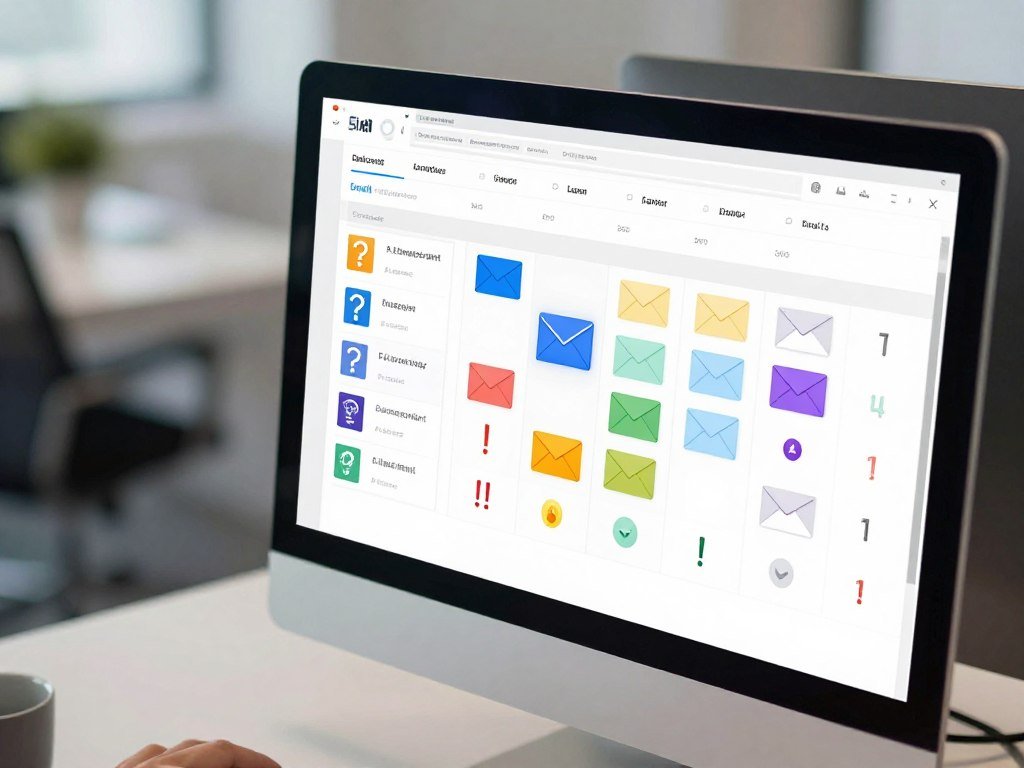
It is most useful when a process repeats but its inputs do not always arrive in the same tidy format.
How Is AI Automation Different From Traditional Automation?
If every input follows the same format, fixed rules are often enough; variation in meaning is where AI can help. Each approach fits a different kind of work, and you can combine them in one process.
Rules are often cheaper and more reliable when the data stays stable and exact. The table compares common methods by how they handle input and how much choice they allow.
| Approach | How it handles input | AI role | Autonomy | Fitting example |
|---|---|---|---|---|
| Rule-based automation | Checks set fields and conditions | None needed | Low | Send a receipt after payment |
| RPA | Mimics clicks and keystrokes | Optional | Low | Copy data between older systems |
| Business process automation | Moves work across connected steps | Optional | Set by workflow | Route an order for approval |
| AI automation | Interprets variable inputs in a set flow | Interprets or generates | Bounded | Classify an email, then route it |
| Agentic automation | Lets an AI agent select steps and tools | Chooses tool calls | Higher | Find information across approved apps |
Rule-based automation follows preset conditions. Robotic process automation, or RPA, uses software bots to mimic actions in digital systems. That can help when a system lacks a direct connection, though a screen change may disrupt the bot.
Business process automation links a set of work steps, often across several teams or systems. AI automation puts interpretation inside a workflow with bounded steps. Agentic automation gives an AI agent more discretion to select which tools to call.

These methods are not rivals that must stay separate. A process might use RPA to open an old system, AI to read a note, and rules to decide where the result goes. Keep decision-making narrow when a wrong action could affect a customer or payment.
How Does AI Automation Work?
An invoice arriving in a shared inbox can start a workflow without a person copying each field by hand. The information moves through a trigger, an AI step, and an action. Each stage has a clear job.
A trigger is the event or scheduled check that starts an automated workflow. The workflow can then pass information to a model, apply rules, and send a result to another system.

The trigger starts the workflow
For an invoice process, the trigger might be a new message in a shared billing inbox. A scheduled check could also look for new files at set times. The workflow gathers the email and attached document, then sends the needed content to the next step.
The trigger should match the work people already do. If staff receive invoices by email, a new message may be a better trigger than asking them to upload the same file elsewhere. A clear starting event also helps you find missed or repeated runs.
AI interprets or generates information
A model interprets or generates content from the information it receives. For this invoice, it can extract the vendor name, total, and due date. A large language model, or LLM, is a transformer-based neural network trained on extensive text.
LLMs can generate, summarize, translate, and analyze text. Their output is not automatically correct, so the workflow can use rules to check it. For instance, a total must be a number, and a due date must match an accepted date format.
An action moves the process forward
After the checks, the workflow can place the structured fields in an accounting system for review. The system might hold the draft until a staff member confirms that the data matches the invoice. This keeps the automated step from directly authorizing a payment.
Some models need more context than others, so the workflow should pass only the fields needed for the task. A simple extraction may not need the whole email thread. That can reduce clutter and make errors easier to trace.
Check the extracted fields against the original document before allowing an invoice workflow to affect a payment.
What Types of AI Power Automation?
The phrase “seven types of AI” combines two ways of classifying AI, rather than naming seven stages of automation. One scheme asks how broadly AI can act; the other describes how it handles information. Those labels answer different questions.
Narrow AI is the practical category for current automation; general AI and super AI remain theoretical. The labels do not tell you whether a model can safely do a specific job.
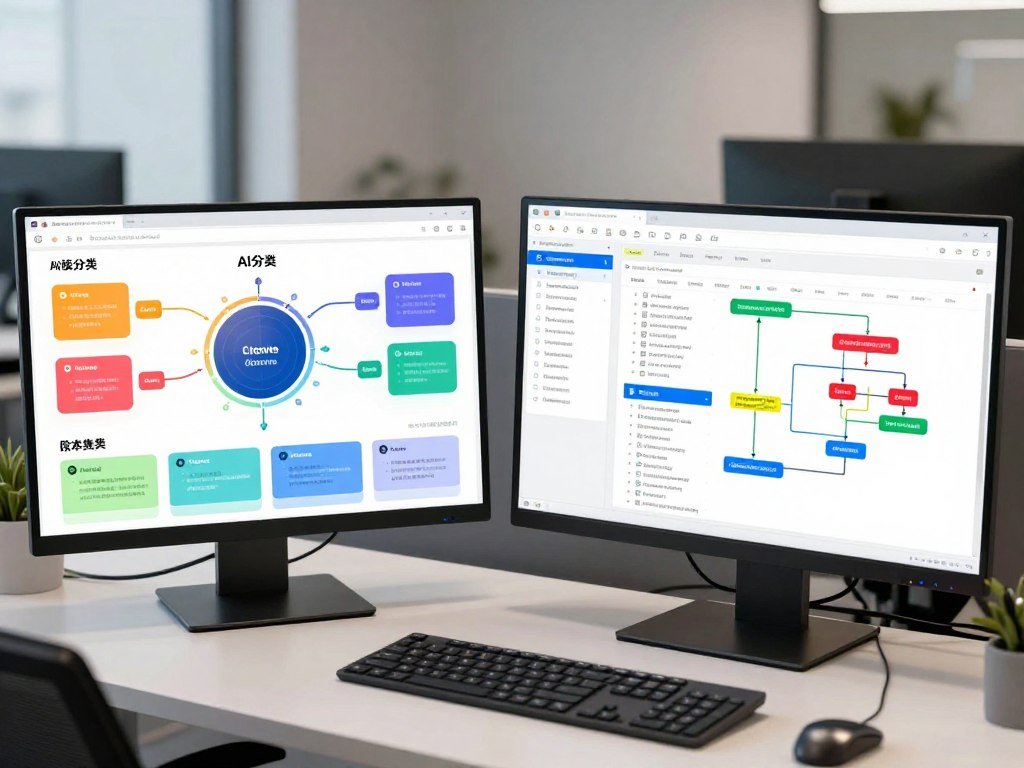
Capability types describe how broadly AI can act
Capability types describe the range of tasks an AI could perform. IBM identifies narrow AI, general AI, and super AI as the three labels in this group. Narrow AI handles a limited set of tasks, while general AI and super AI describe broader abilities that remain theoretical.
Current tools used in automation fall under narrow AI. A model may be strong at writing or sorting text, but that does not make it broadly capable in every setting. IBM’s AI type classifications separate those broad labels from what a particular model can do.
Functionality types describe how AI handles information
Functionality types describe how an AI system responds to information. IBM lists reactive machines, limited memory, theory of mind, and self-aware AI. These are not the next four steps after the three capability labels.
ChatGPT is narrow AI under IBM’s classification because it is limited to text-based chat. That label describes its capability group, not one specific model or product version. A tool can change over time without turning the label into a different stage of automation.
For a workflow decision today, focus on the model’s specific task and limits, not a theoretical AI category.
What Are Common AI Automation Examples?
A support ticket can be routed by its meaning and urgency, not only by a word match. AI can help sort variable messages, while a workflow sends each result to a defined destination. The task still needs a clear output.
Useful examples pair an input with one AI task and one next action. The same pattern can support sales, finance, marketing, and operations.
Sales and customer service
A support ticket may include a short note, an order number, and an upset customer’s description. AI can classify its topic and urgency, then route it to a queue in Zendesk or another service system. A person can handle cases that need judgment beyond the classification.
For sales, a lead form may include a company name and a free-text request. AI can classify the lead by product fit before Salesforce or HubSpot assigns it to a sales team. The team can compare the assigned group with the original request.
Documents and finance
An invoice workflow can read a PDF and extract its vendor, total, and due date. The system can send those fields to an accounting queue as a draft for review. Gmail may hold the incoming message, while Slack can alert the staff member who needs to check it.
AI can also sort expense notes into suggested categories. A person can resolve unclear descriptions before a final record reaches the finance system. That gives staff a more organized starting point without treating a guess as a completed record.
Marketing and operations
A marketing team can provide a campaign brief and ask AI to draft copy for email, a website, or social media. A person edits and approves each version before it goes public. The output can reflect a channel’s length and tone without sending posts automatically.
Other input-to-action examples include:
- Review sentiment to a service queue
- Meeting notes to assigned action items
- An invoice PDF to a draft accounting record
Approval by a person is appropriate before external messages, payments, or public posts. A team offering small-business AI services may also build support and booking workflows, as described in AI assistant and chatbot services.
Choose an example where the output can be checked against the original message or document.
What Benefits Can AI Automation Deliver?
The strongest benefit is often not replacing a person, but reducing the time spent sorting work before that person can act. AI can help teams handle variable text and images that exact-field rules may miss. The value comes from better flow.
These results are possible, not guaranteed, and a team should compare them with its own baseline. A workflow may speed up sorting, make classifications more consistent, or prepare cleaner data for another system.
A higher volume of completed tasks can also help a team keep up with busy periods. Yet more output does not prove better service if staff must fix a larger share of errors. Track a measure tied to the problem you want to solve.
| Potential benefit | Signal to watch | Measure to compare |
|---|---|---|
| Faster handling | Tasks finish sooner | Elapsed time per task |
| Fewer corrections | Less rework after review | Correction rate |
| Increased capacity | More work completed | Volume completed |
| Smoother customer service | Replies go out sooner | Customer response time |
Use the same measurement method before and after the change. For example, compare the time from a ticket’s arrival to its first useful response. Include the time staff spend correcting or reviewing AI output.
Unclear input or a costly wrong decision can add delay and review work. A person may need to read each case, which can outweigh any saved sorting time. Common workflow measures can help show whether the trade-off works for your team.
Compare a workflow with its own baseline before treating a faster output as a business improvement.
What Risks Should You Manage?
A model can produce a confident answer that is still wrong, so the workflow needs checks beyond the model’s own response. Strong-looking output is not proof.
Limit what the system can access, check its results, and keep a person responsible for exceptions. AI risk can affect customers, staff, organizations, and the wider public.
Model and output risks
| Risk | How it can show up | Practical control |
|---|---|---|
| Hallucination | Plausible but incorrect field or reply | Validate and review the output |
| Bias | Uneven classifications across groups | Sample results and check disparities |
| Data exposure | Sensitive data sent to an unapproved service | Limit access and data sharing |
| Drift or provider changes | Output behavior shifts over time | Log outputs and retest |
A model can misread a name, date, or customer’s intent. A test set should include ordinary requests and examples that are hard to classify. Review results across different types of customers, not only the cases that seem easiest.
Governance, privacy, and oversight
Before connecting a model, decide which data it can receive and who can change the workflow. A service may store prompts or results, so access limits should match the sensitivity of the information. Keep a record of versions and changes that could affect output.
NIST’s AI Risk Management Framework is voluntary guidance for managing AI risks to people, organizations, and society. Its Generative AI Profile, NIST-AI-600-1, was released on July 26, 2024. The framework gives teams a way to organize risk work without serving as a binding rule.
NIST’s AI Risk Management Framework includes related guidance. NIST released a concept note for a Trustworthy AI in Critical Infrastructure profile on April 7, 2026. NIST says AI RMF 1.0 is being revised as part of the White House AI Action Plan.
Keep a person responsible for reviewing exceptions and for stopping the workflow when its output falls outside agreed limits.
Which AI Automation Tools Fit Your Needs?
Choose a workflow platform for the systems it can connect and the control it gives you, then choose a model for the task. The platform and model are separate choices.
Start with the connections, review steps, and level of technical control your workflow needs. A visual builder can suit a no-code first project, while self-hosting and developer control can make n8n a fit for technical teams.
| Tool | Notable fit | Integrations or connectors | Starting plan price and billing |
|---|---|---|---|
| Zapier | Visual app connections | 9,000+ apps | $29.99 monthly, billed monthly |
| Make | Visual workflow building | 3,000+ apps | $16 per month |
| n8n | Self-hosting and developer control | 2,100+ integrations | $24 per month |
| Microsoft Power Automate | Microsoft service workflows | 1,000+ services | $15 per user monthly, billed yearly |
| UiPath | Enterprise RPA and agentic automation | Enterprise connections | $25 per month for Basic |
Zapier connects with 9,000+ apps, while Make connects with 3,000+ apps. Zapier’s paid plan starts at $29.99 per month, billed monthly. Make starts at $16 per month, and n8n starts at $24 per month.
Microsoft Power Automate connects with 1,000+ services and starts at $15 per user per month, billed yearly. UiPath offers enterprise agentic automation and RPA, with its Basic plan starting at $25 per month. Prices and connector counts do not tell you whether a workflow will fit your team.
Lindy supports 1,000+ apps and MCP servers and starts at $29.99 per user per month. Workato offers 1,200+ pre-built connectors and starts at $75 per month. A workflow platform carries data and actions between services; a model interprets or generates content inside that flow.
On the August 7, 2026 overall snapshot, GPT-5.6 Sol scored 57.2, Claude Opus 5 scored 56.5, and open-weight Kimi K3 scored 55.4. That overall model score snapshot is not a universal ranking for every task. A model that performs well on one test may not fit your data, cost, or review needs.
Test one representative workflow and its failure path before committing a team to a platform.
How Do You Build an AI Automation Workflow?
Start with one recurring task that people currently read or interpret before entering a structured result elsewhere. Keep the first scope small.
A basic workflow has a trigger, an AI step, and an action, with review added where needed. For example, incoming support tickets can be classified by topic and routed to a matching queue.
- Choose a frequent task with variable input and a structured output.
- Select a model suited to classification, extraction, or generation.
- Connect a trigger, an AI step, and a destination action.
- Add a human review checkpoint before a consequential action.
- Test normal and edge cases, then monitor errors and output quality.
For a ticket workflow, the trigger might be a new support message. The model can assign a topic and urgency, while a rule maps each approved category to a queue. A person can review tickets that do not fit the set categories.
Predictable steps should stay rule-based where possible. For instance, use a rule to route a confirmed “billing” label to the billing queue. Let the model handle the less tidy wording that appears in the original message.
Testing needs more than clean examples. Try an empty message, an unusually long one, and a malformed input with missing fields. Watch whether the workflow stops, asks for review, or sends bad data onward.
A focused AI startup can begin with one narrow business problem, such as contractor lead response or receipt categorization. Low-cost AI software ideas can help you think through a single task before adding features.
Keep the first workflow limited to one measurable outcome and one clear way to pause it.
What Jobs Can You Get With AI Automation?
AI automation jobs combine process knowledge with the practical work of connecting systems and checking model outputs. The job is part technical and part operational.
In 2026, reported U.S. pay ranged from $57,000 to $98,500 for specialists, while engineer averages were higher. Pay varies by role, experience, and the work each employer expects.
Specialist and engineering roles
An AI Automation Specialist maps a process, connects apps, configures models, and monitors outputs. The U.S. national average salary for this role was $76,465 per year in 2026, with a reported range of $57,000-$98,500.
An AI Automation Engineer may build deeper system connections and custom logic. The reported average U.S. salary for an AI Automation Engineer was about $136,243 per year. Engineers may work with APIs, data structures, and software code more often than specialists do.
An AI automation course may teach workflow mapping, API basics, prompt design, data handling, and testing. Check whether its exercises include a deployed workflow and review controls. A course focused only on writing prompts may leave out much of the day-to-day work.
Freelance and implementation work
Freelancers can map a client’s process, connect its apps, and build a workflow the team can maintain. Freelance n8n specialists commonly billed $40-$100 per hour on Upwork in 2026. Senior freelancers doing AI-agent and API integration work charged $125-$250 or more per hour on Upwork in 2026.
Clients often need help with handoffs between tools, not only model setup. You may need to document what happens when a connection fails or a field is missing. A clear scope helps the client know which tasks the workflow handles and which stay with staff.
Compare job descriptions by their actual responsibilities, since job titles alone do not show how much coding or model development a role involves.
How Can You Make Money With AI Automation?
A practical AI side hustle sells a useful outcome, such as faster customer replies or a steady content schedule, rather than AI access by itself. Start with a customer problem.
Validate demand, define what buyers receive, and budget for editing and ongoing support. Reported side-hustle results are individual examples, not a promise of income.
Offer a small-business chatbot setup
A chatbot setup can answer common questions, collect booking details, or send a request to a staff member. One example charged $250-$500 for setup plus $50 per month for maintenance. The provider needs to test answers and update the bot when business details change.
Another chatbot side hustle passed $1,000 in revenue by month two with six paying clients. That result shows what one provider reported, not what a new service should expect. Small firms may also want help with follow-ups, scheduling, or lead qualification, as covered in U.S. AI and SaaS startup ideas.
Sell AI-assisted LinkedIn content
A content service can turn a client’s notes into draft LinkedIn posts, then edit them for accuracy and voice. One package charged $200 per month for four posts. Another charged $400 per month for eight posts and an engagement strategy, with custom packages starting at $800.
One service reported four clients at $400 per month within a month, or $1,600 per month. Results depend on the offer, client fit, and work needed for each post. Your agreement should state how many drafts, edits, and revisions the client receives.
Build a paid book-summary newsletter
A focused newsletter can summarize books for a specific group, such as new managers or home cooks. One seller charged $7 per month or $50 per year and had 150 subscribers by month three. The seller reported more than $1,000 in revenue by that point.
That total is one person’s result, not a standard forecast. You still need to choose books, check summaries, and give subscribers a reason to keep reading. AI-enabled service ideas can offer more possible customer problems to test.
Validate one paid offer with real customers before investing time in a larger service or audience.
How Much Does AI Automation Cost?
A workflow’s cost comes from more than its AI model, so estimate usage and human support alongside platform fees. Each part can change the total.
Plan for platform fees, model use, setup work, and the time needed to review results. A small test may use little model capacity but still need staff time to check records.
Common cost drivers include:
- Number of workflow runs
- Input and output volume
- Number of model calls per run
- Paid integrations or platform tier
- Implementation and oversight time
In an August 7, 2026 comparison, Gemini 3.5 Flash-Lite cost $0.30 per million input tokens and $2.50 per million output tokens. Claude Opus 5 cost $5 per million input tokens and $25 per million output tokens.
The August 7, 2026 API price comparison gives model usage rates, not the full cost of a working process. Platform plans, integration work, and human review add separate expenses. A workflow that calls a model several times per task can use more tokens than a single-call test.
Estimate a month’s expected runs and token use before selecting a plan or model for production.
What Comes Next for AI Automation?
The next shift is from AI handling one step in a workflow toward agents coordinating several steps with limited supervision. That wider role needs clear limits.
More flexible agents may handle multistep work, but human control and governance still matter. A system that can choose tools needs rules about which actions it may take and when it must stop.
The global AI automation market was valued at $129.9 billion in 2025 and is projected to reach $169.5 billion in 2026. The projected growth rate is 31.4% a year from 2026 to 2033.
North America held 32.7% of the global market in 2025, and the U.S. led the North America market that year. Intelligent process automation made up 33.8% of global AI automation market revenue in 2025. Large enterprises accounted for 67.5% of the market that year.
Those market figures describe a broad industry, not the likely result for one company or worker. A business still needs a task with enough volume and a safe way to check output. A small team can learn useful skills without trying to match enterprise systems.
AI agents and context-aware workflows may support more flexible steps, but they also make clear ownership important. Teams need to know who can change an instruction, approve a tool, or pause a process. Good governance helps people see what the system did and why.
Build skills in workflow design, data quality, and oversight, which remain useful as the tools change.
Conclusion
AI automation is most useful when it handles a clearly bounded task and leaves people responsible for exceptions. A strong first project pairs a recurring task with variable input, a structured output, and a human checkpoint where needed.
Choose one small business process, map its trigger and desired outcome, and decide how you will measure success before building. A simple measure might be time to route a request or the share of records needing correction. Pick one repeatable process this week, write down its input and desired result, and decide who will review mistakes.
FAQ
How to make money with AI automation?
You can make money by offering a defined service, such as chatbot setup or AI-assisted content. Start by finding a specific customer need and stating exactly what your service includes. One provider’s revenue does not predict yours. Set aside time for human editing, updates, and customer support, then test demand with a small paid offer.
What is an AI automation example?
A support-ticket workflow can classify a message by intent and urgency, then route it to the right queue. A person can review high-impact or unclear cases. For example, an urgent safety complaint might go to a manager instead of following the normal product-support route. The original message should remain available for staff who need to check the classification.
What jobs can I get with AI automation?
You can work as an AI Automation Specialist, an Automation Engineer, or a freelance workflow integrator. In 2026, the reported U.S. specialist average was $76,465 per year, with a $57,000-$98,500 range. The engineer average was about $136,243 per year. Upwork rates in 2026 were commonly $40-$100 hourly for n8n specialists and $125-$250 or more for senior agent and API integration freelancers.
What are the 7 types of AI?
IBM’s classification has three capability types and four functionality types, which are separate dimensions. Capability labels are narrow AI, general AI, and super AI. Functionality labels are reactive machines, limited memory, theory of mind, and self-aware AI. Narrow AI is the only type that exists today under that classification; general AI and super AI remain theoretical.
Which type of AI is ChatGPT?
IBM classifies ChatGPT as narrow AI because it is limited to text-based chat. Narrow AI can perform useful tasks without having broad human-like ability. The label describes a capability group, not one model version. For a work task, you still need to judge whether the product handles the input and output your workflow requires.
Which AI is better than GPT?
In the August 7, 2026 overall snapshot, GPT-5.6 Sol scored 57.2, Claude Opus 5 scored 56.5, and Kimi K3 scored 55.4. That test placed GPT-5.6 Sol ahead on its overall score. One snapshot does not show which model will work best for every task, since data, cost, and accuracy needs differ.
What is AI’s biggest weakness?
AI can produce a plausible answer that is incorrect, especially when the input is unclear or incomplete. A model may give a wrong date or misread what a customer wants while sounding certain. Check results that affect money, records, or service. A human review checkpoint can catch uncertain cases before the workflow takes an important action.
About The Author