Best Cybersecurity Software: Top Picks for Your Needs

The right cybersecurity software depends on whether you need to protect a home computer, a small-business network, or a cloud-heavy enterprise. Your online risks change with the devices, accounts, and data you use each day. A household may need basic malware protection, while a company may need tools that share alerts and support a response.
For U.S. home users, small businesses, and security teams, choosing well means matching protection to real needs. No single program handles every risk. Most people need coordinated tools that cover different parts of their work, rather than one all-purpose program. This roundup offers practical choices and ways to judge whether each one fits.
Key Takeaways
- Start with the devices, accounts, and data you need to protect.
- Use different tools for endpoints, networks, cloud systems, and access.
- Free antivirus can help protect a personal device from common malware.
- Businesses should plan for monitoring, administration, and incident response.
- Test a product against your needs before expanding its use.
Start by identifying the devices, accounts, and data you cannot afford to lose.
What Does Cybersecurity Software Protect?
Cybersecurity software protects the devices, systems, networks, applications, and data that attackers may try to access or disrupt. It helps limit risks such as malware, phishing, ransomware, and unauthorized access. Good security relies on prevention, detection, and response working together.
The scale of online threats makes those jobs matter. Organizations experienced an average of 1,876 cyberattacks per week in the third quarter of 2024, a 75% increase from the same quarter of 2023. A layered plan can block known threats, flag suspicious activity, and help people act when defenses fail.
Protection works best when prevention, detection, and response each have a clear job.
Prevention aims to stop an attack before it causes harm. Detection looks for signs of an attack already underway. Response limits damage and helps restore normal work.
- Prevention: block a known harmful website or file before a user opens it.
- Detection: alert a team when a login comes from an unusual place.
- Response: isolate an infected laptop from the network while staff investigate.
These controls can protect personal phones and home routers, as well as company applications and cloud services. They also help keep private data from being exposed, changed, or held for ransom. List the assets that would cause the greatest disruption if they were exposed, encrypted, or unavailable.
Which Cybersecurity Software Categories Cover Different Risks?
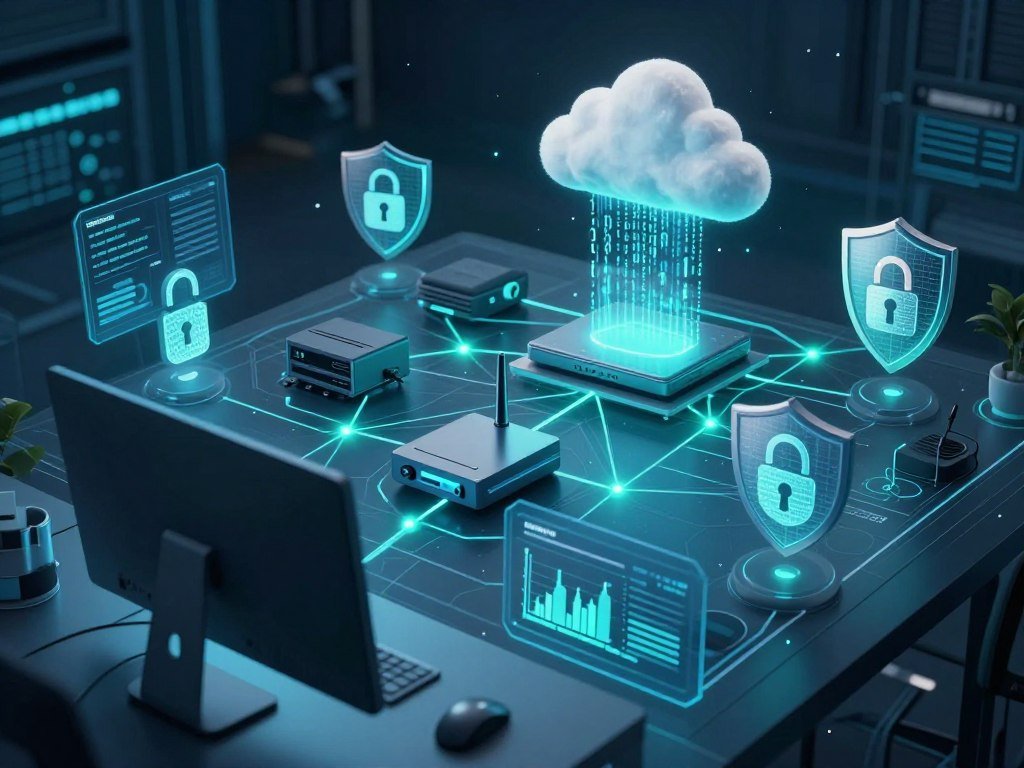
A household laptop, a company network, and a cloud workload need different controls, so a useful software stack is built by protection job. Each layer covers a different asset or risk, and gaps can remain when one tool is expected to do everything. Extended detection and response, or XDR, is a security approach that brings together threat detection and response across multiple types of systems and data.
Common cybersecurity software examples include antivirus, EDR, XDR, firewalls, IDS/IPS, password managers, vulnerability scanners, encryption, and web application firewalls. A practical top-10 cybersecurity tools list also includes SIEM, IAM, data loss prevention, and cloud security. The names describe different jobs, not a single ranking of the best security tools.
| Category | What it protects | Main job | Example tool type |
|---|---|---|---|
| Endpoint security | Laptops and phones | Detect and respond to device threats | Antivirus or EDR |
| Network security | Network traffic | Inspect or filter connections | Firewall or IDS/IPS |
| Cloud security | Cloud workloads and services | Monitor configurations and workloads | Cloud security platform |
| IAM | Users and permissions | Control access | Password manager or MFA |
| SIEM | Security logs | Aggregate and analyze events | SIEM platform |
Endpoint protection focuses on devices where people work and store files. Network security checks traffic moving between devices and services. Cloud security watches hosted systems, while IAM controls which users can reach them.
SIEM tools bring security events together for review. Data security tools can help protect sensitive information through encryption or controls that limit sharing. Application security tools check software and web services for weaknesses before attackers can exploit them.
Newer cybersecurity tools may use AI-assisted analysis and cross-environment detection to help teams find patterns faster. Those features can support threat detection, but they do not promise to stop every attack. Match each tool to a specific asset or risk before adding it to the stack.
Which Cybersecurity Software Is Best for Each Need?
For a home device, start with an antivirus product that performs well in independent consumer tests; for broad enterprise endpoint and cloud coverage, consider an XDR platform such as SentinelOne Singularity. The best starting point depends on the job, not a universal ranking. AV-Comparatives tests consumer antivirus, internet security suites, and VPNs, while its enterprise tests cover EDR, XDR, firewalls, and endpoint protection.
Choose a product only when its coverage and operating needs fit your setting. A small business may need a simple endpoint tool and secure password handling, while a federal team may need support for formal risk processes. The choices below are starting points for specific needs.
| Need | Best-fit starting point | Why it fits | Check before choosing |
|---|---|---|---|
| Home device protection | Antivirus shortlisted using independent AV-Comparatives results | Consumer tests cover antivirus and internet security suites | Supported devices and protection features |
| Enterprise endpoint, cloud, and identity coverage | SentinelOne Singularity XDR | Covers endpoints, cloud workloads, and identities with automated response | Integration and operating fit |
| Federal RMF work | IPKeys CLaaS | Cloud-based RMF automation and POA&M support | Agency requirements |
| Packet analysis | Wireshark | Free, open-source network protocol analysis | Learning curve |
| Password governance | Keeper Security | Password, passkey, and secrets management | Required access controls |
SentinelOne Singularity XDR offers AI-powered detection and automated response across endpoints, cloud workloads, and identities. That can suit teams seeking connected coverage, though a product’s listed features do not guarantee a smooth fit with every system. A home user has different demands from a security team.
Wireshark can help a technical user inspect network traffic, while a password manager can make credential handling easier for a small office. IPKeys CLaaS is designed for federal Risk Management Framework work, including plan of actions and milestones, or POA&M, support. Each tool has a narrower purpose than a general security suite.
Treat a shortlist as a fit check, then confirm the required integrations and deployment conditions. A clean test on one device or team can reveal setup issues before a wider rollout.

What Should Free Antivirus Software Include?
Free antivirus can cover basic malware scanning and quarantine, but the included monitoring and analysis features differ by product. Free tools can help protect a personal device, but they may offer fewer controls than paid products. Signature matching looks for known malware fingerprints, much like comparing a file against a list of known threats.
Behavior-based detection looks for suspicious actions, such as an attempt to encrypt many files. Heuristic scanning checks file traits and code patterns that may signal a new threat. Machine-learning pattern detection uses examples of known and suspicious activity to flag files that look risky, even when their exact fingerprint is unknown.
Some free tools rely mostly on signatures, scheduled scans, limited cloud analysis, and basic quarantine. Others can monitor activity as you use the device. A file scan checks selected items, while a full-system scan reviews more of the device and can take longer.
- Real-time monitoring: does it check files as you open or download them?
- Scheduled or full scans: can you set routine checks or scan the whole device?
- Quarantine and removal: can it isolate a threat and help remove it?
- Web or URL screening: can it warn you about risky pages and links?
Antivirus can screen web pages and URLs, monitor activity, and quarantine detected malware. Still, a clean scan does not prove that a device is safe from every attack. A business should also account for centralized visibility, administration, and incident response, since staff need to manage alerts across many devices.
Check that real-time protection is enabled, since an on-demand scan alone does not watch files as you use the device. Keep the software updated so it can receive new threat information.

Which Endpoint and XDR Tools Fit Business Teams?
A team managing laptops, servers, and cloud workloads usually needs visibility beyond a basic antivirus alert. Endpoint detection and response, or EDR, tracks activity on individual devices and supports investigation. XDR adds a wider view by bringing signals together across multiple environments.
Choose EDR when device-level investigation is the main need, and consider XDR when your team must connect activity across systems. The right scope depends on how many environments staff can monitor and how they handle incidents.
How EDR Tracks Activity on Individual Devices
EDR records endpoint activity, such as process launches, file changes, and network connections. That visibility helps an analyst examine what happened before and after an alert. Forensic records preserve useful details for an investigation, rather than leaving staff with a single warning message.
VMware Carbon Black Cloud is described as a cloud-native endpoint and workload protection platform. This type of tool can help teams manage device protection from a central service. Its value depends on whether the organization can review alerts and use the records during an incident.
When XDR Adds Wider Visibility
XDR joins related signals from different systems, which can help staff see a wider attack pattern. A suspicious login and a device alert may matter more together than either event alone. EDR centers on endpoint activity; XDR connects signals across multiple environments.
SentinelOne Singularity XDR is one example of a platform with AI-powered threat detection and automated response. Teams should map its scope to their real systems and alert process. A broader view can also bring more alerts for staff to sort.
What to Check Before Automating a Response
Containment may disconnect a device, stop a process, or block access to a service. Automated response can limit damage, but a mistaken action may interrupt ordinary work. Test response rules on a controlled system before applying them to business operations.
- Decide which alerts allow automatic action and which need human review.
- Test device isolation with systems that can be safely disconnected.
- Record who can approve urgent response actions during an incident.
Before enabling automated containment, decide who can approve an action that disconnects a device or interrupts a service.
Which Network Tools Inspect or Block Suspicious Traffic?
If the question is what moved across a network, a packet analyzer can reveal details that an endpoint alert may not show. Packet inspection helps a technical user examine network traffic and troubleshoot connection problems. Wireshark is a free, open-source network protocol analyzer that captures and displays traffic in real time.
Use network tools according to whether you need visibility, alerts, or blocking. Packet records can include sensitive details, and Wireshark may require technical skill to read them well.
Packet Analysis for Network Troubleshooting
Wireshark can show packet details such as protocols, timing, and connections. That view can help trace a failed service or unusual network behavior. It is a diagnostic tool, not a replacement for controls that block threats.
IDS and IPS for Traffic-Based Detection
An intrusion detection system, or IDS, checks traffic for patterns that match suspicious activity and alerts staff. An intrusion prevention system, or IPS, can also block traffic that matches its rules. Snort is a rule-based IDS/IPS that can analyze network traffic.
Rules tell these tools which patterns to flag or stop. A team needs to tune rules so useful alerts do not get buried in routine traffic. The same traffic pattern can be harmless in one setting and risky in another.
Firewalls and DNS Filtering at Network Boundaries
A firewall filters connections based on rules, such as approved ports, addresses, or services. DNS filtering can block requests to known harmful domains before a device reaches them. Together, these boundary controls help limit unwanted connections in and out of a network.
| Tool | Main action | Useful for | Example |
|---|---|---|---|
| Packet analyzer | Capture and inspect traffic | Troubleshooting | Wireshark |
| IDS | Detect and alert | Suspicious traffic visibility | Snort |
| IPS | Detect and block | Traffic prevention | Snort |
| Firewall | Filter connections | Boundary control | Network firewall |
Capture only traffic you are authorized to inspect, and store any sensitive packet data securely.
What Protects Cloud Workloads and Containers?
A cloud workload can be exposed through a configuration mistake as well as through a threat running inside the workload. Cloud security needs both views: checks that find risky settings and protection that watches active systems. A cloud security platform may combine posture management, workload protection, and detection and response.
Check cloud settings and runtime activity as separate parts of protection. A posture check can flag an exposed storage service, while runtime protection watches behavior inside a running workload.
Cloud Configuration and Workload Coverage
Configuration and posture checks compare cloud settings with safer practices. They can help teams find open access, missing protections, or other risks before those gaps cause harm. Workload protection focuses on active software, services, and data as they run.
These controls serve different needs. A sound setup does not stop every threat inside a workload, and runtime monitoring does not fix every weak setting. Teams should know which gaps each tool can find.
Kubernetes, Virtual Machines, and Hybrid Environments
A team may run Kubernetes, virtual machines, servers, and containers across public clouds, private clouds, and physical data centers. Each environment can have different settings and monitoring needs. Map the workloads to their actual hosting locations before choosing coverage.
SentinelOne Singularity supports Kubernetes, virtual machines, servers, and containers across public clouds, private clouds, and physical data centers. That breadth is an example, not a guarantee that the platform fits every setup. Confirm that the selected platform covers every cloud and workload type your team actually operates.
How Does SIEM Help Teams Investigate Security Events?
A SIEM helps a team connect events from different systems instead of investigating each alert in isolation. Security information and event management, or SIEM, tools collect and analyze security data and logs to help identify threats. Connected events can tell a fuller story than separate alerts.
SIEM works only when useful logs reach people who can investigate them. Logs are records of system and user events, such as a login, file change, or blocked connection. A SIEM can collect those records from many systems for review.
Event correlation connects related activity across sources. For example, an unusual sign-in and a change to an account may deserve a closer look when they occur together. Some SIEM tools also use user and entity behavior analytics to spot activity that differs from normal patterns.
Teams need to decide which devices and systems send logs, how much detail to collect, and who reviews the resulting alerts. Sending every record may create more work than staff can handle. A focused set of logs can make investigations easier to manage.
Fortinet SIEM is one example of a security information and event management product. A product name alone does not show whether its data connectors or alert process fit a team. Start with the systems most tied to important services, then add other sources as staff capacity allows.
Decide who will review the resulting alerts before expanding the volume of logs you collect.
How Do Password Managers and IAM Protect Access?
A strong security stack controls who can sign in as well as what an authenticated user can reach. Identity and access management, or IAM, covers user identities and permissions. Access controls matter because stolen credentials can open doors to data and services.
Use secure credential storage alongside controls that limit each user’s access. A password manager helps people handle unique passwords, while broader IAM tools govern accounts and permissions.
Password Vaults and Credential Sharing
A password vault stores credentials in an encrypted space and can help users create strong, unique passwords. Controlled sharing lets a team give access without sending a password through email or chat. Keeper Security provides password, passkey, and secrets management.
A password manager can make it easier to protect shared accounts and reduce reused passwords. It does not replace broader IAM or device protections. A managed vault cannot stop every threat on a compromised computer.
Access Controls for Teams and Administrators
Multi-factor authentication, or MFA, adds an authentication check beyond a password. Role-based permissions give users access based on their work, rather than granting everyone the same rights. These controls can reduce the harm caused by a stolen or misused account.
Administrators should remove access when a user no longer needs it. That includes former staff, temporary contractors, and old accounts left behind after a role change. Review accounts and permissions whenever a person changes roles or leaves the organization.
Which Cybersecurity Tools Help Beginners Learn by Doing?
Beginners can build practical skills in browser-based labs or challenge platforms without testing a real organization’s systems. Safe practice matters, since cybersecurity labs use deliberately vulnerable systems for legal training. Start in an authorized environment and follow its rules.
TryHackMe offers more than 1,000 labs and learning pathways, including Cyber Security 101, Junior Penetration Tester, and SOC Level 1. Its free tier includes free rooms and one hour of AttackBox access per day. The TryHackMe Premium price and student discount are listed for September 2026.
| Platform | Free access | Paid plan detail | Learning focus |
|---|---|---|---|
| TryHackMe | Free rooms and one daily AttackBox hour | Premium: $16.99 monthly or $126 yearly; 20% student discount on annual plan | Guided pathways |
| picoCTF | Free | No paid price listed | Varied challenge categories |
| PortSwigger Web Security Academy | Free | No paid price listed | Graded web-security labs |
| OverTheWire Bandit | Free | No paid price listed | Linux command line through SSH |
| Hack The Box | 20 active machines and more than 80 active challenges | VIP+: $25 monthly or $223 yearly; HTB PRO: $49 monthly | Machines and challenges |
picoCTF is a free challenge platform created by Carnegie Mellon University. Its challenges cover web security, cryptography, forensics, reverse engineering, and binary exploitation. The variety lets new learners try different types of security work.
PortSwigger Web Security Academy offers free labs at Apprentice, Practitioner, and Expert levels. OverTheWire’s free Bandit wargame teaches Linux command-line skills through SSH-based levels. Both give learners a way to practice in a set environment.
Hack The Box’s free tier includes 20 active machines and more than 80 active challenges. Its VIP+ plan costs $25 per month or $223 per year, while HTB PRO costs $49 per month. These prices and access limits are listed for September 2026.
Use a guided beginner path first, then move to challenges that match the skills you have practiced. Never test a real network, website, or account unless you have clear permission.
Where Can You Find Free Cybersecurity Resources?
CISA’s free cybersecurity services and tools give eligible organizations a practical place to start with assessments, scanners, and guidance. These resources can support specific security tasks, but they do not replace a full operating plan. CISA resources align with the NIST Cybersecurity Framework.
Choose a resource that matches your systems and eligibility. A scanner for one environment may not help with a different network or service. Staff still need to review findings and decide what to fix.
- Assessment services: use them to review security practices and identify gaps.
- Scanning resources: check systems for selected weaknesses or exposure.
- Security guidance: use practical steps to improve protection and response.
Free cybersecurity software or services can help with a defined task, such as checking for known vulnerabilities. They still need people and processes to act on results. A scan may flag a weakness, but staff must decide whether it affects a critical service and plan a fix.
The right resource depends on the organization’s systems and eligibility. A small office may need guidance and an assessment, while a larger group may need scanning support across many assets. Check the scope and eligibility of a resource before relying on it for a critical system.
How Should You Choose Cybersecurity Software?
Start with an inventory of the systems and data you need to protect, then rule out products that cannot cover them. Begin with your risks, not a feature list. The NIST Cybersecurity Framework offers a way to organize risk management activities for organizations of different sizes.
Compare each option against asset coverage, integrations, and response needs. A product that works well for another business may not match your systems, staff, or security work. Test key features before a larger rollout.
Map the Assets and Risks First
List the devices, accounts, applications, and cloud assets your organization uses. Rank them by the harm an outage, data loss, or account breach could cause. That list helps you focus on the gaps that matter most.
A small company may rely on a few laptops and cloud services, while a larger team may also run servers and custom applications. Include systems that staff use outside the office. An overlooked personal device or old account can still create risk.
Check Coverage, Integrations, and Administration
Check which operating systems, applications, and cloud services a product supports. Then review its integrations, administration controls, compliance needs, and fit with current security operations. A product should send useful data to the tools staff already use.
Xacta.io supports automated control selection and continuous compliance monitoring. That can help organizations track controls over time, but it is not a universal solution for every security need. For small businesses thinking about continuous compliance, cloud compliance monitoring ideas can clarify how settings, access, and backups may be checked.
Test Detection and Response in Your Environment
A controlled test can show whether a tool finds known signals and suspicious behavior. It can also reveal the number of alerts staff must review and whether response actions work as expected. Avoid testing on systems that support live services.
| Requirement | What to verify | Example evidence |
|---|---|---|
| Asset coverage | Endpoints, network, cloud, or applications in scope | Inventory match |
| Detection | Known and behavior-based signals supported | Test results |
| Response | Containment and remediation actions | Controlled exercise |
| Integration | Data and alerts move to existing tools | Connector test |
| Operations | Staff can manage alerts and updates | Documented owner |
A product must fit your systems and your team’s ability to operate it.
Run a small, controlled evaluation against your own requirements before expanding deployment.
What Drives Cybersecurity Software Costs and Rollout Effort?
The purchase price is only one part of the cost of cybersecurity software, since implementation and day-to-day management also take staff time. Plan for the full operating load, including setup, integrations, and alert review. Licensing may be organized by endpoint, user, feature set, or service tier.
Separate subscription charges from internal setup and ongoing administration. A cloud-hosted service and an on-premises system can require different work. Rollout effort also depends on configuration, log retention, integrations, and staff time.
Selected modules and support levels can affect the bill. Data retention can add storage or management needs, while more integrations may require extra setup and testing. A vendor’s quoted price should be checked against the features and service level actually included.
- Licensing scope: count the users, endpoints, modules, or service tiers included.
- Integration work: estimate the time needed to connect existing systems.
- Configuration and testing: plan setup, tuning, and controlled checks.
- Ongoing monitoring: assign staff time for alerts, updates, and upkeep.
Compare the full operating commitment, not just the first license quote.
Conclusion
Good cybersecurity software is the software your team can operate consistently to protect its most important assets. The right fit depends on the devices, accounts, and data you need to defend, along with the people available to manage alerts and updates.
Do not choose by feature count alone. A tool that covers a real risk and fits your daily work can help more than a broad platform that staff cannot manage well.
Make an asset list today and use it to compare two or three suitable options.
FAQ
Which cybersecurity program is best?
For a home device, choose an antivirus product informed by independent consumer tests; for broad enterprise coverage, consider SentinelOne Singularity XDR. Home users often need malware protection and simple alerts. Larger teams may need connected views across endpoints, cloud workloads, and identities. Check that the product fits your systems and that staff can manage its alerts.
Which software is used in cyber security?
Common cybersecurity software includes antivirus, EDR and XDR, firewalls, IDS/IPS, SIEM, IAM, cloud security, and data protection tools. Each type handles a different job. Antivirus focuses on device threats, while SIEM analyzes logs from several systems. A business can combine tools based on its assets and risks instead of buying every category.
What is the difference between antivirus and EDR?
Antivirus focuses on detecting and removing malware on a device, while EDR adds ongoing endpoint visibility, investigation, and response. Antivirus can scan files and monitor for known threats. EDR records more activity so a team can study how an incident began and what happened next. A business may use both, depending on its needs.
Can free cybersecurity software protect a small business?
Free cybersecurity software can cover specific needs, such as basic malware protection or security assessments, but a business also needs administration, monitoring, and a response process. A free tool may work well for one task without giving staff a central view of company systems. Assign an owner to review alerts and act on important findings.
Do I need separate software for cloud and endpoints?
No, not always; some platforms cover both cloud workloads and endpoints. Check whether the product supports each workload, identity system, and endpoint your team uses. A tool may cover laptops but lack support for a container or cloud service. Compare its coverage with a current asset list before relying on it across environments.
How often should a business review its cybersecurity software?
A business should review its cybersecurity software at least annually and after major changes to systems, staffing, cloud use, or security requirements. A new service or team can change which assets need protection. A review should check whether tools still cover those assets and whether staff can handle their alerts. Record needed changes and assign owners.
About The Author