Cloud Computing Technology: A Beginner’s Guide Explained

A movie stream or shared online document can work without the viewer or collaborator owning the computers that store and deliver it. Cloud computing technology helps make those familiar tasks possible through services reached over the internet. You may use them at home, school, or work without thinking about the equipment behind them.
This guide explains how online services work, what they can do, and what to consider before relying on them. You will also see how service choices affect control, costs, and daily tasks. Understanding the trade-offs as well as the convenience helps you decide when an online service fits your needs.
Key Takeaways
- Cloud services give you access to computing tools over a network.
- Service models define what the provider manages and what you control.
- Deployment models describe where resources run and who uses them.
- Usage-based billing can reduce upfront costs, but charges need attention.
- Providers and customers share responsibility for cloud security.
- A small, planned practice task can help you learn the basics.
What Is Cloud Computing Technology and How Does It Work?
Cloud computing lets you use servers, storage, software, and other computing resources over the internet instead of owning all the hardware yourself. You can request those resources when needed, often with pay-as-you-go pricing. That shift lets individuals and organizations use computing without running a room of servers.
Cloud computing has five core traits: users can request services themselves, reach them across networks, share provider resources, scale capacity quickly, and measure use. You rent access to computing capacity rather than buying, housing, and maintaining every server. The National Institute of Standards and Technology (NIST) describes these traits in its cloud computing definition.
Virtualization is software that makes physical computing resources behave like separate virtual resources.

From local hardware to pooled resources
A local computer has a set amount of memory, storage, and processing power. A business that owns servers must buy hardware, provide space and power, and keep systems running. That can mean paying for capacity that sits idle during quiet periods.
A cloud service provider (CSP) operates physical servers and offers computing resources through a network. Many customers draw on a shared pool, while software keeps their data and workloads apart. Virtualization helps the provider assign computing power, storage, and other resources as demand changes.
Cloud resources can grow or shrink as needs change. A measured service tracks use, such as storage consumed or computing time. Customers can then pay for the capacity used instead of planning every purchase around the busiest day.
What happens when you open a cloud app
When you open an app, your device sends a request over a network, commonly the internet. The request may ask to load a page, find a file, or play a video. The cloud service receives it and directs the work to suitable servers.
Those servers process the request, then send data or an application back to your device. Your device displays the result, while more work may continue on the provider’s systems. A web app can feel local even though its data and much of its computing happen elsewhere.
The five NIST traits describe how this setup works in practice. On-demand self-service means you can request resources without waiting for staff to set them up. Broad network access means you can reach services from common devices and networks.
Resource pooling means a provider serves many customers from shared infrastructure. Rapid elasticity means resources can expand or contract with demand. Measured service means usage can be tracked and billed.
A cloud service still relies on physical computers, even when virtualization makes those computers appear to users as flexible online resources.
Where Do People Use Cloud Computing?
Streaming Netflix or checking Gmail gives a familiar example of using a service that runs through remote computing resources. Everyday apps are only part of the picture; cloud services also support business and public work. Five practical benefits are convenient access, room to grow, easier collaboration, less local hardware work, and access to online tools.

Organizations use cloud computing to store data, run applications, and share services across teams. A clinic may manage health care records, while a school may host lessons and assignments. Government offices can provide online forms, retailers can track inventory, entertainment firms can deliver media, and finance teams can process transactions.
Cloud tools can also help a new business test software without first buying a server room. Founders exploring low-cost machine learning business ideas may use online computing and pre-trained models to test a product. That can help them learn whether customers need it before they build more.
Here are five specific cloud use cases:
- Health care: a clinician opens a patient record during an appointment.
- Education: a student submits an assignment from a home computer.
- Government: a resident fills out a permit form online.
- Retail: a manager checks stock across several stores.
- Finance: an analyst reviews shared transaction data.
These examples show the impact of cloud computing on daily tasks and larger operations. Individuals may value access across devices, while organizations may need systems that support a defined service. The right example depends on whether a person needs convenient access or an organization needs to support a particular operation.
What Are the Main Cloud Service Models?
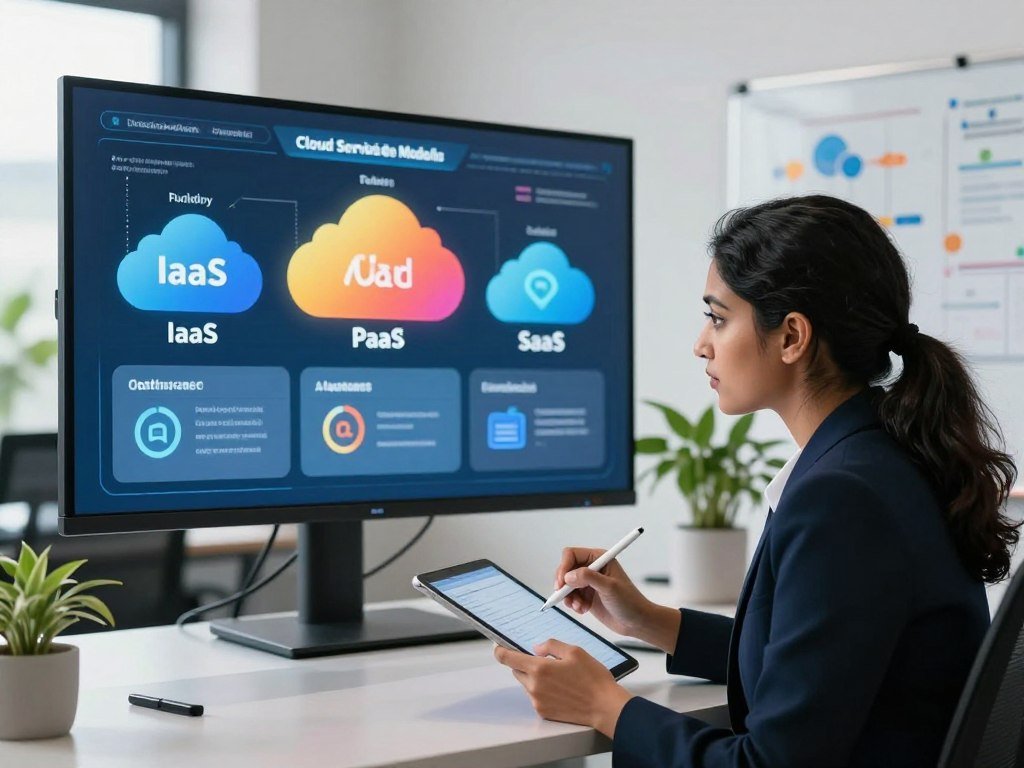
A team that wants virtual servers has different management responsibilities from a team that simply wants to use an online application. The service model tells you what the customer receives and what the cloud service provider (CSP) manages. More control usually means more work for your team.
Choose a service model by matching the level of control to the skills and time your team can provide. NIST’s cloud service evaluation framework describes the core IaaS, PaaS, and SaaS models.
IaaS gives customers control over virtual infrastructure
Infrastructure as a service (IaaS) gives customers on-demand computing, storage, networking, and virtualization. Amazon EC2 is an example. You can rent virtual servers and choose how to set them up for your applications.
The provider manages the physical data centers and the hardware beneath the virtual resources. Your team manages more of the operating system, software, settings, and data. IaaS suits teams that need control over infrastructure without buying physical servers.
PaaS gives developers a managed build environment
Platform as a service (PaaS) gives developers tools and resources for application development. AWS Elastic Beanstalk is one example. Developers can focus on building and deploying an application while the provider manages more of the platform.
A PaaS can handle parts of the environment, such as runtime software and deployment support. Your team still writes application code and makes choices about its features and data. This platform service can reduce setup work for a team that wants to release software.
SaaS delivers a ready-to-use application
Software as a service (SaaS) delivers a complete application over the internet. Google Docs is a familiar example. Customers use the software, while the provider manages the application and the systems that run it.
This software service often works through a web browser or app, with access sold through a subscription. A provider handles updates and maintenance, so customers do not manage the underlying servers. A team can use SaaS when it needs a finished tool rather than a place to build one.
Founders interested in a focused product can explore how to launch a SaaS startup and the work involved in offering software to customers.
Serverless runs code in response to events
Serverless computing lets customers run code without managing servers for each event. AWS Lambda runs code when events occur, such as a file arriving or a request reaching an app. The provider manages the servers behind that code.
Serverless does not mean that servers disappear. It means the customer does not have to manage them directly for each task. Function as a service (FaaS) is one part of serverless computing, not another name for every serverless service.
| Model | What the customer gets | What the customer manages | Example |
|---|---|---|---|
| IaaS | Virtual computing, storage, and networking | Operating system, apps, and data | Amazon EC2 |
| PaaS | Managed application build environment | App code and data | AWS Elastic Beanstalk |
| SaaS | Ready-to-use application | App use and account settings | Google Docs |
| Serverless | Code run in response to events | Code and event rules | AWS Lambda |
Choose the model by deciding how much of the underlying infrastructure your team wants to manage.
Which Cloud Deployment Model Fits Your Needs?
A small team using a provider’s shared services and a regulated organization isolating sensitive workloads may need different deployment arrangements. A deployment model describes where cloud resources run and who can use them. The right fit depends on the access, control, and provider setup a workload needs.
Public, private, hybrid, and multicloud describe different environments, not different service models. NIST’s cloud terminology also explains public, private, and hybrid arrangements in its cloud computing testimony.

Public cloud shares provider-run infrastructure
A public cloud uses infrastructure run by a third-party provider. Many customers use the provider’s services, with controls that keep their accounts and workloads separate. A small company may choose public cloud resources to avoid running its own data center.
This arrangement can suit workloads that need flexible capacity or broad access. The customer still manages its own data, identities, settings, and applications. Shared infrastructure does not mean customers share access to each other’s data.
Private cloud dedicates resources to one organization
A private cloud is dedicated to one organization. That organization may run it itself or use a provider to operate it. The dedicated environment can suit workloads that need a specific level of control or isolation.
Private cloud does not automatically mean that the organization owns every server. The key point is that the environment is reserved for one organization. A team should also consider the staff and systems needed to run it.
Hybrid cloud connects public and private environments
A hybrid cloud connects public and private cloud environments. An organization may keep sensitive workloads in its private environment and use public cloud capacity for other work. The two settings need ways to connect and move data.
Hybrid setups can help organizations use different environments for different needs. They also require planning for how applications, data, and access work across both sides. A connection between environments does not by itself make them easy to manage as one system.
Multicloud uses multiple providers
Multicloud means using services from two or more cloud service providers. An organization might choose one provider for a certain application and another for a separate workload. It may seek specific tools, regional reach, or a choice of providers.
Hybrid and multicloud do not mean the same thing. Hybrid connects public and private environments, while multicloud involves more than one provider. A multicloud setup can also be hybrid if it uses multiple providers alongside private cloud resources.
| Model | Who uses or supplies the environment | A typical reason to choose it |
|---|---|---|
| Public | Provider runs services used by many customers | Use shared capacity without a private data center |
| Private | One organization uses a dedicated environment | Keep workloads in a reserved setting |
| Hybrid | One organization connects public and private settings | Place different workloads in different environments |
| Multicloud | One organization uses two or more providers | Select services from multiple providers |
Decide which workloads need shared capacity, dedicated access, or more than one provider before choosing a deployment model.
What Are the Advantages and Disadvantages of Cloud Computing?
Renting computing capacity can help an organization avoid buying hardware before it knows how much capacity it will need. Cloud computing can lower upfront infrastructure spending and help teams start work sooner. Paying for use can also cut the need to build for peak demand.
Pay-as-you-go pricing still needs active cost management. A service can keep using resources after a test ends, and some costs rise with activity. Cloud benefits and cloud limits both matter when you plan a project.
Advantages: pay for resources without owning every server
Cloud computing offers several practical benefits:
- Lower upfront spending on servers and other infrastructure.
- Faster time to market for new applications and services.
- Scalability, or the ability to add or reduce capacity.
- Flexibility to try tools and adjust resources as needs change.
- Collaboration through shared files and applications.
- Provider-managed maintenance for parts of the service.
- Potential sustainability gains from shared computing resources.
These advantages can help a business test an idea before investing in permanent hardware. Teams building a new software product may use cloud computing to start small, then expand as demand becomes clearer. Provider management can also reduce some routine hardware work, though it does not remove every customer task.
Disadvantages: plan for limits as well as flexibility
Cloud services have real limits. An internet outage can block access, and a provider outage can interrupt work. Moving an application later may be hard if it depends on a provider’s specific tools, a problem called vendor lock-in.
Customers may have less control over the underlying infrastructure. Connecting cloud services to older systems can also take time and technical work. A confusing setup or a sudden jump in use can raise costs beyond the expected bill.
Choose a budget for each workload and watch how demand changes. Review actual usage and billing regularly, since pay-as-you-go pricing does not prevent unexpected charges.
Who Are the Major Cloud Computing Technology Companies?
AWS, Microsoft, and Google Cloud were the three largest providers by global cloud infrastructure services market share in Q2 2026. AWS led with 28%, Microsoft held 20%, and Google Cloud held 15%. Those shares describe a competitive market, not which provider fits a specific workload.
Global enterprise spending reached $143 billion in Q2 2026, up 43% year over year. The reported market shares and revenue measures help describe the scale of these cloud companies, but their revenue figures cover different business areas.
| Provider | Global cloud infrastructure services market share in Q2 2026 | Reported revenue measure | Year-over-year growth |
|---|---|---|---|
| AWS | 28% | $42.2 billion revenue | 37% |
| Microsoft | 20% | $39.3 billion Intelligent Cloud segment revenue | 32% |
| Google Cloud | 15% | $24.8 billion revenue | 82% |
AWS, Microsoft, and Google Cloud offer infrastructure and other cloud services, but their product ranges differ. Microsoft’s figure is for its Intelligent Cloud segment, so it is not the same measure as AWS or Google Cloud revenue. The Q2 2026 market share figures show provider positions, not a direct comparison of their full businesses.
GenAI-specific cloud services grew 165% year over year in Q2 2026. The cloud storage market was projected to reach $376.67 billion by the end of 2029. These figures point to continued demand for computing capacity and data storage.
Compare what each provider offers for a workload rather than treating different revenue measures as equivalent.
Where Do Cloud Security Failures Commonly Start?
Cloud breaches can stem from preventable customer-side errors as well as attacks on credentials. In 2026, 80% of organizations reported a cloud security breach in the past year, and 45% of data breaches occurred in the cloud. Customer settings and account access are common areas to examine.
Providers secure the underlying cloud infrastructure, while customers protect their data, identities, configurations, and applications. This shared responsibility model changes by service, but customers always have some security work. ISACA explains the roles in its shared responsibility model overview.
Breaches often involve configuration and credentials
Misconfiguration accounted for 23% of cloud security incidents. More than 31% of cloud breaches were attributed to misconfiguration and manual errors. These figures describe different groups: one counts incidents involving misconfiguration, while the other includes breaches tied to misconfiguration and human mistakes.
More than half of cloud security breaches involved compromised credentials. Stolen or weak login details can let attackers enter an account as if they were a real user. In recent years, public cloud security incidents averaged $5.17 million per breach, as reported in 2026.
U.S. companies experienced an average of 24 days of downtime after a cloud ransomware attack, as reported in 2026. More than 200 zettabytes of data were projected to be stored in the cloud by the end of 2026. In 2026, more than 83% of companies worldwide considered cloud security a top concern.
Reduce exposure with layered safeguards
Use several basic safeguards to reduce the chance that one mistake exposes sensitive data:
- Encrypt data while it is stored and sent across networks.
- Restrict access so each user has only needed permissions.
- Enable multifactor authentication (MFA), which adds a second login check.
- Monitor configurations and activity for changes or unusual use.
Encryption can make exposed data harder to read without the right key. Access controls limit what a compromised account can reach. Monitoring can help a team spot changes that need attention before they cause a larger problem.
Check who can access each sensitive resource and remove permissions that are no longer needed.
What Cloud Careers and Certifications Can Beginners Pursue?
Cloud work includes engineering, architecture, development, and administration, with different responsibilities and pay figures. A cloud engineer is an IT professional who works with cloud systems, infrastructure, deployment, or operations. Job duties vary by employer and experience.
As of August 2026, U.S. cloud computing professionals had a median total annual salary of $142,000, including base pay and additional pay. A median marks the midpoint, so half of reported totals are higher and half are lower. Entry-level and senior figures use different measures.
Cloud roles have different pay ranges and responsibilities
Cloud engineers build and maintain cloud systems, while cloud architects plan how those systems fit together. Cloud developers create applications, and cloud administrators manage accounts, services, and routine operations. The job title can cover different tasks at different companies.
As of August 2026, U.S. median total annual salaries were $152,000 for cloud engineers and $203,000 for cloud architects. Cloud developers had a $133,000 median, while cloud administrators had a $118,000 median. Each figure includes base salary and additional pay.
Entry-level cloud computing positions averaged $112,000 per year as of August 2026. Some senior roles paid total salaries of $261,000 per year. These figures describe different experience levels and measures, so they should not be treated as the same pay range.
Certifications vary by level, exam fee, and renewal rules
Certifications can show that you have studied a platform or a set of cloud skills. As of February 2026, the AWS Certified Solutions Architect – Associate exam cost $150, Microsoft Certified: Azure Fundamentals AZ-900 cost $99, Google Associate Cloud Engineer cost $125, and the CCSK cost $445.
Google Cloud Digital Leader exams cost $99 plus applicable tax in 2026. Associate exams cost $125 plus applicable tax, and professional exams cost $200 plus applicable tax. Exam fees vary by certification, and an exam is not the same as a course.
Google Cloud certifications remain valid for two to three years. To renew, candidates must pay to retake and pass the exam. Plan for that renewal rule when choosing a credential, especially if your work may require it over time.
AZ-900 and Google Cloud Digital Leader are fundamentals-level starting points. Which exam feels easiest depends on your past experience and the platform you know best. A learner who already uses Microsoft tools may find AZ-900 more familiar, while another may prefer Google Cloud.
Check the current exam fee and renewal rules before scheduling a certification exam.
How Can a Beginner Choose a Cloud Starting Point?
A useful first cloud step starts with one task you want to accomplish, not with a long list of provider products. You might want to store files, host a small test application, or learn cloud support. One clear goal makes it easier to choose the right service and tools.
Start with a small exercise that has a clear limit and an end point. Compare the service model and access needs for your task. A storage goal may need a simple online service, while application development may call for a managed platform.
Match the service to the job, not to the longest product list.
AWS, Microsoft Azure, and Google Cloud are major providers, and their services are reached over a network, often the internet. Many charge by usage or through a monthly subscription. You do not need IT experience to understand basic cloud ideas, though hands-on skills take practice.
For a small software idea, a focused product can start with one core feature before adding more. A beginner can learn the basics with guided practice and simple tools, then build skills through repeated work. Check usage while practicing so a test does not keep running unnoticed.
Set a spending limit and remove test resources when the exercise is complete.
Conclusion
Cloud computing makes remote computing resources available when people and organizations need them, but the best setup depends on the work to be done. A cloud service can support a simple file task or a complex application, with different levels of control and management.
You do not need to learn every product before trying a basic exercise. Choose a task that matters to you, keep its scope small, and watch what it uses. Pick one practical task, try a bounded cloud exercise, and review what it used before taking on a larger project.
FAQ
Which best defines cloud computing?
Cloud computing is on-demand internet access to computing resources such as storage, servers, software, and networking, commonly billed by use. A customer can request resources without owning the physical equipment. The provider runs the underlying systems, while the customer uses the service for tasks such as saving files, hosting applications, or accessing software.
What are the advantages and disadvantages of cloud storage?
Cloud storage gives you access to files across devices, lets capacity grow as needed, and relies on provider-managed infrastructure. It also depends on internet access, which can fail or be unavailable. Privacy concerns, provider outages, and vendor lock-in are other limits. A service may make it hard to move data if your tools rely on one provider.
What are cloud computing risks?
Cloud computing risks include misconfiguration, compromised credentials, outages, and unexpected costs. Providers and customers share security responsibilities: providers protect underlying infrastructure, while customers protect their data, identities, settings, and applications. A stolen password or public data setting can expose information even when the provider’s physical systems remain secure.
What is cloud salary?
The U.S. median total annual salary for cloud computing professionals was $142,000 as of August 2026. That total includes base salary and additional pay. Job titles and experience affect pay, and the median is not an entry-level salary. Cloud engineers, architects, developers, and administrators can have different duties and reported pay levels.
Will AI replace cloud computing?
No, AI and cloud computing serve different roles, though automation may change some tasks. AI uses cloud infrastructure for data storage and computing capacity, while cloud services provide access to those resources. Automation may handle routine work, but organizations still need people to plan systems, manage applications, and decide how services should operate.
Can I learn cloud computing in 3 months?
Yes, a motivated beginner can learn cloud fundamentals and complete guided practice in three months. You could learn basic terms, try a small storage task, and build a simple test application. Job-ready expertise usually takes continued hands-on work. Your pace will depend on your past experience, study time, and the skills your target role needs.
What is the easiest cloud certification to get?
AZ-900 and Google Cloud Digital Leader are fundamentals-level starting points, and either may feel easier based on your background. Both exams cost $99 before applicable tax where specified. Familiarity with a platform can make its terms and examples easier to follow. An exam fee covers the test, not a course or guided training.
How much does a cloud computing course cost?
Free introductory learning exists, and self-paced courses can range from free to roughly $100. Instructor-led training can cost several hundred dollars or more, depending on the course and format. Certification exams cost extra. A beginner can start with free materials, then pay for instruction if structured practice or teacher support would help.
About The Author