Best Employee Onboarding Software for Growing Teams

Growing teams often choose between an easier HR-and-payroll setup and employee onboarding software with connected IT workflows. The right choice depends on who must do what before a new hire can start contributing. HR may collect forms, while IT prepares accounts and managers plan training. New hires need clear instructions, too.
Gusto and BambooHR suit small businesses that want HR and onboarding together. Rippling fits teams where IT access is central. Deel serves international or contractor-heavy hiring, while Zoho People offers a limited free option. The best employee onboarding software should make assigned work easier to follow without adding another record nobody maintains.
Use this roundup to compare tools by the handoffs your team needs to manage. Start by listing the steps that currently require HR or a manager to chase someone.
Key Takeaways
- Choose Gusto for payroll-centered onboarding or BambooHR for broader HR records.
- Consider Rippling when employee setup must trigger IT access and device tasks.
- Deel suits teams hiring across borders or working with contractors.
- Zoho People has a free plan for teams with up to five employees.
- Test a real new-hire journey before settling on a platform.
What Happens During Employee Onboarding?
Employee onboarding starts with helping a new hire understand the organization and their role, not just collecting forms. It brings together people, tasks, and learning from offer acceptance through the employee’s early work. Preboarding is the period after a candidate accepts an offer and before their start date, when the organization begins welcoming and preparing them.
A typical process includes preboarding, first-day orientation, role training, and organizational integration. The steps help new hires meet colleagues, learn how the company works, and gain the skills their roles need. SHRM describes preboarding after offer acceptance as a way to connect new employees with the organization before their start date.
An onboarding system meaning is simple: software that organizes onboarding tasks in one place. An onboarding platform meaning is much the same, with the platform serving as a shared workspace for the people involved. Both terms describe software used to organize and follow onboarding work.
Onboarding systems centralize tasks, paperwork, access requests, and training so responsible people can complete and track them.
HR can assign forms, managers can track role tasks, and IT can handle access requests. New hires can see what they need to complete and where to find key information. Treat onboarding as a process that continues past the first day, rather than a one-day orientation event.

How to Choose Employee Onboarding Software
Compare tools against one real new-hire journey, from signed offer to working system access. One realistic test shows whether employee onboarding software can connect the work HR, managers, IT, and new hires must complete. Ask the team to follow the same sample hire through every handoff.
An employee onboarding platform is a shared place where HR, managers, IT, and new hires complete and follow assigned tasks. Employee onboarding tools can include e-signatures, digital checklists, self-service portals, and training modules. Those features solve different problems, so judge each against a task your team actually handles.
Build workflows around roles and responsibilities
Onboarding workflows should reflect real roles, locations, and start dates. A manager may need to plan training, while IT needs to prepare accounts and HR collects employee data. Customizable workflow rules help assign the right tasks to the right people without asking every new hire to follow one generic path.
Automation can assign tasks, send reminders, coordinate training, collect documents, and track progress. Check how it handles a late change, such as a new hire moving from a field role to an office role. The reassignment should update work clearly instead of leaving old tasks in place.
Check documents, compliance, and system connections
Look for secure document management, electronic signatures, and compliance tracking that fit your hiring process. A self-service portal lets new hires enter details and check their own tasks. Confirm who can view or change employee data, especially when documents contain private information.
SaaS onboarding tools should connect to your existing HRIS and payroll systems. An HRIS is the system that holds employee records and supports related HR processes. Integration between HRIS records, payroll setup, and identity or access-management tools can reduce duplicate data entry.
For a small startup, planning a first employee’s setup can help clarify which forms, equipment, access, and manager tasks belong in the workflow. A good demo should show data moving between the systems your team already uses.
Make progress visible on mobile and in reports
Reports should show overdue tasks, completed steps, and handoffs that are holding up a new hire. Mobile access matters when employees or managers do not work at a desk. Check whether forms, reminders, and task status remain easy to use on a phone.
Use this short checklist while comparing onboarding software:
- Role-based tasks for each job and location
- Secure document collection for new hires
- Reminders for employees, managers, HR, and IT
- Connections to current HRIS and payroll systems
- Mobile access for people away from a desk
Ask the vendor to show how a changed start date updates assigned tasks and reminders.
Which Onboarding Software Fits a Small Business?
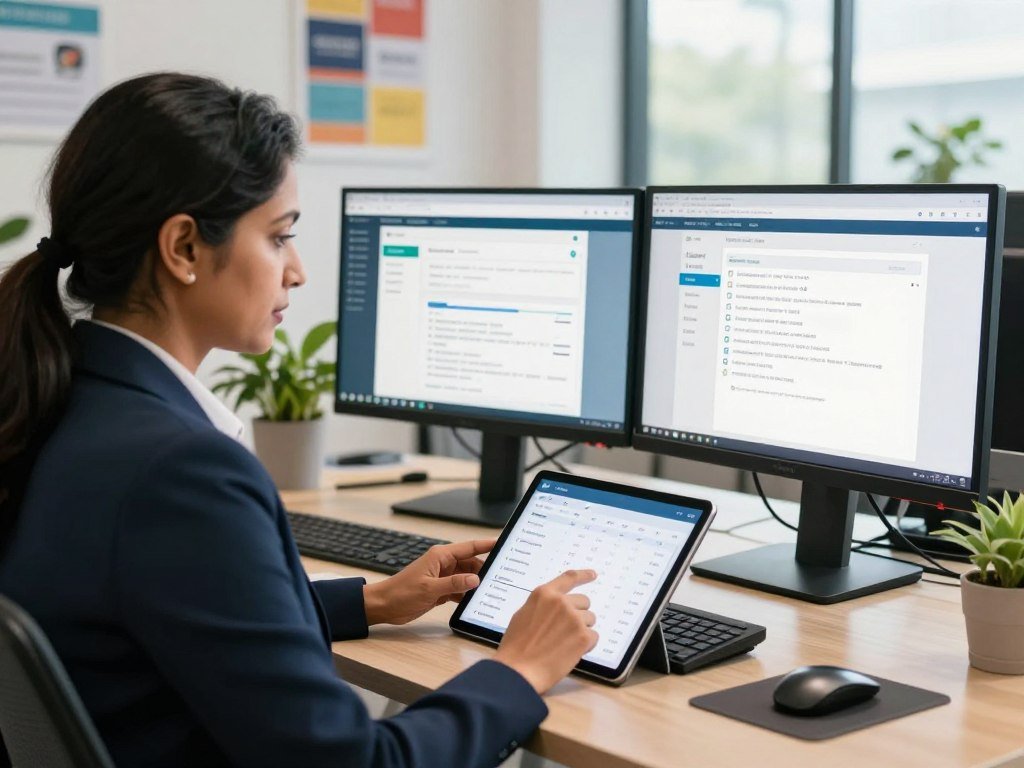
A small business that wants payroll and onboarding together can start with Gusto, while one that wants broader HR records can compare BambooHR. Gusto suits payroll-centered needs, and BambooHR suits HRIS-centered needs. Zoho People is another option for a team comparing a lower-cost HR platform.
| Platform | Best fit | Onboarding capabilities |
|---|---|---|
| Gusto | Small business combining payroll and onboarding | Offer letters, tax forms, benefits enrollment, state reporting |
| BambooHR | Small to midsize business seeking an HRIS | E-signatures, preboarding, welcome emails, task assignments |
| Zoho People | Team comparing a low-cost HR platform | Free-plan details covered in section 6 |
Gusto’s onboarding flow can handle offer letters, electronic documents, direct-deposit details, tax forms, benefits enrollment, and state new-hire reporting. Its workflows are largely preset, which can work well if your team prefers a standard process. That setup may feel restrictive when different roles need different task paths.
BambooHR places onboarding within a broader HR system. Its tools include a self-service portal, offer letters, electronic signatures, preboarding, welcome-email templates, and task assignments. They do not automate IT provisioning or role-based task assignment, so an IT-heavy workflow may need another tool.
If you are comparing HR systems for a distributed business, this overview of HR software for distributed teams offers related context. The key choice is whether you want payroll and onboarding together or a wider set of employee records.
Match the platform to the work your team already owns, not to the longest feature list.

Which Teams Need HR and IT in One Workflow?
Rippling is the clearest fit when onboarding includes both payroll enrollment and setting up a new hire’s devices and software accounts. It can connect HR, payroll, IT, and finance tasks in one workflow. That can help when several teams must act before the employee can begin work.
Rippling’s onboarding work can include offer letters, tax forms, payroll enrollment, device access, benefits enrollment, approvals, and custom workflows. It also lists automated 30-, 60-, and 90-day check-ins. The appeal is less about a long feature list and more about linking setup steps.
For example, a new hire’s role or location can determine which tasks and access requests are assigned. A field employee may need a phone and scheduling app, while an office hire may need a laptop and finance software. The workflow should match the access rules your team already follows.
This breadth may be more than a team needs if onboarding only involves collecting documents and assigning a few manager tasks. A broad HR, IT, and finance system adds little value when those handoffs are not part of the problem.
Ask IT to confirm that the workflow supports the apps, devices, and access rules the team actually uses.

Can Free Onboarding Tools Handle New Hires?
A free plan can be enough for a tiny team if it covers the tasks the team actually needs. Zoho People supports up to five employees on its free plan. Guideless helps make and share training guides, while BambooHR offers a trial rather than a permanent free plan.
Zoho People’s free plan for very small teams
Zoho People’s free plan includes document collection, employee self-service portals, and basic workflow management. It is a plausible fit for a business with no more than five employees. The trade-off is that forms and workflows are limited, and reporting stays basic.
Free access can come with limits on users, features, storage, support, or branding. Before adopting a free plan, check these four points:
- Employee cap
- Workflow limits
- Available storage
- Support or branding restrictions
Those limits matter when your team needs to add new roles or keep more documents. A plan that fits today may not cover the process after several hires arrive close together.
Guideless for step-by-step training guides
Guideless makes step-by-step guides that teams can share with new employees. Its free plan includes up to three guides, AI narration, and link sharing. MP4 export, analytics, and advanced team features require a paid plan.
Guideless can complement an onboarding system, but it does not replace employee records, payroll, or signature tools. BambooHR’s seven-day free trial gives a team an evaluation option, not a permanent free tier. The difference matters when you plan around ongoing hiring rather than a short test.
For employee onboarding software free, distinguish a permanent free plan from a trial and a guide-making tool. Zoho People’s five-employee free limit may suit a very small team, while other tools cover only part of the process.
Test one complete new-hire setup before relying on a free tier for every employee.
What Should Global and Contractor Teams Check?
Deel is the strongest fit in this comparison for teams that need onboarding built around international hiring and contractors. It supports compliant hiring in more than 150 countries. Localized contracts, compliance tracking, and global payments can help coordinate work across different countries.
Contractor onboarding and employee hiring through an Employer of Record (EOR) are different arrangements. An EOR is a third party that employs a worker on a client company’s behalf. Confirm which activities are included in the specific Deel service you use, since the worker type affects the setup.
Localized contracts can reflect the country and worker arrangement, while compliance tracking helps teams follow required steps. Global payments also matter when a company pays workers across borders. These needs differ from domestic payroll paperwork and require clear ownership across each location.
Worker classification is a separate issue from onboarding software. New Jersey uses an ABC test for certain state unemployment compensation questions, with factors that include control over work and whether the worker runs an independent business. The New Jersey contractor classification rules apply to that state, not as a nationwide test.
Check coverage and responsibilities for each country and worker type before standardizing the process.
How Do Payroll-Focused Tools Handle New Hires?
Paycor, ADP Run, and Paychex are worth comparing when payroll and new-hire administration are central to the workflow. Each one supports a different handoff between paperwork, managers, and payroll. Your existing payroll setup should pass new-hire information to the tasks that need it.
| Platform | Onboarding emphasis | Practical fit |
|---|---|---|
| Paycor | Automated checklists, preboarding, compliance, self-service | Teams wanting structured task tracking |
| ADP Run | Manager task tracking, mobile access, buddy system | Teams needing visible manager responsibilities |
| Paychex | Digital forms, preboarding, payroll integration | Teams prioritizing payroll-connected paperwork |
Paycor includes automated checklists, preboarding, compliance tracking, and an employee self-service portal. Those tools can give HR a clear view of required steps. A team should still check whether the checklist fits its manager and new-hire tasks.
ADP Run emphasizes manager task tracking, mobile access, and a buddy system. Those features may help when managers need to own specific actions rather than leave every task with HR. Paychex focuses on digital forms, preboarding, and payroll integration, which may suit teams whose main handoff is paperwork.
Before settling on one process, trace how a new hire’s details move from payroll into assigned tasks. Missing fields can leave HR re-entering data or managers without the information they need. A demo with a sample employee record can make that gap visible.
Have a manager and a new hire test the same sample checklist before committing to a process.
What Does Onboarding Software Cost in 2026?
Compare the billing unit as carefully as the starting number, since a per-person rate and a base fee can produce different totals. Published onboarding software rates commonly range from $4 to $25 per person per month, usually with a base fee or minimum. In 2026, starting rates differ by worker type and billing method.
| Product | Starting price in 2026 | Billing basis |
|---|---|---|
| Rippling | $8 per employee per month | Per employee |
| Gusto Simple | $49 per month plus $6 per employee | Base fee plus per employee |
| BambooHR Core | About $10 per employee monthly, or about $250 monthly for 25 or fewer employees | Per employee or small-company flat rate |
| Zoho People paid onboarding | $1.25 per employee per month | Per employee |
| Deel | $49 per contractor monthly or $599 per EOR employee monthly | Contractor or EOR employee |
A per-employee subscription grows with headcount, while a base fee adds a fixed amount before employee charges. BambooHR Core starts at about $10 per employee per month. Companies with 25 employees or fewer typically pay a flat rate starting at about $250 per month.
Paycor custom pricing starts at about $99 per month plus a per-employee charge. ADP Run custom pricing starts at about $79 per month plus a per-employee charge. Paychex starts at $39 per month plus $5 per employee.
WorkBright+ managed service costs $25 per I-9 record, with a $25,000 minimum annual cost. That is a per-record managed service, not a monthly employee subscription. The 2026 starting prices and billing terms show why unlike billing units need separate estimates.
Build an estimate using your headcount, worker types, and any minimums before comparing annual budgets.
What Should Happen Before and After Day One?
A useful onboarding sequence starts after offer acceptance and continues well beyond the first day. Prepare forms, first-day details, equipment, and access before the new hire arrives. The order helps the employee spend early work time meeting people and learning, rather than waiting for basic setup.
Preboarding after offer acceptance
After a candidate accepts, HR can share required forms and explain what the new hire needs to bring or complete. Send first-day details, including where to go, when to arrive, and who will greet them. IT and managers can request equipment and software access ahead of time.
A clear handoff gives each owner time to act. The manager can prepare role goals, while IT can set up access and equipment. A first employee hiring plan can help founders map forms, responsibilities, and a 30-60-90 day plan.
Orientation spread across the first days
Orientation introduces the company’s structure, vision, mission, and values. It can cover the handbook, major policies, administrative procedures, required paperwork, and mandatory training. New employees need time to understand how these parts fit their daily work.
SHRM recommends spreading orientation across a few days or a week when possible, rather than packing every topic into one sitting. Its onboarding process guidance also covers the role of preboarding and continued support. That pace gives people a chance to ask questions after they see the work.
Integration through training and relationships
Role training should include practice with the systems and tasks the employee will use. Team introductions help new hires learn who owns decisions and where to ask for help. Managers can set regular check-ins to hear what feels clear and where work is stuck.
A buddy or mentor can offer guidance without being the new hire’s direct authority. The assignment might last a day, a week, a month, or a year, depending on the team’s needs. The relationship gives a new employee another person to ask about everyday routines.
- Before the start date: complete forms and plan equipment or access.
- During the first days: spread orientation topics and required training.
- Through the transition: practice role tasks and meet with a manager or buddy.
Onboarding takes many months as new hires learn and apply an organization’s culture and foundations. Give new hires time to apply what they learn, with a named person available for questions during the transition.
What Changes for Remote and Frontline Teams?
A remote employee needs a place to complete paperwork and see first-day tasks without visiting an office. Remote hires benefit from one spot for signatures, tasks, and document uploads. Frontline teams may need a phone-first setup that works away from a desk.
Mobile-friendly onboarding lets new hires fill out forms and upload documents from their phones. That matters when employees do not have a work computer before their start date. A phone screen should make each task clear without forcing the new hire to search through email threads.
Connecteam is an option to evaluate for deskless teams in construction, cleaning, food and beverage, retail, hospitality, healthcare, and security. A team that also needs shift planning can compare scheduling tools for cleaning businesses alongside its onboarding needs.
Test these three parts of the mobile experience:
- Forms that remain readable on a phone
- Document uploads that work from the device
- Task notifications that arrive on time
Test the new-hire experience on the same phone model and connection conditions employees are likely to use.
How Can HR Track Onboarding Progress?
A useful onboarding dashboard shows where a new hire is waiting, not only whether a checklist is complete. Time to productivity, training and compliance completion, and employee feedback reveal different delays. Each measure can point HR toward a handoff that needs attention.
Time to productivity tracks how long it takes a new hire to perform needed work. Training and compliance completion rates show whether required learning and records are on track. Feedback scores add the employee’s view, which a task count cannot show.
Review these three measures at planned intervals:
- Overdue tasks by owner
- Training and compliance completion
- New-hire feedback at planned milestones
A late access request may hold up training, while repeated document delays may point to unclear instructions. A low feedback score can signal that the employee needs more manager support or a better explanation of the role. HR can ask about the specific obstacle instead of sending another general reminder.
Task status, completion rates, and feedback are distinct signals. Together, they help HR see whether the delay sits with a person, a system, or an unclear step. Keep the measures tied to work the team can change.
Use a delay or low feedback score to ask whether instructions, access, or manager support need attention.
Review the same measures over time and adjust the workflow when a recurring handoff delays new hires.
Conclusion
The best fit is the platform that removes the team’s most persistent onboarding handoff without adding unnecessary work. Your main gap may sit in HR administration, payroll, IT setup, global hiring, or mobile access. Choose software that handles that gap and keeps employee data clear.
Select two or three candidates, then test one realistic new-hire journey with the people who will use it. A shared test can expose missed tasks before they affect a new employee’s first week. Write down one recent new hire’s journey and use it as the shared demonstration script for your shortlist.
FAQ
What paperwork should a new hire complete before their first day?
New hires should complete required tax and employment documents before their first day when the employer requests them. They may also provide direct-deposit details if they want pay sent to a bank account. The exact forms depend on the worker, the employer, and the hiring arrangement. HR should explain which forms apply and how to submit them securely.
Can onboarding software connect to payroll and an HRIS?
Yes, onboarding software can connect to payroll and an HRIS through integrations. Those connections can move employee data between systems and reduce duplicate entry. An integration may not cover every field or workflow your team needs. During a demo, test the specific systems and fields your team uses, including what happens when someone changes information.
How long should employee onboarding last?
Employee onboarding commonly continues for many months, beyond orientation and the first week. New hires need time to learn their roles, understand how the organization works, and apply what they learn. Training, manager check-ins, and relationships with colleagues can support that transition. A first-week checklist helps with early tasks, but it does not mark the end of onboarding.
Is a free onboarding plan enough for a small company?
Zoho People’s free plan can work for a company with up to five employees, if its limits fit the process. The plan includes document collection, employee self-service, and basic workflow management. Forms and workflows are limited, and reporting is basic. A small team should test its complete new-hire setup before relying on the plan for every employee.
What is the difference between contractor onboarding and EOR onboarding?
Contractor onboarding prepares an independent contractor for work, while EOR onboarding supports an employee hired through an Employer of Record. Deel starts at $49 per contractor per month, while its EOR service starts at $599 per employee per month. The arrangements have different responsibilities and payment terms. Confirm which service and worker type apply to each hire.
How can managers help new hires feel connected?
Managers can introduce new hires to colleagues, set regular check-ins, and name an onboarding buddy or mentor. The buddy should not be the new hire’s direct authority, so the employee has another person to ask about daily work. Assignments can last from a day to a year. Managers should make clear how and when the new hire can reach that person.
About The Author