AI Resume Builder for Professional Job Applications

A targeted application is easier to build when you begin with your real experience and use AI to shape, not invent, the story. Starting from a blank page takes time, and tailoring every application can make the search feel like a second job. An AI resume builder can help you draft, edit, and match your career details to a job description. It can also help you check the finished document for gaps and errors. You remain responsible for every claim, from a skill to a result or date. Use the tool to get unstuck, then bring your judgment and voice back into the work. Start with accurate career details, then use the finished application only after every line sounds true to you.
Key Takeaways
- Start with verified roles, dates, skills, and achievements.
- Use AI to draft and edit, not to invent qualifications.
- Tailor each resume to the opening you want.
- Keep relevant evidence easy to find and read.
- Check every claim before sending an application.
- Review the final file and its layout before uploading.
What Can an AI Resume Builder Do?
An online AI resume builder can draft sections, revise existing wording, and help align your qualifications with a specific opening. An applicant tracking system (ATS) is software employers use to collect and manage job applications and resume information. Different tools combine different features, such as templates, content drafting, editing, and job-description matching.
Many services let you start with a job title, upload career details, or paste an existing resume. Some can draft a summary, work history, or education section, while others compare your content with a job description. Kickresume can draft a summary, work experience, and education from your name and recent job title. A draft is not a verified record of your career.
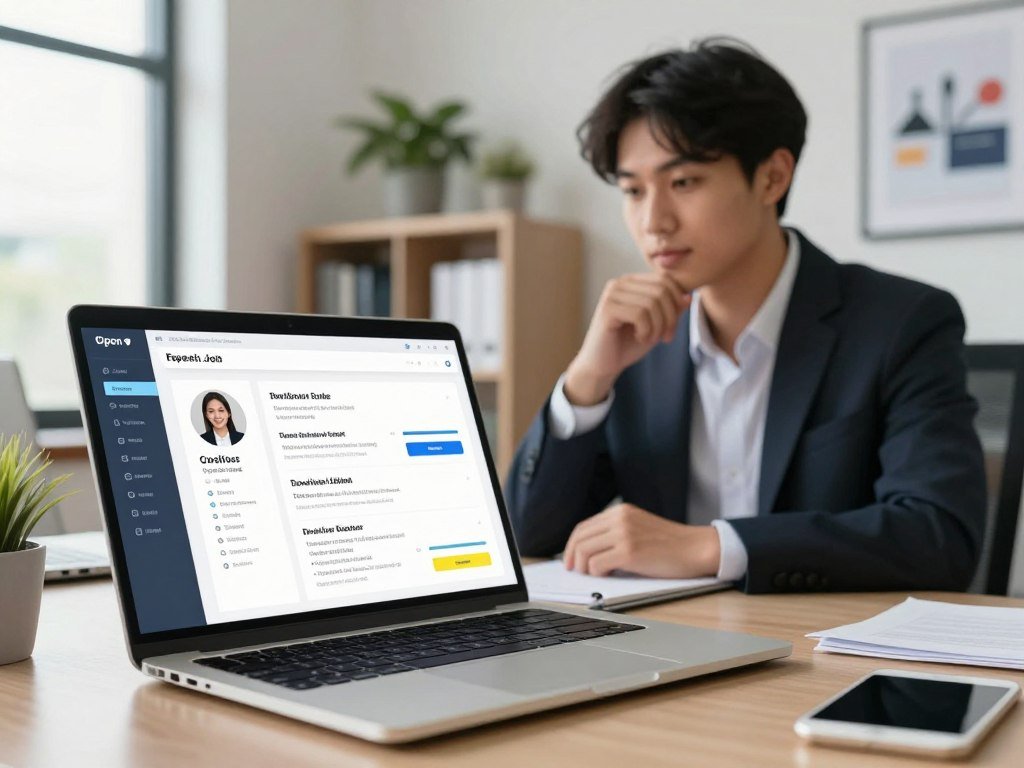
Treat every generated line as a suggestion until you have checked it against your actual work history.
These tools can save time on a first draft, but they cannot know whether a suggested duty or result is true. Edit the content to fit your real work, then review its tone and details. Some services also offer feedback on layout or wording. An AI resume auditor can compare a resume with a target job description and flag skills that may be missing.
Kickresume lets users edit or regenerate drafted sections, which gives you control over what stays. A template sets the page structure, while drafting tools provide words to consider. Matching tools point out overlap with a posting, but you decide which qualifications belong in the final application. Treat every generated line as a suggestion until you have checked it against your actual work history.
What Recruiters Notice First
Recruiters need to recognize your fit quickly, even though no single stopwatch rule governs every review. A 2018 Ladders eye-tracking study followed 30 professional recruiters for 10 weeks and measured an average initial resume-screening time of 7.4 seconds. The 10-second resume rule is a practical reminder, not a hiring standard. Make your strongest evidence easy to find at a glance.
Place your contact details, target role, relevant experience, and strongest achievement where a reader can spot them. A clear hierarchy uses headings and spacing to guide the eye. Decorative elements that compete with your content can slow that scan.

Check the resume at normal screen size, not only while zoomed in during editing. Then print it or view a print preview to see whether spacing and type remain clear. A page that looks polished on a large monitor may feel crowded on a laptop or on paper.
Use a readable design that gives each section a clear place. Put the most relevant evidence near the top instead of making a reader hunt for it.
Can Employers Tell If You Used AI on Your Resume?
Yes, some employers say they can spot AI-generated writing, but no survey figure proves that every AI-assisted resume can be identified. A 2025 TopResume survey found that 33.5% of hiring managers said they could identify AI-generated content within 20 seconds of opening a resume. That report reflects their views, not a reliable test for every application.
AI-assisted content means you edited suggestions and checked them against your own history. An untouched, fully generated draft has no such review. In a 2025 Resume-Now employer survey, 62% said they would reject an AI-generated resume that lacked personalization. Another 19.6% said they would reject a purely AI-written resume regardless of quality. Personal details and accurate evidence matter more than trying to disguise AI use.

Generic wording can make a resume sound unlike you. Unsupported claims and details that conflict with your work history can also raise concerns. A 2025 Resume Genius survey found that 90% of employers reported more low-effort, spammy AI applications. SHRM reported that 91% of employers use AI in hiring, though that figure does not show how each employer reviews resumes.
The Willo Hiring Trends Report 2026 found that 77% of hiring teams regularly encountered AI-generated or AI-assisted applications, up from 53% in early 2024. The report surveyed just over 100 hiring professionals. A 2026 survey of more than 2,000 U.S. hiring managers found that 67% of HR leaders said reviewing AI-generated applications had slowed hiring. One in five reported delays of more than two weeks.
A January 2025 Resume.io survey of 3,000 hiring managers reported that 49% of AI-generated resumes were dismissed automatically. Resume.io sells resume-building tools, so this is a separate vendor-survey finding, not a universal rejection rate. Keep the wording only when you can defend each detail and it reflects your own experience.
How to Build a Resume With AI
Begin by gathering verified details so the tool has facts to work with rather than gaps to fill. You can start with an existing file, pasted text, or a blank draft. Accurate input gives you a better starting point, whether you use a resume builder online or an AI resume builder app.
Prepare the core details first. Keep your dates and achievements close at hand, so generated text does not become your only record. Use the tool to shape facts you provide, not to create new ones.

Gather accurate career details first
Collect the following information before you draft:
- Job titles, employers, and start and end dates.
- Education, training, and credentials you have earned.
- Skills, tools, and tasks you have used at work.
- Verified achievements, results, or examples you can explain.
Kickresume can begin with your name and recent job title, then draft a summary, work experience, and education sections. Huntr accepts an uploaded resume or pasted text, a target job title, and an optional job description. You can use an app for quick edits while away from your computer.
Generate and refine the first draft
Enter the target job title and add the job description when you have it. Generate only the sections you need, such as a summary or work history. Kickresume lets users edit or regenerate sections, so you can change a suggestion rather than accept it as written.
Read each draft aloud. Replace phrases you would not use in a conversation, and remove claims that do not match your actual duties. Rhode Island College’s resume-writing advice also stresses editing generated text and keeping claims supportable.
Review the final document before applying
Check names, dates, contact details, grammar, and consistency across every section. Ask whether you can support each claim with a real example. Review the final layout on a larger screen, even if you made edits on an app.
Save a clean master copy before making a separate version for each opening.
Tailor Your Resume to the Job Description
Tailoring means showing the strongest evidence you already have for the needs named in the job description. Read the posting for required skills, credentials, tools, and daily duties. Separate genuine matches from gaps before you revise a word. Optimizing a resume means making relevant qualifications easier to find, not stuffing in every keyword.
Credentials and learning history can act as talent signals. The Willo Hiring Trends Report 2026 found that 37% of employers rated them among their most reliable signals. Keep relevant courses or licenses clear, but do not imply that training equals a credential you have not earned.
Match relevant skills and requirements
Mark the qualifications the employer names more than once, then compare them with your own experience. Keep a match when you can point to a real task, project, or credential. Leave a gap visible to yourself instead of adding a skill you do not have.
Enhancv and Huntr offer tools that compare resume content with a target job description. A comparison can help you notice missing terms, but it cannot decide whether a term truly fits your background. An AI resume audit may flag technical skills that do not appear in your draft.
Rewrite the summary and experience for the role
Move the most relevant experience higher within its section. Use accurate terms from the posting when they describe work you have done. This helps both people and applicant tracking systems recognize a match without turning the page into a string of keywords.
Rewrite the summary to name your strongest relevant skills and the kind of work you have handled. Do not copy the employer’s wording wholesale. For example, if a role needs client support and you have handled client questions, describe that work in your own clear terms.
Keep unrelated details brief when space is tight. Leave out a requirement you cannot honestly support, even if it appears repeatedly in the posting.
Write Bullet Points That Sound Like You
A useful bullet tells the reader what you did, what the work involved, and what changed as a result. Strong bullet points give a hiring manager a concrete view of your experience. Specific details make the work easier to picture, while vague claims leave the reader guessing.
Huntr and Enhancv can generate or revise bullets, but you supply the true achievement and confirm any metric. A result can be described in words when you do not have a verified number. Never let a polished sentence turn an estimate into a fact.
Use these four checks when you revise a bullet:
- Start with a specific action, such as planned, taught, or repaired.
- Explain the work, scope, or group you supported.
- Include a real result when you know and can confirm it.
- Remove vague or repeated wording that adds no detail.
A line such as “helped with customer service” tells little about your role. You might explain the kind of questions you handled or the process you supported, if those details are true. AI can suggest a stronger verb or shorten a long sentence, but it should not decide what you accomplished.
Use a result you can describe in an interview. If you know that your work reduced delays but have no reliable figure, state the change without adding a percentage. University career guidance from Ohio State recommends achievement-focused bullets built around action, task, and result.
If you cannot verify a metric, leave it out rather than letting a polished sentence make it look factual.
Choose the Right Resume Length and Layout
A one-page resume is a sensible target for many early-career applicants, while experienced candidates often need two pages. iReformat recommends one page for people with 0-2 years and 2-5 years of experience. Its guidance recommends one to two pages for 5-10 years and two pages for 10-15 years. Your relevant history sets the length, not a rule that every resume must fit one page.
In an iReformat survey of more than 200 hiring managers, 91% considered one page fine for entry-level candidates. For applicants with five or more years of experience, 77% preferred two pages. Two pages are not automatically frowned upon when your experience calls for them.
| Career stage | Recommended length | Hiring-manager view | Layout caution |
|---|---|---|---|
| Entry-level | 1 page | 91% found 1 page fine | Keep type at 10 pt or larger |
| 0-5 years | 1 page | Entry-level support applies | Do not crowd each section |
| 5-10 years | 1-2 pages | 77% preferred 2 pages for 5+ years | Keep the second page useful |
| 10-15 years or executive/C-suite | 2 pages; 3 accepted for some executives | 64% accepted 3 pages for executive/C-suite candidates | Use space for relevant evidence |
Do not force a one-page design if it requires margins under 0.5 inches or type smaller than 10 points. The result may save paper but make your experience harder to read. A concise resume beats a cramped one.
Choose a template that gives your work enough room and keeps the design quiet. Remove older or less relevant details before shrinking the type. Keep the length that lets you show relevant evidence legibly, rather than shrinking the type to meet an arbitrary page limit.
Make Your Resume Easy for Applicant Tracking Systems to Read
An ATS-friendly resume is one whose text and sections can be read in a predictable order. Applicant tracking systems collect and manage applications, but products differ in how they handle resume files. Clean structure helps parsing, the process of identifying text and sections. No template can promise a pass or an interview.
Use familiar headings such as Experience, Education, and Skills. Keep the layout straightforward, with text in a clear reading order. PDF, DOCX, and TXT are common resume file formats.
| File type | Useful situation | Check before submitting |
|---|---|---|
| DOCX | Employer requests an editable file | Open it to check spacing and text order |
| Selectable-text PDF | Layout should stay fixed | Select and copy a few lines |
| TXT | Plain-text upload is requested | Review line breaks and section labels |
Use this short check before you upload:
- Use conventional section names, such as Experience and Education.
- Keep contact details in the main body of the document.
- Confirm that you can select and copy the text.
- Follow the employer’s requested file type.
A selectable-text PDF preserves readable words, unlike a flattened image of a page. Simple formatting also helps people read the resume, not only tracking systems. Ohio State career guidance recommends a clear structure that avoids confusing software.
The goal is clean parsing, not gaming a score. Reopen the exported file and verify that its text remains selectable before you upload it.
Build From LinkedIn or an Existing Resume
An existing resume or LinkedIn profile can save time, but neither is automatically ready for a specific application. Some AI resume builder tools can import public profile information when they accept a LinkedIn URL. Imported content is a starting point, not a finished resume. Review it for the role and your current career record.
LinkedIn discontinued its built-in Resume Builder in 2024 and removed resumes saved inside Premium by June 12, 2024. Members can save a profile as a PDF using More beneath the profile photo. That export is a profile printout, not a customizable resume.
Enhancv can import a public LinkedIn profile URL into sections such as Summary, Experience, Education, Skills, Languages, and Certifications. A free AI resume builder from a LinkedIn profile can reduce retyping when the chosen tool supports that import.
Profile text often lists duties without showing what you achieved. Rewrite relevant roles to add clear accomplishments, update dates, and keep sections that matter for the opening. A saved profile still needs proofreading, since a typo or old title can carry into a new file.
Compare imported dates and job titles with your current records before tailoring the information.
Which Free AI Resume Builder Fits Your Needs?
The best free option depends on whether you need a complete first draft, a small number of PDF downloads, or help tailoring existing content. Free plans serve different tasks, so choose by the work you need to do. They may limit editing or exports.
Kickresume fits a first complete AI draft, while Rezi suits a user who can work within one resume and three PDF downloads. “Free” does not always mean unlimited editing or downloads.
Choose a tool for a first complete draft
Kickresume’s free plan allows one complete AI-written resume. That can help when you need a full first version from basic details. Rezi’s free plan includes one resume and three PDF downloads, which may be enough for a limited application search.
Choose a tool for importing or tailoring existing content
Enhancv fits users who want to import a public LinkedIn profile URL and tailor resume content. Huntr accepts an uploaded or pasted resume and an optional job description, which can help when you already have a draft.
| Tool | Useful starting task | Free-plan or input detail | Practical fit |
|---|---|---|---|
| Kickresume | Generate a complete draft | 1 complete AI-written resume | Starting from limited career details |
| Rezi | Create and export a resume | 1 resume, 3 PDF downloads | A few planned applications |
| Enhancv | Import and tailor content | Public LinkedIn profile URL import | Adapting existing profile details |
| Huntr | Use existing resume text | Upload or paste text; optional job description | Matching a draft to an opening |
Compare the task each tool supports with what you need to finish today. Check the limits shown for its free plan before building the final application. Choose by the task you need to finish today, then check the current limits before building your final application.
Compare Free Downloads, Trials, and Paid Plans
A free account can still limit the number of resumes, the file type, or the time available to use the tool. A free AI resume builder may limit documents or offer only TXT downloads. Check the export before entering details, especially if you need a PDF. Trial prices and renewal terms can change the total cost.
The listed terms below distinguish free allowances from paid plans and trials. Enhancv’s free plan covers 15 resume items for seven days from registration. Rezi includes one resume and three PDF downloads on its free plan.
Check what the free tier actually lets you export
| Product | Free allowance or download type | Listed paid price or trial | Important condition |
|---|---|---|---|
| Enhancv | 15 resume items for 7 days | Not stated | Period starts at registration |
| Rezi | 1 resume, 3 PDF downloads | Not stated | Free download allowance is limited |
| Kickresume | 1 complete AI-written resume | $8 per month, yearly plan | Price is for the yearly plan |
| Novorésumé | 1 resume, maximum 1 page | $23.99 monthly plan in October 2026 | Basic plan has a 1-page limit |
| Resume.io | TXT downloads only | 7-day trial at $2.95, then $29.95 every 4 weeks | Renewal follows the trial |
ResumeBuild lists one resume and three downloads on its free plan, with Pro at $29 per month. It says refund requests for the current month must arrive within 24 hours. A refund may be refused if you used the software.
Read trial renewal and cancellation terms
Check the renewal frequency, where cancellation takes place, and the conditions for a refund. Find out whether you can still export files after a trial ends. U.S. subscription rules address disclosure and consent for recurring charges, while cancellation should be easy to find.
Resume.io says users can upgrade, downgrade, or cancel in the app at any time. Still, read the plan terms before you start, since each product sets its own steps. Before starting a trial, note the renewal date and the exact steps required to cancel.
Avoid Generic Writing and Common Resume Mistakes
A polished-looking document can still raise concerns if its wording is generic or its details conflict. Proofread the facts as closely as the design, because a neat layout cannot repair a wrong date. Never include an unverified qualification or achievement.
Resume-builder complaints often involve billing surprises, generic AI output, overdesigned templates, and subscription fatigue. These are issues to watch for, not measured survey findings. Your own review can catch content problems before an employer sees them.
Check for these five common mistakes:
- Leaving generic AI wording unchanged.
- Including an unsupported claim or metric.
- Stuffing keywords into sentences where they do not fit.
- Choosing decoration that competes with readable content.
- Copying an employer or job title incorrectly.
Other red flags include inconsistent dates, unexplained contradictions, and typos. A claim you cannot discuss in an interview may also weaken trust. Make sure the company name, role, and skills match the job you intend to apply for.
A quick final read can reveal lines that sound smooth but do not sound like you. Read the application once as a hiring manager would and remove anything you could not confidently explain.
Add a Cover Letter That Complements Your Resume
A cover letter is most useful when it explains why one specific example makes you a fit for this particular role. It should add context about your experience, not repeat every resume bullet. A focused letter gives one example room to matter. Keep the message tied to the employer’s needs.
A simple structure works well: open with the role, share one relevant example, then close with a concise statement of interest. An AI cover letter tool can use resume details and a job description as inputs. Enhancv offers a cover-letter generator that uses both.
Choose an example that shows a skill the role needs. Explain what you did and why the work matters to this employer. The letter can make a connection that a short resume bullet cannot fully explain, such as why you moved into a field or how you handled a challenge.
AI can suggest a first draft, but check the company name, role, examples, and tone. Remove claims that do not match your experience. A letter that uses the wrong employer name can undercut an otherwise strong application.
Read the letter once as a whole and make sure it adds new context rather than restating your work history. Check the employer and job title in the final letter before attaching it to the application.
Prepare for AI Interviews After You Apply
Treat interview preparation as a separate step, because a strong resume does not replace clear answers in a conversation. Prepare short examples of a challenge, your action, and the result. Real examples help you stay grounded when a question catches you off guard.
AI mock interviews can provide practice prompts, but they cannot confirm what happened in your work. Use them to rehearse your own examples and make your answers clear. Do not memorize a script that sounds unlike you.
Practice answers with examples from your experience
Pick a few situations that show your skills. For each one, note the challenge, the action you took, and the result you can support. Keep the outline short, then practice explaining it in your own words.
A mock question can help you notice where an answer needs more detail. If you have not managed a team, do not let a practice prompt push you to claim that you have. You can still discuss collaboration, support, or a project role that reflects your actual experience.
Decide whether an AI interview process works for you
AI interviews may be part of some hiring processes, but not every employer uses them. The 2026 Candidate AI Interview Report from Greenhouse surveyed 2,950 active job seekers. It found that 63% had been interviewed by an AI, and 38% had left a hiring process because it included an AI interview.
You can decide whether to continue in a process that uses an AI interview. Consider what the employer explains about the format and what you are comfortable sharing. If you continue, ask for clear instructions and practice speaking to the camera or recording tool.
Keep a short record of the examples you want to discuss so your interview answers stay grounded in real work.
Protect Your Personal Information
Before uploading a resume, check what personal information the tool collects and how it handles text sent for AI features. A resume needs contact and career details, but it does not need every sensitive fact in your life. Share only what the task needs. Keep confidential employer information out of uploads.
Infinite Resume’s privacy policy, last updated September 4, 2026, says it collects resume details such as name, email, phone number, location, work history, education, skills, certifications, and achievements. It may send text used for summary generation or bullet rewriting to OpenAI and Gemini. Its stated practices apply to Infinite Resume, not every builder.
Share only the details needed to build the application and keep confidential employer information out of the upload.
Infinite Resume says it does not use personally identifiable information to train public AI models. It says guest imports may stay in browser local storage, while signed-in imports may be saved to accounts. Those details show why it helps to check each product’s own policy.
Use these five privacy checks before you upload:
- Read the product’s privacy policy.
- Check whether text may go to AI providers.
- Understand local storage versus account storage.
- Remove sensitive details the resume does not need.
- Delete or export stored information when finished, if supported.
Do not submit government ID numbers, passwords, payment-card details, medical records, or confidential employer material. A resume generally needs a way to contact you and a clear record of your work, not private account or health details.
Share only the details needed to build the application and keep confidential employer information out of the upload.
Conclusion
Use AI to make the work faster, not to replace the judgment that makes your application credible. It can help you get past a blank page, improve clarity, and tailor verified experience to a role. Your own review remains the final quality check.
Start with a real job description and accurate career details. Choose one opening, prepare your verified experience, and build a tailored draft you can confidently stand behind.
FAQ
Is there any AI that can make my resume?
Yes, an AI resume builder can draft a resume from your career details. You can provide an existing document, pasted text, or basic work information, depending on the tool. The draft may help you get started, but it can misstate your duties or fill gaps with claims you never made. Check every date, qualification, and achievement before applying.
How long should my resume be?
A one-page resume is a practical target for many entry-level applicants, while experienced candidates often need two pages. Use the space your relevant work history requires, rather than shrinking the font or squeezing margins. A second page is useful when it adds clear evidence for the role. Remove unrelated details before cutting type size or readability.
Can employers tell if your resume was written by AI?
Some employers report recognizing AI-generated writing, but that does not prove every AI-assisted resume can be identified. Surveys describe employers’ views, not a reliable test of authorship for each document. A resume that uses personal examples and accurate details is more useful than one built to evade detection. Edit generated wording so you can defend every claim.
What are the 5 golden rules of resume writing?
Keep your resume relevant, truthful, concise, easy to scan, and tailored to the role. Relevance helps a reader see why your experience fits. Truth keeps your claims credible, while concise writing leaves room for useful detail. Clear headings and spacing help people read the page. Tailoring lets you put the most useful evidence first for each opening.
What are 5 common mistakes people make on their resume?
Five common mistakes are generic wording, unsupported claims, keyword stuffing, crowded design, and wrong or inconsistent details. These problems can make a resume harder to trust or read. Check the employer name and job title, then compare dates and achievements with your records. Remove a metric if you cannot explain how you confirmed it.
What are red flags on resumes?
Red flags include inconsistent dates, unexplained contradictions, typos, and achievements you cannot support or discuss. A mismatch between a job title and its listed duties can also prompt questions. Employers may ask you to explain a claim during an interview, so keep details tied to real work. Proofread names, dates, and contact information before sending the file.
Is a two page resume frowned upon?
No, a two-page resume is not automatically frowned upon when you have substantial relevant experience. In an iReformat survey, 77% of hiring managers preferred two pages for candidates with five or more years of experience. Use the second page for useful evidence, not extra details that do not fit the role. Keep both pages easy to read.
About The Author