Best IPTV Service Plans for Smooth Streaming in 2026
The best way to choose a TV streaming plan is to match it to the content you watch, the devices you own, and the service’s distribution rights. “IPTV” describes how television reaches your screen, not whether a service is lawful or reliable. Your best fit may be a licensed live-TV streaming service, a free app, an antenna, or hardware that runs streaming apps. A large advertised channel count alone is a poor guide to quality or value. The right choice also depends on your internet connection, household viewing habits, and budget. We’ll help you separate those choices and focus on the channels and programs you actually use. Start by checking whether a plan carries the specific channels and programs your household actually watches.
Key Takeaways
- IPTV describes a delivery method, not a service guarantee.
- Licensed live-TV plans, free apps, and antennas serve different needs.
- Check channel fit, device support, and the full plan cost.
- A box or player does not grant rights to copyrighted programs.
- Choose based on the channels your household watches most.
What Is an IPTV Box, and What Does It Do?
An IPTV box is hardware for running IPTV applications, not the subscription that supplies television channels. IPTV means television delivered through internet protocol, or television sent over an internet connection. A box may run a player app that displays streams from a service you access separately.
Licensed content requires a separate subscription to an authorized provider. Some smart TVs and streaming sticks also run compatible apps, so a dedicated device is not always needed. The box, the player, and the service each have a different job.
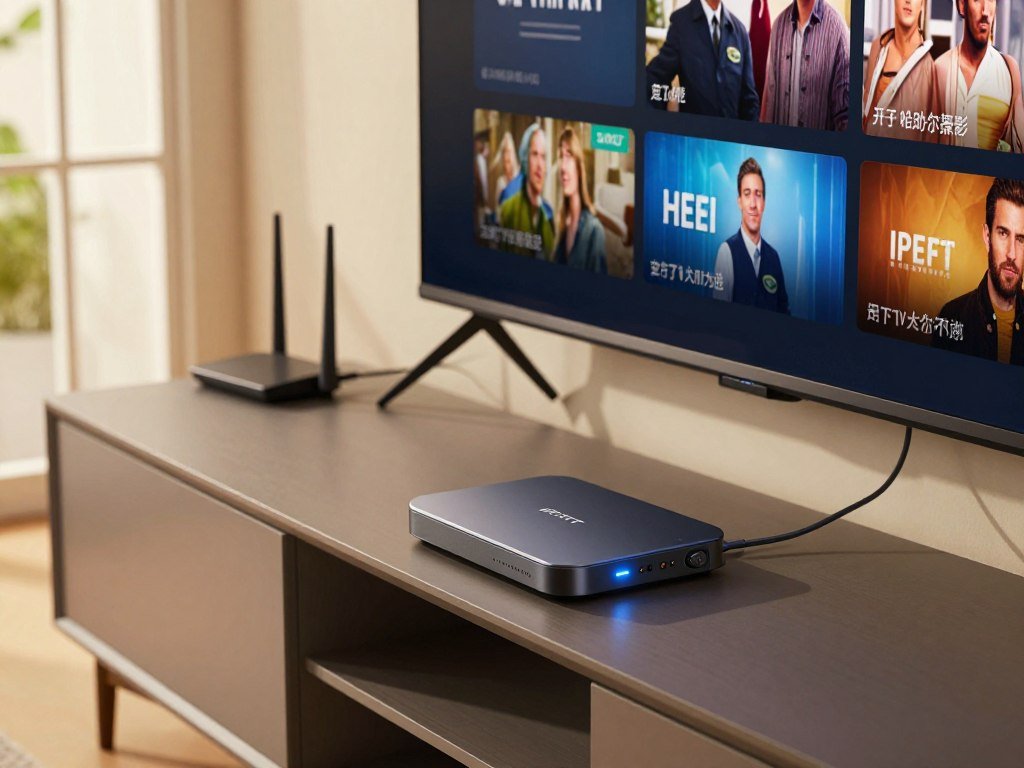
An IPTV box runs apps, but it does not include a TV service or grant content rights.
A player can ask for access details in different formats. Two common methods are an M3U playlist and Xtream Codes login details. These supply information to a player; neither one is a service or proof that a provider has distribution rights.
Before paying for hardware, check what operating system it uses and which apps it supports. A device may have enough processing power yet lack the player or service app you need. A smart TV or streaming stick you already own may do the job.
Keep the purchase decision narrow: the device runs software, while the provider supplies the streams and any licensed access. Before paying for hardware, confirm that the player and authorized service you intend to use both work on it.
Is IPTV Legal in the United States?
IPTV is lawful in the United States when the provider has authorization to distribute the copyrighted content it streams. The key test is the provider’s rights, not its app or marketing name. A service can use IPTV technology lawfully when it has permission to carry its programs.
YouTube TV, Hulu + Live TV, and Sling TV are licensed live-TV streaming platforms in the United States in 2026. The Protecting Lawful Streaming Act targets commercial operators of large-scale unauthorized streaming services with felony charges. It does not identify individual viewers as its target.

Before subscribing, look for signs that the operator explains what it sells. These checks can help flag an offer that needs more scrutiny:
- Clear information about licensing and distribution rights.
- A real operator identity and a usable contact route.
- Terms that explain what the subscription includes.
An app listing or polished website cannot settle the rights question by itself. A service may have an app and still leave its content arrangements unclear. If a service’s distribution rights are unclear, do not treat its website or app as proof of authorization.
What Do Licensed Live-TV Plans Include?
YouTube TV and Fubo are two licensed live-TV options with different package details: one offers multiview for selected programming, while the other lists 213 channels at its cheapest tier. Compare the channels and features you will use, not just the package size.
Both plans offer live programming, while their channel mix and viewing tools differ. Prices and channel lineups can change, so check the current package against your local stations and favorite programs.
| Platform | Concrete 2026 detail | Viewing strength | Check before subscribing |
|---|---|---|---|
| YouTube TV | $83 monthly; 100+ channels; 3 at-home streams; DVR expires after 9 months | Multiview shows up to four selected sports, news, or weather channels | Confirm local channels and required sports networks |
| Fubo | Cheapest plan: $74 monthly, 213 channels; DVR expires after 9 months | Large listed channel package and sports focus | NBCUniversal properties left beginning November 2025 |
| Sling TV | Licensed live-TV streaming platform | Package choices for live channels | Check the current lineup against must-have channels |
Broad channel packages and sports-focused options
YouTube TV included 100+ channels in 2026 and allowed three simultaneous at-home streams. Its unlimited cloud DVR recordings expired after nine months. Multiview showed up to four channels, but only from a select list of sports, news, and weather programming.
Fubo’s cheapest 2026 plan listed 213 channels and unlimited DVR recordings, also set to expire after nine months. Starting in November 2025, Fubo lost NBCUniversal properties, including local NBC affiliates, Bravo, USA Network, and Telemundo. A large channel count does not guarantee your preferred networks remain included.
How Sling TV, Hulu + Live TV, and USTVNow differ
Sling TV and Hulu + Live TV are other licensed live-TV choices. Their packages differ, so compare the exact channels and terms that matter to your home. Hulu + Live TV is another licensed example, not a hardware brand.
USTVNow mainly served a small number of American expats, State Department employees, and military employees overseas in 2026. Territorial limits may apply, and its plans ranged from free to paid premium depending on the viewer’s area. In the continental United States, its service was a TV-everywhere option tied to a regular cable subscription from its place-shifting cable partners.
That makes USTVNow a poor stand-in for a general U.S. live-TV package. Verify must-have local stations and sports networks against the current lineup before choosing a package.
What Are the Best Free Ways to Watch TV?
A digital antenna is the simplest free option for local broadcast networks when the home has usable over-the-air reception. Free ad-supported streaming television, or FAST, apps offer another route, with ads instead of a subscription fee. Free services and broadcast reception can cover different parts of your viewing.
Pluto TV, The Roku Channel, and Tubi together made up 5.7% of all U.S. TV viewing in May 2025. eMarketer projected 131.4 million U.S. users of FAST platforms in 2026. Those figures show broad use, not how well a particular app will suit you.
Free ad-supported apps
Sling Freestream offered 600+ free live channels without an account in 2026. Pluto TV offered 250+ free live channels, while Tubi offered more than 300,000 movies and TV episodes. Tubi reported passing 100 million monthly active users in May 2025.
| Option | Free access detail | Content example | Limitation to check |
|---|---|---|---|
| Sling Freestream | 600+ live channels, no account required | Free live television | Check whether a specific program is included |
| Pluto TV | 250+ live channels | Live channels and on-demand viewing | Expect an ad-supported lineup |
| Tubi | More than 300,000 movies and TV episodes | Movies and series | Catalog availability can vary by title |
| Digital antenna | Local broadcasts without internet | ABC, CBS, NBC, FOX, and PBS | Reception depends on the local signal |
Local broadcast TV with an antenna
A digital antenna can receive local ABC, CBS, NBC, FOX, and PBS broadcasts without internet in 2026. It does not provide cable networks or an on-demand library. Reception depends on your location and the signal reaching the home.
Library and selected free streaming
Kanopy focuses on independent films, documentaries, and educational series through participating libraries. Hoopla offers library-card access to TV shows, children’s programming, and Hollywood movies. Availability depends on the library, and Hoopla borrowing limits are set locally.
These legal options answer the search for the best free IPTV by offering free channels, films, or local broadcasts without unauthorized playlists. Check the local signal and your library’s participating-service list before assuming a free option carries a particular program.
How to Choose the Best IPTV Service for Your Home
For a broad licensed live-TV starting point, choose YouTube TV; for a sports-first household, compare Fubo’s package carefully against the channels you need. Choose by channel fit and household use, not the size of an advertised catalog.
Engadget’s 2026 picks named YouTube TV best overall among live-TV streaming services and Fubo best for sports. Those picks offer a useful starting point, but your local stations, sports networks, and preferred programs should decide the final choice.
A useful shortlist compares the features that shape daily use and the bill. Include these points before weighing a provider’s advertised channel count:
- Must-have channels, including local stations and sports networks.
- Devices in the household that can run the service.
- Concurrent viewing needs during busy evening hours.
- DVR rules, total monthly price, and any added costs.
The best IPTV service for your home is a licensed plan that meets those needs at a price you accept. A “top 10 best IPTV options” list can be misleading if it pads its rankings with providers that lack clear rights or do not carry your channels.
Compare named services by required channels, supported devices, concurrent connections, and total price rather than by an advertised catalog alone. If two options look close, write down which one carries more of your regular programs and which fits your screens.
Keep only services that pass your channel, device, and authorization checks on the shortlist.
What Should You Check in a Trial, Price, or Refund Policy?
A paid first month is not a free trial, even when it is presented as a low-risk way to test a service. Check the first charge and renewal amount before entering payment details. Trial length and billing terms can affect what you owe.
A free trial gives access at no cost for a stated period, though it may require payment details. An introductory paid subscription charges from the start, often at a lower initial rate. The two offers should not be treated as the same thing.
Trial terms and the real first charge
Check how long the free trial lasts, the first charge, and the renewal amount. Note whether a payment method is required and when the paid plan begins. Do not assume a trial or discount continues for a full month.
The offer page should state how billing works and what happens when the trial ends. Save the wording that appears at signup, especially if the first payment is due soon after activation.
Refunds, renewal, and cancellation conditions
A refund window is not the same as a cancellation option. Cancellation can stop future renewal without returning a payment already made. A refund policy explains whether an earlier charge may be returned and under what conditions.
Read the terms for timing, renewal, and activation. Some policies may change refund eligibility once a service is activated, so check the stated conditions before starting access. Do not assume a named service offers a trial or refund unless its current terms say so.
Write down the date when cancellation must happen and how to confirm it. Save the stated cancellation deadline and refund conditions before activating access.
How Many Connections Do You Need for Your Household?
Choose a connection allowance for the number of screens likely to play different programs at the same time. One simultaneous stream counts as one active viewing session. The number of devices you own does not show how many sessions your plan permits.
A service may let you install its app on several devices but limit concurrent streams. Count the people likely to watch separate programs during peak viewing time, then check how the plan applies its limit.
These common household patterns help you estimate the number of connections you may use:
- One person watching one screen needs one active stream.
- Two people watching different programs at once need two streams.
- A shared household with several viewers should count its peak simultaneous sessions.
Some limits may apply across the household, while other rules may apply only to particular devices or locations. The plan’s written terms explain how it counts active streams. Installed apps and owned screens are separate from that allowance.
Think about a normal busy evening, not only the number of screens in the home. One television may sit idle while a phone, tablet, or second TV plays another program. Confirm the plan’s simultaneous-stream rule in writing before sharing one subscription across the household.
Which Streaming Device Should You Choose?
The Roku Streaming Stick 4K is the strongest-rated device among these listed choices, while the Fire TV Stick 4K Max is the lower-listed-price option. Choose a device for its app support and features, not as a promise of better streaming.
CNET rated the Roku 9.0 and the Fire TV Stick 4K Max (2023) 8.4 in 2026. The prices below are listings from named retailers, not fixed market prices.
| Device | 2026 CNET rating | Listed price and retailer | Notable trade-off |
|---|---|---|---|
| Roku Streaming Stick 4K | 9.0 | $60 at Amazon or $80 at Best Buy | Supports Dolby Vision, not Dolby Atmos |
| Amazon Fire TV Stick 4K Max (2023) | 8.4 | $40 at Amazon | Lower listed price among these choices |
| Apple TV 4K (2022) | 8.0 | $130 at Best Buy and Apple | Costs more than the listed sticks |
| Google TV Streamer | 8.2 | $150 at Amazon | Broad app support, smart-home tools, busy interface |
Affordable sticks for everyday viewing
The Roku Streaming Stick 4K supports Dolby Vision, but not Dolby Atmos. Its 2026 listings were $60 at Amazon and $80 at Best Buy. CNET’s hands-on streaming-device comparison also rated it 9.0.
The Fire TV Stick 4K Max (2023) earned an 8.4 rating and had a $40 Amazon listing in 2026. A low listed price can make it a sensible pick when its apps and features match your needs.
Higher-end boxes and smart-home features
CNET rated the Apple TV 4K (2022) 8.0 and listed it at $130 at Best Buy and Apple in 2026. The Google TV Streamer earned an 8.2 rating and appeared at $150 at Amazon. It has broad app availability and smart-home integration, though its interface can feel busy.
Streaming devices vary in app support, interface, and ties to other home products. A higher price does not guarantee that one device will fix weak internet or a service problem. Check the exact model’s app availability before buying it for a particular service.
What Makes a Good IPTV Box?
For most people who only need a compact streaming device, a Fire TV Stick is the simpler starting point; users who need Ethernet, storage, or dedicated box features should compare the Formuler, Nvidia, and MAG models. Match the box to its apps, storage, and network ports.
An IPTV box can run compatible IPTV applications, but it does not grant access to copyrighted programming. A streaming stick may suit everyday app use, while dedicated boxes offer other features and trade-offs.
| Model | Relevant specifications | App or network characteristic | Best fit or limitation |
|---|---|---|---|
| Amazon Fire TV Stick 4K | Alexa voice control | No Google Play Store | Compact budget streaming device |
| Formuler Z12 Ultra | 4GB RAM, 128GB storage | Dual-band Wi-Fi 6, Gigabit Ethernet | More storage and wired networking |
| Nvidia Shield TV Pro | $149-$169 | Widevine L1, AI-enhanced upscaling | Higher-cost box with upscaling |
| MAG540w3 | $89-$109 | Linux-based, native multicast, no app store | Limited app choice without an app store |
General-purpose streaming sticks
The Amazon Fire TV Stick 4K was described in 2026 as a budget streaming device with Alexa voice control. It does not include the Google Play Store, which affects the apps available through that route. Check whether the player you want has a supported version for the device.
A compact stick may be enough for common streaming apps and a simple setup. It has fewer storage and connection options than some full-size boxes. A larger model is useful only if its added features matter to your household.
Dedicated boxes for more storage or wired networking
The Formuler Z12 Ultra lists 4GB RAM, 128GB storage, dual-band Wi-Fi 6, and Gigabit Ethernet. The Nvidia Shield TV Pro was listed at $149-$169, with Widevine L1 and AI-enhanced upscaling. These details can matter if you need more storage or certain playback features.
The MAG540w3 was listed at $89-$109 and uses Linux, native multicast support, and no app store. That makes its app options a key limit for people who expect to install apps freely. Confirm app support and the authorized service’s requirements for the exact box model before ordering.
Which IPTV Player Apps Are Worth Considering?
A player app organizes the playlist and viewing controls, while the IPTV service supplies the streams. Player software does not provide channels or rights to content. Choose an app that supports your device and the access details your authorized provider supplies.
Some apps offer extra features through a paid version or activation. That cost may be separate from the provider’s subscription, so treat the player and service as separate purchases.
Flexible players for multiple devices
TiviMate is a player choice with a paid version listed at $9.99 per year or $33.99 for a lifetime subscription. IPTV Smarters has a free version. These apps organize access details, but they do not supply a channel package.
Check which operating systems and device types each player supports. A familiar app name does not mean every model has the same features or setup process. Confirm that your chosen player accepts the login method your service provides.
Players tied to a device or paid features
MYTVOnline3 was built for Formuler Android TV boxes, so it is closely tied to that hardware line. XCIPTV has a free version. A free app may still have limits or paid features, and activation may be separate from a provider subscription.
Do not enter billing details until you understand what the app charges for and what the provider charges for. Check whether the player’s features require a separate purchase before entering payment details.
How Do You Set Up IPTV and Fix Common Playback Problems?
Start setup by choosing a compatible player and entering the login method and details supplied for the authorized service. Enter the M3U URL or Xtream Codes details exactly as provided. Small typing errors can block access or load the wrong playlist.
An electronic program guide, or EPG, shows schedules for supported live channels. A player can display schedule data only when it receives it for that channel. A 4K stream also needs more internet bandwidth and device capability than lower-resolution video.
Add the service details to a compatible player
Use the login method your authorized provider supplies, then allow the player to load its channel list. A playlist and an EPG may load separately. Follow the app’s field labels so credentials go in the right place.
Troubleshoot buffering, missing channels, and guide data
Try these four checks to narrow down a playback fault:
- Re-enter the M3U URL or Xtream Codes details carefully.
- Refresh the playlist and EPG data.
- Test another channel, then restart the player.
- Compare Wi-Fi with Ethernet and check device support for 4K.
An incomplete EPG may mean schedule data was not supplied for a channel. If one stream fails, the fault may differ from a problem affecting the whole device. A single channel failure does not by itself show that every part of the setup is broken.
If basic checks fail, give support the device model, player name, affected channel, error message, and time of the problem.
Which Channels and Features Should You Test First?
Test your most-watched channels and one on-demand title before judging whether a catalog suits your household. Start with one local channel, one regular entertainment or sports channel, and one VOD movie or series.
A live channel list shows available stations, while an EPG displays schedules for supported channels. Video on demand, or VOD, lets you search for movies and series rather than waiting for a broadcast time.
Catch-up viewing and recording are separate features, and neither follows automatically from a live channel or VOD catalog. Confirm that each feature works for the service, channel, and player you plan to use.
Check more than whether a title starts. Audio, subtitles, and resolution can vary by title or stream, which may affect how well a program works for your home. A program with clear sound and the right captions is more useful than a long list that you cannot comfortably watch.
Use the same small set of programs when comparing plans. Try a local station, a channel you watch each week, and a movie or series you want to see. Record the exact channel or title that fails so a provider can check the specific stream.
How Can You Check Provider Claims and Reliability?
Treat a large channel count as a claim to verify, not evidence that every listed stream works. Clear written terms and a real operator matter more than a huge number. Compare what a provider says across its pages and subscription terms.
SHOROC advertised 30,000-39,000 live channels and 130,000-150,000 VOD titles on different website pages. Those changing ranges are provider-published claims, not proof of how many channels or titles work. Look for consistent details before weighing a catalog’s size.
Compare advertised figures and written terms
Compare channel and VOD counts across the same provider’s pages. If figures differ, the offer should explain which package or catalog each number describes. Written plan terms should also make clear what the subscription includes.
Promotional claims cannot tell you how well every stream works in your home. A count may describe a list rather than a tested, working selection. Pay attention to the specific channels you need.
Look for evidence beyond promotional promises
Zorba advertised 50,000+ live channels, 200,000+ movies and series, and a 24-hour free trial. These are provider-published claims, not independent performance results. Its published refund policy generally restricted refunds after activation, subject to stated exceptions.
Zorba’s terms also contained an unfinished placeholder for governing law and court venue. That gap makes the legal terms harder to understand. Check these four details before trusting a sales pitch:
- Consistent figures across the provider’s pages.
- Complete refund and cancellation terms.
- A working support contact.
- A clear business identity.
A working email or support form gives you a route to raise a billing or access problem. Avoid long-term commitments when key terms or the operator’s identity remain unclear. Do not prepay for a long term while material service terms or operator details remain unclear.
What Is Replacing IPTV for Viewers Who Want More Options?
IPTV is not being replaced by one single service; viewers can combine licensed live TV, on-demand subscriptions, and free viewing routes. Different apps meet different viewing needs. IPTV is a delivery method, while an app or subscription is a way to reach particular programs.
Live-TV streaming services carry scheduled channels, while subscription video apps focus on on-demand programs. FAST apps, antennas, and library platforms offer other options. They are not one replacement technology, but separate ways to watch.
Subscription video and selected free viewing
Many households combine a paid live-TV package with one or more on-demand apps. Free apps and antennas can fill gaps when a household does not need a full paid lineup. Library services can also provide access to selected films and shows.
Keep each subscription tied to programs you plan to watch. Paying for apps with overlapping catalogs can add cost without adding much viewing choice.
Use Prime Video without assuming Prime membership
In October 2026, Amazon Prime Video cost $15 per month with ads, while its video-only subscription cost $9 per month. Non-Prime subscribers could watch selected Prime Video content free under the “Watch for Free” label.
The label applies to selected titles, not the full service. Check whether a specific movie or series is included before starting a paid plan. Choose each app for a specific viewing need instead of paying for overlapping catalogues.
Where Should You Get a Subscription, and How Should You Pay?
The safest place to subscribe is the official checkout for a licensed service or the official app store for a player. Use the service’s own sign-up route, not an unofficial reseller or message group. Check the checkout total, account identity, and stated support route.
YouTube TV, Hulu + Live TV, and Sling TV are licensed live-TV platforms in the United States. Use their official channels to access their plans and account support. For a player app, use its official app store listing when available.
Use a clear official sign-up route
Before paying, check that the account name matches the service you intend to join. Review the checkout total, including any stated recurring charge. Keep the listed support route with your order details.
A player purchase and a TV subscription are different transactions. The official app store is the clearest place to get an app, while the authorized service’s site handles its subscription. Avoid paying a person who offers access through an unofficial message.
Reduce payment and account risks
A credit card or PayPal creates a more traceable payment record than an irreversible transfer or gift card. Use those methods through the official checkout when available. Never send passwords or access URLs through public groups.
Protect account details as carefully as payment details. Keep your receipt and order confirmation, and contact the service through its published official support channel if access does not arrive.
Do not share passwords or access URLs in public groups, and do not pay an unknown reseller for an account.
Conclusion
The right streaming setup is the one that fits your viewing habits and clearly explains what access you are paying for. Start with authorized content and the channels your household actually watches. Then match the plan to your devices and the number of people likely to watch at once.
A well-chosen setup does not need the biggest advertised catalog. It needs the programs you watch, clear terms, and apps that work on the screens you own. Those details make it easier to avoid paying for features your household will not use.
Before subscribing, write down your must-have channels, confirm the service’s rights and device compatibility, and review the total charge and cancellation terms.
FAQ
Who is the best provider for IPTV?
YouTube TV is a strong broad licensed live-TV starting point, while Fubo is worth comparing for a sports-first home. YouTube TV offers 100+ channels and multiview for selected sports, news, and weather programming. Fubo’s cheapest plan listed 213 channels in 2026, but its lineup changed after losing NBCUniversal properties. Check the current package against your must-have channels.
Is there any legal IPTV in the USA?
Yes, IPTV is lawful when a provider has authorization to distribute the copyrighted content it streams. YouTube TV, Hulu + Live TV, and Sling TV are licensed live-TV streaming examples in the United States. The technology itself does not establish whether a service has rights. Look for clear terms, an identified operator, and a real contact route before paying.
Which IPTV provider is considered the best in 2026?
YouTube TV was named the best overall live-TV streaming service pick in 2026, and Fubo was picked for sports. Those choices are useful starting points, not a substitute for comparing channel lineups. Fubo’s listed channel count does not ensure it carries every network you watch. Check local stations, sports channels, plan terms, and device support before choosing.
What is replacing IPTV?
No single service is replacing IPTV because IPTV describes a way to deliver television over internet protocol. Viewers can combine licensed live-TV plans, on-demand subscriptions, FAST apps, antennas, and library services. Each option covers a different need, from scheduled channels to free films or local broadcasts. A mix can work better than one large package for some homes.
Where is the best place to get IPTV?
Use an authorized service’s official checkout for a TV subscription or an official app store for a player. YouTube TV, Hulu + Live TV, and Sling TV offer licensed live-TV service through their official channels. A device or player does not prove that a stream is licensed. Check the provider’s content rights and the checkout details before paying.
What is the best way to pay for IPTV?
A credit card or PayPal through the official checkout gives you a more traceable record than an irreversible transfer or gift card. Keep the receipt and order confirmation with your account details. Do not send passwords or access URLs through public groups. If access does not arrive, contact the service through its published support channel rather than an unknown reseller.
Is IPTV worth paying for?
It can be worthwhile when an authorized service carries the channels you watch and fits your household’s budget and devices. Compare the full recurring price with the programs you expect to use. Also check simultaneous stream limits, playback support, and cancellation terms. A large catalog has little value if it misses your local station or favorite sports network.
What is the best free IPTV website?
Legal free options include Sling Freestream, Pluto TV, Tubi, library apps, and a digital antenna. Each has a different focus, from live channels to films, series, or local broadcasts. A large free channel list does not prove that a site has distribution rights. Stick with known apps, library services, or local over-the-air channels.
About The Author