What Is the Best AI Image Generator: 2026 Reviewed

For most people who want strong results without learning a complicated workflow, ChatGPT is the easiest place to start. The right image generator still depends on what you need to make, how much editing you plan to do, and where you want to finish the work.
This review compares image quality, prompt accuracy, editing, ease of use, and cost. It also looks at how Midjourney, Adobe Firefly, Ideogram, Recraft, FLUX, Gemini, and local options fit different kinds of creation.
You can use the same tool to make a quick concept, but a campaign graphic may need precise text and a clean export. Your best choice is the one that gets your specific image to a usable result, not the one with the highest leaderboard spot.
Key Takeaways
- ChatGPT is an easy starting point for general image creation and revisions.
- Midjourney suits art direction, while Ideogram is a strong option for words inside images.
- Firefly fits people who already work with Adobe tools.
- Recraft focuses on design assets, and FLUX offers model choices for more technical workflows.
- Compare tools with the same prompt and a clear idea of what a finished image needs.
- Check privacy and usage terms before using images for client work.
What Is the Best AI Image Generator for Most People?
If you want one starting recommendation, choose ChatGPT for its accessible workflow and broad image quality. For most people, it offers a useful balance between strong results and simple revisions.
ChatGPT is the broadest all-around pick for ease and quality. In October 2026, GPT Image 2.5 Sunburst ranked first in the Artificial Analysis text-to-image arena, while GPT Image 2.5 Flare ranked second.

A text-to-image arena ranks model preferences from image comparisons. It does not measure every platform feature, such as access, exports, or editing. Google Nano Banana 2.1 ranked fourth with an Elo of 1176 in October 2026. FLUX 3 Image ranked 13th with an Elo of 1117, while Ideogram 4.5 High had an Elo of 1015.
Use arena rankings as a quality signal, not as a final verdict on which platform fits your work.
A 2026 Zapier roundup names ChatGPT for ease of use and overall quality, Nano Banana for Google users, Midjourney for artistic results, Adobe Firefly for working generated images into photos, and Recraft for graphic design.
| Tool | Best fit | October 2026 arena result | Practical distinction |
|---|---|---|---|
| ChatGPT and GPT Image 2.5 | Overall ease and quality | Sunburst first; Flare second | Conversational workflow |
| Gemini and Nano Banana | Google users | Fourth, Elo 1176 | Gemini access |
| Midjourney | Artistic results | No score listed | Web and Discord access |
| Adobe Firefly | Integrating images into photos | No score listed | Adobe workflow |
| Recraft | Graphic design | No score listed | Design-oriented exports |
These options make different tradeoffs. ChatGPT can be the simplest first tool, while another platform may save time once your project needs a specific style, format, or editing path.
Treat arena rankings as a useful quality signal, then let the task and editing workflow decide the final pick.
How Do Image Models and Platforms Work?
A prompt is an instruction that tells an image model what to depict and how to depict it. A diffusion model is an image model that starts with visual noise and gradually refines it into an image guided by a prompt.
The model creates the image, while the platform gives you a way to use it. Text-to-image tools turn written prompts into photos, illustrations, or graphics.

From a text prompt to an image
Diffusion models refine noise in many steps, using the prompt to guide the result. Autoregressive models take a different path: they generate image chunks in sequence.
The differences matter less than the result for many casual users. Your prompt can name the subject, setting, lighting, camera view, color, and style. Clear details give the model a stronger direction, though no wording guarantees perfect results.
Some tools also accept a reference image. That creates an image-to-image workflow, where the model uses an existing image as a guide for a new result. It is different from starting with text alone.
Why the platform matters as much as the model
The platform is the service you interact with. It controls how you enter prompts, upload references, make revisions, and save or export images.
One service may offer a simple chat, while another gives you more control over image size, style, or output format. The same image model can feel different when the controls and revision steps change.
Follow-up editing is another workflow. You can ask for a change to an existing result, or select part of an image for a targeted edit. That is not the same as creating a fresh image from text.
A guide to AI image generation can help you build prompts and prepare images for use. Before committing to a platform, check whether it accepts the kind of reference image and revision workflow your project needs.
How Should You Compare Image Quality and Features?
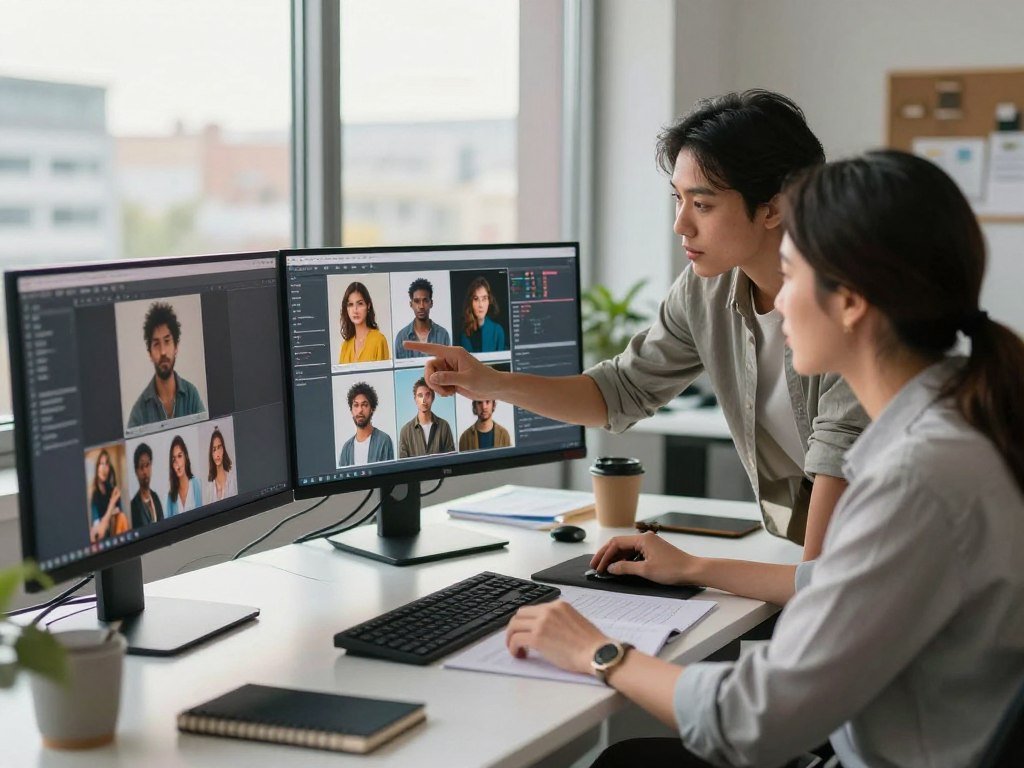
A fair comparison starts with the same prompt, the same image format, and the same definition of a usable result. Keep the test consistent so that one tool does not get an easier task.
Compare outputs at the same aspect ratio and with equivalent instructions. A model that looks impressive on a simple prompt can still miss required objects or wording in a complex design.
Test the same prompt across tools
Use prompts that reflect work you actually do. A published comparison tested four visual prompts: a robot in a neon city, a cartoon treehouse, fantasy creatures, and an image of a JFK speech.
It also tested two business prompts, one for a social graphic and one for a financial-report cover. These examples test different skills, from mood and character details to layout and words.
Keep the image format and instructions alike. If one tool gets a reference image or a longer prompt, the comparison no longer tells you which option handled the task better.
Score what matters for your project
Use a short scorecard rather than judging a tool from one attractive result. These five checks cover common needs:
- Prompt adherence: Did the image include the requested subjects and details?
- Readable text: Are headlines, labels, and fine print correct?
- Anatomy and realism: Do people, objects, and scenes look plausible?
- Editing precision: Did the change affect only the area you intended?
- Time to export: How long did it take to reach a usable file?
Some projects depend on a strong visual idea; others need exact words or objects. Score each image against the finished job, not against a general idea of beauty.
Keep a copy of the prompt and score each result against the needs of the actual project.
Is ChatGPT the Best Choice for Conversational Image Creation?
ChatGPT is a strong fit when you want to describe an image, inspect it, and request focused changes in the same conversation. The chat flow makes it easy to adjust an idea as you see the first result.
You can refine a generated image with follow-up instructions instead of starting over. For a poster, you might ask for a new headline, a different color palette, or a revised composition.

This approach works well when the image needs several rounds of feedback. You can explain what feels wrong in plain language, then ask for one focused change at a time.
Detailed prompts can guide the image toward the right subject, setting, and layout. Text-bearing graphics can also work, though small words and exact spelling may still need attention.
ChatGPT offers limited image creation on its free plan. That can help you try the workflow, but it may not suit a project that needs many outputs or specialized export controls.
A dedicated creative platform may give you more direct control over file settings and production steps. The chat interface is convenient, but convenience is not the same as a full design workflow.
Proofread every word in a generated graphic before publishing it.
When Does Nano Banana Make Sense for Google Users?
If you already use Gemini, Nano Banana is a convenient way to make images without adding a separate creative platform. Gemini access makes it a natural option for users who want image creation inside a familiar chat.
Nano Banana 2.1 ranked fourth in the October 2026 text-to-image arena with an Elo of 1176. That result makes it a competitive image model, though ranking alone does not settle whether it fits your work.
Gemini gives you a conversational route to image generation. You can describe a scene, review the output, and ask for revisions using natural language.
That easy flow can help when you need to explore ideas or adjust a broad part of the image. A precise local edit, such as changing one small object while keeping the rest fixed, may offer less control than a dedicated editing interface.
Usage limits for Gemini image generation depend on the account. Your access may differ from another user’s, so consider how often you expect to create images.
For Google users, the main appeal is a familiar platform paired with a strong model. The tradeoff is how much direct control you need over specific details.
Try a prompt containing several subjects and a specific composition before deciding whether its level of control is enough.
Is Midjourney the Right AI Image Generator for Artistic Results?
Midjourney is worth trying when atmosphere, texture, and visual style matter more than a perfectly literal layout. Its art direction can suit moodboards, concept art, and stylized visuals.
Choose Midjourney when you want an image to feel art-directed, not just accurately arranged. The 2026 Zapier roundup identifies it as a choice for artistic results.
It can help you explore lighting, color, and visual themes before a project takes shape. A set of images can also help you compare different moods for a character, setting, or campaign idea.
That strength may not solve a production graphic with strict text and layout rules. A headline, product label, or carefully placed logo may need a separate design step.
Midjourney is available through its web app and Discord. The web app gives you one entry point, while Discord offers another way to work with the service.
Privacy needs care: Midjourney images are public by default. That setting may not suit client work, unreleased product ideas, or other confidential material.
Keep sensitive client material out of a service where generated images are public by default.
When Is Adobe Firefly the Better Fit?
Firefly makes the most sense when you want to generate an image and continue working on it in Adobe tools. The handoff can help if your work already moves through Photoshop or Illustrator.
Adobe Firefly images can continue in Photoshop and Illustrator, depending on your plan. That can make image generation part of an existing photo or design workflow.
For example, you might use a generated image as a starting point, then refine the composition or combine it with other project assets. The Adobe path can be useful when a finished image needs more than a prompt and an export.
Adobe says its own Firefly models use licensed and public-domain training content and permit commercial use of their outputs. Those stated terms do not apply automatically to partner models offered through the platform.
That distinction matters when the image will appear in paid work. A service can offer more than one model, and the name of the platform alone does not tell you which terms cover a specific result.
Firefly can be a practical choice for existing Adobe users, but a claim about one model should not be treated as a general legal guarantee for every image.
Check which model produced an image before applying Firefly-specific terms to it.
Should You Choose Ideogram for Images With Text?
Ideogram deserves a place on the shortlist when readable words are part of the image itself. Typography is the point for posters, social graphics, and thumbnail concepts.
Ideogram 3.0 is suited to images that need visible text. It can help with a headline-led design, where the words are part of the visual rather than a caption added later.
This use case can save time when you want to test a few visual directions for social media. You can explore how a headline fits with a background, colors, and supporting elements.
Rendered text still needs a close review. Check spelling, line breaks, and fine print, since a single wrong letter can make a graphic look unfinished.
In October 2026, Ideogram’s free access offered 30 credits per week. Free images were public by default unless private generation was available and selected.
A public setting may be fine for an early concept, but it can be a poor fit for an unreleased campaign. Check the privacy controls before you upload or create sensitive material.
Check the account’s privacy setting before creating an unreleased campaign graphic.
Is Recraft Better for Graphic Design Assets?
Recraft is a strong option when the deliverable is a designed asset, not just an attractive standalone image. Its design focus suits icons, matching brand visuals, and vector-style elements.
Recraft supports JPG, PNG, and SVG exports. SVG files can stay scalable and editable, which helps when an asset must fit different sizes or needs later changes.
Recraft also offers tools for mockups and background removal. Consistent image sets can help a product or brand use related visual styles across several pieces.
A structured asset workflow asks for more decisions than a simple prompt-and-generate tool. You may need time to learn which controls suit the design and export you want.
The listed Basic plan starts at $12 per month, or $10 per month when billed annually. The right plan depends on how often you need its design features and exports.
For brand work, a strong image is only one part of the result. Teams also need names and marks that are clear to use, so a business name tool can support early brand planning.
Confirm the export format before building a workflow around an image you may need to edit later.
Who Should Use FLUX Models?
FLUX is better understood as a family of image models than as one all-purpose app. That model choice can appeal to creators and developers who want control over hosting or access.
FLUX variants have different access paths and usage terms. You may use a hosted platform, an API, or a local setup, depending on the model and your needs.
In October 2026, FLUX 3 Image ranked 13th in the Artificial Analysis text-to-image arena, with an Elo of 1117. That score describes one variant, not every model in the FLUX family.
FLUX 3 Image API generation cost $0.048 per 1K image in October 2026. API costs and access can differ by model, output, and provider.
FLUX 2 is a model family, and hosted access and commercial permissions vary by variant. A creator using a hosted service may face different choices from a developer running a model in a custom workflow.
That flexibility can be useful when you know what you need from the model. It can also mean more setup and more terms to understand than a simple consumer platform.
Verify the exact model variant and its usage terms before building a production workflow.
What Is the Best AI Image Generator for PC?
For the easiest PC setup, use a hosted browser tool; choose local models when privacy and customization are worth the setup work. Start with your hardware if you plan to run a model on your own computer.
Hosted tools save setup time, while local models give you more control over where generation runs. Your computer’s graphics memory, or VRAM, can limit which models will run well.
Use a hosted tool for the simplest setup
Leonardo AI offers a browser-based option. Its free plan includes 150 tokens per day, public creations, and basic quality settings.
Token costs vary by action and model. A 2026 comparison estimates that 150 daily tokens can produce roughly 30-50 images, depending on the model and settings.
This can work for trying ideas without installing a model. Public creations may not suit every project, and the number of images depends on how you use the tokens.
Run open-weight models when control matters
Open-weight models can run locally with software such as ComfyUI or Automatic1111. Stable Diffusion supports local use, while FLUX.2 [klein] 4B has open weights under Apache 2.0 and a reference setup of about 13 GB of VRAM.
The Apache 2.0 license allows use, modification, and distribution under its stated terms. Review the Apache License, Version 2.0 for its conditions, including retaining notices.
Before choosing local generation, check these four points:
- Available VRAM in your computer’s graphics card.
- Your comfort with installation and troubleshooting.
- The license for the model you want to run.
- Whether updates or third-party interfaces are needed.
Local use shifts more effort toward setup, hardware, and updates. Compare your computer’s available VRAM with the chosen model’s documented requirements before downloading it.
What Is the Best Free AI Image Generator?
Magic Hour is the quickest free trial for an occasional image because it offers 10 images per day without an account. For a conversational option, Gemini or ChatGPT may suit you better.
No free image generator should be treated as restriction-free. Free access can have usage limits, account rules, privacy settings, or license conditions.
| Free option | Access condition | Practical limit or restriction |
|---|---|---|
| Magic Hour | No account | 10 images per day |
| ChatGPT | Free account | Limited generations |
| Gemini | Account access | Limit depends on the account |
| Adobe Firefly | Free account | Limited daily generations |
| Microsoft Designer | Microsoft account | Personal, non-commercial consumer license |
ChatGPT’s free plan offers limited image creation and conversational editing. Gemini image-generation limits depend on the account, so the amount of access can vary.
Adobe Firefly offers limited daily generations on its free plan. Microsoft Designer requires a Microsoft account, and its consumer license is for personal, non-commercial use.
Free plans can help you test a prompt or make an occasional image. They may not give you the privacy, output volume, or usage rights needed for paid work.
A broader comparison of free AI tools can help you weigh image access against other features. Match the free tier to the image’s intended use, not just to its generation limit.
Which Tools Are Best for AI Image Editing?
For image editing, choose the tool that can change the requested area without damaging the parts you want to keep. Preserving the rest matters as much as making the requested change.
An editing leaderboard measures a different task from text-to-image rankings. Artificial Analysis’s AA-Image-Editing v2.1 ranks models by Elo, based on human-preference votes comparing edits made from text instructions.
Image-to-image tools use a reference image as a starting point and can transform it. Inpainting regenerates a selected region, which can help when you want to change one object or background area.
Test a clear, targeted change, such as replacing a background or modifying one object while leaving the rest intact. A small change can reveal whether the tool respects the source image.
Use these four checks to judge an editing workflow:
- Selection precision: Can you mark the area you mean to change?
- Preservation: Does the tool leave untouched areas alone?
- Source consistency: Does the edit match the original image?
- Version control: Can you revert or compare earlier versions?
Editing results can look polished while changing details you wanted to preserve. A close comparison with the original can reveal those unwanted shifts.
Test a small, reversible edit before trusting a tool with a finished asset.
Which Generator Fits Realistic Photos and Interior Design?
For realistic photos, start with ChatGPT or Nano Banana when prompt accuracy matters, and try Midjourney when the visual mood matters more. Match the tool to the kind of image you need.
ChatGPT and Nano Banana are accessible options for photo prompts, while Midjourney suits stronger art direction. Your best fit depends on how closely the result needs to follow the scene you describe.
For realistic photos and product scenes
For a lifestyle photo, describe the people, action, setting, light, and camera view. Then check anatomy and small details that could make the scene feel false.
Firefly can suit product or campaign work when you need to continue editing an existing photo. A generated image may help with early ideas, but product details and brand marks still need a close look.
For campaign images, review how a generated visual fits your brand and intended use. A guide to AI marketing tools for campaign work covers the wider set of tasks around social and product visuals.
| Use case | Starting tool | Detail to test |
|---|---|---|
| Realistic lifestyle photo | ChatGPT | Lighting and anatomy |
| Product or campaign photo | Firefly | Integration with existing photo edits |
| Artistic interior moodboard | Midjourney | Style consistency |
| Room redesign concept | ChatGPT or Gemini | Preservation of fixed features |
For interior design concepts
Interior design concepts work best when your prompt names the room, fixed features, materials, lighting, and planned changes. A bedroom prompt might keep the window and door in place while changing the wall color and furniture style.
State the room’s dimensions when you know them. Also name features that must stay fixed, such as built-in cabinets, a fireplace, or a doorway.
Use these images to explore a look, not to confirm exact construction plans. Treat an AI interior image as a concept until dimensions, materials, and structural details have been checked against the real room.
How Much Do AI Image Generators Cost, and What Can You Use Commercially?
A free tier can be enough for occasional experiments, while frequent work usually calls for a plan whose limits and rights match the project. Pick for your workload, not just for the lowest monthly price.
Commercial permissions depend on the exact model and plan, and they are not a copyright guarantee. Check the terms for the specific image you plan to use.
| Plan or service | Monthly price | Included access |
|---|---|---|
| ChatGPT Go | $8 | More image creation than the free plan |
| Google AI Plus | $4.99 | Nano Banana access |
| Midjourney Basic | $10 | About 3.3 fast GPU hours monthly |
| Adobe Firefly paid plan | From $9.99 | Unlimited Firefly image generation |
| Ideogram Plus | From $20 | Paid access plus 30 free credits weekly |
In October 2026, ChatGPT Plus cost $20 per month, and Pro started at $100 per month with unlimited, faster image creation. GPT Image 2.5 API output cost $30 per million image tokens, with per-image cost based on size and quality.
Google AI Plus cost $4.99 per month in October 2026. Nano Banana 2.1 API pricing was $0.034 per image, while FLUX 3 Image API generation cost $0.048 per 1K image.
Midjourney Basic cost $10 monthly or $96 yearly, with about 3.3 fast GPU hours each month and no relaxed mode. Standard cost $30 monthly or $288 yearly, with about 15 fast GPU hours and unlimited relaxed mode.
Pro cost $60 monthly or $576 yearly, with about 30 fast GPU hours, unlimited relaxed mode, and stealth mode. Mega cost $120 monthly or $1,152 yearly, with about 60 fast GPU hours, unlimited relaxed mode, and stealth mode.
Before using a generated asset in client work, confirm the model, plan, attribution rule, and privacy setting that apply to that specific image.
Midjourney subscriptions are per user, so each team member needs an individual subscription. Basic and Standard commercial rights require attribution, while Pro and Mega do not.
Adobe Firefly paid plans start at $9.99 per month and include unlimited Firefly image generation on that plan. Ideogram Plus starts at $20 per month, alongside its free allowance of 30 credits per week.
Adobe says its own Firefly models permit commercial use of their outputs. Partner-model terms may differ, and permission to use an image does not guarantee copyright protection or a particular legal outcome.
For client work, keep a record of the model and plan used, along with any attribution or privacy settings. That detail can matter when a project changes hands or the image appears in a new campaign.
Conclusion
Start with the tool that matches the image you need to finish, not the one with the longest feature list. ChatGPT is the easiest general starting point for many users, while focused tools can fit more specific jobs.
Ideogram suits text-heavy graphics, Midjourney supports artistic direction, Firefly fits Adobe workflows, Recraft handles structured design, and local models offer hands-on control.
Test the same detailed prompt in two suitable tools, then keep the one that gets you to a publishable result with less rework.
FAQ
Are there better AI than ChatGPT?
Yes, some image tools are better for specific needs. Midjourney suits artistic results, Ideogram focuses on text in images, and Recraft supports graphic design assets. ChatGPT remains an easy general option, especially when you want to make changes through conversation. Test the image task you care about, since a tool’s best use matters more than a broad ranking.
What AI has no restrictions and is free?
No free AI image tool should be treated as restriction-free. Free access can require an account, limit how many images you make, set privacy defaults, or restrict commercial use. A no-account option may still limit daily generations. Before using a free image in public or paid work, check the account rules and license terms that apply to that service.
What are some alternatives to ChatGPT?
Gemini is a conversational choice for Google users, and Midjourney suits art-directed images. Adobe Firefly fits people who work with Adobe tools, while Ideogram focuses on images that contain text. Recraft is designed for graphic assets, and FLUX offers a family of models with different access paths. Pick an alternative by matching its strongest use to the image you need.
Can I use AI-generated images commercially?
Sometimes, but the exact model and plan terms decide what use is allowed. Adobe says its own Firefly models permit commercial use of their outputs, but those terms do not automatically cover partner models. Other services may set their own rules for attribution, privacy, or commercial work. Permission to use an image also does not guarantee copyright protection.
How can I keep AI-generated images private?
Check whether the service makes creations public by default and select private generation when that option is available. Some free creations are public unless you choose a private setting. Avoid uploading confidential client material to a service whose visibility rules do not fit the project. Also check whether the platform stores or shares prompts and reference images.
Can AI image generators create readable text?
Yes, some image generators can create readable text, and Ideogram is built with typography in mind. ChatGPT can also render words well in many designs. Results can still contain misspellings, odd spacing, or incorrect small print. Review every word and line break before publishing a poster, social graphic, product label, or thumbnail.
About The Author