What Is Ideogram AI? Beginner’s Guide to AI Images
A short headline can be the most important part of a graphic, yet many image tools make those words difficult to control. If you need a poster, cover, or social media graphic, a misspelled title can spoil an otherwise strong design.
Ideogram AI is a text-to-image platform made for visuals that include readable words. This guide is for beginners who want to turn a written idea into a useful image, then decide what needs fixing. You will learn how prompts, visual controls, editing tools, and plans fit into that process.
Think of generation as a way to make a first draft, not a way to skip production work. You may still need to adjust the layout, check the wording, or finish the file in another design tool.
Key Takeaways
- Ideogram AI turns written descriptions into images.
- It is suited to graphics where words matter.
- Short, exact text can help guide a prompt.
- Style and aspect-ratio controls shape the result.
- Generated images can contain mistakes, so review them.
- Use a small, low-stakes project to test the workflow.
Treat generated results as starting points to review, not finished artwork that needs no checking.
What Is Ideogram AI for Text-First Design?
Ideogram AI turns a written visual description into a generated image, with a particular emphasis on incorporating readable text. It is a text-to-image generator: you describe a visual, and the platform creates image options from that prompt.
The word ideogram has a separate meaning in writing. An ideogram is a symbol that represents an idea or concept rather than a speech sound, while a phonogram represents speech sounds. The numerals 1 and 2, plus sign (+), and equals sign (=) are examples of ideograms.
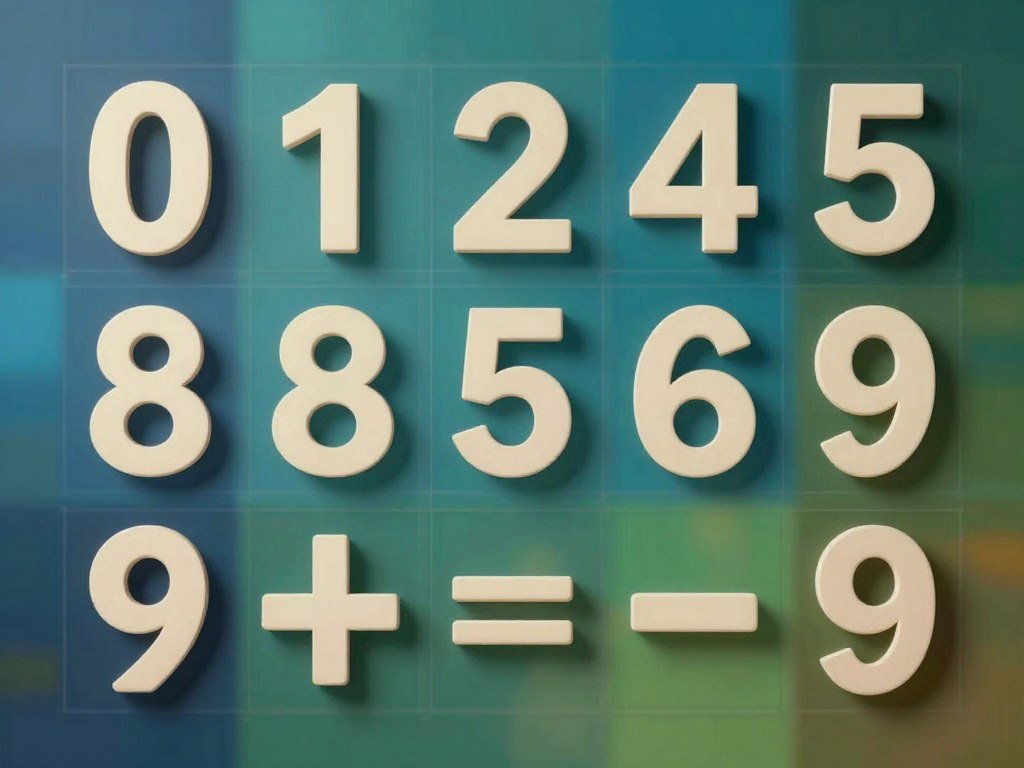
A symbol’s role in a writing system, rather than its appearance alone, determines whether it functions as an ideogram.
The ampersand (&) stands for “and.” It began as a stylized ligature, or joined form, of the Latin word “et.” Its shape is familiar, but its meaning comes from the word it represents.
A pictogram is an ideogram that shows an idea through visual resemblance or illustration. A drawing of a bicycle, for example, can point to a bike path without spelling out the word.
During the 1970s, the U.S. Department of Transportation asked the American Institute of Graphic Arts to develop 50 DOT pictograms. The project shows how designers can use simple pictures to guide people through public spaces.
Chinese characters and Japanese kanji include ideographic characters, but neither writing system uses only that kind of character. The platform’s name and the writing-system term are related by spelling, not by function.
Why Ideogram’s Text Rendering Stands Out
Its clearest advantage is putting readable words inside a designed image, especially when a headline needs to be seen at a glance. Typography changes the task: the model must compose both the image and the words, not just create a scene behind them.
Ideogram is known for legible text in posters, covers, and social graphics, but no spelling or layout is guaranteed to be perfect. A short title can come through clearly, while a longer line may contain a wrong letter or awkward spacing.
Where readable words make a difference
A text-first graphic asks for more than a picture with a caption added later. A poster title needs room and contrast, while a product label must fit the object and remain easy to read.
The same choice matters for a book cover or a social media post. A short headline may need to sit above a subject, wrap around a shape, or share space with a logo.
That makes the prompt a request for a small composition. You are guiding where the words sit, how they relate to the image, and what a viewer notices first.
What Ideogram 3.0 is designed to do
Ideogram 3.0 is designed for legible text, photorealism, and creative designs. Its intended work includes graphic-design layouts and compositions with longer text.
Photorealistic scenes and stylized designs can both serve a text-led image. A realistic product shot may suit a product label, while a drawn background may fit a bold event poster.
If you follow instructions for Ideogram V3, identify version 3.0 in the model controls. Interface labels can change, so the selected model matters when steps refer to a specific version.
Use a large view rather than trusting a tiny preview. Inspect every word at full size before publishing a graphic that carries a name, date, or offer.
How to Make Your First Image
A first session can be as simple as signing in, describing one scene, and choosing among the results. Start with one clear idea, then compare the options against the place where you plan to use the image.
One prompt submission produces four image variations. That gives you a small set to compare, rather than one result you must accept or discard.
To log in to Ideogram, create or access an account and select a sign-in method offered on the screen. Sign-up options include Google, Apple, and Microsoft accounts, though every option may not appear in every interface.
- Open Ideogram and sign in with an offered method.
- Describe the subject and say what you will use the image for.
- Choose a visual style and an aspect ratio for the layout.
- Generate the image and compare all four variations.
- Save the preferred result for the intended placement.
Keep your first request simple enough to judge. “A yellow bicycle beside a brick wall, square social post” gives you a subject, setting, and shape.
You can add more detail after you see what the first set does well or misses. A clear first test also helps you tell whether the issue comes from the prompt or the chosen look.
Save the version that best fits its intended placement, not only the one that looks most striking as a thumbnail.
How to Write Prompts for Better Results
A useful prompt names the subject, describes where it sits in the frame, and spells out any copy that must appear. Exact wording matters when the generated image needs a title, label, or other text inside it.
Build a prompt from the subject, composition, mood or style, lighting or materials, and requested text. Specific instructions give the image generator clear choices to work with.

Describe the subject and composition
Start with the main subject, then explain its place in the frame. “A singer on the right, open space on the left” gives the layout a clear shape.
State the intended use when it affects the design. A wide website header needs a different crop from a square social post.
- Subject: name the person, object, or scene.
- Composition: say where key items sit in the frame.
- Mood or style: choose a clear visual direction.
- Lighting or materials: name details such as soft light or rough paper.
Specify the words and visual style
Put the exact text in quotation marks, then say where it belongs. A concert-poster prompt could request the title “NIGHT SIGNAL” in large letters at the top, with a grunge background and a singer centered below.
For more reliable rendering, aim for short text of about 2-5 words. Long copy can be hard to fit and may be less accurate, even when the scene looks right.
Magic Prompt is an optional feature that expands a basic request with added detail and context. It can help when you have a rough idea but need more description.
Read its changes before using them, since added details may shift the mood or layout you wanted. Clear prompts also help when you compare AI presentation prompts or draft marketing copy with another tool.
Keep the wording brief when exact typography matters, then inspect the generated lettering before using it.
Which Ideogram Features Help Refine a Design?
Style references and aspect-ratio controls help narrow the visual direction before you spend time comparing variations. These controls guide the result, while your prompt still describes what the image should show.
A style reference uses an image to guide the aesthetic; a written style description explains that look in words. Ideogram 3.0 also supports consistent styles, which can help when several graphics need a related feel.
Use style and color controls
A reference image can guide qualities such as texture, mood, or visual treatment. It does not replace a description of the subject or the words you want in the design.
A written style description works without a visual sample. You might ask for a paper-cut look or a clean editorial design, then use a reference when words alone do not capture the target.
Color choices can set a coherent direction across a graphic. A limited palette, such as navy, cream, and orange, can help a campaign image feel deliberate instead of scattered.
Keep a visual look consistent
Use style references when you want a set of designs to share a visual look. Ideogram 3.0 supports consistent styles, but review each result to see whether the key details stay aligned.
Aspect ratio describes an image’s shape. A square ratio suits many social posts, while a wide ratio can fit a site header or a horizontal display.
These settings matter before generation because a composition needs space for both its image and its copy. A title that fits a wide header may crowd the same artwork in a square crop.
| Control | What it guides | Useful when |
|---|---|---|
| Style references | Look guided by a sample image | A campaign needs related graphics |
| Color palette | Colors such as navy and cream | A post must match a set palette |
| Aspect ratio | Square, wide, or tall shape | A header needs a wide layout |
For broader prompt and image work, a practical AI image generator guide can help you think through format and refinement choices.
Choose the target shape before generating, since cropping a finished composition can cut off important words or details.
Can Ideogram AI Edit Images?
Yes, Ideogram AI offers image-editing functions, although an ideogram as a writing symbol is not an editing tool. The platform’s editing features can change parts of an image or adapt its shape.
Generative fill, image expansion, and background removal are listed editing features. Their availability can depend on the device and plan you use.
Generative fill and background removal
Generative fill lets you select an area and create new image content there. For example, you could fill an empty part of a scene with a visual element that better suits the composition.
Background removal separates the main subject from its setting. That can help when you need a product or person on a different background.
These features support edits, but they do not make every result accurate. Review added details and edges, especially when a product must look like the real item.
Expanding an image into a new ratio
Image expansion adds space around an existing composition to fit another aspect ratio. A square graphic could gain a wider scene for a banner, rather than being cropped at the sides.
The added area is generated content, not a simple resize. Check that the expanded background and subject fit the original image’s look.
Expansion can help when one design needs to work in more than one format. It may still need careful adjustment if the new space changes the balance of the layout.
What the iPad app offers
The Ideogram AI image-generator app is a free download on Apple’s U.S. App Store, with in-app purchases. It is designed for iPad and requires iOS 16.6 or later.
The app listing includes generative fill, expanding images into new aspect ratios, and removing backgrounds. That describes the iPad app, not a promise that every feature works on every device or plan.
For a wider look at AI image editing options, compare the tools with the specific changes your project needs.
Check the app’s current device compatibility and in-app purchase details before relying on a mobile workflow.
What Can You Create With Ideogram?
Ideogram is especially useful for promotional visuals where a short headline or brand name belongs in the composition. Text-led graphics are a natural fit, though the platform can also create images without words.
Ideogram 3.0 supports logos, promotional posters, landing pages, and product photography. Batch Generation can make multiple variants in one session, helping you compare possible directions.
Graphics for campaigns and social posts
Common uses include these five kinds of visual work:
- Promotional posters for an event or sale.
- Campaign graphics with a short callout.
- Social posts sized for a specific feed.
- Landing-page visuals that support a web offer.
- Product photography for a shop or catalog.
Batch Generation gives you several alternatives within one session. It can help you compare layout or mood before choosing a direction for a campaign.
For broader marketing work, AI marketing tools for campaign visuals can offer other ways to create and review graphics.
Logo concepts and commercial checks
The platform can generate logo concepts, but it is a general-purpose image model, not a dedicated brand-kit tool. It does not provide business-card exports, so a generated mark does not supply a complete brand system.
A logo may need consistent versions, clear file formats, and rules for use across print and digital work. Plan to review those needs separately if a generated concept becomes part of a real brand.
Check the licensing terms before using an AI-generated logo commercially. A design that looks ready to use does not settle the rights or use conditions.
Treat a generated logo as a concept to review, and verify the applicable license before using it commercially.
How Much Does Ideogram Cost?
Ideogram offers a free option, while its Plus, Pro, and Team subscriptions add monthly priority credits at the listed annual-billing rates. The free option includes 10 credits per week.
Plus, Pro, and Team include unlimited slow credits, while Pay as you go does not. Priority credits provide the paid faster allowance; slow credits are the slower generation allowance.
The subscriptions below show their monthly equivalent when billed annually, along with the full annual charge.
| Plan | Monthly price when billed annually | Annual bill | Priority credits per month |
|---|---|---|---|
| Plus | $15 | $180 | 2,400 |
| Pro | $42 | $504 | 7,500 |
| Team | $20 per user | $240 per user | 3,600 per user |
Team pricing and credits are per user. The annual bill rises with each added seat, and each user gets the listed monthly allowance.
You can buy on-demand credits for 1 cent per credit. These credits are separate from a subscription’s monthly priority allowance.
Pay as you go API pricing is also 1 cent per credit, with a default rate limit of 10 in-flight requests. API access is a way to use the service through software, rather than a standard web-app plan.
Plus, Pro, and Team include unlimited slow credits. Pay as you go does not include unlimited slow credits, so the allowance differs from those subscriptions.
Compare the listed annual subscription prices with their credit allowances before choosing. Compare the annual charge and the priority-credit allowance together, rather than judging a plan by its monthly equivalent alone.
How Does Ideogram Compare With Other Image Tools?
For typography-heavy graphics, Ideogram is the clearest fit; for editable vector output, Recraft offers the relevant distinction. Start with the file you need, since different tools support different kinds of design work.
Ideogram makes raster images rather than vector files, while Recraft offers editable SVG output. A raster image is made from pixels; an SVG is a vector file that can be edited and resized without the same pixel-based structure.
Choose by the kind of output you need
Ideogram suits graphics where words need to sit inside the image. Recraft is the more relevant option when you need an editable SVG for later design changes.
Canva Dream Lab uses Leonardo.ai’s Phoenix model. The difference is useful to know if you are choosing among design platforms and want to understand which model powers a feature.
| Option | Stated focus or model | Output detail |
|---|---|---|
| Ideogram | Typography-heavy graphics | Raster images with style references |
| Canva Dream Lab | Leonardo.ai’s Phoenix model | Images made within Canva Dream Lab |
| Recraft | Editable vector design | SVG output |
Google’s Nano Banana Pro and Adobe Firefly are other names in the wider image-generator field. Nano Banana and Banana Pro are also names used for Google’s image model.
Model access and alternative workflows
Ideogram also offers style references and an API. The API can fit a workflow that needs image generation through software instead of only through a website.
Ideogram 4.0 is an open-weight image model. Developers can download its weights, fine-tune them, and run the model on local hardware.
Commercial deployments of Ideogram 4.0 are licensed according to scale. This developer and enterprise option is different from a subscription to the web app.
Choose a tool by the file type and editing control your final workflow requires, not by model labels alone.
Choose by the file type and editing control your final workflow requires, not by model labels alone.
Conclusion
Ideogram is a practical first tool to try when the words are as important as the image. It can help you create a poster or social graphic with a headline built into the design.
Keep the first test small and low-stakes. A short, exact line gives you a clear way to judge the lettering and layout.
Generated results still need a careful look, especially when a name, date, or offer appears. Write one short headline, make a first draft, and check every letter before sharing it.
FAQ
What is special about ideogram AI images?
Ideogram AI images are especially suited to readable text and typography inside generated visuals. That can help with a poster title, cover line, or short social graphic headline. The platform can still misspell words or place them awkwardly, so inspect the full image before sharing it. A clean scene does not guarantee accurate text.
Is there a free AI logo generator available?
Ideogram has a free option with 10 credits per week, which you can use to explore logo concepts. Those concepts are starting points, not complete brand systems with every file and use rule. Check the licensing terms before using an AI-generated logo commercially. You may also need a separate design tool to prepare final brand files.
Is there a free AI image-to-image generator available online?
Ideogram has a free option, and its editing features include generative fill and background removal. The free allowance does not mean every edit or feature is included at no cost. Check the available controls in your account before building a project around a specific edit. A generated or edited image still needs a close review.
What is the meaning of an Ideogram?
An ideogram is a symbol that represents an idea or concept rather than a speech sound. The numerals 1 and 2, along with the mathematical signs + and =, are examples. The term describes a symbol’s role in a writing system. It does not refer to an image-generation subscription or app.
Is an ideogram free?
An ideogram, the writing symbol, is not a subscription or app, so it does not have a price. Ideogram AI is the similarly named image-generation platform, and that platform has a free option with a limited weekly credit allowance. The spelling is close, but the symbol and the software mean different things.
Can you give me an example of an ideogram?
The numerals 1 and 2 and the mathematical symbols + and = are examples of ideograms. They stand for quantities or relationships rather than making speech sounds. The ampersand also represents the idea “and,” though its form began as a joined version of the Latin word “et.”
How to use ideogram AI free?
Start with Ideogram’s free option, which provides 10 credits per week. Use a credit on a short prompt that names one subject, a simple layout, and any exact text you need. Compare the generated variations, then save the one that best fits your intended use. Review the words closely before sharing.
Which languages use ideograms?
Chinese characters and Japanese kanji include ideographic characters, but neither writing system consists only of ideograms. Both systems use other kinds of characters as well. In general, an ideogram represents an idea or concept rather than a speech sound. A character’s role matters more than its visual shape.
About The Author