What Are the Best AI Apps: Top Picks and App Reviews

A useful AI app should save you effort on a real task, not just produce an impressive first demo. The right choice can give you time back at work or help with everyday tasks, but a broad assistant will not suit every job.
An AI agent is software that can work through multiple steps toward a goal and use connected tools, rather than only generate a reply. The best fit might be an assistant for general questions or a specialist for research, writing, planning, media, coding, workflow automation, or roleplay.
This roundup starts with ChatGPT for broad, general-purpose needs. It also considers cases where a focused specialist can do a narrow task better, such as finding cited web answers or editing video.
Start by naming one task you want to make easier, then judge every app against it.
Key Takeaways
- Try ChatGPT first for common questions, drafts, and everyday tasks.
- Pick a specialist when your work calls for a focused feature.
- Compare finalists using the same real task or file.
- Check plan limits and access before you rely on an app.
- Review important outputs before acting on them.
What Are the Best AI Apps for Everyday Use?
For a single everyday assistant, ChatGPT is the strongest starting pick, with Gemini, Claude, and Perplexity covering distinct needs. ChatGPT leads broad-use adoption, while your preferred tools and tasks can make another assistant a better fit.
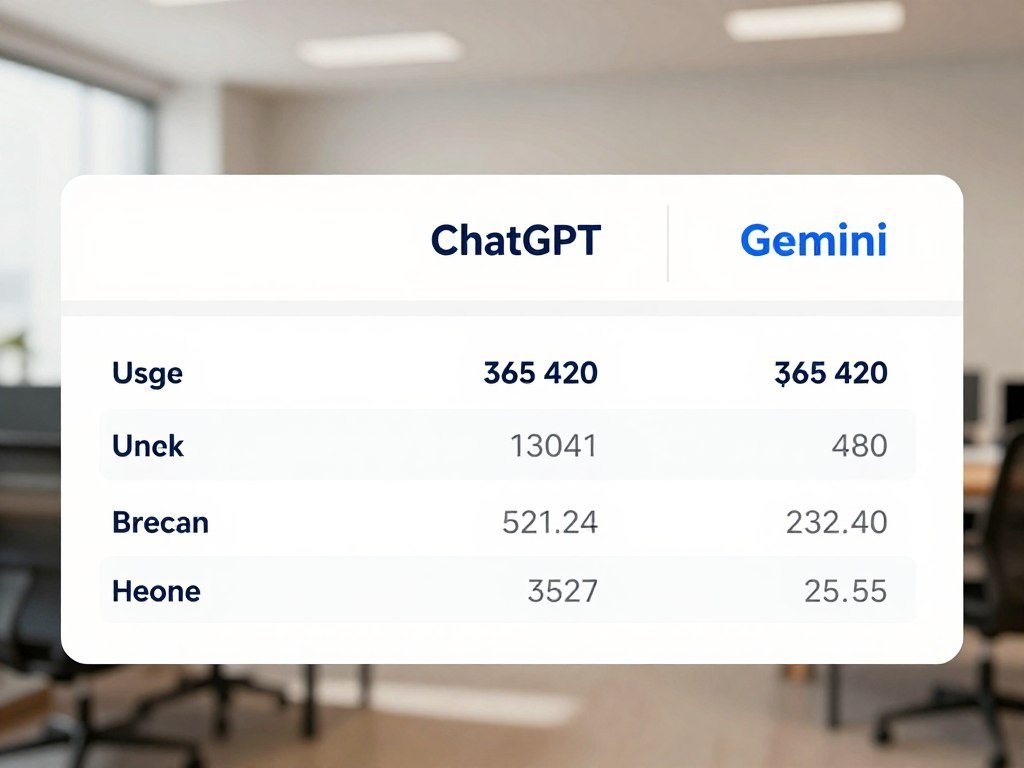
ChatGPT had 900 million weekly active users in January 2026, up 500 million from the prior year. About one in five weekly ChatGPT web users also used Gemini that week. That overlap matters: people can use more than one app for different jobs.
| Metric | ChatGPT | Gemini | Date |
|---|---|---|---|
| Monthly web traffic | 2.7 times | 1 times | January 2026 |
| Monthly mobile active users | 2.5 times | 1 times | January 2026 |
| Monthly mobile sessions per user | 2.2 times | 1 times | January 2026 |
ChatGPT had 2.7 times Gemini’s monthly web traffic and 2.5 times its mobile monthly active users. Its mobile users also had 2.2 times as many monthly sessions per user. PCMag names ChatGPT its top overall chatbot pick.
Someone searching for the top 5 AI apps in the world can start with ChatGPT, Gemini, Claude, Perplexity, and Microsoft Copilot. The top 10 AI apps in the world need not add five all-purpose winners; the same five cover distinct broad-use needs.
ChatGPT’s reach and everyday role
ChatGPT handles varied everyday questions, writing, and common tasks in one chat app. Its reach makes it a practical first test, not a promise that every answer will suit your needs.
When another assistant may fit better
Gemini fits people already using Google services, Claude suits careful long-form work, and Perplexity puts cited web answers first. Match the assistant to the work you repeat, rather than picking by user count alone.
Treat popularity as a useful signal of adoption, not proof that an app suits your own workflow.
A high number of active users shows that an app has broad reach. It does not tell you how much time a particular tool will save on your own tasks.
Which AI Chatbot Fits Your Work Style?
Choose ChatGPT for a flexible first assistant, Gemini for Google-connected multimodal work, or Copilot when Microsoft apps are central to your day. The best AI chat app for common broad-use tasks is ChatGPT; Gemini or Copilot can win when you rely on their ecosystems.
ChatGPT, Gemini, Claude, and Microsoft Copilot are top AI platforms like ChatGPT that can handle general requests. Perplexity is a stronger match for sourced search, while Grok is built for searching X. Start with your daily tools, then compare how each assistant responds to the same prompt.
| App | Best fit | Model or feature detail | Ecosystem |
|---|---|---|---|
| ChatGPT | Broad everyday use | GPT-5.6 family: Luna, Terra, Sol; selectable intelligence levels | ChatGPT app directory |
| Gemini | Google services and multimodal work | Gemini 3.7 Flash for everyday tasks; 3.1 Pro for complex reasoning | Workspace, Maps, YouTube |
| Claude | Long-form writing and document work | Claude Artifacts for side-by-side work | Claude connectors |
| Copilot | Windows and Microsoft 365 users | Email, meeting, document, and data features | Microsoft 365 and Edge |
ChatGPT’s GPT-5.6 family includes Luna, Terra, and Sol variants with selectable intelligence levels. Gemini supports text, images, video, audio, and code reasoning. Model names do not guarantee accurate answers, so judge the result itself.

General-purpose chat for varied tasks
Use ChatGPT when you want one assistant for writing, questions, and common tasks. Claude is a strong alternative for long documents, while Perplexity is a better match when you want answers with source links.
Assistants that match a specific ecosystem
Gemini connects with Google Workspace, Maps, and YouTube, which can help when those services already hold your work. Copilot makes more sense for a Windows user whose email and documents live in Microsoft 365.
PCMag names Gemini its best-value chatbot, Copilot its pick for Windows users, Claude its ChatGPT alternative, and Perplexity its AI search pick. It names Grok for searching X. Test the same real prompt in two finalists before moving a team or personal workflow.
What Are the Best AI Apps for Android?
On Android, start with ChatGPT for an all-purpose assistant or Gemini if your daily work already runs through Google services. Both are useful first choices, while Claude, Perplexity, DeepSeek, and Microsoft Copilot suit other needs.
An Android app can make voice input, camera use, and quick access easier. Features can depend on the app, your account, and your device, so check your setup instead of assuming every phone offers the same options.
General assistants on a phone
Gemini links with Google apps and services, and Gemini Live voice chat is available in its mobile apps, not its web interface. ChatGPT offers a broad assistant experience, while Claude, Perplexity, DeepSeek, and Copilot give you alternatives for different tasks.
Android app testing covered Pixel and Samsung devices running Android 14 and 15. The tested general-purpose apps included Gemini, ChatGPT, Claude, Perplexity, DeepSeek, and Microsoft Copilot. Your own phone may differ from those test devices.
Mobile-first features worth checking
Use this checklist before settling into a mobile routine. It focuses on practical access, not on features that may vary by account or device.
- Install from the official app listing.
- Confirm your account supports the feature you want.
- Test voice input in a noisy setting.
- Review file and camera permissions.
- Check whether a home-screen shortcut is available.
Voice can help when typing is awkward, but it can also mishear names in a loud room. Before relying on voice input, try one short exchange while your phone is locked and another with the screen open.
Which AI App Is Best for Research and Web Search?
For a research answer you can check, Perplexity is the clearest first choice because its responses include clickable citations. An AI search app presents cited answers, while a general assistant may reply without showing a source trail.
Perplexity can help you find information across the web and open the material behind an answer. Its Android app also has a home-screen search widget. That quick access can suit a person who searches often during the day.
A source link is a starting point for verification, not a quality stamp. The linked page may be outdated, off-topic, or weaker than the claim suggests. Open it and read the relevant passage.
Grok offers a fast view of live internet data and discussions on X. It is available on web, iOS, Android, and X, making it useful when current posts matter to your search.
For a wider comparison of AI tools for research and work, match each app to the kind of material you need. Perplexity searches the web; NotebookLM works from files and notes you provide.
Search results can help you find a claim, but the original context still matters. Open the original source and confirm that it supports the specific claim before quoting it.
Which AI Apps Help With Writing and Documents?
Choose Grammarly when you want suggestions as you type, and choose a chat assistant when you need a first draft or a substantial rewrite. Grammarly works close to the text field; chat assistants and document tools work from prompts and supplied context.
Grammarly’s Android keyboard works across text fields and offers real-time grammar, tone, and clarity suggestions. ChatGPT and Claude can help shape a draft, while NotebookLM explores documents and notes you provide. Choose by where the work begins: in a text box or in a group of files.
Drafting and editing text
Use a chat assistant for a first draft, a major rewrite, or a change in tone. ChatGPT’s deep-research feature can produce lengthy reports, and its customization options include memory features. Keep the prompt specific about audience, purpose, and length.
Grammarly is handy when you want edits in place instead of copying text between apps. Try it on a short message first; suggestions that suit a formal note may sound stiff in a friendly email.
Turning source files into usable material
NotebookLM works with user-provided documents and notes for interactive conversations and audio overviews. Claude Artifacts lets you view and edit documents, code, or visual content beside a chat. These tools use supplied context, which can help you work with a set of source files.
Use these practical writing tasks to compare apps on work you already have:
- Soften an email without changing its point.
- Turn rough notes into an outline.
- Extract action items from meeting notes.
- Compare two document drafts for differences.
For a real draft, a smooth rewrite can still change a key detail. Keep the original wording beside the edited version until you have checked names, numbers, and intent.
Which AI Apps Help With Meetings, Notes, and Planning?
Use Otter.ai when you need searchable meeting transcripts, and consider Lifestack when calendar disruptions routinely knock your day off course. Otter.ai tracks transcription minutes, while Lifestack helps rearrange plans around a calendar.
Otter.ai’s free tier includes 300 transcription minutes per month, and Pro includes 1,200 minutes per month. That limit matters if you record long meetings or several sessions each week. Check the monthly total against your real meeting load.
A calendar assistant helps when a late meeting or missed task often forces you to rearrange the day. Lifestack’s Android app syncs with Google Calendar and automatically reschedules disrupted plans. It costs $7 per month, $50 per year, or $120 for lifetime access, and annual plans offer a seven-day free trial.
One practical workflow starts with a meeting capture. Turn its decisions into a short task list, then place those tasks around existing calendar commitments.
That approach keeps meeting notes and scheduling automation separate. A transcript records what people said; a calendar app helps decide when the resulting tasks can happen. Review the fit before adding another tool to your routine.
Automatic rescheduling can move a task into a slot that no longer works for you. Review any automatically moved appointment before treating the new schedule as final.
Which AI Apps Are Best for Images and Video?
For quick image work, Canva and ChatGPT Images 2.0 are practical starting points, while Gemini offers the Nano Banana image series and Veo 3.1 video generation. CapCut suits mobile video editing with AI-assisted features such as auto-captions.
Generating an image from a prompt differs from editing an existing design or refining a video. Canva’s Magic Design, Magic Write, and Background Remover can help with design work. Choose the action first, then pick the app.
Image design for quick creative work
ChatGPT Images 2.0 is ChatGPT’s image-generation model, while Gemini’s Nano Banana series handles image generation. Canva can turn supplied copy into a design and remove a background. Those are different jobs, even when they all start with a prompt or image.
CapCut had 736 million monthly active mobile users. Popular AI features included background removal, AI effects, auto-captions, and text-to-video generation. Do not confuse editing with generation: a tool may refine a clip rather than create its whole story.
Editing and generating video
Gemini’s Veo 3.1 is its video-generation model, while CapCut offers tools for editing mobile clips. OpenAI discontinued Sora 2 video generation in ChatGPT. That feature is no longer available there.
Try these four creative tests before choosing a workflow:
- Remove a distracting background.
- Create a social graphic from supplied copy.
- Caption a short clip.
- Generate a short visual concept to revise manually.
For more ways to shape a prompt and refine an output, see this guide to an AI image generator. Inspect the finished frame-by-frame wherever a visual asset will represent a real person, product, or event.
Which AI Apps Help With Coding and Building?
For coding questions, start with ChatGPT or Claude; for building an app, use a coding environment such as Cursor, Replit, or Lovable. A chat assistant explains or drafts code, while a coding environment can work inside a project.
Ask an assistant to explain a function or draft a small code sample when you need help with one part of a task. An environment can edit files and test a working project. The difference is practical: one gives you text, while the other can change your software.
Plain-language app builders can help non-developers create a basic tool without writing every line. Experienced developers may prefer an IDE, an integrated development environment, where they can inspect changes and run tests.
Before using an AI coding tool, decide whether you want an explanation, a draft, or changes to a project. That choice helps keep the task small enough to review. Review every change before it reaches real users or data.
Cursor, Replit, and Lovable each suit people building or changing working software. For more detail on these AI coding tools for developers, match the environment to your skill and project needs.
In a 2026 survey of more than 30,000 developers, 73% of respondents who use AI coding assistants or agents said they use them daily. Run the generated code and inspect its behavior before using it with real data.
Which AI Apps Automate Workflows and Connect to Other Tools?
If an assistant needs to move information between services, look for a connector or agent that can access the specific tools in that workflow. An AI agent can take multiple steps toward a goal, unlike an assistant that only generates a reply.
ChatGPT’s app directory had 220 apps across 13 categories in late February 2026. Claude had about 160 curated connectors and about 50 community-built MCP servers at that time. The directories overlap, but they are not identical.
App directories and connectors
ChatGPT had more than 85 apps across travel, shopping, food, health and wellness, lifestyle, and entertainment. ChatGPT and Claude shared 41 apps in their directories in late February 2026. Shared apps offer some overlap, not the same full set.
Connectors can help an assistant work with services already in your workflow. Before relying on one, make sure it can reach the specific app and information your task needs. Access is part of the setup, not a side detail.
Agents that take actions across services
Grok Bot was in beta for specified subscribers on desktop and iOS. It can work across apps, inboxes, tools, and websites using a cloud computer. Its usage is separate from Grok and Cursor plan usage.
An agent can take actions, so limit its access and review what it does. Connected accounts need user-set permissions and review; the software should not act freely across every service. Grant only the permissions needed for the task and review the first actions before allowing recurring automation.
Which AI Apps Make Sense for Teams and Business?
Microsoft Copilot is the natural first test for a Microsoft 365 team, while Notion AI makes sense for a team that already organizes work in Notion. Team value depends on fit: the app should work with your documents, email, meetings, and access rules.
Copilot integrates with Microsoft 365 apps and Edge. Its features include email drafting, meeting summaries, data analysis, document creation, and workflow automation. Existing tools matter, since people can often use the new assistant where their work already lives.
Notion AI suits groups that keep shared knowledge and projects in Notion. Its paid AI attach rate rose from 20% to more than 50% in one year, and AI features accounted for roughly half of its annual recurring revenue.
Adoption numbers do not tell you whether a tool fits your team’s process. A small pilot can show whether it helps with one repeated job, such as meeting summaries or internal document retrieval.
Choose a single workflow and a small group for the test. Check how shared access works with permissions already in place, and note where a person must edit the output. Do not roll out an app before testing access rules.
Assign a person to review the pilot’s outputs and access rules before expanding it to the whole team.
Which AI Apps Are Best for Roleplay and Learning?
For character-driven roleplay, try Character.AI; for a visual-novel presentation, try Talkie AI. Gemini Guided Learning fits structured study, where an assistant can explain ideas and ask questions instead of acting as a fictional character.
Character.AI offers community-created characters and group-chat roleplay. Talkie AI’s Mini-Theater Mode presents roleplay in a visual-novel-style format. Pick by interaction style: character and group chats differ from a scene shown like a story.
Character-based roleplay
Character.AI is a strong fit for people who want to talk with community-created characters or bring several characters into a group chat. Talkie AI suits users who prefer a visual presentation. These apps are for entertainment, not professional mental-health advice.
When you compare roleplay apps, consider whether you want an open chat or a more guided scene. Entertainment roleplay is not expert care, even when a character sounds supportive or confident.
Guided learning with an assistant
Gemini Guided Learning offers a teaching-style option. A learning session can ask what you know, explain a concept, and adjust its next question to your answers. That purpose is different from making up a character and setting.
Use a learning assistant to practice a skill or clarify a tricky idea. For a school topic, ask it to explain one step at a time, then try a problem without help. Use a learning assistant to practice and clarify concepts, then check consequential facts against trusted learning materials.
How Much Do the Best AI Apps Cost?
Among the named assistant subscriptions, Gemini’s paid tiers start at $9.99 per month, while ChatGPT’s listed subscription range runs from $8 to $200 per month. Basic access can be free, while paid plans vary by features and use.
Here are the stated prices for five common apps. Check the billing period alongside the monthly amount, since an annual rate may differ from paying month by month.
| App | Free access | Paid plan | Price or condition |
|---|---|---|---|
| ChatGPT | Not specified | Subscriptions | $8-$200/month, based on use and features |
| Claude | Not specified | Claude Pro | $20/month or $17/month billed annually, October 2026 |
| Gemini | Base app free | Google AI Plus; Google AI Pro | $9.99/month; $19.99/month, October 2026 |
| Grammarly | Not specified | Grammarly Premium | $12/month |
| Canva | Free tier | Canva Pro | $12.99/month |
Claude Pro costs $20 per month or $17 per month billed annually as of October 2026. Gemini is free at the base level, with Google AI Plus at $9.99 and Google AI Pro at $19.99 per month.
Character.AI Plus and Talkie AI Premium each cost $9.99 per month. Paid subscriber growth was more than 200% year over year for Claude and 258% for Gemini as of January 2026. Growth measures adoption, not product quality.
Compare the plan’s limits with the task you want to do, not just its headline price. Before paying, compare the exact feature and usage limit you need with the plan’s billing period.
How Do You Choose an AI App Without Wasting Time?
The fastest way to choose is to compare two or three apps on the same task you already do every week. Use the same input for each finalist, then keep the one that gives useful work with the least cleanup.
ChatGPT, Gemini, Claude, Perplexity, and Copilot cover different assistant, search, and ecosystem needs. One recurring task can show which tool fits your work better than a long list of feature claims. Keep the test real, using a prompt or file like one you handle often.
Match the app to a recurring task
An individual can test a task they repeat personally, such as drafting a weekly update. A team should test a shared workflow, such as finding details in internal documents or preparing meeting notes.
Use this short checklist to keep the comparison focused:
- Name the recurring task.
- Prepare one representative prompt or file.
- Compare output quality and correction time.
- Confirm the app fits your tools and access rules.
Check fit before adopting a plan
Record how much correction each result needs and whether the app fits tools you already use. A polished answer may still take longer to fix than a plain draft. Count cleanup as part of the work, not as an afterthought.
Teams should involve the people who will use the workflow, since a process that looks simple to one person may add steps for others. An individual can judge whether the app helps with their own repeated task.
Keep a subscription only when its output reliably saves more effort than it adds.
Which AI Apps Can You Use for Free?
A strong free Android shortlist is Gemini, DeepSeek, Canva, Character.AI, and Talkie AI, with each suited to a different task. These five are starting options, not a claim that only five free apps exist.
The top 5 free AI apps for Android can cover an assistant, text work, design, character chats, and roleplay. The top 10 free AI apps for Android do not need to mean ten similar assistants; the same five give you a practical set of starting points.
| App | Free access | Useful starting task | Stated limit or detail |
|---|---|---|---|
| Gemini | Free plan | Assistant and Google integration | 15GB Google Drive storage |
| DeepSeek | Free | Text and long-context use | No usage limits; V3.2 and R1 support a 1-million-token context window |
| Canva | Free tier | Design | Free tier available |
| Character.AI | Free tier | Character chats | Free tier available |
| Talkie AI | Free tier | Roleplay | Free tier available |
Gemini’s free plan includes access to some top models, including Nano Banana Pro and 3.1 Pro, plus 15GB of Google Drive storage. Free access has useful range, but it does not mean every paid feature is included.
DeepSeek is free with no usage limits, and its V3.2 and R1 models support a 1-million-token context window. Canva, Character.AI, and Talkie AI each offer a free tier for their own kinds of work.
Start with one free option for the task you repeat most, then add another only if it fills a distinct need.
What Should You Check Before Relying on an AI App?
Before trusting an AI-generated answer, check its factual claims and the data the app needed to produce it. Fluent wording does not establish correctness, and a cited answer still needs source checking.
NIST’s AI Risk Management Framework offers a structure for identifying and managing AI risks. It can help teams think through how an app handles information and where review belongs. Use a clear process for routine checks, not just a final glance.
- Verify names and numbers against original records.
- Remove private details the task does not need.
- Inspect connected-app permissions.
- Keep a human decision-maker for consequential actions.
Check the original record for a name, date, or amount before using it in a message or report. Share only the details needed for the task, especially when a file includes personal or business information.
A connected app may have access beyond the one answer you requested. Review what it can read or change, and keep a person responsible for decisions with real effects.
A Stanford study found that legal AI tools gave incorrect or misleading answers 17% of the time, while a general-purpose tool reached an error rate as high as 82% on legal queries. Those findings concern legal use, not AI apps generally. Read the Stanford legal AI study with that limit in mind.
Keep a human review step whenever an incorrect answer could affect money, safety, a customer, or a formal decision.
That review matters most when an answer could affect a real person or a formal choice. Keep a human review step whenever an incorrect answer could affect money, safety, a customer, or a formal decision.
Conclusion
The best starting point for most people is ChatGPT, while a specialist app can be the better choice for one repeated job. Perplexity may fit research, Grammarly may help with text, Canva may suit design, and Otter.ai may help with meeting transcripts.
Try an app on work you already need to do. A free tier or available app can show whether its output saves time before you pay for a plan.
Pick one task for this week, test the app on real work, and decide whether the result earns a place in your routine.
FAQ
What are some other AI models similar to ChatGPT?
Gemini, Claude, Microsoft Copilot, and DeepSeek are alternatives to ChatGPT. They differ in their strengths, tools, and available features. Gemini may suit work tied to Google services, while Copilot fits Microsoft users. Claude can help with long-form writing, and DeepSeek is another option for text tasks. Try the same prompt in two apps to see which result needs less correction.
What is the #1 AI tool?
ChatGPT is the top overall chatbot pick for broad everyday use. It can handle common questions and varied tasks in one assistant. Perplexity is a better fit when you want sourced web research and clickable citations. Neither choice removes the need to review important claims. Match the app to the work you need to finish, rather than treating one ranking as a rule for every job.
What are some different AI platforms available?
ChatGPT and Claude are general assistants, Perplexity is for research, Canva is for design, and Otter.ai is for meeting transcription. Those apps cover different kinds of work, so they are not direct substitutes. For example, Canva helps create visual content, while Otter.ai turns meeting speech into searchable notes. Choose by task first, then compare the app’s access and output quality.
Is ChatGPT still the best AI?
Yes, ChatGPT is the strongest broad first-choice assistant in this roundup. Gemini may fit better if you rely on Google services, Claude may suit long-form writing, and Perplexity is built for research with cited answers. The best choice for a specific task can differ from the broad-use pick. Compare the same real prompt in two apps before changing a routine or team workflow.
What is the best AI app for everyday use?
ChatGPT is the strongest general-purpose starting choice for everyday questions, writing, and common tasks. Gemini is a practical alternative if your work already runs through Google services. Claude and Perplexity can fit long-form document work or web research. A good first test is a task you repeat every week, since you can judge the result against a familiar need.
Which AI app is everyone using?
ChatGPT had 900 million weekly active users as of January 2026. Gemini also reaches some of those users: about one in five weekly ChatGPT web users used Gemini during the same week. These figures show that people may use more than one assistant. User counts signal adoption, but they do not show which app will work best for your own tasks.
What are the top 3 AI to use?
ChatGPT is a strong first choice for broad everyday assistance, Gemini suits Google-connected work, and Claude can help with long-form writing and documents. These three cover different needs rather than forming a fixed ranking for every person. If your main task is finding cited web answers, Perplexity may fit better than any of them. Test apps with the kind of work you actually do.
About The Author