What Is AI Orchestration: A Beginner’s Guide Explained

Start with a customer request that needs a model, an account record, and an action in a business system. A support team might need to understand the request, check a customer’s account, then update a case. Each part may work well alone, yet the handoffs can fail when no system coordinates them.
AI orchestration connects those capabilities into a process with clear rules. It can help teams manage the flow of data, decide which tools may act, and keep a record of what happened. This matters when a business uses AI for work that affects customers or staff.
This guide explains how coordinated workflows operate, where they fit, and what oversight can make them dependable. You will also see how to choose a starting task and test it safely. A useful first question is not how many AI tools a team has, but whether they can complete a task together under clear rules.
Key Takeaways
- AI orchestration connects models, tools, data, and business systems.
- An orchestrator routes work and passes useful information between steps.
- Checks, permissions, and logs help teams keep workflows under control.
- Start with one task that has a clear trigger and measurable result.
- A human review step can help catch errors before important actions.
What Is AI Orchestration?
AI orchestration coordinates models, agents, tools, and data sources so they can complete a larger task as one governed workflow. In practice, an orchestrator decides which component acts, passes relevant state, applies permissions, and records results.
State is the information and intermediate results a workflow carries from one step to the next. A standalone model might answer a prompt, while a coordinated workflow can find account details, use them to shape an answer, and take a permitted next step.
For example, a customer asks whether a refund has been sent. A model can read the question, while an account tool checks the payment record. The orchestrator can pass the relevant state to each component and route the answer to an agent for approval.
AI applications often connect models and tools through application programming interfaces, or APIs. An API lets one system send a request to another system in a defined format. That connection makes tool use possible, but coordination decides when and why the tool runs.
Retrieval-augmented generation, or RAG, combines retrieved information with a language model’s response. A workflow may retrieve help documents, give the useful passages to a model, then check the response before showing it.
A model can produce an answer on its own, but coordination is what connects that answer to the next permitted action.
Agents can add another kind of decision-making. An agent may choose among available tools to pursue a goal, while the orchestrator sets the allowed route and handles the handoffs.
The same system can include fixed steps and model-driven choices. That balance helps teams keep predictable tasks under firm control while using models where flexible language or analysis is useful.

How Does an AI Orchestration Workflow Work?
A support request can start a workflow when a customer submits a ticket or an alert arrives from a business system. From there, a typical workflow plans the route, runs tools, checks outputs, and returns a recorded result.
An AI workflow is a connected set of steps that produces an outcome, not merely a prompt sent to a model. The order matters because an incorrect or missing result can affect every later step.
Triggers and planning set the route
First, a trigger starts work. It might be a new ticket, a scheduled review, a data condition such as a payment flag, or an outside event from another system.
Next, a planner selects the tools or agents that fit the request. For a ticket about a delayed order, it may route work to an intent classifier, an order database, and a response model.
A directed acyclic graph, or DAG, lays out tasks and dependencies without loops. A team can use a DAG when the next step depends on a known result, such as checking an order before drafting a reply.
Tool calls execute and outputs are checked
The selected tools then run. A database call might return a shipping date, while a model summarizes the result in language the customer can understand.
The workflow checks each output before relying on it. A check could confirm that the order number exists, the date uses a valid format, or the response does not claim a refund was issued.
Some workflows need a branch. If a shipment is delayed, the request may go to a person; if it is on time, the system may prepare a standard update.
Results return with an audit trail
At the final stage, the workflow delivers its result and records what happened. An audit trail can show the trigger, tools used, key decisions, and any human approval.
DAG task dependencies and event triggers support different ways to set workflow order and start work. A DAG helps define known dependencies, while an event trigger can respond to a schedule, data condition, or outside event.
For example, a support lead can review the record if an account lookup fails. The workflow should keep the original ticket intact and mark the lookup problem instead of inventing an answer.
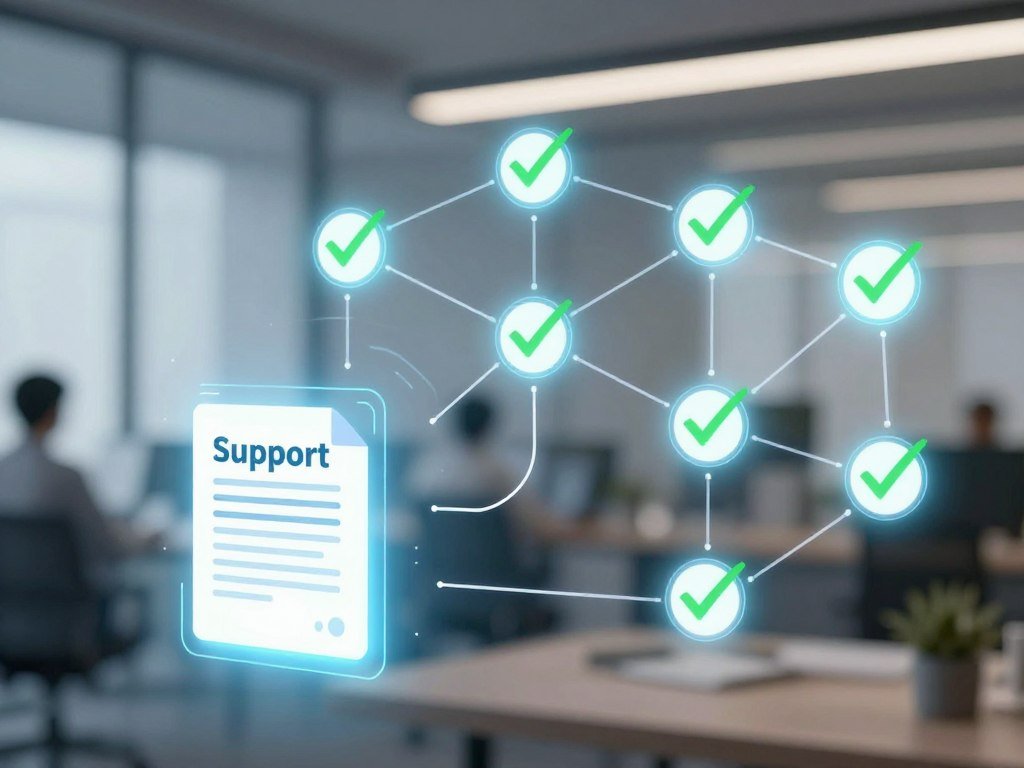
Validate an output before using it to trigger a customer-facing or otherwise consequential action.
What Are the Core Parts of an Orchestration Layer?
Connectors give an orchestration layer a way to reach models, applications, databases, and other tools. Together, those parts let the system move information and control which work happens next.
A connector alone does not provide retries, access policies, or auditability. Those controls come from the wider orchestration layer, which links components and sets rules for their use.
Connectors move information between systems
APIs and connectors link data sources with models and business applications. A connector can pass a support ticket to a model or let a workflow read a record from a customer database.
Data pipelines organize, store, and move information between systems. A pipeline might prepare product data for a model, while a connector gives the workflow a route to the source or destination.
Teams that connect sales work may also explore AI sales assistant tools for CRM, email, and calendar tasks. The orchestration layer still needs to govern which records each tool can read or change.
Automation and state coordinate the work
Task execution runs the selected work, such as calling a model or updating a case. Automation handles routine actions; orchestration decides which action fits the current state and what should follow.
State or memory carries useful context between steps. It might include a ticket ID, the customer’s request, and a checked result from an account lookup.
AI integration connects systems, AI automation performs repeatable actions, and AI management sets rules and oversight. These functions support one another, but they solve different problems.
Monitoring and governance keep control visible
Monitoring helps teams see status, delays, errors, and tool use. Governance sets permissions, review rules, and limits on actions that could affect a customer or business record.
Connectors can move data without deciding whether a model should see it. The orchestration layer needs access rules that match the task and the people responsible for it.

Check whether a proposed setup covers both information flow and the controls that govern what each component can do.
How Is AI Orchestration Different From Related Technologies?
Kubernetes orchestrates containerized workloads, while AI orchestration coordinates the models, tools, and decisions inside an AI workflow. They work at different levels, although a deployed AI service may use both.
Kubernetes is not, by itself, an AI workflow coordinator. It manages container deployment, scaling, and operations; it does not govern the end-to-end reasoning and permissions of an AI workflow.
| Primary job | What it coordinates | Relationship to AI orchestration |
|---|---|---|
| AI orchestration | Models, agents, tools, data, and actions | Coordinates the full AI task and its controls |
| Workflow orchestration | Tasks, dependencies, schedules, and events | Can run AI steps within broader processes |
| MLOps | Model training, testing, deployment, and tracking | Supports model lifecycle work alongside live coordination |
| Agent framework | Agent instructions, tools, and handoffs | Can define agent behavior inside a wider workflow |
| Kubernetes | Containerized applications and services | Can host AI services but does not govern their reasoning |
Data and workflow tools handle nearby jobs. Extract, transform, and load systems, often called ETL, move and prepare data. Apache Airflow schedules data workflows, while AI orchestration can coordinate model calls and business actions around them.
MLOps focuses on building and operating models, including training and deployment management. AI orchestration focuses on the live work that uses those models, tools, and data together.
Google announced Kubernetes on June 6, 2014, with design inspired by Borg. Version 1.0 arrived July 21, 2015; Kubernetes is written in Go and uses the Apache License 2.0.
The 2025 CNCF survey found that 82% of container users ran Kubernetes in production. Among those teams, 34% cited complexity as a top challenge.
Nomad can schedule containers, older binaries, Java apps, batch jobs, and virtual machines with one job-definition syntax. Amazon ECS has no control-plane fee, while Amazon EKS charges roughly $74 per month per cluster for control-plane management.
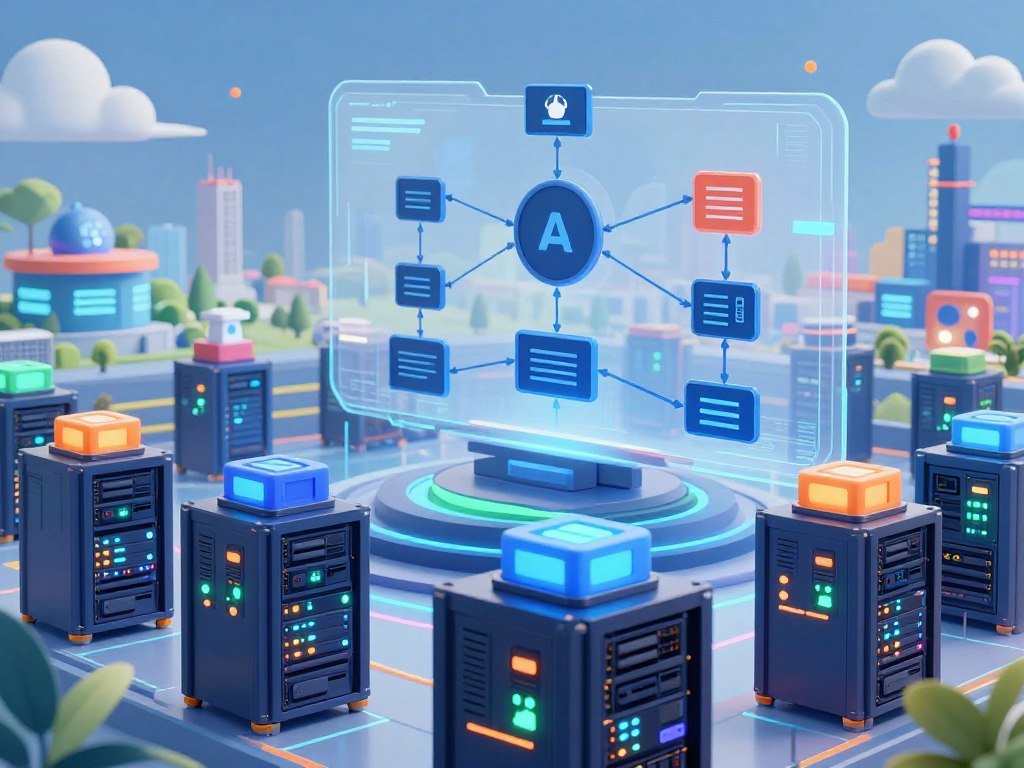
Choose a container orchestrator for deploying containers and an AI orchestration approach for coordinating AI behavior across systems.
Where Does AI Orchestration Fit in the AI Lifecycle?
Orchestration rules are designed before a workflow runs, enforced while it runs, and reviewed after it produces results. That full cycle links planning, live work, and ongoing operations.
The orchestration layer coordinates live work; model training and deployment management handle different lifecycle needs. A model may be trained and deployed before an orchestrated workflow calls it.
Design defines rules and permissions
During design, a team defines routes, policies, permissions, and escalation rules. These settings form the control plane, the part that decides what work is allowed and how the system should respond.
For example, a workflow might let a model summarize a customer complaint but require staff approval before changing an account. Designers also decide what data can enter the workflow and what the system should log.
That planning is distinct from training a model. Training teaches a model from data, while orchestration directs deployed models and tools through a live task.
Runtime executes work and operations review it
The execution plane runs models, tools, and pipelines. It carries out the route set by the control plane, while operations staff watch for delays, failures, and unexpected results.
Operations review can reveal that a tool fails more often after a system change or that a human review queue grows too large. Teams can then adjust rules or repair the affected connection.
Gartner forecast that up to 40% of enterprise applications would include task-specific AI agents by 2026, up from less than 5% in 2025. That forecast points to growing coordination needs, not a reason to add agents to every application.
Treat design, runtime, and operations as connected responsibilities rather than one deployment-day task.
What Benefits Does Orchestration Bring to Teams?
Orchestration is useful when a workflow needs more than one model or tool and the team still needs to see what happened. Its value is practical: it gives people one place to manage handoffs, rules, and results.
Retries and human review can support reliability, but they cannot make an incorrect model output true. Teams still need checks suited to the task and the risk.
- Fewer brittle handoffs: shared state can pass needed details between systems instead of relying on manual copying.
- More consistent oversight: permissions and review rules can apply across repeated tasks.
- Easier troubleshooting: logs can show which step failed and what information it used.
- Better reuse across teams: a tested workflow can be adapted for another group with similar needs.
- Clearer resource use: monitoring can show which tools, model calls, or review steps use time and budget.
Retries can rerun a failed request when the cause appears temporary. A human-in-the-loop checkpoint pauses work for a person to review or approve it.
Those features can reduce disruption, but they do not guarantee accuracy or lower costs. A retry may repeat a bad request, and a reviewer may miss a subtle error.
The NIST AI Risk Management Framework offers a way to organize AI risk work across design, use, and evaluation. Teams can use it to connect controls with the risks they aim to manage.
Measure a benefit against a concrete outcome, such as fewer failed handoffs or shorter review time, rather than the number of automated steps.
Where Is AI Orchestration Used in Business?
A customer-support request may need an intent classifier, a knowledge source, an account system, and a person who can resolve an exception. That pattern also appears in risk checks, planning, and staff knowledge tools.
Business use cases are workflow patterns, not promises of a specific business result. Each process needs checks that fit its data, decisions, and people who own the outcome.
| Starting event | Components working together | Human or system check | Result |
|---|---|---|---|
| Customer asks about a late order | Intent model, order database, reply model | Agent reviews unusual delivery status | Checked update or support handoff |
| Payment system flags a transaction | Rules engine, fraud model, account history | Analyst reviews high-risk cases | Escalation or routine processing |
| Supplier reports a stock delay | Inventory data, forecast model, planning system | Manager approves major changes | Suggested schedule or stock adjustment |
| Staff member asks a policy question | Document search, ranking step, language model | Source and answer checks | Response with relevant policy details |
A RAG knowledge workflow can retrieve relevant documents, rank them, and assemble useful context. It then routes an enriched prompt to a language model and validates the output.
A customer-support handoff might start when an intent model spots a billing dispute. The workflow can fetch the account record, draft a summary, and send the case to a person with billing access.
Fraud review often needs several signals. A model can flag a payment for review, while account history and set rules help an analyst decide what to do next.
Supply-chain planning can bring inventory, supplier updates, and forecasts into one view. A workflow may suggest a change, but a manager can approve changes that affect orders or delivery dates.
For customer-facing sales work, AI marketing tools can connect content tasks with review steps. A team might draft an email and require a human check before it reaches customers.
Start with a recurring process that has a clear trigger, a known owner, and an outcome the team can check.
What Changes When Agents and MCP Tools Work Together?
An agent can decide how to pursue a task, but a multi-agent system still needs rules for handoffs, permissions, and recovery. An orchestrator agent routes or delegates tasks and tracks how work moves among agents and tools.
Model Context Protocol (MCP) connects agents to tools; an orchestrator manages the workflow around those calls. The two can work together, but they do different jobs.
Agent orchestration coordinates delegated work
An orchestrator agent may break a request into smaller tasks, assign them to specialist agents, and oversee their handoffs. One agent might search policy documents, while another checks an account record.
The orchestration layer manages sequence, state, branching, retries, errors, logging, and monitoring. It can also apply permissions and route a difficult case to a person.
Gartner recorded a 1,445% surge in inquiries about multi-agent systems from Q1 2024 to Q2 2025. That figure shows increased interest, not proof that deployments worked well.
MCP standardizes agent access to tools
MCP stands for Model Context Protocol. It standardizes how agents discover, understand, and invoke tools through a shared communication pattern.
MCP servers expose tools, while MCP clients connect to those servers. Machine-readable tool definitions describe what each function does and what inputs and outputs it uses.
For instance, an agent may use an MCP tool to look up an order. The tool definition can explain the required order number and the fields the system returns.
MCP does not provide workflow state, scheduling, retries, observability, or branching logic. Adopting MCP alone does not supply the controls needed to recover from failed steps or review a full workflow.
MCP tool definitions and client-server roles describe how the protocol exposes functions to agents. A separate orchestrator still needs to manage the process around those calls.
Use MCP for a standard way to expose and call tools, then add an orchestrator when the workflow needs state, branching, or recovery.
Which AI Orchestration Framework Fits Your Team?
A team building iterative, stateful agent workflows may start by evaluating LangGraph, while a document-centric workflow may fit LlamaIndex Workflows more naturally. The workflow shape is a useful first way to narrow the choices.
An orchestration framework is a developer toolkit, not automatically a full enterprise platform. Frameworks help define workflow logic; enterprise platforms may add broader governance and operating controls.
Choose graph frameworks for stateful, branching work
LangGraph models workflows as directed cyclic graphs, which can loop back to earlier steps. It supports checkpointing at each step, thread-based persistence, and Postgres-backed checkpointers.
LangGraph 1.0 reached general availability on October 22, 2025. That release date marks a product milestone, not proof that it suits every team.
LangChain is open-source and MIT-licensed, with more than 1,000 pre-built integrations. At the time of a 2026 comparison, it had about 134,000 GitHub stars.
LangChain pairs with LangGraph for stateful, cyclic multi-agent workflows and LangSmith for tracing, evaluation, and production debugging. Teams can assess those pieces together when they need broad integrations and workflow tools.
Choose role-based or hierarchical frameworks for delegation
CrewAI organizes role-defined agents into sequential, hierarchical, and consensual processes. Its Flow API added conditional routing and state management in late 2025.
Microsoft Agent Framework is the unified successor to AutoGen and Semantic Kernel. It supports Python and .NET, graph workflows, GroupChat, handoffs, several model providers, MCP, and Agent2Agent.
Microsoft Agent Framework reached 1.0 general availability in April 2026. Its mix of graph and handoff patterns may suit teams already working in Python or .NET.
Google Agent Development Kit uses a hierarchical tree, where each subagent has one parent. It also supports Agent2Agent over HTTP and JSON-RPC.
Match focused frameworks to document and assistant workflows
LlamaIndex Workflows is open-source and event-driven, with a focus on document-heavy, data-intensive systems. OpenAI Agents SDK is open-source and MIT-licensed for tightly scoped assistants and delegation.
Mastra combines workflows, memory, and Studio for TypeScript teams. Each of these options fits a different way of building and maintaining an AI workflow.
LangGraph 1.0’s general availability and other release details can help teams understand product maturity. Feature fit, debugging needs, and the team’s skills matter more than a date alone.
Test a short representative workflow for persistence, branching, tool access, and debugging before standardizing on a framework.
What Should You Check in an AI Orchestration Platform?
Start platform evaluation by matching the product category to the team that will build, run, and govern the workflow. Fit comes first, since products serve different operating models.
Compare the controls a team needs with the platform’s actual workflow and review features. A developer framework may suit a small engineering group, while a larger operation may need deeper audit and access controls.
| Category | Typical operating model | What to prioritize |
|---|---|---|
| Developer frameworks | Engineers define and maintain workflow code | State handling, testing, and tracing |
| Enterprise workflow systems | Several teams run governed processes | Auditability, approvals, and data control |
| Cloud-native agent services | Cloud teams deploy managed AI components | Model access, security, and cloud fit |
| SMB automation tools | Small teams connect common business apps | Ease of setup, connector coverage, and cost |
Use these checks to compare products against the process you want to run:
- Connector coverage: Can it reach the models, data sources, and business apps you use?
- Deterministic control: Can you set fixed steps, branches, limits, and safe stop points?
- Human approval: Can staff review or approve high-stakes actions before they run?
- Audit and monitoring: Can you trace tool calls, errors, approvals, and workflow outcomes?
- Data residency: Can the system keep sensitive data in the regions your rules require?
- Deployment effort: Can your team build, support, and update the setup with available skills?
Price depends on usage, deployment, integrations, and support needs. A low starting fee may not reflect the cost of running many model calls or maintaining custom connections.
The NIST AI Risk Management Framework can help teams organize controls around AI design, development, use, and evaluation. It gives risk work a structure without replacing product-specific checks.
Some startups also compare orchestration with all-in-one business software that joins customer, project, and support tasks. The best fit depends on whether the team needs broad operations software or deeper workflow control.
Ask for a small proof of concept that exercises a real failure case, not only a clean demonstration.
How Do You Build and Scale an AI Workflow Safely?
Pick one repetitive task with a clear owner and a result the team can verify. A narrow start makes it easier to find errors before a workflow affects more people.
A multi-agent system does not need multiple agents when one model and a tool can meet the task. Add components only when the work needs their distinct abilities.
Choose a bounded task and define its outcome
Write down the task’s starting event, expected result, and owner. For example, a team may draft responses to common order questions, with a support agent checking each draft.
Choose a measurable outcome, such as the share of drafts that pass review or the time staff spend on each case. Keep the measure tied to quality, not just the number of steps automated.
Design state, permissions, and failure handling
Map the data each step needs and who may access it. APIs and connectors can link models, data sources, and applications, but permissions should limit access to the task.
Define the state the workflow carries, the tools it can call, and what happens when a tool fails. A DAG can set known task dependencies, while event-driven triggers can start work from schedules, data conditions, or outside events.
Set safe retry limits and decide where a person must review an output. Keep actions such as issuing a refund or changing a customer record behind suitable approval.
Pilot, measure, and expand in stages
Run the workflow with a small group and real examples before wider use. Keep logs so the team can compare the result with the original task and find weak steps.
For marketing work, a focused set of AI marketing tools can fit an existing review process. Human checks help catch errors in content before it reaches a customer.
Building or maintaining workflows for clients may bring income when customers need the service. Revenue depends on customer demand, delivery, and ongoing support, not simply on using AI.
People exploring AI automation services for small businesses can begin with repeatable jobs such as follow-ups or lead routing. Standard packages may help organize delivery, but each client still needs a workflow that fits its systems.
- Select one bounded task with a measurable outcome.
- Map the data and permissions each step needs.
- Define state, tool limits, and failure behavior.
- Pilot with human review and logs before expanding.
Expand only after the pilot meets its quality, review, and operating-cost expectations.
What Can Go Wrong in Production, and How Can Teams Reduce Risk?
A workflow can fail even when every individual model and tool appears healthy, because an error in one step can distort what follows. Small faults can spread when later steps trust an invalid result.
Validation, bounded permissions, safe retries, and human approval can limit the harm from a bad output. They cannot prevent every error, so teams also need clear ownership and traceable records.
Failures can cascade across dependent steps
A model may return an invalid answer, or a database may be unavailable. If a later tool treats that output as correct, the workflow may update the wrong case or send a misleading message.
Repeated tool actions can create duplicate tickets or repeated requests. Stale state may carry an old account detail, while sensitive state may reach a component that should not see it.
Teams can validate required fields, dates, and identifiers before later steps use an output. A safe retry should address temporary errors without repeating actions that already succeeded.
Weak audit trails make incidents harder to explain. Logs should help staff identify the trigger, the relevant tool calls, and any decisions or approvals.
Autonomous actions need explicit boundaries
Excessive autonomy can turn a small mistake into a customer or business problem. Limit tools to the actions they need, and require human approval for consequential changes.
Gartner forecast that more than 40% of agentic AI projects would be canceled by the end of 2027. This is a forecast about projects as a group, not a guarantee about any one team.
Retries, human checkpoints, and audit trails can help with reliability. Staff still need a clear owner for incidents and a way to stop a workflow when results look unsafe.
Use these checks to prepare for incidents:
- Set an escalation threshold for errors or uncertain outputs.
- Cap retry loops so a failed action cannot repeat without end.
- Review permissions after tools, data, or workflow rules change.
- Test a safe fallback that preserves the case for human review.
Keep a human override available for actions that could materially affect a customer, employee, or business system.
Conclusion
The practical value of AI orchestration is turning separate capabilities into a workflow a team can operate with control. It helps people inspect how models, tools, and data contribute to a result.
Before building, choose one bounded business workflow and check its data, permissions, and success measure. A small test gives your team a clear way to judge whether the process works.
Choose one workflow to map this week, including its trigger, tools, approval point, and measurable result.
FAQ
What is the purpose of an orchestrator agent?
An orchestrator agent routes or delegates tasks among agents and tools, tracks workflow state, and applies boundaries. It coordinates the work rather than replacing each specialist agent. For example, it may send a document search to one agent and an account lookup to another. It can also manage handoffs and send an uncertain result to a person for review.
How to make money with AI automation?
You may earn money by building or maintaining useful automated workflows for clients. Common services include follow-ups, scheduling, customer support, or lead qualification. Revenue depends on customer demand, delivery, and ongoing support, so an AI tool alone does not ensure income. Start with a task a client already needs, then agree on what the workflow should do and how you will maintain it.
What is an AI workflow?
An AI workflow is a connected sequence of steps that uses AI components, tools, and data to reach an outcome. It may start with a customer request, retrieve account details, draft a reply, and ask a person to approve it. The workflow can also check outputs and record actions. It is more than a single prompt because its steps work together toward a defined result.
Is Kubernetes an orchestrator?
Yes, Kubernetes is an orchestrator for containerized workloads. It helps deploy, scale, and manage containers across computing systems. It does not, by itself, coordinate the reasoning, data access, and approval rules inside an AI workflow. A team may use Kubernetes to run AI services and a separate orchestration layer to govern how those services work together.
Is Kubernetes made by Google?
Google announced Kubernetes on June 6, 2014, and its design drew inspiration from Google’s Borg cluster manager. Kubernetes later became an open-source project used across many types of organizations. Its roots at Google explain its origin, but teams now use it to manage containerized workloads across different environments.
Is Kubernetes still relevant in 2026?
Yes, Kubernetes remains widely used in production in 2026. The CNCF’s 2025 Annual Cloud Native Survey found that 82% of container users ran Kubernetes in production. The same survey found that 34% of those teams cited complexity as a top challenge. That means its use is broad, while operating it can still take skilled staff and careful planning.
What is an AI orchestration framework?
An AI orchestration framework is a developer toolkit for defining how AI components coordinate. It may help manage state, route tasks, or connect agents with tools. A framework does not always include the governance, monitoring, and operations features an enterprise platform needs. Teams should match its features to their workflow and decide what controls they must build or add separately.
How do MCP and AI agents work together?
MCP standardizes how an agent discovers and calls tools through MCP clients, servers, and tool definitions. The protocol helps agents understand available functions and the information those functions need. A separate orchestrator manages workflow state, branching, retries, and oversight. Using MCP alone does not provide those wider workflow controls or decide when a human should review an action.
About The Author