What Is Vertex AI? A Simple Guide for Every Beginner
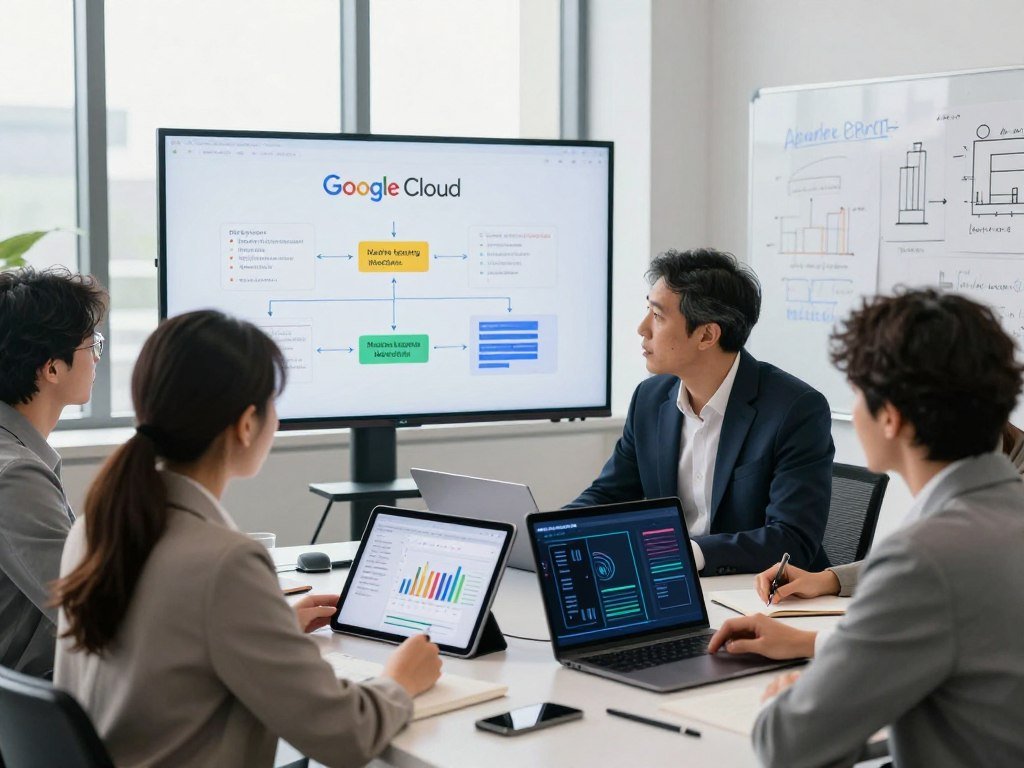
Vertex AI is Google Cloud’s managed platform for building, training, deploying, and managing machine-learning models and AI applications. It brings work that might require separate tools into one shared environment. You can start with managed services and lower-code options, while technical teams can write custom training code.
That range lets beginners start small without limiting teams that need more control. The platform supports machine learning and generative AI, so it can help with both predictions and new AI applications. You still need to decide what problem your system should solve and what data it needs.
A useful first step is to decide whether your project needs a trained prediction model, a generative AI application, or both.
Key Takeaways
- Vertex AI brings many machine-learning and AI development services into Google Cloud.
- Managed options can reduce how much code you need to write.
- Technical teams can use their own training code and frameworks.
- Start by naming the problem and the result your application needs.
- Some projects need a prediction model, while others use generative AI.
Is Vertex AI Gone, or Did Google Rename It?
Vertex AI was renamed the Gemini Enterprise Agent Platform in April 2026, but the services carried forward under the new name. The platform did not disappear; Google Cloud changed the umbrella name for its enterprise AI capabilities.
A platform rebrand does not mean every service has the same lifecycle. Vertex AI launched in 2021, and its services continue under the newer name, though individual services can have separate deprecation schedules.

Follow the lifecycle of the specific service you use, not only the platform’s new name.
Google Cloud documentation and the console may not use names uniformly. Some pages and screens still show Vertex AI, while newer materials may say Gemini Enterprise Agent Platform.
That naming gap can matter when you follow older development instructions. A tutorial may describe a service or console page with a name that has since changed.
The change also does not mean every service under the old name was retired. A platform name covers many capabilities, while each service can have its own updates and end dates.
Before following an older tutorial, match its service name to the current console and check whether that specific service has its own lifecycle schedule.
What Is Vertex AI’s Role in the ML Workflow?
A typical project starts with data, turns that data into a trained model, and ends with predictions that an application can use. The platform connects these main stages through managed tools, but your team still makes the data and machine-learning decisions.
Managed services can reduce the need to assemble every stage from separate tools. They do not decide which data is useful, what a model should predict, or how you will judge its results.

Prepare and connect your data
Begin by bringing together the data your model needs. Teams can explore data in BigQuery and work in notebook environments such as Vertex AI Workbench or Colab Enterprise.
Notebooks let data scientists examine records, test code, and prepare inputs. Their integration with BigQuery can help keep analysis close to cloud data, rather than moving each dataset into a separate tool.
Train and evaluate models
Training uses examples to help a model learn patterns. You choose the target, prepare the training data, and select a suitable approach for the task.
Evaluation checks how well the model handles data it did not train on. That step gives your team evidence about its performance before you use it for real predictions.
Deploy and monitor predictions
After evaluation, a team can make the model available to an application. The platform supports deployment and later monitoring, while production teams manage how predictions fit into their services.
A simple project may need only some stages. A recurring process can use pipelines to connect repeatable work, while a one-time analysis may not need a full production setup.
- Prepare and connect data: gather useful records, review their quality, and make them available to the project.
- Train and evaluate a model: teach it from examples, then test its results on separate data.
- Deploy and monitor predictions: connect the model to an application and watch its behavior over time.
Teams building an early product can also explore machine-learning startup use cases to see how prediction tasks fit real business needs.
Keep the intended prediction or application outcome in view when deciding which workflow stages your project actually needs.
Which AI Models Can You Use on the Platform?
Model Garden gives teams access to more than 200 Google and third-party AI models and tools, including Gemini, Anthropic’s Claude family, and Gemma. The Vertex AI model list is a catalog, not one model that suits every task.
Check a model’s lifecycle dates before building a system around a specific version. A hosted model that you access through the platform is different from a model your team trains with its own data and code.

Browse Google and third-party models
Model Garden helps teams compare available choices and tools. Gemini models serve generative AI tasks, Claude comes from Anthropic, and Gemma is a Google model family.
Some models are ready for teams to access through Google Cloud. Other workflows let technical teams train or adapt models themselves, using their own frameworks and training code.
Check model lifecycle dates
Release and retirement dates help you plan compatibility work. An earliest retirement date is not a promise that a model will remain available afterward.
| Model | Type | Release date | Retirement date or earliest date |
|---|---|---|---|
| gemini-4-argon | Generative AI | October 13, 2026 | No earlier than October 13, 2027 |
| gemini-3.8-flash | Generative AI | September 2, 2026 | No earlier than September 2, 2027 |
| gemini-3.8-live | Generative AI | September 24, 2026 | No earlier than September 25, 2027 |
| gemini-3.5-flash | Generative AI | May 19, 2026 | No earlier than May 19, 2027 |
| gemini-3.1-flash-lite | Generative AI | May 7, 2026 | No earlier than May 7, 2027 |
Gemini 2.5 Pro, Gemini 2.5 Flash, and Gemini 2.5 Flash-Lite are listed for retirement on October 20, 2026. Gemini 3.7 Flash is listed for retirement on January 28, 2027, and Gemini 3.6 Flash on November 19, 2026.
For embedding models, Gemini Embedding 2 was released April 22, 2026. Gemini Embedding 001 was released May 20, 2025, with retirement no sooner than May 20, 2028.
Text Embedding 005, Text Embedding 004, Text Multilingual Embedding 002, and Multimodal Embedding 001 are listed for retirement on April 1, 2027. Google’s Gemini deprecation schedule describes earliest shutdown dates and model changes.
Match a model to the task
Choose a model based on the kind of input and result your application needs. A text model, an embedding model, and a multimodal model handle different kinds of work.
Compare the task, model version, and expected lifecycle before committing to an integration. Your application may depend on a model’s format, behavior, or response speed.
Check the lifecycle of the specific model and version you plan to use before building dependencies around it.
How Do Training and Deployment Work?
A beginner can start with a managed training option, while a team that needs control can bring its own code and framework. The right path depends on how much control the task needs and what skills your team has.
AutoML, where available, offers a managed path; custom training gives your team more control. Custom model training can use frameworks such as TensorFlow or PyTorch, user-supplied code, and chosen hyperparameter tuning options.

Choose managed or custom training
Managed training can suit a beginner who wants to focus on the data and task instead of building every training detail. AutoML options depend on the service and project.
With custom training, your team controls the open-source framework, code, and tuning process. That choice can help when a standard managed option does not fit the model or workflow.
Training is not required for every AI application. A team can access a hosted generative AI model without training a new model from scratch.
Serve predictions with an API
Online predictions return results for requests sent to an endpoint. Batch predictions process a set of records in a job, which can suit a large group of inputs handled together.
Gemini models can also be called through OpenAI libraries for Python, TypeScript, and JavaScript, or through REST. The library setup supports Google Cloud authentication, but these APIs are not interchangeable in every respect.
The OpenAI-compatible Chat Completions API uses model ID google/gemini-3.5-flash. It supports streaming, function calling, and image input.
For Gemini 3, reasoning_effort settings of minimal, low, medium, and high map to Gemini API thinking levels. The setting names connect the two interfaces, but do not make every feature identical.
- Select a training approach: use a managed option or bring custom code and a framework.
- Confirm input and output format: check what the model accepts and what your application needs back.
- Choose online or batch prediction: match the service to requests or groups of records.
Test the request and prediction format with representative data before connecting an endpoint to a live application.
How Can Vertex AI Ground Generative AI in Enterprise Data?
An answer grounded in company information needs a retrieval step that finds relevant enterprise data before the generative model responds. Retrieval-augmented generation (RAG) is a method that retrieves relevant information from your data and supplies it to a generative AI model so its response can be grounded in that information.
Agent Search combines information retrieval with answer generation. It can manage key RAG steps, from preparing source material to finding relevant passages for an answer.
Retrieve and cite enterprise information
Agent Search can handle ETL, which means extracting, transforming, and loading data. It can also manage optical character recognition (OCR), which reads text from images and scanned files.
Its managed process can chunk documents, create embeddings, index and store content, retrieve useful passages, and generate summaries. Those steps help connect a model response to enterprise information.
Summaries can include citations and links to source material. Agent Search also supports multi-turn search, which follows a conversation, and multimodal search across different content types.
Google says customer data sent to Agent Search is not used to train models or for another purpose the customer has not explicitly authorized. That rule describes Agent Search data use, not every Google Cloud product.
Build agent experiences around search
Product names can differ across Google Cloud surfaces. Agent Search was renamed from Vertex AI Search in 2026, while the console still uses Vertex AI Search and AI Applications.
APIs still use Discovery Engine endpoints. That name difference matters when a developer moves between console instructions, product pages, and API code.
The stable answer-generation model changed to gemini-3.5-flash/answer_gen/v1 on October 16, 2026. Configurable search-query add-ons became generally available in the v1 API on September 14, 2026.
The hosted Model Context Protocol server became generally available on April 22, 2026. These release details describe specific Agent Search features and versions.
For a knowledge assistant, test whether the returned citations let a user verify the answer against its source.
How Does Vertex AI Manage Models After Training?
A deployed model still needs oversight because its inputs and operating conditions can change. MLOps, or machine-learning operations, gives teams tools to manage models through evaluation, version tracking, repeatable workflows, and monitoring.
Evaluation checks a model before deployment, while monitoring watches it afterward. The two steps answer different questions: whether a model performs well in tests, and whether its live use may have changed.
A model registry tracks model versions, helping a team record which version it tested or deployed. That makes it easier to manage changes as models move through development.
Vertex AI Pipelines can orchestrate repeatable machine-learning workflows. Teams can reuse a defined process rather than rebuild the same series of steps by hand.
A feature store lets teams share and reuse machine-learning features, the prepared inputs used by models. Shared features can help keep training and production systems aligned.
Model monitoring can flag input skew and drift. Input skew means production inputs differ from the data used during training, while drift means patterns can change over time.
These alerts call for investigation; they do not prove that predictions are inaccurate. A model may still perform well, or a shift may affect results in ways the team needs to measure.
Review monitoring alerts alongside real prediction quality before deciding whether a model needs investigation or retraining.
How Much Does Vertex AI Cost, and Is It Free?
Eligible new Google Cloud customers can receive $300 in Welcome credit for 90 days, but some Gemini-related costs are excluded. The credit cannot pay Gemini API in AI Studio costs or managed-API generative AI partner-model costs.
Free usage applies only to named services and monthly limits. Costs depend on the model, tokens or queries, compute, storage, serving setup, machine type, and region.
Start with eligible free usage
Agent Engine includes monthly free usage for the first 180,000 vCPU-seconds and 360,000 GiB-seconds. Agent Engine sessions also include 50 vCPU-hours and 100 GB-hours each month.
Other monthly free usage includes 1 TB of BigQuery queries, 2 million Cloud Run requests, 1,000 Vision AI units, and 60 minutes of Speech-to-Text.
Identify the billable components
Charges may come from model tokens, search queries, compute time, storage, and model serving. One application can use several of these meters at once.
| Service or usage | Meter | Rate | Condition |
|---|---|---|---|
| Gemini 3.1 Pro | Input tokens | $2.00 per million | Context up to 200K tokens |
| Gemini 3.1 Pro | Output tokens | $12.00 per million | Context up to 200K tokens |
| Agent Engine | Runtime and memory | $0.0864 per vCPU-hour; $0.0090 per GB-hour | Usage-based billing |
| Agent Retrieval | Serving | $2.30 per CU-hour; $0.065 per CU-hour | Storage-Optimized; Performance-Optimized |
| Google Cloud Search | Queries | $4.00 per 1,000; $6.00 per 1,000 | Standard; Search with Advanced LLM |
| Vector Search | Builds and streaming updates | $3.00 per GiB processed; $0.45 per GiB ingested | Index builds or updates; streaming inserts |
For Gemini 3.1 Pro context above 200K tokens, input costs $4.00 per million tokens and output costs $18.00 per million tokens. Vector Search index serving is charged per node-hour, based on machine type and region.
Agent Retrieval payload-database reads cost $0.06 per 100,000 operations. Sessions and Memory Bank cost $0.25 per 1,000 events, and sessions billing began February 11, 2026.
Estimate the workload you will run
Free allowances do not cover every type of activity or all usage. A system that makes many model calls or handles large datasets can exceed its included limits.
Estimate how many requests you expect, how much data they carry, and how often the service runs. Those details help turn a rate into a useful workload estimate.
Teams comparing usage needs can review AI agent platform costs and capacity alongside their expected tools and workload.
Before running a sustained workload, estimate token, query, compute, storage, and serving use separately.
Who Should Use Vertex AI, and When Is It Worth It?
Vertex AI is most useful when its managed tools match your team’s existing cloud environment and the work you need to run. It can be a strong fit if your data and workflows already use Google Cloud services.
It is worth considering when managed machine learning or generative AI tools solve a real team need. A team that needs only a simple model API may not need the platform’s full set of MLOps tools.
Model Garden offers Gemini, Anthropic’s Claude family, and Gemma models, while custom training supports open-source frameworks and team-supplied code. That gives technical teams a path when managed choices do not offer enough control.
The best fit also depends on the application. A marketing team, for example, may need a focused content or analytics tool rather than a full machine-learning platform.
For a narrower task, compare AI marketing tools for specific workflows with the needs of your team. Keep a person responsible for checking important outputs and decisions.
Use these three checks to judge the fit:
- Where does the data live, and which Google Cloud services already connect to it?
- How much control does the model need beyond managed choices?
- Which production tools can your team operate, monitor, and maintain?
Choose the platform only when its tools, cloud fit, and team skills support the same production goal.
Those checks can show whether the managed services save effort or add tools your project does not need. They also help you spot gaps in data access and team capacity.
Vertex AI is more compelling for teams already using Google Cloud and needing managed model development or MLOps. A simple API project may be easier to run without the broader platform.
Try one representative workflow before moving a broader production system onto the platform.
Conclusion
Vertex AI brings model development and AI application tools together in Google Cloud, under the current Gemini Enterprise Agent Platform name. The platform can support machine learning, generative AI, and different models, but your first project does not need to use every service.
Start with one use case, such as making predictions from records or answering questions from company documents. Map that need to its data, model, and deployment approach, then estimate how much you expect to use.
Choose one use case, identify the data and model it needs, and estimate its usage before building a larger system.
FAQ
What does Google use AI for?
Google uses AI across its products and services, including features that help people search, create, and organize information. That broad use is different from Vertex AI, which Google Cloud customers can use to build their own machine-learning and generative AI systems. The customer platform provides tools and services; it does not mean every Google product uses the same model or setup.
Is Vertex AI gone?
No, Vertex AI was renamed the Gemini Enterprise Agent Platform in April 2026, and its services carried forward under the new name. Some Google Cloud screens and documents may still use Vertex AI wording. Individual services can have separate lifecycle dates, so a platform name change does not mean every service remains unchanged or available indefinitely.
Is Vertex AI the same as Gemini?
No, Gemini is a family of AI models, while Vertex AI is the broader Google Cloud platform for models, training, deployment, and agents. The platform is now presented under the Gemini Enterprise Agent Platform name. You can use Gemini models through the platform, but Gemini is not the name of every service or tool it provides.
Can I use Vertex AI for free?
Yes, eligible new Google Cloud customers can receive $300 in Welcome credit for 90 days. That credit cannot pay Gemini API in AI Studio costs or managed-API generative AI partner-model costs. Some services also have monthly free usage limits. Those limits apply to specific meters, so using one free allowance does not make every related service free.
How much does Vertex AI cost?
Costs depend on the model, token or query volume, compute, storage, and serving setup. For example, Gemini 3.1 Pro input costs $2.00 per million tokens for context up to 200K tokens. A project using search, endpoints, or storage may have other charges. Estimate each part of your workload instead of relying on a single rate.
Does Google use Vertex AI?
Vertex AI is Google Cloud’s platform offering for customers who want to build and manage machine-learning or generative AI systems. That fact does not establish which internal Google teams use it or how they use it. For your own project, focus on the platform’s available services, your cloud setup, and the results your team needs to deliver.
Is Vertex AI worth it?
Vertex AI is more compelling when your team already uses Google Cloud and needs managed model development or MLOps. A simple model API use case may not need the platform’s full set of tools. Consider where your data lives, how much control you need, and which production services your team can run before choosing.
About The Author