Types of Cloud Computing: Ultimate Guide for Beginners

Cloud computing lets you use internet-delivered computing resources instead of owning and maintaining every server yourself. For a small business or a new project, that can change how you run applications, store data, and plan for security. The choices can feel confusing at first, since the same cloud setup can have more than one label.
Two separate dimensions make the choices easier to sort. Service models describe what cloud services provide, while deployment models describe where resources are hosted and who can use them. You can combine a service model with a deployment model to meet your requirements. Shared responsibility is the division of security and management tasks between a cloud provider and its customer. The useful first step is to identify what you need the provider to manage and what your organization needs to control.
Key Takeaways
- Service models describe the services you use.
- Deployment models describe where cloud resources run and who can access them.
- You can pair different service and deployment models.
- Providers manage some tasks, while customers remain responsible for others.
- Choose based on your workload, security needs, and team capacity.
What Are the Types of Cloud Computing?
Cloud computing has two useful classification systems, so the answer changes depending on whether you mean the service you use or the environment where it runs. Service models cover IaaS, PaaS, and SaaS; deployment models cover public, private, community, and hybrid cloud.
There are three classic service models and four deployment models in NIST SP 800-145. The NIST cloud definition sets out these two distinct categories. FaaS, or function as a service, is also commonly discussed as a service approach.
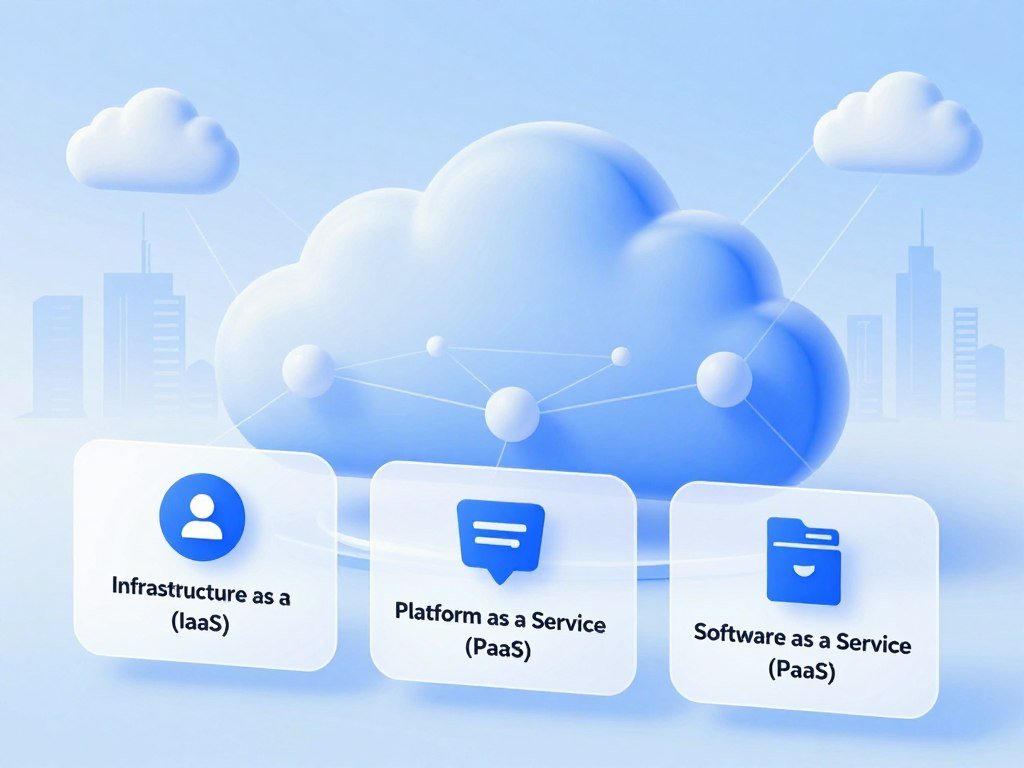
Service models describe what you use
IaaS provides computing resources such as virtual servers. PaaS offers a platform for building applications, and SaaS provides finished software. FaaS runs code when an event occurs, without customer-managed infrastructure.
Deployment models describe how the environment is arranged
Public cloud resources come from a provider for use by multiple customers. Private cloud resources serve one organization, while community cloud resources serve organizations with shared concerns. Hybrid cloud combines public and private environments.
Keep service models and deployment models as separate axes when comparing options.
Some guides count multicloud as a fifth deployment option. It means using more than one public cloud provider, but it is a strategy, not one of NIST’s four deployment models. That difference explains why answers to “3 types of cloud computing” and “4 types of cloud computing” can both be correct.
There are not 10 standardized cloud types. The labels belong to separate classification dimensions, so adding them together would mix unlike categories.
Which Cloud Service Model Fits Each Workload?
A team that wants control of its operating system usually starts with IaaS, while a team that wants to focus on application code can choose PaaS. The workload helps determine how much infrastructure management makes sense.
IaaS gives you more control, while SaaS asks you to manage less. In IaaS, the provider manages physical hardware and virtualization; your team manages the operating system and applications. Examples include AWS EC2 virtual servers, Azure Virtual Machines, and Google Compute Engine.

IaaS and PaaS give teams different levels of control
PaaS providers manage infrastructure and the operating system. Your team manages application code and data. AWS Elastic Beanstalk, Azure App Service, and Google App Engine are examples for building and hosting applications.
| Model | Provider manages | Customer manages | Example |
|---|---|---|---|
| IaaS | Hardware and virtualization | Operating system and applications | AWS EC2 |
| PaaS | Infrastructure and operating system | Application code and data | Azure App Service |
| SaaS | Underlying systems and complete application | Use and configuration | Microsoft 365 |
| FaaS | Infrastructure and execution environment | Function code | AWS Lambda |
SaaS and serverless reduce infrastructure management
SaaS delivers complete applications, such as Salesforce, Microsoft 365, and Google Workspace. Teams can use SaaS tools for business tasks like finance, project work, and customer records.
Serverless computing, also called FaaS, runs code in response to events. AWS Lambda, Azure Functions, and Google Cloud Functions charge for the compute time used. Azure also offers Azure SQL Database as a managed PaaS database, while Microsoft 365 is SaaS.
On Azure, virtual machines, disks, virtual networks, and load balancers are IaaS resources. Azure App Service hosts web apps and APIs. For event-driven tasks, FaaS avoids infrastructure management and charges for the compute time used.
What Are the Main Cloud Deployment Options?
A public cloud is shared across tenants, while a private cloud is reserved for one organization. Access boundaries and control differ across the options.
Five commonly discussed options are public, private, hybrid, community, and multicloud. Public clouds come from third-party providers and serve multiple tenants. A private cloud is dedicated to one organization, which can manage its environment directly or use a provider.

Public, private, and community clouds set different access boundaries
A community cloud is shared by organizations with common concerns, such as compliance needs or a shared mission. Its members agree on how to use and govern the environment. The word “shared” refers to participating organizations, not open access for everyone.
Some guides count five types by including multicloud. NIST’s four deployment models do not include it, since multicloud describes using more than one public provider. Six types is not a standard taxonomy.
Hybrid cloud and multicloud describe different combinations
Hybrid cloud connects public and private environments. A multicloud strategy uses services from multiple public providers; a company may also use a hybrid setup alongside that strategy.
The NIST model evaluation guide distinguishes service models from deployment models. To identify an arrangement, check these five points:
- Who owns or operates the infrastructure?
- Are tenants shared or dedicated?
- Do public and private environments connect?
- Do organizations share compliance or mission concerns?
- Are multiple public cloud providers involved?
If an environment combines public and private resources, call it hybrid; using multiple providers alone does not make it hybrid.
Who Are the Major Cloud Providers?
AWS, Microsoft, and Google Cloud together accounted for 67% of global enterprise spending on cloud infrastructure services in Q2 2026. That market share shows their scale, not which provider will suit your business best.
Global enterprise spending reached $143.4 billion in Q2 2026, up $43 billion year over year. The market grew 43% year over year, its highest growth rate in the previous eight years. The Q2 2026 market report tracks that growth.

AWS held 28% of the global cloud infrastructure services market in Q2 2026, down from 30% in Q2 2025. Microsoft held 20%, unchanged from the same quarter a year earlier. Google Cloud held 15%, up from 13%.
These providers offer services for storage, servers, databases, networking, and software. Their product names and tools differ, so a service that fits one team may not fit another. A business with an existing Microsoft environment may value services that work with its current tools.
Market share measures spending, not reliability, support, security, or ease of use. A smaller provider may still offer the service or location your application needs. Compare the service itself, not just the size of its parent company.
Use provider scale as background, then compare a provider’s specific services against your workload and operating requirements.
How Do Cloud Models Change Security Responsibilities?
A private environment can offer a tighter control boundary, but its security still depends on how access and maintenance are managed. Shared responsibility means the provider and customer divide security and management tasks.
A dedicated environment does not automatically guarantee strong protection. The right checks depend on who can reach cloud resources, how they are configured, and who maintains them. NIST SP 800-144 offers guidance on security and privacy in public cloud computing.
| Deployment model | Boundary to assess | Practical check |
|---|---|---|
| Public cloud | Tenant identity and configuration | Review access policies and exposed services |
| Private cloud | Internal access and maintenance | Verify patching and account controls |
| Hybrid cloud | Policy consistency between connected environments | Align identity and logging |
| Community cloud | Shared governance | Agree on access and data-handling rules |
| Multicloud | Cross-provider identity and monitoring | Keep consistent controls across accounts |
For a public cloud, check which accounts can reach a service and whether the service is exposed to the internet. In a private cloud, the organization must maintain its own accounts and systems. Connected environments need policies that work across both sides.
Community members need clear rules for access and data handling. Multiple providers can make identity and monitoring harder to keep consistent. The cloud compliance monitoring example shows how settings, access, and backup checks can flag risks.
NIST SP 800-53 is a catalog of security and privacy controls. Check who is responsible for each control before placing sensitive data or applications in an environment.
How Do You Choose the Right Cloud Setup?
Start with the workload and the control your team needs, then choose the service and deployment models that meet those requirements. Your existing systems, business goals, and team skills shape the choice.
Choose service and deployment models separately, then combine them. SaaS suits ready-made applications, PaaS suits custom application development, IaaS suits teams needing operating-system control, and FaaS suits event-triggered code.
Use this checklist to frame the workload:
- What is the workload meant to do?
- How much control do you need over the operating system and data?
- What compliance or security needs apply?
- Does demand stay steady or rise and fall?
- How much infrastructure can your team manage?
A small company that needs email and document tools may choose SaaS. A team building a custom application may prefer PaaS, while an operations team may need IaaS control over its operating system.
Workload patterns matter, too. A steady application may need resources all day, while code that runs only after an event may fit FaaS. The deployment model can be public, private, community, or hybrid, depending on access and operating needs.
Teams that rely on tools such as Microsoft 365 and other work software should count existing workflows as part of the workload. New software can affect how staff share files, handle tasks, and work with customers.
For a custom product or developer team, consider how its code, data, and tools will fit current business needs. Write down the required controls and the team’s management capacity before comparing provider offerings.
What Should You Manage After Cloud Adoption?
A cloud setup needs ongoing ownership, access reviews, cost visibility, and recovery checks to stay manageable. Clear owners help your team spot changes before they cause trouble.
Every cloud environment needs regular checks, including accounts with more than one provider. The NIST Cybersecurity Framework 2.0 groups security work into Govern, Identify, Protect, Detect, Respond, and Recover.
- Assign an owner to each cloud resource.
- Review identities and permissions.
- Monitor usage and cost.
- Test backups and recovery.
Resource ownership helps teams find who should act when a server, database, or storage account changes. Access reviews can catch old accounts or permissions that no longer fit a person’s job.
Cost oversight also needs a routine. The FinOps Framework groups cloud financial management practices into Inform, Optimize, and Operate. These steps help teams understand spending and make changes as needs shift.
Security work should cover every environment in use. A team with public and private resources, or more than one provider, needs to track controls across each account. The same review process can include servers, storage, databases, and applications.
Schedule a recurring review of access, usage, and recovery tests, and give each action a named owner.
Conclusion
The best cloud setup is the one that meets the workload’s needs without exceeding your team’s ability to manage it. You can select a service model based on the work, then choose an environment that fits your access and control needs.
Start with one real application or process instead of trying to plan every future cloud need at once. A short written brief can help your team compare services and discuss risk in concrete terms.
Pick one application or process, write down its control, security, and scaling needs, and use that brief to evaluate your options.
FAQ
What are the four types of cloud computing?
The four commonly cited deployment models are public, private, hybrid, and community cloud. Public cloud serves multiple tenants, while private cloud is dedicated to one organization. Hybrid cloud connects public and private environments. Community cloud is shared by organizations with common concerns. Multicloud is often treated as a separate strategy because it uses more than one public provider.
What are the top 3 cloud services?
The three classic cloud service models are IaaS, PaaS, and SaaS. IaaS gives you virtual computing resources, PaaS gives developers a platform for building applications, and SaaS provides finished software. FaaS is an additional service approach for running code in response to events. The right model depends on how much infrastructure your team wants to manage.
What are five examples of cloud computing?
Five examples are AWS EC2, Azure Virtual Machines, Google App Engine, Microsoft 365, and AWS Lambda. AWS EC2 and Azure Virtual Machines provide virtual servers. Google App Engine helps teams build and host applications. Microsoft 365 delivers software over the internet. AWS Lambda runs code when an event triggers it, without customer-managed infrastructure.
What’s the difference between hybrid cloud and multicloud?
Hybrid cloud combines public and private environments, while multicloud uses services from multiple public providers. A business can use both approaches at once, such as connecting a private environment to services from two public providers. Using multiple providers alone does not make an environment hybrid. The key difference is whether public and private resources work together.
Which cloud service model suits a small business?
SaaS is a practical fit for a small business that needs ready-made applications and little infrastructure management. It can cover tools for email, documents, finance, or customer records. Choose PaaS if your team is building a custom application and wants the provider to manage the platform. Choose IaaS when you need more control over the operating system.
About The Author