What Is Open Source AI? A Friendly Beginner’s Guide

A downloadable AI model can look open at first glance, but the files it shares determine what you can actually inspect and change. If you are learning about AI, building software, or weighing tools for a business, the label can affect what you can do with a release. You may want to study its design, adapt it to your needs, or share your own changes. Those choices depend on more than a download button. Access to weights alone does not settle whether an AI system is open source. Model weights are the learned numerical parameters that shape a model’s responses to new inputs. A release may give you those parameters while leaving out other materials needed to understand its development. A useful first step is to check what a release lets you do, not just what its label calls it.
Key Takeaways
- Open source is about the freedoms a release grants, not just downloadable files.
- Weights are learned parameters that shape a model’s responses.
- Training materials help you study and change how a model was built.
- Open-weight models and open-source AI systems are not the same thing.
- Licenses, data handling, hardware, and support can affect your choice.
- Start with a small task you can test using non-sensitive inputs.
What Is Open Source AI Under the OSI Definition?
In the OSI’s definition, a system counts as open source when its terms protect four freedoms: use, study, modification, and sharing. The Open Source AI Definition 1.0 applies those freedoms to AI systems, not just source code. It sets a rule for what people may do, then explains what materials help make those freedoms real.
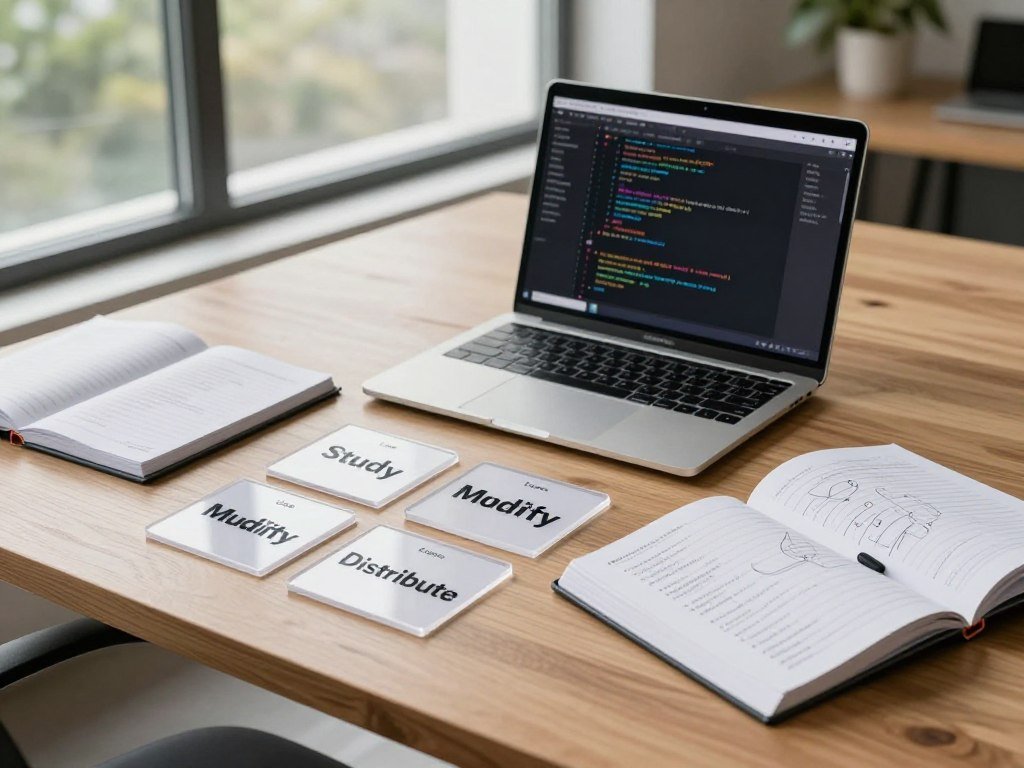
The Open Source Initiative (OSI) stewards the definition. It describes a standard for releases, not a single model or product. There is no one new system that defines open source AI; the important change is a shared way to assess individual releases.
A release earns the label through the freedoms it grants, not simply because its files are downloadable.
That distinction matters because a license may allow downloads while limiting use, changes, or sharing. The Open Source AI Definition 1.0 also connects those freedoms to the information needed to examine and modify an AI system. That information can include model components, training data details, and source code.
Transparency here means more than seeing a model respond to a prompt. It means having enough material to study how the system works and make meaningful changes. The definition offers a common test, while each project’s release terms and materials still need review.
A release earns the label through the freedoms it grants, not simply because its files are downloadable.
What Has to Be Open for an AI System to Count?
An AI model is more than a set of weights: its architecture and inference code matter too. For meaningful study and change, you need information about the model, its training data, and the code used to train and run it. Weights are one part of that picture. The preferred form for modifying a machine-learning system includes all three groups of materials.
The model and its parameters
A model’s architecture describes how its parts are arranged. Its parameters include the weights, which are the learned numerical values that shape responses to new inputs. Inference code runs the trained model when you give it an input.
So, open-source AI extends the familiar freedoms of open-source software beyond code. It also covers model parameters and information about the training data. The definition can apply to a complete AI system or to components such as models, weights, and other structural elements.
Training data and the code behind the system
Training-data information should describe where data came from, its scope and traits, and how it was collected and selected. It should also cover labeling, processing, and filtering. Some data may be private or impossible to share. A release can exclude that data if it gives detailed information about its origin and handling.
Training code covers the steps that prepare and filter data, along with training settings and validation. It should also include testing, supporting libraries such as tokenizers, and inference code. These details help you understand how the developers produced and tested the model.
A useful checklist groups the materials this way:
- Model materials: architecture, parameters, weights, and inference code.
- Training-data information: provenance, scope, traits, selection, labels, processing, and filtering.
- Training code: data steps, settings, validation, tests, tokenizers, and inference.
Without those materials, you can still use a model, but you may not be able to reproduce its development. If you cannot inspect how data was processed or how training was run, you cannot fully reproduce the system’s development.
How Does Open Source AI Differ From Open Weights and Closed AI?
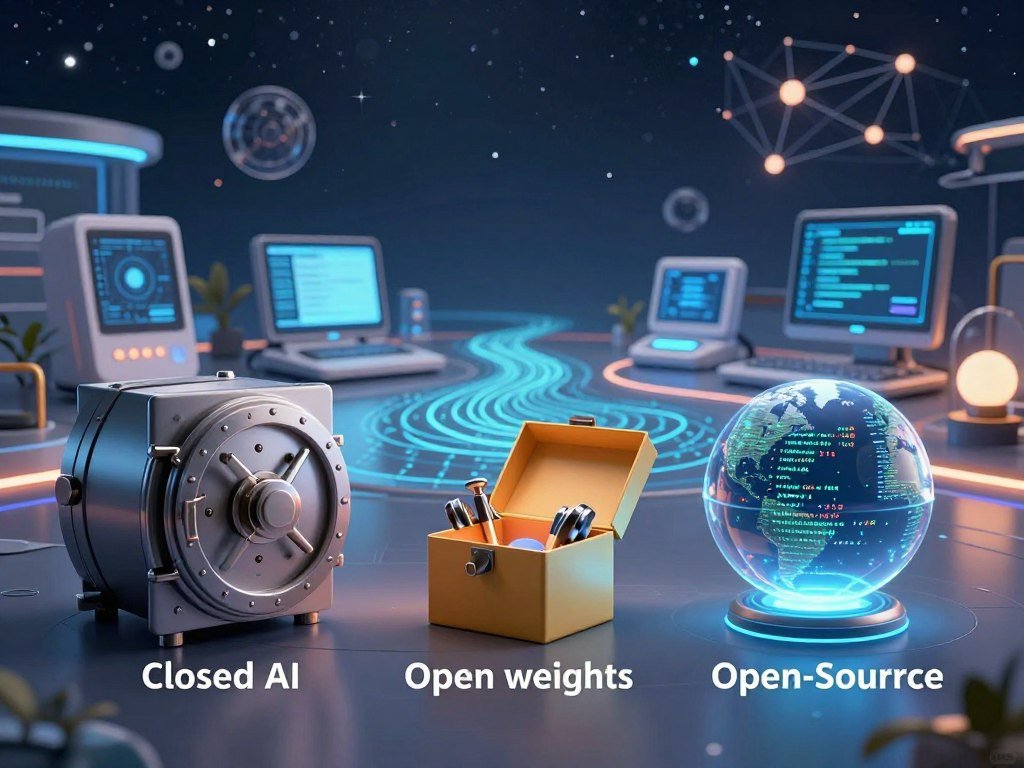
A model can let you download its weights without revealing the data and methods needed to reproduce its training. That is an open-weight model, not automatically an open-source AI system. Check the release type, license, and training materials separately.
Open-weight releases
An open-weight model shares its trained parameters, while its training data or methods may remain private. Llama, Qwen, Gemma, and DeepSeek releases are examples of open-weight models, but their labels do not prove they meet the full standard. The phrase “open model” is often used loosely, so read the actual release terms.
For example, Grok-1 came out under Apache 2.0 in March 2024, with its architecture and weight parameters. Grok 2 is listed under the SpaceXSI Community License Agreement, while later Grok models are proprietary. A model’s name alone does not tell you what each version includes.
Fully open-source and closed releases
Closed AI is commonly offered through a product or API rather than as downloadable weights. GPT-4 is a closed-model example. OLMo and Pythia are examples associated with broader training materials and open-source releases.
| Release type | Weights | Training materials | Typical access |
|---|---|---|---|
| Closed AI | Not downloadable | Private | Product or API |
| Open-weight model | Downloadable | May be private or partial | Files under model terms |
| Open-source AI system | Available | Materials support study and change | Files under open terms |
ChatGPT’s performance alone cannot show whether it is best for your task. Compare results on your own work, then weigh those results against the access your project needs. The release history for Grok models shows why one company’s models can have different terms and levels of access.
Before treating a model as open source, verify both the license and the training materials.
What Are the Benefits of Open Source AI?
A team that can inspect and adapt its tools has more choices than one limited to a vendor’s fixed interface. Access to weights and code can support customization, local evaluation, and reuse. More control can help a business shape an AI tool around a focused need. That control still takes people with the skills to use it well.

More control and customization
Developers can test changes against their own tasks instead of relying only on a fixed product. They may adapt a model, change how it connects to other software, or evaluate it with examples from a local workflow. Local evaluation can also help a team see where a model fails before putting it to work.
Those options do not remove the need for expertise. Teams need time to understand the code, judge model outputs, and maintain the parts they change. A small business might adapt an existing framework and model for sorting support requests, rather than building every component from scratch.
Shared work and wider access
Reuse lets developers build on work that others have already done. Community members can report bugs, improve software, and share ideas across projects. Public materials can make it easier to inspect development choices, though transparency does not guarantee that every release is complete or easy to assess.
Shared frameworks such as PyTorch and TensorFlow lower the barrier to trying machine-learning ideas. They are software frameworks, not proof that every model built with them is open source. Models such as OLMo and Pythia offer another kind of access by making substantial training materials available.
That mix can support learning, research, and business work. A small team can test a narrow idea without paying to create a full software stack first. The range of machine-learning business uses also shows how these tools can serve different industries and tasks.
Match the value of greater control to the time and expertise your team can actually commit.
What Are the Tradeoffs and Risks?
Open access gives users more control, but it also means they may need to provide safeguards a hosted service would otherwise manage. Open releases can be misused to make deepfakes or spread misinformation. More access is not a safety guarantee, either way. Test outputs and plan for risks before using a model in sensitive work.
Misuse, bias, and security
A model may produce harmful or misleading content, and its behavior can reflect bias in its training data. Open code or weights may also expose security flaws that someone could exploit. Visibility can help people find issues, but it does not ensure that they will be fixed.
Review likely harms in the setting where you plan to use the system. Test outputs with varied examples, including cases that could affect people unfairly. Set rules for private or sensitive data before staff start sending it to a model.
Support, maintenance, and operating effort
Community software may not offer dedicated response times or steady updates. A free download can still require suitable hardware, staff time, and ongoing maintenance. A team may need to track fixes, update dependencies, and respond when a workflow breaks.
Use this short risk checklist before relying on a project:
- Review recent project activity and release updates.
- Test for bias and security issues that fit your use case.
- Set rules for sensitive data and who may submit it.
These checks do not make every release safe or unsafe by default. They help you judge whether the project’s current state fits your needs and capacity. Check recent maintenance activity and unresolved security issues before relying on a project in a sensitive workflow.
What Is Open Source AI Used For?
An open AI system might help a researcher test a language task, or help a developer build an image-processing feature. These tools support language work such as translation and summarization, along with image generation, computer vision, coding, and research. The same approach can support experiments and business workflows. Results depend on the model and the task.
Stable Diffusion is an example used for image generation. OpenCV supports computer-vision work, such as processing and analyzing images. Neither name alone means every part of a fully open AI system is included. A tool can be useful without meeting the full standard for an open-source release.
Language models can help draft, summarize, translate, or classify text. Coding models may assist with software tasks, while research teams can test ideas and compare outputs. In a business, an AI feature might support a narrow workflow rather than replace a whole process.
If you are planning a business project, AI-enabled startup ideas offer examples of services and software built around specific needs. Existing tools can help a team test a small idea before investing in a larger product.
Start with one task you can evaluate clearly rather than choosing a model because it has a broad reputation.
Which Open Source AI Models Can Beginners Explore?
For a beginner who wants to inspect how a model was built, OLMo and Pythia are practical examples to investigate. Amber, Crystal, and T5 are other models to explore for broader development materials. These are examples, not a performance ranking. A model’s transparency and its task score answer different questions.
Examples with broader training transparency
Ai2 is associated with OLMo, EleutherAI with Pythia, LLM360 with projects including Amber and Crystal, and Google Research with T5. These projects can help you study how developers share information about model development. Look at each release itself, since model families and versions may differ in what they provide.
For the question of five models to explore, OLMo, Pythia, Amber, Crystal, and T5 are useful examples. They are not a definitive top five by performance. Your task, the release version, and the materials available matter more than a simple list.
Open-weight models and current rankings
Llama, Qwen, Gemma, and DeepSeek are open-weight examples, not automatically fully open-source systems. NVIDIA Nemotron releases substantial training data under permissive licenses, but a release is not fully open source if some training data is omitted. Check the materials for the exact model version.
OpenRouter’s October 2026 free-model rankings measure API token use over the trailing seven days, not quality. Nemotron 3 Ultra, Nemotron 3.5 Super VL, and Nemotron 3.5 Lightning are among the most-used free models with $0 prompt pricing in that period. The October 2026 OpenRouter usage list reflects activity, not a score of model quality.
| Model | Total parameters | Active parameters | Context or hardware detail |
|---|---|---|---|
| Nemotron 3 Ultra | 550B | 55B | Up to 1M tokens |
| Nemotron 3.5 Super VL | 120B | 12B | 1M-token context |
| Cohere North Mini Code | 30B | 3B | 256K-token context |
| Poolside Laguna S 2.1 | 118B | 8B | Coding model |
BenchLM’s October 27, 2026 snapshot names Xiaomi MiMo-V2.6-Pro as its highest-scoring evidence-qualified open-weight model, with an estimated overall score of 73.85. The snapshot tracks 1,000 models, with 230 ranked and 86 marked Supported. Its method uses eight weighted categories and 60 ranking benchmarks; its directory includes 716 benchmarks across ranked and display-only records.
BenchLM ranks models when public, independent evidence supports them, and it marks wider uncertainty as Estimated rather than Supported. That result concerns open-weight models, not full open-source status. Treat a leaderboard score as one task-specific signal, not a substitute for checking a model’s release materials.
Which Open Source AI Tools Help You Build or Run Models?
A model is only one piece of a working AI setup; libraries, interfaces, and serving tools fill different jobs. PyTorch and TensorFlow are training frameworks, while Hugging Face Transformers is a library for working with pretrained models. Each tool has a role, and its license is separate from a model’s terms. Choose software by the job you need done.
Frameworks and libraries
PyTorch and TensorFlow help developers build and train machine-learning systems. Hugging Face Transformers gives users tools to load and work with many pretrained models. OpenCV is a toolkit for computer vision, including image processing tasks.
These tools do not all provide the same materials. A framework can be open-source software even when a model used with it is closed or has limited terms. Check the software and model as separate parts of your setup.
Local interfaces and inference tools
Ollama helps you run models on a local machine. Open WebUI offers a self-hosted interface for interacting with models. vLLM and SGLang support inference and serving, which means running models to handle requests.
Here is a quick guide by purpose:
- Training frameworks: PyTorch and TensorFlow.
- Pretrained-model libraries: Hugging Face Transformers.
- Local interfaces: Ollama and Open WebUI.
- Inference and serving tools: vLLM and SGLang.
Free access is available for some models through OpenRouter, which lists API models at $0 per million input tokens and $0 per million output tokens. That price does not make a model fully open source, and it does not erase local hardware or operating costs. For coding work, AI coding assistants and agents have different roles from model libraries and serving tools.
Choose the tool for the task it performs, then verify its license separately from the model’s license.
How Can You Choose and Run an Open Model?
Before downloading a model, check whether your machine and workload can handle its size. Test how well it fits your task, how much context you need, and whether its speed and memory use suit your work. Start with the workload, not a large model name. A small test on your own hardware can reveal limits early.
Match the model to your task and hardware
For text work, compare model answers on examples that resemble your real inputs. For coding, test the kind of code you expect it to handle. A longer context window may help with large documents, while speed and available memory can shape the runtime you can use.
OpenAI released gpt-oss-20b and gpt-oss-120b under Apache 2.0. The smaller model has 21B total parameters and about 3.6B active parameters per token. OpenAI describes it as fitting in 16GB of VRAM. The larger model has 117B total parameters and about 5.1B active parameters per token.
Pick a local or API-based runtime
Local execution runs on hardware you manage. An API sends requests to a service that runs the model elsewhere. Local use gives you more control over the machine and setup, while API access can avoid managing model hardware yourself.
| Runtime | Typical role | Where it runs | Useful distinction |
|---|---|---|---|
| Transformers | Load and work with models | Local environment | Supports model development |
| vLLM | Inference and serving | Local or hosted infrastructure | Serving framework |
| llama.cpp | Model inference | Local environment | Supports local use |
| Ollama | Local model running | User-managed machine | Local platform |
OpenAI says gpt-oss-120b can run on one H100 GPU or across multiple GPUs. Both models support instruction following, chain-of-thought reasoning, tool use, and structured chat formats. You can run them with Transformers, vLLM, llama.cpp, Ollama, or an OpenAI-compatible Responses API.
That release is one accessible example of an Apache 2.0 model, not proof that every definition treats it as fully open source. Run a small test on representative inputs before moving a model into a real workflow.
What Should You Check Before Using an Open AI System?
A model’s license and the service terms can affect what you may build and what happens to the data you send. Check the rights that apply to the weights and code, then review how a service handles inputs and outputs. Terms can differ across a model, its software, and its hosting service. Read each set of terms that applies to your use.
License and reuse terms
Check whether commercial use is allowed and whether you can redistribute the model or your changes. Look for attribution rules, field-of-use limits, and terms that apply to weights, code, or both. Apache 2.0 and MIT are permissive software licenses, while Llama and Gemma use model-specific terms.
A familiar license name does not settle every question. A model may have added acceptable-use rules or separate service conditions. For example, Poolside says free use of Laguna S 2.1 may allow Poolside to use inputs and outputs to train and improve its models.
Data handling and safeguards
Find out whether prompts stay on your device or go to a provider. Read what the provider may do with inputs and outputs, especially when your work includes personal or business information. Test for privacy and security risks before using the system with sensitive material.
Use this four-part checklist before you start:
- Read the model license.
- Inspect the acceptable-use terms.
- Check how the service handles inputs and outputs.
- Assign an owner for updates and incident response.
Keep a record of the terms that apply to the version you use. A clear owner can also track changes and decide who responds if a security or data issue occurs.
Keep a copy of the applicable terms and record who will review them when they change.
How Is the Open Source AI Definition Still Evolving?
The OSI published version 1.0 of its AI definition on October 28, 2024, after the meaning of “open” had become contested. The disagreement centers on how much training data and development information a release must disclose. Some releases share weights without sharing those materials. The OSI standard applies a more specific test than a broad label.
Companies may use the words “open source” broadly, while the formal definition asks whether people can study and modify the full system. Meta describes Llama as open source, but the OSI definition distinguishes open-weight releases from fully open-source AI systems. That difference reflects a debate about access, not a judgment about model quality.
You can use the formal definition as a consistent way to compare releases. It does not certify that a model is safe, accurate, or suitable for your work. Those questions require separate checks based on the task and the way you plan to use the system.
For any new release, apply the same practical check: freedoms, materials, and terms.
Conclusion
The clearest way to judge an AI release is to look past its label and check what you can actually do with it. Full open-source AI means more than downloadable weights. The right choice depends on whether you need to inspect, adapt, share, and operate a system.
Choose one small task and compare a model’s output with what you need. Inspect its license and training materials, then test it with non-sensitive inputs. Start with one low-risk task and verify the model’s materials and terms before building on it.
FAQ
What is the new open source AI?
There is no single new model that defines open source AI. OpenAI’s gpt-oss releases are examples of models released under Apache 2.0, but that fact alone does not settle whether they meet every part of the Open Source AI Definition 1.0. The standard also concerns the materials needed to study and modify a system, not just its license or downloadable weights.
What are the 5 major AI platforms?
Five useful open-source AI tools are PyTorch, TensorFlow, Hugging Face Transformers, Ollama, and vLLM. PyTorch and TensorFlow are frameworks for machine learning. Transformers helps developers load and work with pretrained models. Ollama supports local model use, while vLLM helps run and serve models. These tools have different jobs, so they are not five interchangeable platforms.
What are the top 5 open source LLM models?
Five examples associated with broader training transparency are OLMo, Pythia, Amber, Crystal, and T5. They are examples to investigate, not a performance ranking. The best fit depends on your task, the version you plan to use, and the development materials it provides. Check each release’s terms and contents before calling it fully open source.
Is ChatGPT an open source model?
No, ChatGPT is a product, not an open-source model release. OpenAI’s separate gpt-oss-20b and gpt-oss-120b releases have different access and license terms from the ChatGPT service. A product may let you use AI without giving you its weights or training materials. Judge each release by its own license and materials.
What is the best open source AI right now?
BenchLM’s October 27, 2026 snapshot names Xiaomi MiMo-V2.6-Pro as its highest-scoring evidence-qualified open-weight model, with an estimated overall score of 73.85. That result does not establish full open-source status, and it does not show that the model suits every task. Test models on your own work and check their release materials before choosing.
Is there any free open source AI?
Yes, free AI models and software exist, but their licenses and terms vary. Some models are free to access through an API, while others can be downloaded for local use. A local model may still need suitable hardware, setup, and ongoing maintenance. Free access does not by itself mean a release meets the full open-source definition.
Which free AI is the most advanced?
OpenRouter’s free-model ranking measures API usage, not overall quality. Nemotron 3 Ultra is a candidate to test for long-context work because its context window reaches up to 1M tokens. That feature does not prove it is the best model for every task. Compare its results, speed, and access terms with your actual needs.
About The Author