Top Email Newsletter Software Picks for Every Budget

A small creator sending a weekly update needs a different tool from a store automating abandoned-cart messages. Your budget, audience, and daily work all shape which email newsletter software makes sense. This roundup covers solo creators, small businesses, ecommerce teams, and senders with little or no budget.
A contact limit is the maximum number of records an account may keep under a plan’s counting rules. Some tools focus on writing and publishing newsletters; others add customer records, sales campaigns, and complex marketing automation. You can choose a simple editor for regular updates or a broader system for targeted campaigns. The best fit supports the work you need without charging for features you will not use.
We compare useful marketing tools by price, contact and sending limits, design, and features. You will see options for a first list, a growing business, and a team that needs more than email. Start by matching the platform to the work you need to do now, then check whether its limits leave room to grow.
Key Takeaways
- Choose based on your audience, budget, and main campaign needs.
- Compare contact limits with monthly and daily email send allowances.
- MailerLite suits simple newsletters; Brevo supports more channels.
- Flodesk favors design, while Mailchimp offers deeper marketing tools.
- Creators and stores can benefit from tools built for their work.
- Test your draft and signup form before sending to your full list.
How should you choose an email newsletter platform?
A useful shortlist starts with the campaigns you need to send, not with the longest feature list. The best email newsletter platforms match your list growth, design needs, and marketing work. Start with your real use case, then compare the features that support it.
Choose a platform that meets your must-haves without adding tools you will not use. A solo writer may need a clean editor and signup forms, while a shop may need product data and automated reminders.

Best email newsletter platforms by use case
For a simple email newsletter, look for an editor you can use often, useful templates, and clear reports. A growing business may need segmentation, integrations, and support for more than one audience. Teams that manage customer records can benefit from a wider system; a CRM for managing customer interactions can bring sales and service details together.
Nonprofits may need donor data or recurring gift tools alongside email. Some fundraising platforms connect with marketing tools such as Mailchimp, helping teams keep donor outreach in one workflow. For a closer look at donation and donor features, compare these nonprofit fundraising platforms.
Ten email marketing platforms to compare
This list of email marketing platforms includes MailerLite, Brevo, Mailchimp, Flodesk, Kit, beehiiv, Omnisend, GetResponse, Moosend, and AWeber. Compare each newsletter platform with four practical checks:
- Monthly send volume for campaigns and automated messages.
- Contact-list growth and the plan’s counting rules.
- Required automations, such as welcome or cart messages.
- Design needs, including templates, forms, and branding.
Website forms, webinars, and gated content can help attract new subscribers. For more ways to capture leads, explore B2B SaaS lead generation strategies. Remember that the CAN-SPAM Act applies to commercial email. It requires a valid physical postal address and an opt-out method.
Keep the shortlist to tools that meet your must-haves without making you pay for a much larger system.
Each platform handles growth differently, so read the plan rules before moving your audience. A long feature list matters less than a smooth fit with your current work.
Which Email Newsletter Software Fits a Small Business Budget?
A small team that wants an approachable editor can start by comparing MailerLite, Sender, and Brevo. MailerLite focuses on accessible newsletter tools, Sender gives free users a larger monthly send allowance, and Brevo adds channels beyond email. The right budget pick depends on your workload.
Sender’s free plan allows 2,500 subscribers and 15,000 emails per month. Its branding may appear on messages sent through the free plan, so check whether that suits your business.

MailerLite offers more than 90 email templates and an editor designed for straightforward campaigns. Its email marketing tools can suit a business that wants to build newsletters without learning a complex system. Support and templates matter when a small team has limited time for setup.
Sender email marketing for high-volume free sending
Sender email marketing can fit a business with frequent campaigns and a small budget. Its stated free allowance covers a sizable number of subscribers and monthly emails. Keep in mind that the allowance counts email sends, not just the number of people on your contact list.
Brevo email marketing for multichannel needs
Brevo email marketing includes CRM features, SMS campaigns, and WhatsApp campaign capabilities. It offers more than 80 email templates, giving teams a range of starting points for promotions and updates. Use its broader feature set when your customers may respond through more than one channel.
| Platform | Best fit | Free-plan sending or template detail | Standout capability |
|---|---|---|---|
| MailerLite | Simple business newsletters | More than 90 templates | Accessible editor |
| Sender | High-volume free sending | 2,500 subscribers and 15,000 emails monthly | Large free send allowance |
| Brevo | Multichannel campaigns | More than 80 templates | CRM, SMS, and WhatsApp campaigns |
These tools serve different kinds of email marketing work. MailerLite emphasizes a friendly editor, while Sender emphasizes a larger free send allowance. Brevo combines email with contact records and other campaign channels.
Check whether the editor saves time on the campaigns you send most. Choose Sender when its sending allowance matters most, and choose Brevo when campaigns need to reach beyond email.
Is Mailchimp’s free plan enough to start?
Mailchimp’s Free Marketing plan can suit a very small list, but its contact and send caps are tight. In 2026, the free plan allows up to 250 contacts, 500 email sends per month, and 250 sends per day. The contact cap is easy to reach because several record types count.
Subscribed, unsubscribed, and non-subscribed contacts all count toward 250. Removing or suppressing a subscriber does not always reduce your total contact count.

The account includes one audience and one user seat. If the account exceeds 250 contacts, Mailchimp pauses both live and test email sending. That can interrupt a launch, even if you are only trying to check a draft.
CAN-SPAM opt-out requests must be honored within 10 business days. That rule applies even when a list is small or a plan is free. Keep your audience records in order as your list grows.
- Count all contact types, not only current subscribers.
- Estimate monthly campaign volume and daily peaks.
- Check whether one audience and one seat are enough.
The free plan may work for a new sender who has few contacts and modest sending needs. It is less comfortable if a launch could push the account past its cap, or if more than one person needs access.
Use the contact total, not only your subscriber count, when judging whether the plan fits. Keep the account below 250 total contacts if you need live or test sends to continue.
What do Mailchimp’s paid plans include?
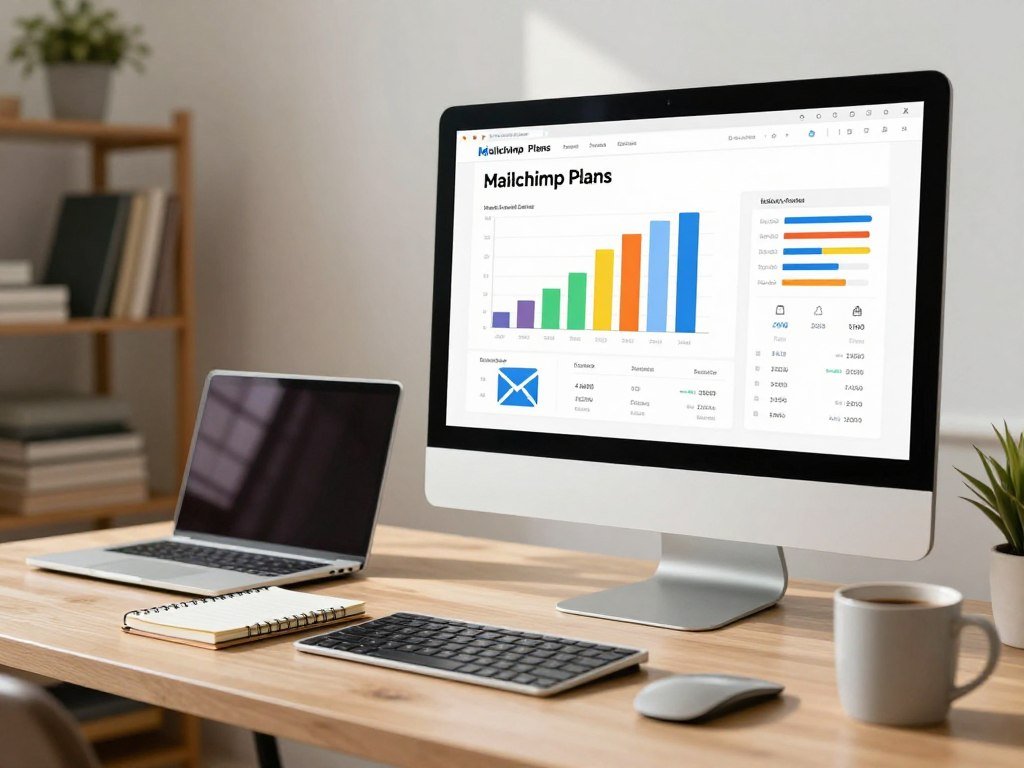
Mailchimp’s paid plans start at $13 per month for Essentials at 500 contacts, with higher tiers adding capacity and capabilities. The listed prices rise with contact tiers, while monthly email sends scale from each plan’s contact limit. Compare the tier and allowance together.
One recipient counts as one email send. A campaign to 500 contacts uses 500 sends, even though it is only one campaign.
| Plan | Starting contact tier and stated price | Maximum contacts | Monthly send allowance |
|---|---|---|---|
| Essentials | 500 contacts, $13/month | 50,000 | 10 times contact limit |
| Standard | 500 contacts, $20/month | 100,000 | 12 times contact limit |
| Premium | 10,000 contacts, $350/month | 200,000 | 15 times contact limit |
Essentials and Standard for growing lists
Essentials supports up to 50,000 contacts, with a monthly send allowance equal to 10 times the contact limit. It includes up to three audiences and three user seats. You also get single-email automations, flows of up to four steps, A/B testing, and 24/7 email and chat support.
Standard supports up to 100,000 contacts, with monthly sends equal to 12 times the contact limit. The plan includes five audiences and five seats, plus advanced segmentation and multivariate testing. Both Essentials and Standard include 14-day free trials.
Premium and Pay As You Go for larger or irregular sending
Premium starts at 10,000 contacts and supports up to 200,000. It allows 15 times the contact limit in monthly sends and includes unlimited audiences and seats. Premium also adds phone support, alongside 24/7 email and chat support.
Pay As You Go sells email credits instead of charging a recurring monthly fee, and it includes the Essentials feature set. This can suit irregular sending, though you still need to track how quickly credits run out. Mailchimp’s free plan has limited automation, and its price can rise as your list grows.
RFC 8058 describes a one-click unsubscribe header for mailing lists. Mailchimp’s features and plan capacity can support larger campaigns, but the right tier still depends on your list size and sending pattern. Compare the contact tier and sending allowance together, since the send multiplier changes by plan.
Flodesk vs Mailchimp: which fits your goals?
Flodesk is the stronger fit for a sender prioritizing visual polish and ease of use, while Mailchimp suits someone who needs deeper segmentation and reporting. Flodesk has more design-focused email and form templates, while Mailchimp offers stronger marketing controls. Choose by the work you do most.
Flodesk has more than 50 email templates, and Mailchimp has more than 80. A larger library does not always make an editor easier for your regular newsletter.
Design-focused newsletters and forms
Flodesk puts design near the center of its email newsletter features. You can build pop-up, inline, Link in bio, and full-page signup forms. Its editor and templates suit senders who want a polished look without spending a long time shaping each edition.
Mailchimp offers a larger template library, but Flodesk’s layout choices are more design-led. Both can help you create a clear message, though your preferred editor may depend on how much layout control you want. Before sending, use text alternatives for meaningful images, in line with WCAG guidance.
Segmentation, automation, and reporting
Mailchimp is stronger for segmentation, automation, and reporting. Those features help you target parts of your audience and track how campaigns perform. A business with several customer groups may value those controls more than a wider choice of visual layouts.
Flodesk can work well for a design-focused newsletter that uses simpler audience rules. Mailchimp may fit a team that sends different campaigns to different segments or needs more detailed reports. Consider the work after the design too, such as managing signups and setting message triggers.
| Platform | Template count | Design and form strengths | Marketing strengths |
|---|---|---|---|
| Flodesk | More than 50 | Design-led templates and four form types | Simple newsletter workflows |
| Mailchimp | More than 80 | Large template library | Stronger segmentation, automation, and reporting |
Try building the same email in both editors. Notice how easily you can change a heading, add an image, and make the signup form fit your website. These small tasks often show whether the tool feels natural.
Choose the editor that makes your regular newsletter easy to build, not just the one with the larger template library.
How much does Flodesk cost, and what changes by tier?
For new Flodesk users, the 2026 monthly price at 1,000 subscribers ranges from $25 for Lite to $54 for Everything. Flodesk introduced subscriber-count-based tiered pricing for new users in December 2025, replacing flat-rate pricing for those users. Your subscriber tier shapes the bill.
All three Flodesk plans offer unlimited email sends. The tiers differ in subscriber caps, workflows, branding, and ecommerce features.
Lite for email basics
Lite costs $25 per month for 1,000 subscribers and $52 for 5,000. It caps the list at 25,000 subscribers and includes one automated workflow. Flodesk branding stays on the account’s materials under Lite.
The free plan provides forms, landing pages, and Link in bio pages, but it does not include email sending. Flodesk also offers a 14-day free trial. Advertising claims must be truthful and not misleading under Federal Trade Commission rules.
Pro and Everything for growth and branding control
Pro costs $28 per month for 1,000 subscribers and $59 for 5,000. Everything costs $54 per month for 1,000 and $107 for 5,000. Both plans support up to 255,000 subscribers and unlimited email workflows.
Pro lets users remove Flodesk branding, while Lite includes that branding. Pro and Everything both offer unlimited email sends, so the main choice rests on their features and the size of your list.
The price gap between subscriber tiers can affect a small business as its audience grows. Estimate your likely list size rather than comparing only the starting price. Compare the subscriber tier you are likely to reach, because Flodesk’s monthly price rises with list size.
What can Flodesk Checkout do for digital products?
Flodesk Pro supports one checkout for one digital product, while Everything supports unlimited checkouts. Lite does not include ecommerce features, so product sales require an upgrade. Plan around the products you sell.
Flodesk charges no sales fee, but Stripe processing costs 3% plus 30 cents per transaction. Build that processing cost into your product price and revenue plan.
Checkout features by plan
Pro gives you one checkout for one digital product. That can suit a creator selling a single download, course, or other digital item. Everything allows unlimited checkouts for digital products, which supports a broader product range.
Lite has no ecommerce features, while Pro and Everything include digital-product checkout features. The product limit matters if you plan to add new offers later. A sales flow should also fit the way you handle customer questions and delivery.
Where Flodesk Checkout is available
Checkout is available in the United States, Canada, Australia, New Zealand, the United Kingdom, and some Euro area countries. Availability can shape your choice before design or campaign setup. Confirm that your business location is supported for the feature you plan to use.
Flodesk does not charge a sales fee, but Stripe charges 3% plus 30 cents per transaction for payment processing. Payment-card security is governed by PCI DSS, the payment-card security standard. Keep the processing fee in mind when setting prices for low-cost products.
Checkout may fit a digital product business that already uses Flodesk for email. A single-product offer may work with Pro, while a larger shop may need Everything’s unlimited checkouts. Confirm that Checkout is available where your business operates before building a sales flow around it.
Which free newsletter platforms give you room to grow?
Brevo has the largest stated contact allowance here, but its daily send cap changes what a high-volume campaign can do. MailerLite, Benchmark Email, AWeber, and Omnisend offer different limits for contacts and email sends. Compare the limit that matters to you.
A large contact allowance does not mean unlimited daily sending. The table shows the stated free-plan allowances for each platform.
Compare free subscriber and sending allowances
| Platform | Contact or subscriber cap | Sending allowance | Best fit |
|---|---|---|---|
| MailerLite | 250 subscribers | 2,500 emails per month | Simple newsletters |
| Brevo | Up to 100,000 contacts | 300 emails per day | Large lists with lower daily sends |
| Benchmark Email | 500 contacts | 2,500 emails per month | Steady monthly campaigns |
| AWeber | 500 subscribers | 3,000 emails per month | Small lists with regular sends |
| Omnisend | 250 contacts | 500 emails | Small ecommerce lists |
Match the free plan to the kind of newsletter
Contact caps and send caps create different limits. A platform may let you store many contacts but allow fewer messages each day. Another may have a smaller list cap but support more sends across a month.
Permission-based email marketing depends on collecting and honoring subscriber consent. A free plan does not change that responsibility. Keep signup records clear and send to people who agreed to receive your messages.
MailerLite may suit a simple newsletter, while Brevo may fit a large contact list with lower daily sending needs. Benchmark Email and AWeber offer different monthly allowances for smaller lists. Check whether the platform limits contacts, monthly sends, or daily sends before importing a list.
Which newsletter tools suit independent creators?
Kit fits creators who want subscriber tools and digital-product sales, while beehiiv fits publishers focused on growing and monetizing a publication. Kit’s free plan supports up to 10,000 contacts; beehiiv’s free plan supports up to 2,500 subscribers with unlimited sending. Each supports a different kind of creator.
Kit pairs a creator-focused platform with landing pages and digital-product sales. beehiiv centers on publication growth and paid monetization features.
Kit for subscriber relationships and products
Kit is built for creators who need tools for subscribers and products. Its landing pages can help you collect signups, while digital-product sales support paid offers. The free plan’s contact limit may suit a creator building an audience before choosing a paid tier.
Think about how your website, signup forms, and email work together. A creator who sells downloads may need a different setup from someone who publishes essays and sends regular updates. Kit can support the first use case with its product tools.
beehiiv for publication growth and monetization
beehiiv’s free plan supports up to 2,500 subscribers and unlimited sending. Its paid plans add monetization features such as paid subscriptions and advertising. Those options can suit a publisher who treats a newsletter as a growing publication.
Creators should also consider ownership and backup of original newsletter material. Original written work receives copyright protection when fixed in a tangible form, but you should still keep your own copies. Save drafts and published editions outside the platform.
- Choose Kit if subscriber tools and product sales lead your plans.
- Choose beehiiv if publication growth and paid subscriptions matter most.
- Keep a separate copy of original newsletter material.
A creator may use one platform for a publication and another for product sales, depending on the workflow. Check which tool supports the next step you want to take, rather than choosing by contact cap alone. Choose based on whether your next growth step is selling a product, building a publication, or both.
What should ecommerce businesses expect from newsletter software?
Ecommerce teams benefit from newsletter tools that can use product and customer activity to shape each campaign. Omnisend connects with Shopify, BigCommerce, Magento, WooCommerce, and Wix, and offers 18 prebuilt ecommerce audience segments. Store data can make messages more useful.
Behavior-based campaigns can respond to customer actions instead of relying on one message for everyone. A welcome series can greet new customers, while a cart reminder can follow a visit that ended without an order.
Prebuilt audience segments help teams group customers by useful store details. The right segments can support product recommendations, repeat-purchase messages, and customer updates. An email marketing system that can read store activity gives you more ways to time a campaign.
Behavior-based messaging can also support retargeting decisions. An intelligent ecommerce retargeting tool can analyze customer actions and purchase history to guide a message or offer.
Promotional campaigns and transactional emails serve different purposes. CAN-SPAM distinguishes commercial messages from transactional notices, such as order updates. Check how the platform categorizes each campaign, since a promotional offer added to an order notice may change its purpose.
Store integrations also differ in the details they pass to the email platform. Confirm that customer and purchase fields support the triggers and segments your team wants to use. Verify that the store integration passes the customer and purchase details your automations need.
Which platforms offer stronger automation and campaign tools?
GetResponse is the broader choice for newsletters plus landing pages and marketing tools, while Moosend suits teams focused on email workflows. GetResponse offers more than 125 email templates and a 30-day free trial; Moosend offers a 30-day trial and 43 native integrations. Choose the system that fits your campaign scope.
GetResponse covers more than email, while Moosend keeps its focus on email workflows. Both can help reduce repeated manual work when a campaign follows a clear trigger.
GetResponse for a broader marketing toolkit
GetResponse combines email templates with landing pages, segmentation, and wider marketing features. Its template library offers more than 125 designs, and its free trial lasts 30 days. A team that runs more than newsletters may value a broader set of campaign tools.
Segmentation can help send different content to different groups. Landing pages can support a campaign without requiring a separate page builder. Consider whether these features are part of your normal work or simply add more settings to manage.
Moosend for email-first workflows
Moosend focuses on email and offers a visual workflow builder. Teams can use it to map a welcome series or a behavior-triggered message. Its 30-day free trial gives you time to see how the editor fits your process.
A welcome sequence can greet new subscribers without manual follow-up. A behavior-triggered email can respond after a person takes an action. A segmented campaign can send different updates to customers and prospects.
Choose a real campaign and map its trigger, audience, and message before comparing the workflow builder. A clear plan can show whether simple automation is enough or a broader toolkit makes sense. Use multi-factor authentication for anyone who can access subscriber data.
- Welcome sequence: send a planned set of messages after signup.
- Behavior trigger: respond to a specific action by a subscriber.
- Segmented campaign: send tailored content to a defined audience.
Account security matters because marketing accounts hold subscriber data and campaign access. Multi-factor authentication adds a second check beyond a password. Map the trigger and audience for one real campaign before deciding how much automation you need.
Can you use Microsoft Outlook for recurring newsletters?
Outlook Newsletters can support a recurring series with a consistent identity, subscriber base, and structured editions. You can start an edition from scratch, use a preset, or choose a custom template. It offers a publishing option inside Outlook.
A work or school account with a qualifying Microsoft 365 subscription is required. Outlook Newsletters should not be treated as a dedicated email marketing platform by default.
Create and organize recurring editions
Each recurring series can keep a consistent identity and subscriber base. Editions can include sections, co-authors, contributors, formatted text, images, and other components. That structure may suit a team sharing workplace updates or a regular publication.
You can build an edition from a blank page, a preset, or a custom template. Co-authors and contributors can help shape an issue, while sections keep topics organized. The format gives you room to combine written updates with images and other components.
Outlook Newsletters can help with regular publishing, but a dedicated platform may offer other email marketing features. Do not assume it provides the audience reporting, segmentation, or automation your business needs. Compare the actual workflow with your campaign requirements.
Check account eligibility before planning a series
A qualifying work or school account and Microsoft 365 subscription are needed to use Outlook Newsletters. Personal accounts may not meet that requirement. Confirm that your account can access the feature before you plan a recurring series around it.
This tool is a publishing option, not a reason to assume every feature of a dedicated newsletter platform is included. Check how the series handles the tasks your team depends on, such as signup management and campaign records.
Outlook may be convenient when your team already works in Microsoft 365. The account requirement can still rule it out for a personal project or a business without an eligible subscription. Check account eligibility before committing a publication workflow to Outlook Newsletters.
What should you check before importing a contact list?
A clean migration preserves both the people you may email and the records you must keep off future campaigns. Export active subscribers, unsubscribed people, and suppressed records before you move the list. Keep consent status attached to each record.
Import only eligible contacts, and make sure suppression rules remain in place. A vendor does not automatically remove your company’s responsibility for commercial email sent on its behalf.
Prepare active and suppressed records
Use this sequence to protect the list during a move. Keep the original export until you confirm that the new platform has the right fields and exclusions.
- Export active subscribers from the current platform.
- Export unsubscribed and suppressed records separately.
- Map fields such as name, email, and consent status.
- Import only contacts who are eligible to receive messages.
- Verify that exclusions remain in place in the new account.
Field mapping helps prevent a signup date or consent status from landing in the wrong column. Keep suppressed records available so the new system can block them from future campaigns. Do not treat an old address as eligible just because it appears in an export.
Protect consent and sender responsibility
Under CAN-SPAM, a company can remain responsible for commercial email sent on its behalf by a hired provider. Using an email marketing vendor does not remove that responsibility. Keep your business in control of the rules that govern its campaigns.
Preserve consent and suppression information as part of the migration, not as a later cleanup task. A tidy contact list can still cause trouble if someone who opted out receives another promotion. Make sure the new platform recognizes exclusions before you schedule a campaign.
Do not assume that a provider will infer consent from a contact record. Your import should carry the person’s current status and any required suppression history. Test the suppression rules before sending the first message from the new platform.
How do sending limits affect your monthly budget?
A contact-list size alone does not reveal how many emails you will send in a month. Brevo bases pricing on email volume rather than contact-list size, while some plans set a send allowance using subscriber count. Estimate the messages, not just the list.
Multiply typical recipients by campaign count, then add automated messages. This gives you a monthly estimate that reflects regular campaigns and triggered emails.
Start with your regular campaigns: multiply the typical number of recipients by the number of campaigns in a month. Estimate automated messages separately, such as welcome emails or other triggered messages. Add those two totals to estimate overall monthly sending.
Plans based on subscriber counts set an allowance tied to the number of people on your list. Campaign Monitor Lite allows monthly sends equal to five times the subscriber count. A volume-based plan may suit you better when contact count and sending frequency do not rise together.
For example, a large list that receives few campaigns can use fewer emails than a smaller list with frequent promotions. Automated messages can also add sends between scheduled campaigns. Keep the assumptions behind your estimate clear, including who receives each campaign.
Compare the plan’s billing method with your actual sending pattern. A contact-based allowance may be easier to forecast when your campaign schedule is steady. Recalculate the estimate whenever campaign frequency or automation volume changes.
How can you test and launch a newsletter platform?
A platform is ready for a real campaign only after the email and its audience rules work as intended. Preview the message in real inboxes, check its links and forms, and test the mobile layout. Small checks can catch costly mistakes.
Send a small internal seed campaign before scheduling a wider send. Campaign Monitor’s paid plans can preview an email across 20 inboxes.
Check the campaign in real inboxes
Email rendering can differ across Gmail and Outlook. A layout that looks right in an editor may shift when it reaches a real inbox. Use previews to check image size, headings, spacing, and links before sending.
Campaign Monitor’s paid plans include previews across 20 inboxes. This can show how a campaign appears in different email clients. Check that the main message stays easy to read when a client changes the layout.
Meaningful images need text alternatives so people who cannot see them can understand their purpose. Test every link, including the logo, buttons, and signup forms. Open the email on a phone to check that the layout remains clear on a smaller screen.
Check form behavior as well as appearance. Submit a test signup and confirm that the expected response follows. A broken form can stop new subscribers from joining even when the campaign itself looks polished.
Confirm the workflow before a full send
Use a simple pre-send sequence to catch audience and content errors:
- Send the email to a small internal seed list.
- Verify that the correct segment received the test.
- Check the links and signup forms again.
- Review the report for delivery and engagement details.
- Schedule the wider campaign after the checks pass.
A seed send gives your team a chance to spot a wrong link or unexpected layout. It also checks whether the campaign reached the intended segment. Keep the test small enough that a mistake does not reach your full audience.
Send the first full campaign only after the seed send confirms the rendering, links, and recipient segment.
Reports can help you understand whether the campaign reached the right people and whether links worked. Review them before moving to the next send, so you can fix issues while the message is fresh. Send the first full campaign only after the seed send confirms the rendering, links, and recipient segment.
Conclusion
The right newsletter platform is the one that fits both your next campaign and the way your list is likely to grow. Your budget matters, but so do the messages you send and the work your team can manage. A good fit should support your current audience at a sustainable sending level.
Choose two finalists and test the same draft campaign in each. Compare the editor, signup form, and audience setup using a real example from your business. Build one draft and signup form in your two finalist platforms, then choose the one you can use confidently every week.
FAQ
Why are people leaving Mailchimp?
Some users leave Mailchimp when contact-based pricing rises as their list grows or when they need a more specialized tool. Flodesk can appeal to senders who prioritize design, while Kit supports creator products and Omnisend focuses on ecommerce campaigns. Others may want a simpler editor or different free-plan limits. Compare the cost and features you will use before switching.
What is the best free email newsletter platform?
MailerLite is a strong starting point for a simple newsletter, while Brevo suits large contact lists with lower daily sending needs. MailerLite’s free plan includes 250 subscribers and 2,500 emails per month. Brevo allows up to 100,000 contacts but caps sending at 300 emails per day. Choose based on the limit that matches your list and campaign pattern.
What is the best software to design a newsletter?
Flodesk emphasizes design and ease of use, making it a strong choice for visually polished newsletters. Mailchimp offers more than 80 email templates, while Flodesk offers more than 50. A larger library may help you find a starting point, but the editor’s ease of use matters when you publish often. Build a draft in each before deciding.
Is there a better platform than Mailchimp?
MailerLite can be a better fit for simpler, budget-conscious email marketing, while Flodesk may suit design-led newsletters. Mailchimp remains a stronger option for users who need deeper segmentation, automation, and reporting. The better platform depends on the feature you need most and the price you can sustain as your audience grows.
Is Mailchimp free anymore?
Yes, Mailchimp’s 2026 Free Marketing plan allows up to 250 contacts, 500 monthly sends, and 250 daily sends. The contact total includes subscribed, unsubscribed, and non-subscribed contacts. Sending pauses if the account exceeds the contact cap, including both live and test messages. That makes the free plan best suited to very small lists.
Which is better, Flodesk or Mailchimp?
Flodesk is stronger for design and ease of use, while Mailchimp is stronger for segmentation, automation, and reporting. Flodesk offers more than 50 email templates and several signup form types. Mailchimp has more than 80 templates and deeper marketing tools. Pick the editor that supports the kind of newsletter and audience work you do most.
How much does Flodesk cost per month?
In 2026, Flodesk Lite starts at $25 per month, Pro at $28, and Everything at $54 for 1,000 subscribers. At 5,000 subscribers, those plans cost $52, $59, and $107 per month. All three plans include unlimited email sends, but workflows, branding, and ecommerce features differ. Flodesk also offers a 14-day free trial.
How much does Mailchimp cost monthly?
Mailchimp Essentials costs $13 per month at 500 contacts, and Standard costs $20 per month at 500 contacts. Premium costs $350 per month at 10,000 contacts. Those listed prices apply to the stated starting tiers, and plan costs can rise as your contact count grows. Compare the send allowance and features with the contact tier before upgrading.
About The Author