Best Rank Tracking Software for Agencies and Teams

Agencies and marketing teams need more than a number in a search result: they need ranking data they can compare, explain, and act on. The right rank tracking software depends on your workload, locations, update schedule, and reporting needs. A local shop and a national brand do not need the same search view.
This roundup compares agency-ready platforms, free checks, Google Search Console, local tracking, and AI visibility. A rank check gives you a single-query snapshot. Rank tracking monitors positions over time, so you can spot changes and discuss them with clients or coworkers. Use a snapshot to answer a quick question; use ongoing monitoring to follow a campaign.
You will also see where first-party performance data can help, and where it cannot replace competitor tracking. The goal is a tool that fits the work you actually do, not a dashboard packed with features you will rarely use. Start with the number of keywords and locations your team actually needs to monitor.
Key Takeaways
- Match tool capacity to your client and keyword workload.
- Keep location, device, and search settings consistent.
- Use Google Search Console for your verified sites’ observed performance.
- Choose refresh timing based on the decisions your team makes.
- Report AI visibility separately from standard organic positions.
- Test one representative project before changing your full workflow.
What Does a Rank Position Actually Measure?
Position 1 is the topmost position Google counts on the results page, not a promise that every searcher sees the same layout. Average position is the impression-weighted average of the highest position occupied by a link to a site or page.
Position numbers describe a defined search context, not a universal ranking. Google counts results from the top down, with 1 at the top. A compound result with several links still occupies one position.

Google Search Console assigns ranking data to the canonical URL of a link. That is the preferred URL Google recognizes, which may differ from another URL your team expected to see.
Compare positions only when the query, location, device, and result type are held constant.
An impression generally counts when a link appears on the current results page, even if the searcher never scrolls down to it. For example, a result near the bottom can earn an impression when the page loads.
Independently scrolling carousels work differently. A carousel item generally needs to be scrolled into view before it counts as an impression.
A rank tracker returns a snapshot shaped by the query, place, device, time, and result layout it checks. Two tools can report different positions if they use different settings or sample at different times.
Search Console also reports clicks, impressions, click-through rate, and average position. Its position-counting rules explain why a compound result does not create a separate position for every link.
Which Rank Tracking Software Works Best for Agency Teams?
For an agency that needs daily rankings and client comparisons, SE Ranking is the most directly aligned starting point. Best fit depends on whether your team values client reporting, broad SEO tools, keyword analysis, or extra refreshes.
SE Ranking suits daily client and SERP feature monitoring; Semrush suits teams that want a broad toolkit. The table compares useful differences without treating one platform as the right choice for every account.

| Tool | Best fit | Useful distinction | Tracking cadence or access |
|---|---|---|---|
| SE Ranking | Agency client work | Competitor and SERP feature monitoring | Daily rankings |
| Semrush | Broad SEO workflows | Wide SEO toolkit with position tracking | Daily tracking |
| Ahrefs | Keyword analysis | Combines keyword research with rank data | Weekly updates on Lite |
| AccuRanker | Frequent checks | Extra on-demand refreshes | Daily and on-demand checks |
| SEO PowerSuite Rank Tracker | Large keyword lists | Unlimited keywords in its free desktop version | Free desktop access |
Use this shortlist by workflow, not by a generic winner label:
- Choose SE Ranking for daily client rankings and SERP feature monitoring.
- Choose Semrush when one subscription should cover a wider SEO toolkit.
- Choose Ahrefs when keyword analysis is central and weekly rank updates fit.
- Choose AccuRanker when you need extra checks outside the daily schedule.
- Choose SEO PowerSuite for unlimited keywords in its free desktop version.
Each rank tracker gives teams a different balance of depth and access. Match the shortlist to your reporting workload before comparing the price per keyword.
Can Google Search Console Replace a Dedicated Rank Tracker?
Google Search Console is a useful free starting point for a site you verify, but it cannot track a competitor’s rankings. For owned sites, its Performance report connects search visibility with clicks and impressions.
Use Search Console as a baseline for your verified properties, not as a competitor monitor. The report shows clicks, impressions, click-through rate, and average position. It also covers up to 1,000 query rows and 16 months of history.
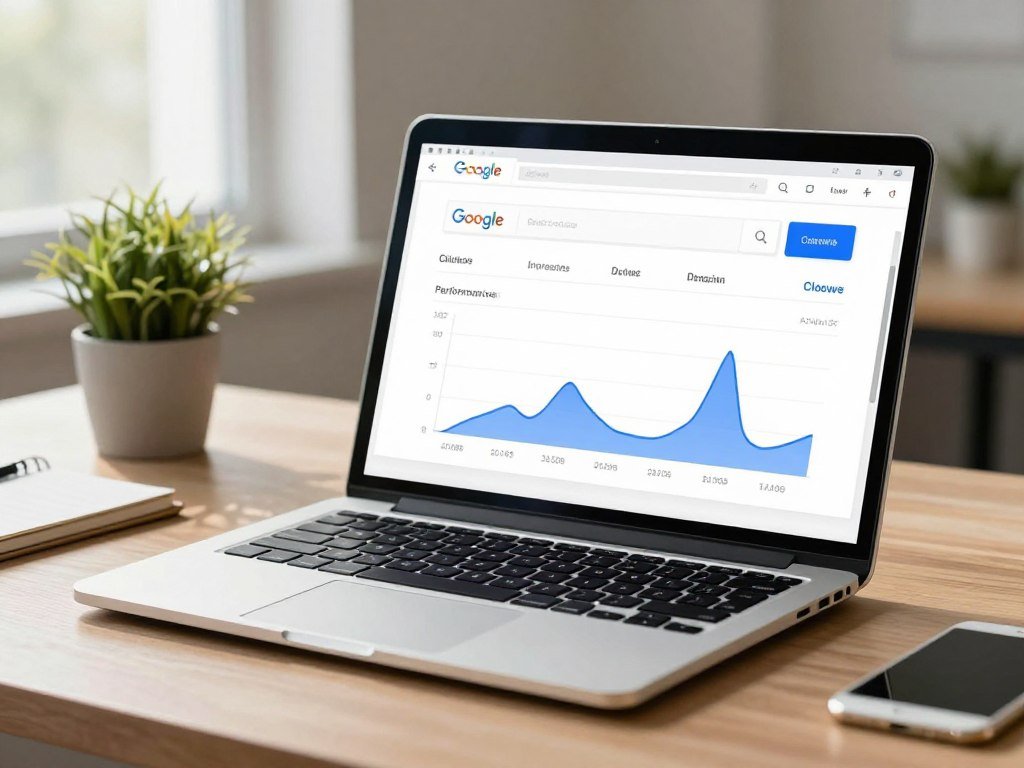
You can filter its data by query, page, country, device, and search type. Those filters help you study a site’s observed search performance instead of relying on one blended view.
A rank check answers a narrower question: where does a selected site appear for a query under set conditions? Search Console records performance for your own verified properties, including impressions and clicks from real searches.
That difference matters in client work. A tracker can compare your client with competitors, while Search Console cannot show another company’s verified-site data.
Search Console’s query-row cap can also limit large audits. It remains useful for trends and page-level analysis, but it may not show every query your team wants to track.
Use Search Console for your own site’s observed performance, then add a tracker only for the gaps your workflow needs filled.
Which Free Google Rank Checker Should You Use?
For a quick check with location and device controls, try SE Ranking’s free checker before deciding whether you need an ongoing subscription. Free access can answer occasional questions, though it limits how much keyword tracking you can do.
Choose a free rank checker by the size and detail of the snapshot you need. A free website ranking checker works for a quick domain or page check, while a free keyword rank checker may allow one term or a small batch.

Free checks for a quick Google snapshot
SE Ranking allows five attempts per day, with desktop and mobile checks, country and city targeting, and language selection. You can check before signup, then see the top 100 organic results after signup.
Ahrefs’ free Keyword Rank Checker checks one keyword for one domain in one location at a time. That suits a single Google search snapshot, not a broad client list.
Free tools for a small batch of keywords
Outrank checks up to 10 keywords at once and reads the top 100 organic results without an account. That makes it a practical option when you want a small batch in one session.
A Google rank checker should let you set location and device. A free SEO ranking checker is not a substitute for historical monitoring, since a one-time result cannot show a trend.
- Confirm the target domain or page.
- Set the search location.
- Choose desktop or mobile.
- Check how deep the tool reads into results.
Confirm the target domain and location before treating a free result as a change in performance.
What Should Agencies Compare Before Choosing a Tracker?
A useful agency tracker is the one that fits the work your team repeats each week, not the one with the longest feature list. Start with capacity, then compare how the platform handles locations, competitors, reports, and data connections.
Check location and device settings before trusting a long feature list. Google results can change by place and device, so comparisons need the same search conditions.
Keyword limits shape how many queries you can monitor across accounts. A team with several clients may need separate keyword groups, user permissions, and room to grow without dropping useful terms.
Local and global coverage also differ. A national campaign may need country-level tracking, while a service business may need city-level views. Device splits matter when mobile and desktop results drive different decisions.
Compare search engines, result depth, refresh schedules, competitor coverage, and historical records. A tracker that stores changes over time can help you explain a campaign shift, not just show today’s position.
Reporting needs affect the choice, too. Check whether the platform supports white-label reports, client access controls, and integrations with the data your team already reviews.
Imagine an agency with several clients, each targeting different cities and priority pages. A low keyword allowance or shared permissions can force staff to trim targets or expose projects to the wrong users.
Feature-count claims do not tell you whether those controls fit your accounts. Test the same query, device, and location in a trial before moving client reporting into a new platform.
Which Trackers Handle Large Keyword Lists and Multiple Search Engines?
SEO PowerSuite Rank Tracker stands out for teams that need unlimited keyword tracking in a free desktop app. Large lists and multi-engine coverage are separate needs, so compare keyword scope with the engines and devices each tool supports.
Unlimited keywords do not mean unlimited result depth or automatic updates. SEO PowerSuite can scan the top 10, 50, or 1,000 results, while its desktop app must be running on an active computer for scheduled checks.
Desktop tracking and deep result scans
Scanning deeper results means checking farther down for each keyword. Tracking more keywords means monitoring a larger set of queries. Those are different capacity questions when your team plans a broad project.
SEO PowerSuite supports Google, Bing, and YouTube. Its scheduled checks depend on the computer running the app being on, so the schedule follows the desktop setup.
Multi-engine coverage for team projects
| Tool | Keyword or result scope | Search engines or devices | Update condition |
|---|---|---|---|
| SEO PowerSuite Rank Tracker | Unlimited keywords; top 10, 50, or 1,000 results | Google, Bing, YouTube | Computer must run app for scheduled checks |
| SE Ranking | Keyword limit not specified in this comparison | Desktop and mobile | Daily data and historical records |
| Ranklytics | Keyword limit not specified in this comparison | Google, Bing, and other engines; desktop and mobile | Daily, weekly, or monthly schedules |
| Ahrefs | Keyword or result scope not specified in this comparison | Device coverage not specified in this comparison | Weekly updates on Lite |
SE Ranking includes daily ranking data, historical data, competitor rankings, and desktop and mobile tracking. Ranklytics adds flexible refresh schedules and support for other search engines.
Check whether the schedule still runs when the computer or account owner is unavailable.
Which Rank Trackers Make Client Reporting Easier?
Advanced Web Ranking is a practical option when scheduled, white-label client reports are central to the workflow. Client-ready reporting means more than exporting a chart; it gives clients a clear, branded view with the right access.
An exportable report is not automatically a white-label report. A white-label report carries your agency’s branding, while an export may simply package data for sharing.
Branded reports and client access
Advanced Web Ranking supports custom reports, PDF exports, scheduled reports, Google Drive permissions, and white-label reports. SE Ranking offers agency-oriented collaboration tools for teams managing client work.
Before you share reports, check:
- Whether delivery can follow a set schedule.
- Whether branded output matches your client-facing style.
- Whether client access controls separate projects and users.
- Whether ranking reports connect to traffic data.
Connecting ranking data to performance reports
Advanced Web Ranking can connect with Google Analytics and Google Search Console. Search Console data can also connect with Looker Studio, where teams can build performance views.
A clean dashboard can still mislead when it mixes rank and traffic measures without labels. A position is not a click, and a click is not a conversion.
Make sure each client sees only the projects and metrics they are meant to review.
How Do Rank Trackers Handle Local and ZIP-Code Searches?
A business serving one neighborhood should check a location-specific result rather than rely on a national position. Location targeting helps your local SEO report reflect the places where customers can actually use the service.
Use city or ZIP-code settings when a broad country view hides local differences. A plumber serving one part of town may rank well nearby but appear lower across the full metro area.
City and language targeting
SE Ranking says its Google ranking checker can track rankings in any location and language. That gives teams a way to set a search area and language for a specific campaign.
ZIP-code-level comparisons
| Tool | Location level | Language or device detail | Best use |
|---|---|---|---|
| SE Ranking | Any location | Language targeting supported | Location and language-specific Google checks |
| Semrush Position Tracking | ZIP code | Not specified in this comparison | ZIP-code-level campaigns |
| Ahrefs | ZIP code | Not specified in this comparison | ZIP-code-level comparisons |
| Nightwatch | ZIP code | Not specified in this comparison | Local campaigns needing ZIP-level tracking |
ZIP-code tracking can reveal a gap that a country-wide average hides. For example, a clinic may show strong visibility in one service area and weaker visibility in a nearby ZIP code.
Keep the same ZIP code or city setting when comparing a ranking over time.
Can Rank Tracking Software Monitor AI Search Visibility?
Some tools now monitor AI Overviews and AI answers, but those appearances are not the same measure as a traditional organic position. AI visibility can mean an appearance in a Google feature or a brand mention in a generated answer.
Report AI mentions and citations separately from conventional keyword positions. A brand mention does not tell you where a standard organic link ranks.
Google AI search features
SE Ranking tracks Google AI Overviews and AI Mode, along with more than 35 Google SERP features. These views help teams track selected search-result features alongside standard rankings.
Google Search Console has no dedicated filter for AI Overviews or AI Mode. Its featured-snippet position follows the position-one rule, which differs from tracking AI mentions.
Brand mentions in AI answers
Ranklytics monitors brand mentions and citations in ChatGPT, Gemini, Perplexity, and Google AI Overviews. Mentions and citations show whether a generated answer names or references a brand.
Those measures can help a team study presence across answer tools, but they do not replace keyword ranking data. Keep the labels separate in client reports so a generated answer does not look like a blue-link position.
Report AI mentions and citations separately from conventional keyword positions.
Which Tools Can Check YouTube Keyword Rankings?
SEOmator is a straightforward no-signup option for a live YouTube top-20 snapshot. For a quick check, it returns the top 20 videos for a keyword with each video’s position, channel, view count, and duration.
A top-20-only checker cannot show how far below the cutoff a video ranks. SEOmator supports 213 countries and 129 languages, and each check runs a fresh, depersonalized YouTube search.
The live snapshot is not a cached average. SEOmator’s free checker does not show positions beyond the top 20, and rank history and alerts require a free account.
SEO PowerSuite Rank Tracker supports Google, Bing, and YouTube through its desktop tracking. It may suit a team that wants video rankings in the same multi-engine workflow as web search.
Before you review a YouTube result, check:
- The target country.
- The search language.
- The channel you want to compare.
- Whether you need position history.
A single snapshot can answer whether a video appears near the top today. It cannot show the path a video took to get there or how often it moved.
Use a tracker with history if the team needs to measure video ranking changes over time.
How Much Does Rank Tracking Software Cost?
Entry plans range from $49 per month for 500 daily-tracked Wincher keywords to $224 per month for 2,000 AccuRanker keywords with daily and on-demand checks. Price matters alongside tracked volume and update cadence.
Compare the monthly fee with the keyword allowance and refresh schedule. A low fee may fit a small set, while an agency plan can support larger reporting needs.
Lower-cost plans and small keyword sets
| Tool and plan | Monthly price and billing condition | Keyword allowance | Update cadence |
|---|---|---|---|
| Wincher entry | $49 per month | 500 | Daily |
| SE Ranking entry | $129 per month | 2,000 | Daily |
| Semrush entry | $139.95 per month | 500 | Daily |
| AccuRanker entry | $224 per month | 2,000 | Daily and on-demand |
| Advanced Web Ranking entry | $139 per month | 7,000 | Scheduled and on-demand |
Higher-capacity plans and agency workloads
SERPRobot bots cost $4.99 per month each and provide 75 keyword updates every 24 hours. Keyword.com starts at $4 per month when billed yearly, with standard tracking across the top 50 results.
Mangools SERPWatcher tracks 200 keywords weekly on its $37.70 monthly entry plan. Daily updates are available on its Agency plan.
Ahrefs Lite costs $129 per month for 750 tracked keywords with weekly updates. Ranklytics Search costs $49 monthly for 100 keywords; Search + AI costs $99 for 500.
Ranklytics Agency costs $199 per month for 2,000 keywords across three sites. Total cost depends on the keyword volume and refresh schedule your team selects.
Compare the allowance and cadence you will actually use, not just the headline monthly fee.
How Often Should Rank Data Refresh?
A daily tracker makes one scheduled check every 24 hours; an on-demand refresh is an extra check outside that schedule, not hourly monitoring. Choose cadence based on how quickly your team acts on ranking changes.
Daily and on-demand checks do not mean real-time or hourly updates. Weekly checks can suit trend monitoring, while daily checks give teams a more regular view of campaign movement.
Scheduled daily and weekly checks
A weekly schedule can work when you review broad trends and do not need to react each day. Daily tracking fits routine campaign observation, such as checking a set of priority pages through the week.
Neither schedule captures every moment between checks. A result can change after a scheduled run and shift again before the next one.
On-demand refreshes
An on-demand refresh adds a check outside the regular schedule. You might use one after a major site change to see where selected queries stand after the event.
That extra check is not a promise of an instant result. It gives you another snapshot, which still depends on the tool’s search settings and timing.
Choose the slowest cadence that still lets the team make timely decisions.
Why Can Average Position Fall While Traffic Grows?
Average position can decline even while traffic rises when new long-tail queries add impressions at lower positions. More reach can bring visibility for useful searches before those pages rank near the top.
One aggregate average is not a verdict on every keyword. Search Console weights average position by impressions, so high-frequency queries can carry more weight than rare ones.
Imagine a page that already gets clicks from a few strong terms. It then begins appearing for many relevant, more specific searches at lower positions.
Those new impressions can pull down the page’s average position. At the same time, the page may attract more clicks because it now appears for a wider set of searches.
Before changing content, compare query and page segments, clicks, impressions, and click-through rate. A new query group may explain the shift better than a problem with the page itself.
Read the metric with the search context in mind. An average can move even when the queries that matter most remain steady.
Check the individual query and page rows before deciding that a ranking loss needs a fix.
What Should a Useful Rank-Tracking Workflow Include?
A useful workflow starts with a stable set of target queries, locations, and devices so each check is comparable. Consistency first makes it easier to see which changes deserve a closer look.
Review ranking data alongside clicks and impressions before assigning new work. Google Search Console reports clicks, impressions, CTR, and average position for verified properties.
Use this sequence to keep reports tied to decisions:
- Define the target queries and the pages expected to answer them.
- Fix the location, device, and search type for each tracking group.
- Record a baseline before making planned content or technical changes.
- Review rankings beside clicks and impressions for the same pages.
- Assign a content or technical follow-up only when evidence supports it.
Search Console filters include query, page, country, device, and search type. Advanced Web Ranking can connect ranking reports with Google Analytics and Google Search Console.
A position change without a matching shift in traffic or visibility may not justify an immediate rewrite. Keep the query group and page in view before changing content.
A specialist rank-tracking workflow guide also recommends setting goals, grouping target keywords, and using report changes to guide content updates.
Record the reason for each content change so the next report can show what action preceded the result.
Which Rank-Tracking Mistakes Distort Decisions?
A ranking report becomes misleading when the compared searches do not share the same location, device, and result context. Small setting changes can make two reports look like a ranking shift when they measure different searches.
Rank alone cannot tell you whether a page earns clicks, conversions, or useful engagement. Keep other performance measures and the page’s purpose in view.
Watch for these common mistakes:
- Comparing results from different locations or devices.
- Assuming every link in a compound result gets a separate position.
- Ignoring the canonical URL used for Search Console attribution.
- Treating rank as a substitute for clicks, conversions, or content quality.
Google counts positions from the top, and a compound result with several links occupies one position. An independently scrolling carousel generally earns an impression only after its item enters view.
A URL change can shift Search Console data to the canonical URL, not the URL your team expected.
That attribution detail can make a page report look incomplete when the expected URL differs from Google’s canonical choice. Verify the canonical URL and search settings before escalating a reported position change.
Conclusion
The right tracker is the one that gives your team dependable comparisons in the places and cadence it needs. Fit the tool to keyword volume, location needs, update timing, and reporting workload.
A larger platform does not help if its settings or reports do not match how your team works. One small test can reveal whether the data is clear enough for client or internal decisions.
Choose a small representative project, verify its settings, and use that trial to decide whether a paid plan earns its place.
FAQ
Can I track a competitor’s rankings in Google Search Console?
No, Google Search Console reports data for verified properties, not competitor sites. It can show how your own pages perform for queries, countries, devices, and search types. For competitor comparisons, use a separate rank tracker that supports competitor data. Keep the competitor’s target location and device aligned with your own tracking settings, so the comparison uses the same search context.
How many keywords should an agency track per client?
Start with the queries tied to each client’s priority pages and reporting goals, then scale the set to the plan allowance and budget. A small, focused group can make a report easier to act on than a long list of loosely related terms. Add keywords when they represent a real page, service area, or campaign question that the team plans to review.
Is a daily rank update the same as real-time tracking?
No, a daily update runs one scheduled check every 24 hours. An on-demand refresh adds another check outside that schedule, and neither means hourly tracking. Results can change between scheduled checks, so a daily report is a regular snapshot rather than a live feed. Choose a schedule that matches how often your team can review and act on the data.
Why do two rank trackers show different positions for the same keyword?
Different settings or check times can produce different positions for the same keyword. Compare location, device, search context, result depth, and timing before treating the gap as a real change. One tool may check a city while another checks a country, or one may scan deeper results. Match those conditions before comparing the reported rank.
Can a free rank checker show historical keyword positions?
Many free checks show a snapshot rather than a history. SEOmator’s free YouTube checker covers the top 20 videos, while rank history and alerts require a free account. A snapshot can tell you whether a result appears in the checked range, but it cannot show how the position moved over time. Use a history feature when you need to review change.
What is the difference between keyword research and rank tracking?
Keyword research evaluates query opportunities, while rank tracking monitors how a chosen site or page appears for selected queries over time. Research helps you decide which terms may fit your audience and content. Tracking shows what happens after you choose those terms and publish or update pages. The two tasks support each other, but they answer different questions.
Can Google Search Console show AI Overview rankings separately?
No, Google Search Console has no dedicated filter for AI Overviews or AI Mode. Its reports can show search performance for verified properties, but they do not separate those AI features into their own view. A tool that explicitly monitors those features can help when you need that measure. Keep AI visibility separate from conventional organic positions in reports.
About The Author