Best Operations Management Software for Business Teams

A growing team can lose time to scattered requests, unclear ownership, and updates that live in separate tools. Operations management software can give teams one shared place to track recurring work, but choosing well takes more than comparing feature lists.
Disconnected tools hide handoff delays and make workloads hard to compare. This shortlist covers broad work platforms and specialist choices for PMOs, service teams, software teams, and contact centers. Each serves different needs, so the best fit depends on the processes your business must coordinate.
When tools serve different kinds of work, comparisons can feel uneven. A platform built for agent schedules solves a different problem from one built for project portfolios or inventory records. The right platform should make the work your team repeats easier to coordinate, measure, and improve.
Key Takeaways
- Choose software around the recurring work your team needs to coordinate.
- Use shared workflows to make ownership and handoffs easier to see.
- Compare broad platforms with specialist tools for service, software, and contact-center work.
- Check that reports, integrations, and controls match your team’s real needs.
- Test a real process before moving every department onto a new system.
What Is Operations Management Software?
Operations management software gives teams a shared system for coordinating recurring work, resources, and performance across departments. In 2026, it connects ongoing cross-functional processes, resource allocation, performance tracking, and operational workflows in one place.
Operations management covers planning and improving the processes used to produce and deliver goods or services. Unlike project tools, operations platforms support continuous work such as requests, approvals, service delivery, and resource handoffs. Project management software mainly organizes temporary work with a defined outcome.

ERP systems center on business records and planning, including finance, procurement, and inventory. Operations platforms focus more on how work moves between people and teams, though some products connect both kinds of tasks and records.
Choose a system that connects recurring work to the information managers need to act on it.
People seeking operations management software with a free plan should check whether a product offers a free tier or only a limited trial. Free downloads of operations management software are different from free cloud plans: an installable app may require a separate license or setup.
Check whether a product’s free option limits users, features, or data storage before relying on it for daily work. A platform is most useful when it connects the daily process to the information managers need to act on it.
What Does Operations Management Include?
Operations management spans the processes that turn plans, people, and materials into goods or services customers can receive. It covers connected work across teams, from planning supplies to checking service quality.
Capacity planning means matching expected work with available people, time, and skills. It helps managers spot gaps before a busy period or a delayed project causes missed targets.

The main types of operations management
Five common types are service, production, project, supply chain, and inventory management. A company may handle several at once, such as producing goods while managing stock and customer delivery.
Supply chain management covers how a business acquires, produces, and delivers products, including sourcing and returns. The APICS explanation of operations and supply chain management describes how these responsibilities overlap.
The functions and responsibilities of an operations manager
Asana identifies seven operations management functions: operational planning, finance, product design, quality control, forecasting, strategy, and supply chain management. Managers plan work, organize resources, solve operating problems, track results against targets, and improve processes.
A service business might forecast demand for next week, assign staff to expected jobs, and check whether each job meets its quality target. If work falls behind, a manager can review the handoff and adjust the process or staffing plan.
Treat the functions as connected responsibilities, not as separate departments that never share data. Strong resource planning depends on managers seeing where supply, staffing, finance, and quality affect the same outcome.
Which Operations Tools and Techniques Improve Processes?
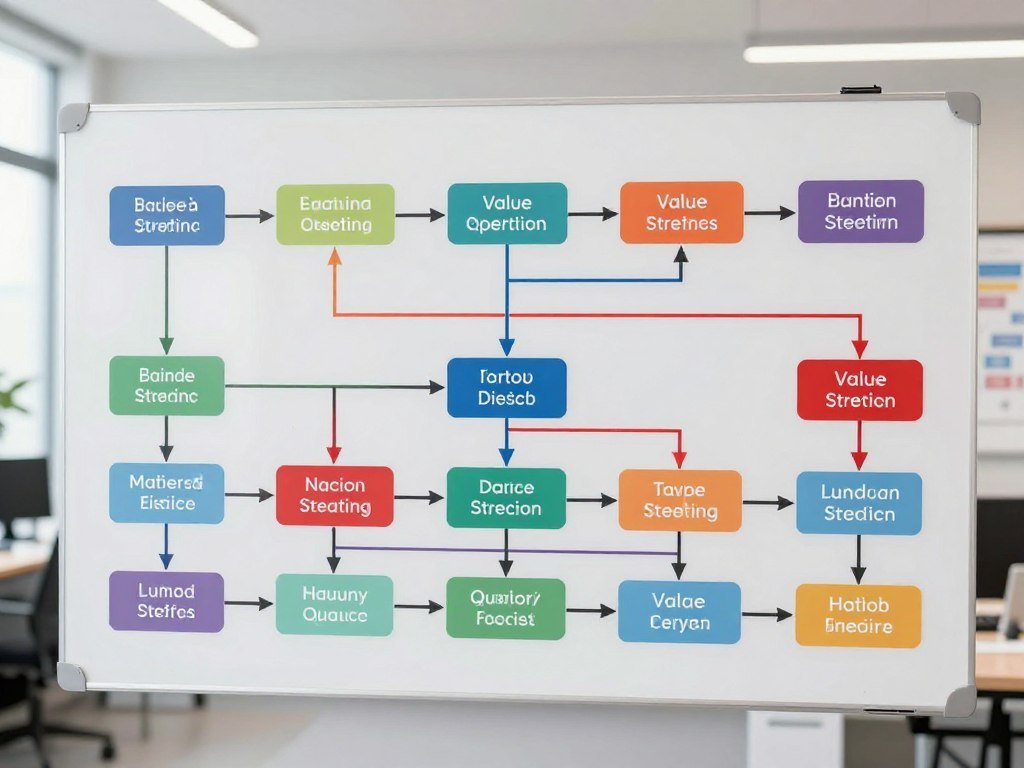
A process map can reveal where work waits between teams, even when every individual task appears to be moving. Value stream mapping follows materials and information from suppliers through the business to customers, marking waiting and rework.
A map is useful only when someone owns the change and keeps the process current. Teams can use it to find bottlenecks, repeated data entry, and steps that do not help the customer.
Map the work and locate bottlenecks
Trace each step from the first request to the final result. Mark when work waits for approval, returns for correction, or moves between teams without a clear owner.
Then compare the map with real performance. A team may learn that a short review takes days because requests sit in an unmonitored inbox. That detail points to a specific process problem, not a general need to work faster.
Use 5S and OGSM to keep improvements on track
5S gives teams a simple method for keeping a work area orderly. Its steps are Sort, Set, Shine, Standardize, and Sustain:
- Sort: Remove tools and materials the work does not need.
- Set: Put needed items where people can find them.
- Shine: Clean the work area and spot problems early.
- Standardize: Agree on a consistent way to do the work.
- Sustain: Keep the habits in place through regular checks.
OGSM means Objectives, Goals, Strategies, and Measures. Key performance indicators, or KPIs, connect goals to measurable results, such as fewer late orders or shorter approval times. Value stream mapping guidance also describes how teams can trace work to find inefficiency.
Choose a measure that reflects the outcome the process is meant to improve, not simply the number of tasks completed. A faster task count may not help if customers still wait for the final service.
What Features Matter Most in an Operations Platform?
Start with the features that remove a real bottleneck instead of buying every capability a platform offers. Start small: identify how a request enters the system, who owns it, and what information teams need to finish it.
Match essential features to the process and the people who use them. A small task-tracking add-on may be enough for one team, while cross-department work can require broader workflow controls.

Features that connect daily work
Workflow automation can route requests or send reminders when a task stalls. Task ownership makes responsibility clear, while resource and capacity views help managers plan work against available staff and time.
Forecasting can help teams prepare for expected demand. Integrations connect systems such as CRM and ERP with workflows, reporting, and permission controls, reducing the need to copy data by hand.
TasksBoard adds a Kanban board to Google Tasks and supports multiple task lists as separate boards, including shared lists. It may suit a small tracking need; larger operations may need broader workflow, reporting, and permission controls.
Controls that help teams trust the system
Usability matters because a complicated screen can lead to missed updates. Look for role-based permissions, quality checks, mobile access, and audit trails that record changes to important records.
A useful starting checklist includes:
- Workflow automation for routine routing and reminders.
- Resource planning to compare work with available capacity.
- Integrations that connect the systems teams already use.
- Dashboards and reporting that show progress and delays.
- Permissions and usability suited to each user’s role.
If you manage a cleaning company, compare these needs with employee scheduling software for cleaning businesses, which can combine time tracking, staff assignments, and communication.
A feature has value only if the people responsible for the process will use it consistently. A clean mobile update from the field may matter more than a complex report nobody opens.
Which Operations Management Software Fits Your Team?
For a general-purpose visual workspace, start by comparing monday.com with Asana; choose a specialist when your core work is service delivery, ERP processes, or software development. monday.com is the leading general fit in this roundup for visual, cross-functional workflow coordination.
Asana suits portfolio planning, Productive.io suits service businesses, Odoo connects business modules, and Jira supports software delivery. These are fit-based recommendations, not measured rankings; each option serves a different kind of work.
The table narrows the initial comparison by the work your team owns. Use it to pick a short list for product demos, rather than treating every platform as a direct substitute.
| Team need | Recommended option | Supported work | Best fit when |
|---|---|---|---|
| Broad cross-team visibility | monday.com | Visual workflows and workload views | Teams need shared status across departments |
| Portfolio coordination | Asana | Projects, goals, and team workloads | Leaders track linked work against goals |
| Agency or service operations | Productive.io | Projects, time, resources, and finances | Billable work and budgets share one system |
| Integrated inventory and finance | Odoo | Inventory, accounting, and projects | Business records need connected modules |
| Agile software operations | Jira | Issues, sprints, and development work | Teams plan and track software delivery |
Broader systems can support many workflows, while specialist products focus on a narrower need. Cleaning teams may also compare CRM software for cleaning businesses when customer records, scheduling, and service updates need to connect.
Use this shortlist to narrow the demos to platforms that match the work your team actually owns. A focused demo should show a real process from its first request through its final report.
Is monday.com Right for Visual Cross-Team Workflows?
Teams that want to see requests, schedules, and capacity in one visual workspace can use monday.com to organize work in several views. Different views help teams see the same workflow as a board, calendar, timeline, or schedule.
monday.com offers more than 15 workflow views, including Kanban, Timeline, Calendar, Gantt, and Workload View. Teams can choose a view that makes task status or staffing pressure easier to spot.
Views, dependencies, and workload
Gantt charts show work across a timeline. monday.com includes dependencies, milestones, baselines, and critical-path overlays, which help teams see how a delay in one task may affect linked work.
A workload view can help managers compare assignments with team capacity. That view is useful when several projects draw on the same people and a new request could push other work back.
Integrations and AI automation
monday.com lists more than 200 integrations, including Slack, Microsoft Teams, Jira Cloud, Zoom, Gmail, Outlook, and Google Drive. Integrations can keep communication and work data connected instead of scattered across separate tools.
AI automation blocks are available on Pro and Enterprise plans. View and setup choices can become clutter without a clear board owner and shared rules for fields and statuses.
Before building a complex board, decide who will maintain its fields, statuses, and automation rules. A consistent naming system can prevent teams from creating several labels for the same stage of work.
When Is Asana the Better Choice for Portfolio Operations?
Asana is worth evaluating when leaders need to connect daily assignments to goals and portfolio health across teams. Its Work Graph architecture links tasks, projects, goals, and responsible team members, giving managers a connected view.
Asana can connect intake, project work, and portfolio status. That can help operations teams and a PMO see whether incoming requests fit current priorities and available capacity.
Connecting goals, projects, and teams
Teams can collect work through intake forms, assign owners, and place approved work into projects or portfolios. Goals help leaders connect those assignments to wider outcomes rather than viewing each task alone.
Workload views and capacity planning help managers compare incoming requests with staff availability. That step matters: gathering task updates shows activity, but matching requests to capacity helps teams decide what they can take on.
Intake, reporting, and AI workflows
Workflow automation can route work and reduce repeated manual steps. Status reporting gives leaders a view of portfolio progress, while intake forms can standardize the details teams need before accepting a request.
Advanced portfolio and resource management needs can depend on plan level. Teams with deep inventory, asset, or cost accounting needs may need a specialist or ERP alongside Asana.
Test the intake-to-capacity workflow with a real request before migrating every project. Include the approval steps and staffing limits that shape the request’s path.
Which Fits Better for Flexible Work, Wrike or Smartsheet?
Choose Wrike when task and resource coordination are central; consider Smartsheet when your team prefers a configurable, spreadsheet-style operating view. The main difference is how each platform brings structure to work and resource planning.
Wrike combines task and resource management, while Smartsheet supports sheet-based workspaces, configurable workflows, dashboards, and rule-based automation.
The table focuses on practical differences you can test. Both can support distributed teams and cross-functional collaboration, but setup and resource depth may vary by need.
| Comparison point | Wrike | Smartsheet | Practical implication |
|---|---|---|---|
| Resource visibility | Task and resource management together | Resource views may need add-ons | Compare staffing views with actual team roles |
| Workflow setup | Coordinated task workflows | Configurable sheet-style workflows | Choose the setup your team can maintain |
| Limitation to test | Check whether resource views fit your process | Asset tracking may need workarounds | Test unusual fields and detailed asset needs |
Wrike for coordinated work and resources
Wrike may suit teams that want project tasks and resource planning in the same environment. A PMO can compare work across teams while project owners follow their assigned tasks.
Smartsheet for structured, configurable tracking
Smartsheet may fit teams comfortable shaping trackers, dashboards, and reports around their own fields. Advanced resource management may need add-ons, and asset-level tracking may require workarounds.
Ask each vendor to demonstrate one live workflow using your team’s real fields and approval steps. Include an exception case, such as a request that needs extra review or changes owner midway.
Is Productive.io a Fit for Service and Agency Operations?
Service teams that must connect client projects, staff capacity, billable time, and budgets have a reason to consider Productive.io. Its focus on service work joins delivery planning with time and financial tracking.
Productive.io combines time, resources, projects, budgets, billing, and profitability reporting. Productive Essential costs $10 per user per month, while Professional costs $25 per user per month.
Time, budgets, and resource plans
Teams can track time, approve timesheets, plan resources, and forecast project needs. Budget and billing views help managers compare planned work with billable time and project costs.
Productive Ultimate pricing is available by contacting sales, and the product offers a 14-day free trial. Profitability reports can help a service business review whether project work stays within its planned budget.
Project delivery and client coordination
Project views help staff track delivery tasks, while a client portal can support shared feedback. That can reduce the need to collect comments across separate email threads.
Productive.io may be less suited to teams focused on manufacturing, inventory, or detailed asset control. Those needs can call for systems built around stock records or equipment tracking.
Confirm that staff will record time and maintain project budgets in the same workflow before choosing an all-in-one service platform. If either habit sits outside the system, financial reports may not reflect the work performed.
When Should a Business Choose an ERP Such as Odoo or NetSuite?
Choose an ERP when operational work depends on linked business records such as orders, inventory, finance, and customer accounts. Shared records can help teams follow how an order affects stock, staffing, projects, and money.
Odoo suits businesses selecting connected modules, while NetSuite suits businesses seeking broad enterprise process coverage. Both reach beyond task tracking into core business operations.
Odoo for modular connected operations
Odoo offers connected modules for inventory, projects, accounting, sales, and customer workflows. A business can choose modules that match its needs and connect operational data across them.
This modular approach can appeal to companies that want to build a system around selected processes. Teams still need to plan how records and workflows will fit together as the business grows.
NetSuite for broad business workflows
NetSuite combines ERP, CRM, project capabilities, resource planning, and financial workflows. Its wider coverage may suit a business that wants many core processes within one enterprise system.
Configuration and adoption require planning with either product. Adding modules or customizations without process ownership can create a system that is hard to maintain.
Map the records that must stay connected before deciding whether a modular or broad-suite system fits. Include order, stock, finance, project, and staffing records that teams need to share.
Is Jira Suitable Outside Software Development?
Jira is a natural fit when operational work revolves around software backlogs, issues, sprints, and delivery dependencies. Agile structure gives software teams a shared way to plan and track work.
Jira supports Kanban and Scrum boards, dashboards, reports, and automation. These tools can coordinate development and related operations work that follows clear stages.
Where Jira supports operational workflows
Teams can use backlogs to collect tasks, issues to track work, and sprint planning to set short work cycles. Workflow rules can route tasks or flag work that needs attention.
Jira can also be configured for approvals or cross-team routing. That may help teams coordinate work tied to software delivery, such as requests for release review or technical support.
When agile structure becomes a constraint
Agile-centered structures may require more customization for teams that use other methods. A team that handles ongoing service requests may prefer simpler forms and process views.
Software teams may still need separate tools for budgets, inventory, or asset management. Jira can track tasks tied to these areas, but those records may call for another system.
Test the workflow with a nontechnical team before standardizing Jira across the whole business. Watch whether the team can route and update its work without translating every step into agile terms.
What Is the Best PMO Software for Different Project Offices?
For enterprise PMOs balancing interdependent projects and specialist resources, compare Epicflow, Planview, and Oracle Primavera first. The best PMO software fits the office’s governance role and portfolio size.
A PMO may guide teams, enforce standards, or directly manage projects. Its software can support governance, resource allocation, performance monitoring, training, and links to organizational strategy.
Match the PMO tool to its governance role
A supportive PMO offers guidance, templates, and advice. A controlling PMO monitors compliance with shared standards, while a directive PMO actively manages projects and delivery.
The more control a PMO holds, the more it may need consistent portfolio reporting and resource views. Smaller offices may focus on guidance, while enterprise groups may coordinate work across many project owners.
Compare platforms by portfolio and resource needs
Epicflow, Planview, and Oracle Primavera are candidates for enterprise portfolios with interdependent projects and shared specialists. Wrike, Smartsheet, monday.com, and Asana suit distributed cross-functional PMO work.
Jira suits software portfolios. Microsoft Project and Smartsheet support scheduling, resource tracking, timelines, and reports, while Celoxis lists portfolio management, resource allocation, and project tracking.
| PMO need | Options | Useful capability | When to shortlist |
|---|---|---|---|
| Enterprise portfolio control | Epicflow, Planview, Oracle Primavera | Interdependent project planning | Projects share specialists and dependencies |
| Distributed team coordination | Wrike, Smartsheet, monday.com, Asana | Cross-functional work views | Teams work across locations and functions |
| Software portfolio delivery | Jira | Agile planning and issue tracking | Projects center on software development |
| Schedules and reporting | Microsoft Project, Smartsheet, Celoxis | Timelines and resource tracking | Leaders need schedule and portfolio reports |
Use this separate evaluation checklist during demos:
- Governance: Can you set the right level of control?
- Portfolio views: Can leaders see dependencies and status?
- Resource allocation: Can managers track shared specialists?
- Reporting and training: Can users learn the system and act on reports?
The Institute for Project Management explains the supportive, controlling, and directive PMO roles as different levels of guidance and project control.
Match the tool’s level of control to whether the PMO advises teams, enforces standards, or directly manages delivery. A mismatch can leave the office with either too little oversight or more process than teams can follow.
Which Workforce Management Software Handles Contact-Center Staffing?
Contact-center WFM software turns expected call volume into staffing needs, agent schedules, and live adherence checks. Forecasting starts the cycle, helping teams plan staff around expected customer demand.
WFM connects forecasts, staffing calculations, schedules, and real-time adherence monitoring. That helps managers see whether planned coverage matches the work arriving in the contact center.
What contact-center WFM software does
The software forecasts contact volumes, calculates staffing needs, and builds agent schedules. Managers then monitor real-time adherence to see whether agents follow planned schedules.
Providers include NICE CXone, Verint, Genesys Cloud, Assembled, Five9, Aspect, Amazon Connect, RingCX, Peopleware, and Talkdesk. Each may fit a different contact-center setup.
How to compare provider types
Assembled and Peopleware are cloud-native options for contact centers that use multiple software providers. NICE CXone, Genesys Cloud, Five9, Amazon Connect, and RingCX embed workforce management in their contact-center suites.
A bundled suite may be less suitable when a contact center coordinates several providers. Compare these four points:
- Forecasting inputs: Check which contact types and history it uses.
- Scheduling flexibility: Test shift rules and agent preferences.
- Real-time adherence: Check how quickly managers see schedule gaps.
- Existing stack: Confirm fit with current contact-center tools.
Compare how each option handles your existing channels and scheduling rules, not just its forecast screen. A forecast may look clear while missing the rules agents must follow.
How Much Does Operations Management Software Cost?
For a small or midsize business, inventory software subscriptions commonly fall around $50-$300 per month, while enterprise systems can exceed $5,000 per month. Pricing depends on product type, user count, and the level of support.
Subscriptions may use per-seat, flat-rate, or quote-based pricing. Inventory per-user plans average around $30 per seat, though products and plan sizes differ.
Compare subscription and plan prices
monday service Standard costs $26 per seat per month, and Pro costs $38 per seat per month when billed annually. Enterprise pricing is available by contacting sales.
Standard includes unlimited tickets, two-way Gmail and Outlook integration, and AI Ticket Triage for one board. Pro adds triage for three boards and a customer portal for up to 100 users. Enterprise includes triage for unlimited boards and dashboards combining up to 50 boards.
| inFlow plan | Monthly billing | Monthly price with annual billing |
|---|---|---|
| Lite | $129 | $99 |
| Core | $379 | $299 |
| Pro | $629 | $499 |
| Max | $879 | $699 |
Sortly starts at $49 per month and offers a free plan and trial. Zoho Inventory starts at $39 per month and offers a free plan. Odoo Inventory starts at $38.90 per user monthly, or $31.10 with annual billing, and also offers a free plan.
Plans differ, so compare costs within the same product type and billing period. A Sortly free plan and paid pricing can be compared with the listed subscription options above.
Include setup, migration, and hardware
Inventory software implementation can cost $500-$10,000 or more. Complex migrations can cost $10,000-$40,000, and warehouse hardware can cost $1,000-$5,000 for most warehouses.
Free plans and trials are not the same as paid tiers. A free download may not include the integrations, storage, controls, or support a business needs for daily use.
Compare the annual subscription, implementation, migration, and hardware costs together before approving a budget. A low monthly price may not reflect the effort needed to move records or train staff.
How Do You Choose and Implement an Operations System?
Test a real, repeatable workflow before migrating every department into a new system. A real process shows whether the software fits people’s handoffs, approvals, and reporting needs.
Map the current process and test the system with real work before expanding it. Look for delays, manual handoffs, and steps that force people to enter the same information twice.
Choose around a real workflow
Set must-have requirements from the process, then test whether integrations connect the systems your team relies on. Check whether the product can support more users and work as needs grow.
Include total cost of ownership in the comparison, not only the subscription. A useful operations management system example is an intake workflow that records a request, assigns an owner, routes approval, tracks status, and reports completion.
The report should show where requests stall, such as waiting for an approval or missing information. That makes the process easier to improve than a single count of completed requests.
Roll out, measure, and refine
Start with a small process and use a staged rollout:
- Map the process and its handoffs.
- Appoint an owner who can make changes.
- Configure a small pilot with real users.
- Automate in phases after the steps work.
- Train users and collect feedback.
- Monitor metrics and refine with Lean methods.
A tool can automate a broken process faster, so simplify the process before expanding automation. Lean gives teams a way to keep reviewing work and remove steps that do not add value.
Set a review date and use actual completion times, handoff delays, and user feedback to decide what to change.
A review should include both results and the experience of people doing the work. Their feedback can show why a request waits even when the system marks it as active.
Conclusion
The best operations platform is the one your teams can use to keep essential work moving and visible. Fit depends on the recurring work you manage, the controls you need, and the systems that must share data.
A familiar interface cannot fix unclear ownership, and a powerful platform may go unused if it adds too much friction. Keep the people who own the process involved as you compare options.
Choose one high-friction workflow, write down its required handoffs and measures, and use it to assess your final candidates.
FAQ
What is the best PMO software?
Epicflow, Planview, and Oracle Primavera are strong candidates for enterprise portfolios with interdependent projects and shared specialist resources. Jira suits software portfolios, while Wrike, Smartsheet, monday.com, and Asana suit distributed, cross-functional teams. Compare governance, portfolio views, and resource needs before choosing. A small PMO may need guidance and clear status reports more than complex enterprise controls.
What are the top 5 workforce management software?
Five options are NICE CXone, Verint, Genesys Cloud, Assembled, and Five9. NICE CXone, Genesys Cloud, and Five9 offer WFM within broader contact-center suites. Assembled is a cloud-native choice for centers using multiple providers. Compare the tools against your channels, schedule rules, and current systems, since a bundled suite may not fit a mixed-provider setup.
What tools are commonly used in operations management?
Teams use workflow platforms such as monday.com, process methods such as 5S, and ERP products such as Odoo. Inventory tools track stock, while PMO platforms manage project portfolios and shared resources. Contact centers use WFM software to plan agent schedules. These tools solve different problems, so a business may connect several rather than expect one product to cover every process.
What is the best software for operations management?
monday.com is a strong general visual choice for cross-team workflows. Asana fits portfolio planning, Productive.io supports service operations, Odoo connects business modules, and Jira suits software delivery. Start with the process your team repeats most often, then test how each product handles its real owners, handoffs, and reports. A specialist may fit better than a broad platform when one work type drives the need.
What are the four types of operations management?
Classifications vary, and the five categories used here are service, production, project, supply chain, and inventory management. Some lists group or split these areas differently because businesses combine them in practice. For example, a manufacturer may manage production, inventory, and supplier delivery as connected parts of one operating system.
What are the 7 main functions of operations management?
The seven functions are operational planning, finance, product design, quality control, forecasting, strategy, and supply chain management. They guide how a business plans work, uses resources, and delivers goods or services. Their duties often overlap. A forecast can shape staffing, purchasing, and delivery plans at the same time.
What are the three P’s of operations management?
A common framework uses people, processes, and products as the three P’s. People do the work, processes define how it moves, and products are the goods or services delivered. Some teaching frameworks use different versions, so check how a course or employer defines the model before applying it.
What is a level 5 operations manager?
“Level 5 operations manager” is not a universal industry title. Its meaning depends on an employer’s job ladder and the role’s responsibilities. One company may use level 5 for a senior site leader, while another may assign that level to a different scope. Review the job description, team size, and decision authority.
About The Author